
- What is an expense check?
- How expense checks differ from wages
- Why expense checks matter for your business
- Common expenses covered by expense checks
- How to process expense checks
- Best practices for managing employee expense reimbursements
- Expense tracking methods for expense checks
- When to use corporate cards instead of expense checks
- How Ramp automates fair and compliant expense reimbursements
An expense check is a non-taxable reimbursement payment your employer issues to cover authorized, out-of-pocket business costs. Unlike payroll, expense checks aren't compensation for work performed. They repay money you've already spent on behalf of the company.
What is an expense check?
Expense checks reimburse employees for legitimate business expenses they've paid for with their own money. They're a core part of how companies handle costs such as travel, meals, and supplies without putting the financial burden on individual team members.
- Purpose: Repay employees for pre-approved business expenses they covered out of pocket
- Tax status: Not considered taxable income when properly documented under an accountable plan
- Common examples: Airfare, hotel stays, client meals, mileage, office supplies, conference fees, and client entertainment
How expense checks differ from wages
It's easy to lump expense checks in with regular pay, but they're fundamentally different. Wages are taxable compensation for work you perform. Expense checks are non-taxable repayments for money you already spent on the company's behalf. The IRS treats them differently, and so should your payroll and accounting processes.
| Factor | Expense check | Wages |
|---|---|---|
| Purpose | Reimburse out-of-pocket business costs | Compensate for work performed |
| Tax treatment | Non-taxable (if properly documented) | Taxable income |
| Payroll inclusion | Separate from payroll | Part of payroll |
| Documentation required | Receipts and expense reports | Time records |
Why expense checks matter for your business
Expense checks aren't just an administrative task, they directly affect your financial accuracy, compliance posture, and team morale.
Financial planning and budgeting
Expense checks create a paper trail that shows exactly where money goes. When employees submit expense reports with receipts, you get a complete picture of spending across departments. That visibility helps you spot areas where costs are creeping up and make smarter budgeting decisions.
Fraud prevention
Requiring documentation and manager approval for every reimbursement deters false or inflated claims. When employees know their expenses will be verified, they're far less likely to submit anything questionable.
Tax compliance
Properly documented expense reimbursements aren't taxable income—but only if you follow the IRS's accountable plan rules. An accountable plan requires 3 things: expenses must have a business connection, employees must substantiate them with receipts, and any excess reimbursement must be returned. Skip these steps, and those reimbursements become taxable wages.
Employee satisfaction
The Fair Labor Standards Act (FLSA) requires employers to reimburse employees for work-related expenses. Beyond the legal requirement, prompt reimbursement builds trust. When your team knows they won't be stuck covering business expenses out of their own pockets for weeks, they're more willing to invest in activities that drive growth, such as traveling to meet a prospect or buying a tool that boosts productivity.
Common expenses covered by expense checks
Not every purchase qualifies for reimbursement. Your expense policy should define exactly what's covered, but most companies reimburse expenses in these categories:
Travel and transportation
- Flights and airfare
- Mileage reimbursement for personal vehicle use
- Rideshares and taxis
- Parking fees and tolls
- Rental cars
Meals and entertainment
- Client dinners and business meals
- Meals during business travel
- Team outings with a documented business purpose
Lodging and accommodations
- Hotel stays for work trips
- Short-term rentals (like Airbnb) when traveling for business
Office supplies and equipment
- Items employees purchase for work use, such as monitors, keyboards, or printer supplies
- What qualifies varies by company policy, so be specific in your guidelines
Professional development and training
- Conference registration fees
- Online course enrollments
- Professional certifications relevant to the employee's role
How to process expense checks
A consistent process keeps reimbursements fair, fast, and audit-ready. Here's the standard workflow most finance teams follow.
1. Collect expense documentation
The employee submits an expense report—a form that itemizes each business expense along with supporting receipts. If you're new to this, an expense report is simply a record that lists what was purchased, when, why, and how much it cost.
2. Review and verify claims
A manager or finance team member checks each expense against your company's policy. They confirm the expense has a legitimate business purpose and that the amount falls within approved limits.
3. Approve or reject expenses
Expenses that meet policy get approved. Those that don't—missing receipts, personal purchases, amounts over policy caps—get flagged or denied. Common rejection reasons include incomplete documentation, expenses outside approved categories, and duplicate submissions.
4. Issue the expense check
Once approved, payment goes out to the employee. This can happen via physical check, ACH direct deposit, or through an expense management platform. Most companies today use direct deposit for speed and convenience.
5. Record and reconcile the payment
Log every reimbursement in your accounting records. This step is critical for accurate financial reporting and ensures you're prepared if an audit comes up. Reconcile reimbursements against submitted reports to confirm everything matches.
Best practices for managing employee expense reimbursements
A solid process is only as good as the policies behind it. These practices help you keep reimbursements consistent and compliant.
Create a clear expense policy
Document what's reimbursable and what's not. Your policy should spell out eligible expense categories, submission deadlines, and required documentation. Distribute it through employee handbooks, onboarding sessions, and periodic reminders so no one can claim they didn't know the rules.
Set spending limits and approval thresholds
Cap amounts per category—for example, $75 per person for team meals or $200 per night for hotels. Require additional approval for expenses above a certain dollar amount to add a layer of oversight without slowing down routine claims.
Require itemized receipts for all claims
Credit card statements show a total but not what was actually purchased. Itemized receipts prove exactly what the money went toward, which matters for both policy enforcement and tax documentation.
Process reimbursements promptly
Employees fronted their own money. Don't make them wait. Set a clear turnaround time—30 days is a common benchmark—and stick to it. Delays erode trust and discourage employees from making purchases that benefit the business.
Conduct regular expense audits
Spot-check claims periodically to catch errors, policy violations, or patterns of misuse before they become bigger problems. Regular audits also reinforce that your team takes compliance seriously.
Expense tracking methods for expense checks
How you track expenses affects how much time you spend on reimbursements—and how many errors slip through.
- Manual tracking (spreadsheets): Low cost to start, but time-consuming and prone to data entry mistakes. Works only if you have very low expense volume.
- One-write check systems: Physical checks with carbon copies that create a simultaneous record. These are a step up from spreadsheets for small businesses with low transaction volume, but they don't scale well.
- Expense management software: Automates receipt capture, approval workflows, and payment processing. Reduces manual work, catches errors faster, and gives you real-time visibility into spending.
- Corporate card programs: Employees charge expenses directly to a company card, eliminating the reimbursement step entirely. You get transaction data in real time instead of waiting for expense reports.
When to use corporate cards instead of expense checks
Corporate cards remove the need for employees to front their own money, which simplifies the entire reimbursement cycle. They're worth considering when you have:
- Frequent business travelers who'd otherwise submit large, recurring reimbursement requests
- Recurring expenses such as software subscriptions or office supplies
- A need for real-time spending visibility instead of waiting weeks for expense reports
- High administrative overhead from processing manual reimbursements
Corporate cards don't replace expense policies—you still need spending controls and documentation. But they shift the burden away from employees and give your finance team faster access to transaction data.
How Ramp automates fair and compliant expense reimbursements
Managing expense reimbursements manually means grappling with unclear receipts, inconsistent policy enforcement, and delayed approvals that frustrate employees while creating compliance risks. You're stuck mediating disputes over rejected expenses, chasing down missing documentation, and trying to ensure everyone follows the same rules, all while legitimate business expenses sit in limbo.
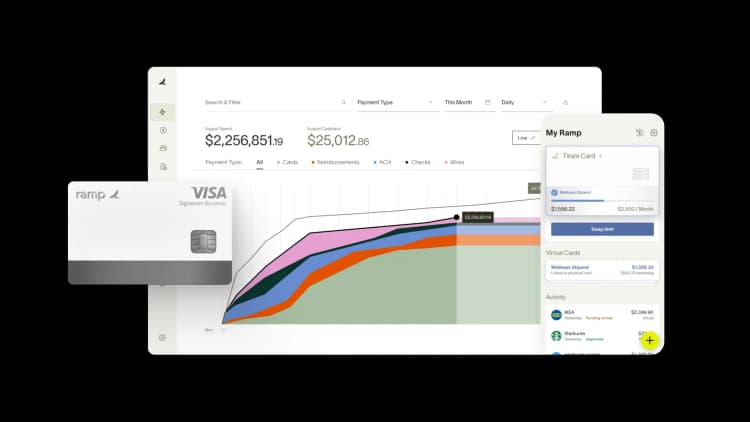
Ramp's expense management software transforms this chaotic process into a streamlined, automated system that enforces compliance from the start. The platform's customizable expense policies automatically apply your company's rules to every submission, eliminating the guesswork and favoritism that can creep into manual reviews. When an employee submits an expense, Ramp instantly checks it against your predefined limits, categories, and approval requirements. For example, if your policy caps client dinners at $100 per person, any submission exceeding this amount gets flagged for additional review before it reaches your approval queue.
Real-time receipt matching technology ensures every reimbursement request has proper documentation. Employees simply photograph receipts through Ramp's mobile app, and OCR technology extracts vendor details, amounts, and dates automatically. The system compares this data against the submitted expense amount, catching discrepancies that might indicate errors or policy violations. If someone claims $150 for a receipt showing $100, Ramp blocks the reimbursement until they provide clarification.
The platform also creates transparent audit trails for every transaction, showing who submitted what, when it was approved, and by whom. This documentation proves invaluable during audits and helps identify patterns of non-compliance across your organization. Automated approval workflows route expenses to the right managers based on amount thresholds or expense types, ensuring consistent oversight while speeding up reimbursements for employees who follow the rules. This combination of automation and transparency doesn't just enforce compliance—it makes fair treatment the default.
Build stronger team relationships with efficient expense management
Fair reimbursement policies build trust between you and your employees. When your team knows they'll be compensated promptly for legitimate business expenses, they're more likely to invest in activities that drive growth, whether that's traveling to meet clients or purchasing tools that boost productivity.
Ramp removes the friction from reimbursements while maintaining the controls you need. Your employees get their money faster, you get complete visibility into spending, and everyone operates within clear, consistent guidelines. Learn more about how Ramp can improve your reimbursement process with an interactive demo.

FAQs
No. Expense reimbursements under an accountable plan aren't taxable, as long as the employee provides documentation tying the expense to a business purpose and returns any excess funds. If your plan doesn't meet accountable plan requirements, the IRS treats reimbursements as taxable wages.
An accountable plan requires employees to submit receipts, demonstrate a business connection for each expense, and return any reimbursement that exceeds actual costs. A non-accountable plan doesn't require documentation, which means the IRS treats those reimbursements as taxable wages subject to withholding.
Keep expense records for at least 7 years. This covers IRS audit windows and gives you a buffer for any disputes or compliance reviews that come up down the road.
Yes. Most companies now reimburse via ACH direct deposit rather than issuing physical checks. It's faster for employees and easier to track on the accounting side.
Most companies allow employees to submit a signed lost receipt affidavit explaining the expense. However, repeated lost receipts may result in denied claims. Your expense policy should address this scenario so expectations are clear from the start.


“I assumed I would have to choose between speed and control. What I found is that you can have both. A well-designed system takes friction out, for the finance function and for everyone else.”
Justin Webster
CFO, Denver Broncos

“A well-run district should not have to choose between getting work done at the school site and keeping control of the dollars behind it. We're not hiring more people to do more jobs, so we have to be smarter about the process. With Ramp, the purchase, the receipt, and the record stay together from the start. ”
Nick Brizeno
Director of Purchasing, San Marcos Unified School District

“In senior living, scale only works if the communities still feel personal. We needed the back office to carry more of the complexity, not the people serving residents. Ramp helped us build that infrastructure, so the experience in the community could stay human.”
Ryan Cole
CFO, Agemark Senior Living

“AI is moving faster than the finance context around it. Prices change, models change, and the value is not always obvious from an invoice. We needed enough detail to know which bets deserved more investment — and which ones did not.”
Greg Cooley
Controller, AngelList

“Invoices, cards, tokens. The categories change but the principle doesn't: know where the money is going, remove the work around it, and make sure the spend is worth it.”
Maciej Mylik. Finance
ElevenLabs

“We weren’t trying to retrofit an old finance system. We had a blank canvas, and Ramp gave us the foundation to build a global finance function of the future.”
Justin Dourado
Director of Finance, Othership

“There's just no surprises anymore. No more waiting two months to find out how a job did. We know how it's doing as it's happening.”
Erich Kuss
Financial Systems Manager, Infinity Home Services

“More token spend isn’t proof that AI is working. Less isn’t proof that it isn’t. What matters is whether we’re buying the right level of intelligence for the work. Ramp lets us make that judgment in the same place we manage every other type of spend.”
Cody Nutt
Senior Director of Business Systems, Daxko
