Expenses in accounting: Definition, types, and examples

- What are expenses in accounting?
- Expenses vs. expenditures
- Types of business expenses
- Common expense account categories
- How to record expenses
- Journal entry examples
- The matching principle
- Accrual basis vs. cash basis accounting
- Expense recognition and accounting principles
- Expense management best practices
- Centralize spend data and automate expense tracking with Ramp
Expenses in accounting are decreases in economic benefits during an accounting period in the form of asset outflows or liability incurrences that reduce equity. In simpler terms, they're the costs you incur to generate revenue in a given period.
When you record expenses correctly, you get an accurate view of profitability and cash flow. When you don't, margins distort and decisions rely on incomplete data. Misclassifying even a single line item can distort net income and create audit risk. That's why expense accounting sits at the center of day-to-day financial management.
What are expenses in accounting?
In accounting, expenses are decreases in economic benefits during an accounting period in the form of asset outflows or liability incurrences that reduce equity. In practical terms, they're the costs of running your business that help generate revenue. They appear on the income statement and reduce net income for the period.
Expenses differ from cash payments because recognition depends on when the cost is incurred, not when money leaves your bank account. If a vendor performs services this month, the expense belongs in this month's financials, even if you pay the invoice later. That timing distinction is foundational to accurate reporting.
Expenses vs. other financial concepts
Expenses are often confused with assets, liabilities, and capital expenditures, but each plays a different role in your accounting system.
| Concept | What it represents | Where it appears |
|---|---|---|
| Expenses | Costs incurred to generate revenue | Income statement |
| Assets | Resources with future economic value | Balance sheet |
| Liabilities | Obligations owed to others | Balance sheet |
| Capital expenditures | Long-term investments in assets | Balance sheet, then expensed over time |
An expense delivers value within the current period, while an asset provides benefit over multiple periods. Capital expenditures are recorded as assets first and then expensed gradually through depreciation or amortization.
Expenses and the income statement
Expenses reduce revenue to determine net income. They're typically grouped into categories like cost of goods sold (COGS), operating expenses (OpEx), and non-operating expenses. Cost of goods sold includes direct production costs, while operating expenses support the business overall but aren't directly tied to production.
Because expenses reduce net income, even small classification or timing errors can materially change reported results. Consistent expense recognition protects the accuracy of both internal analysis and external reporting.
Expenses vs. expenditures
Expenses and expenditures are related but not interchangeable. The expense definition in accounting hinges on one question: has the economic benefit been consumed?
- Expenditures refer to any outflow of cash or commitment to pay cash
- Expenses are expenditures you recognize on your income statement because their economic benefit has been consumed
Timing is the key difference. An expenditure may become an expense immediately, later, or gradually, depending on what was purchased and how you use it.
| Criteria | Expense | Expenditure |
|---|---|---|
| Definition | Cost recognized on the income statement | Outflow of cash or obligation to pay |
| Timing | When economic benefit is consumed | When cash is spent or liability incurred |
| Financial statement impact | Reduces net income | May affect the income statement or balance sheet |
For example, if you pay $12,000 upfront for a 1-year insurance policy, the full payment is an expenditure today. Only $1,000 per month is recorded as an expense as coverage is used.
This timing distinction is a direct application of the matching principle, which requires expenses to be recognized in the same period as the revenue they help generate.
Types of business expenses
You can categorize business expenses in several ways to support reporting and analysis. Common groupings include operating vs. non-operating, fixed vs. variable, and capital vs. operating.
These classifications help you understand cost behavior, forecast cash needs, and identify efficiency opportunities. You may use multiple classification layers depending on your reporting needs.
Cost of goods sold (COGS)
Cost of goods sold (COGS) represents the direct costs you incur to produce goods or deliver services during a period. COGS is one of the most common examples of expenses in accounting because it ties directly to revenue generation.
Common COGS items include:
- Raw materials used in manufacturing
- Direct labor (wages for employees who build or assemble products)
- Manufacturing overhead (factory rent, equipment maintenance, utilities)
- Shipping and freight costs for delivering finished goods
Subtracting COGS from revenue gives you gross profit, which measures how efficiently you convert production inputs into sales.
Service businesses also carry COGS, though the line items differ. A SaaS company might include cloud hosting fees and contractor payments for client-facing work, while a consulting firm includes consultant salaries billed to projects. You can learn more about recording COGS journal entries for accurate tracking.
Operating expenses
Operating expenses, or OpEx, are costs incurred in normal business operations. They don't directly relate to producing goods but support overall activity.
Common examples include:
- Rent and utilities
- Salaries and wages
- Office supplies
- Software subscriptions
Operating expenses appear above operating income on the income statement and are a primary focus of cost control efforts.
Non-operating expenses
Non-operating expenses arise from activities outside your core operations. Separating them helps readers evaluate recurring business performance.
Examples include:
- Interest expense
- Lawsuit settlements
- Losses on asset sales
These expenses reduce net income but don't reflect day-to-day operational efficiency.
Fixed vs. variable expenses
Fixed expenses remain relatively constant regardless of output, while variable expenses change with activity levels.
Examples by industry include:
- SaaS: Fixed engineering salaries versus variable cloud usage costs
- Retail: Fixed store rent versus variable inventory purchases
- Manufacturing: Fixed equipment leases versus variable raw materials
Understanding this distinction supports budgeting, forecasting, and break-even analysis.
Capital expenditures
Capital expenditures are investments in assets that provide long-term value. Unlike regular expenses, they're capitalized and expensed gradually over time.
Depreciation and amortization allocate these costs across periods. Depreciation applies to tangible assets like equipment, while amortization applies to intangible assets like patents or software.
You capitalize costs when an asset provides benefit beyond the current period. You expense costs immediately when the benefit is consumed right away.
Prepaid expenses
Prepaid expenses are costs you pay in advance for goods or services you'll receive over a future period. Until the benefit is consumed, the payment sits on your balance sheet as a current asset rather than appearing on the income statement.
Common examples include 12-month insurance premiums, annual software licenses, and prepaid rent.
You record the full payment as a prepaid asset on the balance sheet first. Then, as you consume the benefit, you recognize a portion as an expense each period. A $12,000 annual insurance policy converts to $1,000 in insurance expense each month.
This treatment follows the matching principle: the cost hits the income statement only as the corresponding benefit is consumed.
Common expense account categories
You typically organize expenses into standard account categories for reporting consistency. This structure separates production costs from overhead and growth investments, making margin analysis clearer.
| Expense category | Description | Examples |
|---|---|---|
| Cost of goods sold (COGS) | Direct costs required to produce goods or deliver services | Raw materials, direct labor, manufacturing overhead |
| Administrative expenses | Costs that support overall operations but aren't tied to sales | Executive salaries, accounting fees, office rent |
| Selling and marketing expenses | Costs incurred to generate and grow revenue | Advertising, sales commissions, promotional software |
| Research and development | Costs associated with innovation and product improvement | Engineering salaries, prototypes, testing environments |
| Depreciation and amortization | Periodic allocation of long-term asset costs | Equipment depreciation, capitalized software amortization |
On many income statements, administrative expenses and selling and marketing expenses are grouped together under selling, general, and administrative expenses (SG&A). SG&A represents the total overhead cost of running the business beyond direct production. Each category maps to specific accounts in your general ledger.
How to record expenses
You record expenses using double-entry accounting, which means every transaction affects at least two accounts. When you recognize an expense, you debit the appropriate expense account and credit either cash, accounts payable, or another liability account.
Expense accounts carry a normal debit balance. Because expenses reduce equity, they increase on the debit side under double-entry accounting. Credits either reduce assets or increase liabilities, depending on how the expense is paid or incurred.
For example, when you pay a utility bill in cash, utilities expense increases and cash decreases. When you receive a bill you haven't paid yet, the expense increases and accounts payable increases instead.
Normal balance of expense accounts
Expense accounts increase with debits and decrease with credits. This structure allows expenses to flow into the income statement at the end of each period.
If an expense account shows a credit balance, it usually signals a misclassification, reversal, or incorrect journal entry that needs review.
Journal entry examples
Below are common expense transactions and how you record them:
Paying cash for office supplies
Your business purchases office supplies and pays immediately with cash. Because the supplies are consumed right away, you recognize the cost in the current period.
| Account | Debit | Credit |
|---|---|---|
| Office supplies expense | $500 | |
| Cash | $500 |
This entry records both the operating cost and the reduction in available cash.
Receiving a vendor invoice to be paid later
You receive an invoice for professional services that have already been performed. Even though you haven't paid yet, the expense belongs in the current period.
| Account | Debit | Credit |
|---|---|---|
| Professional services expense | $2,000 | |
| Accounts payable | $2,000 |
This ensures the expense appears in the correct period while recording the obligation to pay.
Paying down an accrued expense
You pay an accrued expense that was previously recorded. Because the expense was already recognized, you don't record a new expense.
| Account | Debit | Credit |
|---|---|---|
| Accounts payable | $2,000 | |
| Cash | $2,000 |
This entry clears the liability from the balance sheet without affecting the income statement again.
The matching principle
The matching principle requires you to recognize expenses in the same period as the revenue they help generate. This ensures your financial statements reflect true profitability for each reporting period.
Instead of recording costs when cash moves, matching focuses on economic cause and effect. If a cost contributes to revenue in a given period, it belongs in that period's income statement.
Examples of matching in practice include:
- Recording cost of goods sold when inventory is sold, not when it's purchased
- Recognizing commission expense in the same month a sale closes
- Allocating prepaid software costs monthly over the contract term
Accrual basis vs. cash basis accounting
Under accrual accounting, you record expenses when they're incurred, regardless of when payment occurs. Under the cash basis method, you record expenses only when cash is paid.
Accrual accounting provides a more accurate picture of profitability because it aligns expenses with related revenue. Under generally accepted accounting principles (GAAP), most companies are required to use accrual accounting to ensure consistency and comparability across reporting periods. Cash basis accounting is simpler but can distort results when payments are irregular.
You'll likely use accrual accounting if you:
- Operate as a corporation or venture-backed startup
- Carry inventory
- Are required to follow GAAP
Cash basis accounting is more common among very small businesses and sole proprietors with simple operations.
Expense recognition and accounting principles
GAAP requires you to recognize expenses when they're incurred and when they contribute to revenue. Here's how that plays out in common journal entries.
Paying rent journal example
Assume your business pays $5,000 in monthly office rent on the first day of the month. Because the space is used during that same month, the cost is expensed immediately.
| Account | Debit | Credit |
|---|---|---|
| Rent expense | $5,000 | |
| Cash | $5,000 |
This entry records the cost of occupying the office and reduces cash at the same time.
Accruing salaries
Employees earn $12,000 in wages during the last week of December, but payroll won't be paid until January. The expense must still be recorded in December.
| Account | Debit | Credit |
|---|---|---|
| Salaries expense | $12,000 | |
| Accrued salaries liability | $12,000 |
This matches labor costs to the period in which the work was performed.
Recording depreciation
Assume your company purchases equipment for $60,000 with a 5-year useful life and no salvage value.
Monthly depreciation expense = (Asset cost – Salvage value) / Useful life
Monthly depreciation expense = ($60,000 – $0) / 60 months = $1,000
You record the monthly depreciation as follows:
| Account | Debit | Credit |
|---|---|---|
| Depreciation expense | $1,000 | |
| Accumulated depreciation | $1,000 |
This spreads the cost of the asset over its useful life while keeping the original asset value visible on the balance sheet. Accurate depreciation schedules are critical for reliable financial reporting and tax compliance.
Expense management best practices
Strong expense management starts with visibility and control across every spending channel. Without centralized data, even well-designed budgets break down as expenses spread across cards, reimbursements, and invoices.
Key best practices include:
- Centralization: Consolidate all spend data in one system so you can see real-time activity across departments and vendors. This reduces blind spots and improves forecasting accuracy.
- Enforcement: Enforce expense policies at the point of spend, not after the fact. Automated rules prevent out-of-policy purchases before they happen.
- Standardization: Standardize expense categories and coding to ensure clean financial reporting. Consistency reduces reconciliation work at month-end.
Modern expense management also relies on automation. Receipt capture, auto-categorization, and accounting integrations reduce manual entry and lower error rates.
Clear approval workflows matter just as much as technology. When employees understand spending limits and managers approve expenses quickly, you avoid delays while maintaining control.
Centralize spend data and automate expense tracking with Ramp
Accurate expense recording is only part of the equation. To maintain control at scale, you need visibility and enforcement built into your spending process.
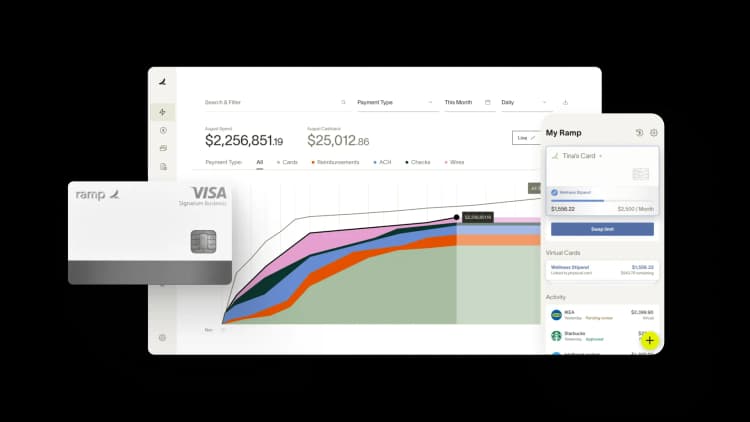
Ramp's accounting automation software centralizes spend data on one platform and automates expense tracking so you can prevent overspending before it affects your bottom line.
Here's how:
- Real-time spend visibility: Ramp consolidates corporate card transactions, reimbursements, and bill payments in one dashboard so you can see spending across departments, vendors, and categories as it happens
- Automated controls: Set spending limits at the card, department, or merchant level, and Ramp enforces them automatically. Transactions that exceed limits are declined instantly, reducing out-of-policy spend
- Smart receipt matching: Ramp matches receipts to transactions and flags missing documentation so you maintain complete records without chasing employees
- Policy enforcement: Configure approval workflows and spending policies once, and Ramp applies them automatically to every transaction
By connecting spend controls directly to accounting workflows, you reduce manual cleanup and gain clearer, real-time visibility into how expenses flow through your business.
Try an interactive demo to see how Ramp automates expense tracking and accounting workflows.

FAQs
Common examples include rent, utilities, salaries and wages, office supplies, insurance premiums, advertising costs, and depreciation. These are recorded on the income statement and reduce net income for the reporting period.
The four main types are operating expenses (day-to-day costs like rent and salaries), non-operating expenses (costs outside core operations like interest payments), fixed expenses (costs that stay constant regardless of output), and variable expenses (costs that change with production volume).
Expense accounts carry a normal debit balance. When you record an expense, you debit the expense account (increasing it) and credit cash or accounts payable. Credits to expense accounts typically indicate reversals or corrections.
An expenditure is any outflow of cash or commitment to pay. An expense is an expenditure recognized on the income statement because its economic benefit has been consumed. Timing is the key difference: an expenditure may become an expense immediately, gradually, or in a future period.


“I assumed I would have to choose between speed and control. What I found is that you can have both. A well-designed system takes friction out, for the finance function and for everyone else.”
Justin Webster
CFO, Denver Broncos

“A well-run district should not have to choose between getting work done at the school site and keeping control of the dollars behind it. We're not hiring more people to do more jobs, so we have to be smarter about the process. With Ramp, the purchase, the receipt, and the record stay together from the start. ”
Nick Brizeno
Director of Purchasing, San Marcos Unified School District

“In senior living, scale only works if the communities still feel personal. We needed the back office to carry more of the complexity, not the people serving residents. Ramp helped us build that infrastructure, so the experience in the community could stay human.”
Ryan Cole
CFO, Agemark Senior Living

“AI is moving faster than the finance context around it. Prices change, models change, and the value is not always obvious from an invoice. We needed enough detail to know which bets deserved more investment — and which ones did not.”
Greg Cooley
Controller, AngelList

“Invoices, cards, tokens. The categories change but the principle doesn't: know where the money is going, remove the work around it, and make sure the spend is worth it.”
Maciej Mylik. Finance
ElevenLabs

“We weren’t trying to retrofit an old finance system. We had a blank canvas, and Ramp gave us the foundation to build a global finance function of the future.”
Justin Dourado
Director of Finance, Othership

“There's just no surprises anymore. No more waiting two months to find out how a job did. We know how it's doing as it's happening.”
Erich Kuss
Financial Systems Manager, Infinity Home Services

“More token spend isn’t proof that AI is working. Less isn’t proof that it isn’t. What matters is whether we’re buying the right level of intelligence for the work. Ramp lets us make that judgment in the same place we manage every other type of spend.”
Cody Nutt
Senior Director of Business Systems, Daxko
