Expense analysis: Definition, process, and why it matters

- What is expense analysis?
- Key components of expense analysis
- Types of expenses to analyze
- Why expense analysis matters for your business
- How to conduct expense analysis: Step-by-step guide
- Expense analysis methods and techniques
- Tools and software for expense analysis
- Expense analysis best practices
- Common pitfalls and how to avoid them
- How Ramp powers smarter expense analysis
- Cut costs with AI-powered expense analysis that surfaces savings opportunities automatically
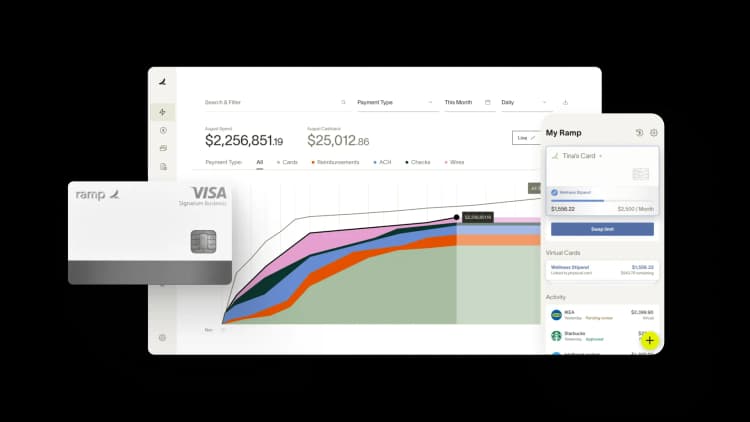
Expense analysis helps you understand where your money goes so you can reduce unnecessary spending and make smarter financial decisions. A clear view of your expenses improves cash flow and gives you the insight you need to set budgets, evaluate investments, and keep your operations running efficiently.
Key takeaways
- Expense analysis is the process of reviewing your business's spending to identify inefficiencies, control costs, and improve financial performance.
- A detailed analysis involves breaking down costs by category, such as COGS and operating expenses, to pinpoint specific opportunities for savings.
- You can evaluate the efficiency of your spending by tracking key performance indicators like gross margin, employee productivity, and marketing ROI.
- Automating the expense analysis process helps you save time, reduce manual errors, and gain access to real-time data for quicker decision-making.
- Ramp's expense management software automates expense analysis and provides real-time insights, helping you control costs and identify savings opportunities from a single dashboard.
What is expense analysis?
Expense analysis is the process of reviewing and evaluating your business expenses to make better decisions and improve financial performance. It helps you understand spending patterns, track operating expenses, and spot cost-saving opportunities. Whether you’re a small business or a startup, conducting regular expense analysis allows you to reduce overspending and optimize cash flow.
Key benefits of expense analysis:
- Control costs: Identify where you can reduce unnecessary spending
- Improve profitability: Analyze profit margins and gross profit to focus on profitable areas
- Automate tracking: Automate expense tracking and gain real-time insights into your spending
Expense reporting and expense analysis serve different purposes. Expense reporting documents what you spent, while expense analysis helps you evaluate whether those expenses support your goals and where you can adjust going forward.
Key components of expense analysis
At its core, expense analysis brings together accurate data, clear categorization, trend identification, and cost-benefit evaluation to help you understand how spending decisions affect long-term outcomes. With clean inputs and consistent frameworks, you can tie day-to-day expenses to broader goals and uncover opportunities to manage costs more effectively.
Data collection and categorization methods
You need complete, accurate data from every source where money leaves your business, such as corporate cards, reimbursements, invoices, subscriptions, and payroll-adjacent expenses. Just as important, you need consistent categories so you’re comparing similar types of spending across departments, vendors, and periods.
Pattern identification and trend analysis
Once your expense data is categorized, patterns become clearer. You can see recurring vendors, growing categories, or unusual spikes in spend. Trend analysis helps you evaluate whether changes are one-time variances or signs of overspending that could affect future budgets.
Cost-benefit evaluation processes
Cost-benefit evaluation helps you understand whether an expense earns its keep.
- Define the expected business outcome: Clarify what success looks like, such as revenue growth, time savings, or risk reduction
- Quantify the total cost: Go beyond sticker prices and include renewals, internal labor, and opportunity costs
- Measure impact over time: Some expenses pay off immediately, while others take longer to show results
- Compare alternatives: Explore options such as switching vendors, contract renegotiations, or eliminating overlapping tools
Benchmarking against industry standards
Benchmarking helps you understand how your spending compares to peers. If your operating expenses as a percentage of revenue are consistently above industry averages, that may signal inefficiencies worth investigating. Benchmarks also help you justify investments when your spending aligns with or outperforms norms for your company size and industry.
Types of expenses to analyze
Not all expenses behave the same way. Grouping them into clear categories makes analysis faster and helps you understand where spending is rising, where it’s stable, and where small changes could meaningfully improve your margins.
- Operational (OPEX): Includes ongoing spend such as rent, utilities, travel, software, and professional services
- Fixed vs. variable: Separates fixed costs like rent and salaries from variable costs such as shipping and contractor labor
- Direct vs. indirect: Distinguishes indirect spending like IT and office supplies from direct costs tied to revenue
- Discretionary vs. non-discretionary: Identifies non-essential spending, such as travel upgrades, versus core costs like compliance or payroll systems
| Expense type | What it includes | Why it matters |
|---|---|---|
| Operating expenses (OPEX) | Rent, software, travel expenses, marketing, utilities, professional services | Offers the fastest cost-reduction opportunities for recurring costs |
| Fixed vs. variable expenses | Fixed: Rent, salaried wages Variable: Contractor labor, shipping, usage-based software | Helps you forecast cash flow and adds visibility to variable costs that often scale quietly as your business grows |
| Direct vs. indirect costs | Direct: Production materials, delivery costs Indirect: IT, HR tools, office expenses | Prevents unnoticed margin erosion because indirect costs are easy to overlook |
| Discretionary vs. non-discretionary spending | Discretionary: Travel upgrades, premium tools Non-discretionary: Compliance, insurance, payroll systems | Provides opportunities to tighten your budget quickly by reducing discretionary spend without disrupting operations |
By categorizing your business expenses accurately, you can pinpoint specific areas to optimize. For example, an expense analysis example can highlight where marketing costs or labor expenses are rising disproportionately. Properly tracking travel expenses or marketing expenses allows you to focus on areas that impact profitability most.
Why expense analysis matters for your business
Expense analysis isn’t about cutting costs at all costs. It’s about spending with intention so you can improve margins, protect cash flow, and make faster, more informed decisions. Most teams start seeing measurable improvements within 3 to 6 months once expense analysis becomes a recurring practice instead of a one-off project.
Financial benefits
Most businesses can reduce expenses by 20% to 30% through better visibility, vendor consolidation, and tighter policy enforcement. These savings often come from eliminating duplicate tools, renegotiating contracts, and managing discretionary spend more closely.
Example:
- Your company spends $2 million annually and reduces costs by 15%
- Annual savings: $300,000
- Cost of expense management software: $30,000 per year
To calculate your ROI:
- ROI = (Net savings / Cost of initiative) * 100
- ROI = (300,000 − 30,000) / 30,000 * 100 = 900%
Lower, more predictable spending also leads to stronger cash flow. Expense analysis helps you manage payments, avoid surprise bills, and keep budgets aligned with real-world activity. With cleaner data and clear trend lines, you can improve cash flow projections and make budget adjustments that stick.
Strategic advantages
Expense analysis also strengthens long-term decision making.
- Data-driven decision making: Replace guesswork with reliable insights about where to invest or reduce spend
- Competitive positioning: Lower operating costs improve pricing flexibility and resilience during downturns
- Risk identification: Sudden changes in spending patterns can uncover fraud, policy issues, or operational breakdowns
Real-world scenarios
Scenario #1: Two SaaS companies compete in the same market with similar products and pricing.
- Company A conducts recurring expense analysis, consolidates vendors, and negotiates pricing annually. Operating expenses equal 22% of revenue.
- Company B lacks spend visibility and renews contracts automatically. Operating expenses equal 28% of revenue.
Because operating expenses are lower, Company A can invest more aggressively, offer flexible pricing, and maintain margins even when revenue slows.
Scenario #2: A mid-size professional services firm uses six different SaaS tools for project management, file sharing, and collaboration.
- Annual spend: $240,000 with overlapping features and inconsistent usage
- After reviewing software spend and usage patterns, the firm consolidates to two core platforms and renegotiates contracts
- Results: Annual spend drops from $240,000 to $155,000, saving $85,000 and reducing IT complexity
How to conduct expense analysis: Step-by-step guide
You don’t need a finance degree or a large team to run an effective expense analysis. The key is having a repeatable process you can apply consistently over time as your business grows.
Step 1: Gather and organize your data
Pull expense data from corporate cards, reimbursements, AP systems, and bank accounts. Review at least 6 to 12 months of information to capture seasonality and trends. Centralizing data into one system saves time and reduces blind spots.
Step 2: Categorize and classify expenses
Use a standard chart of accounts or a set of expense categories that reflect how your business operates. Add custom categories when needed, especially for areas like cloud services or sales travel where costs tend to scale quickly.
Step 3: Identify patterns and trends
Look for recurring vendors, rising categories, and unexpected spikes. Red flags include consistent month-over-month growth without corresponding headcount changes, duplicate vendors, and out-of-policy transactions.
Step 4: Compare and benchmark
Compare current spend to prior periods and budgets. Then benchmark against industry peers using trade reports, public filings, or SaaS benchmarks. Set targets that are aggressive but achievable based on your company’s size, industry, and growth stage.
Step 5: Create actionable recommendations
Prioritize opportunities based on expected impact and level of effort. Assign owners, set deadlines, and track your results. Expense analysis only works when insights translate into action.
Expense analysis methods and techniques
Expense analysis isn’t one-size-fits-all. Different methods help you answer different questions about how spending is changing and what actions to take next. Using the right approach for each scenario leads to better insights and more targeted decisions.
| Method | What it answers | Best for |
|---|---|---|
| Variance analysis | Where actual spend differs from budget or expectations | Budget owners who need to explain overspend or shifts in activity |
| Trend analysis | How spending changes over time | Spotting gradual cost creep or structural changes in spend |
| Expense ratio analysis | Whether spend levels are healthy relative to revenue or headcount | Comparing your cost structure to internal targets or industry benchmarks |
Variance analysis
Variance analysis compares actual expenses to budgeted or expected amounts.
Example: If your monthly travel budget is $50,000 and your actual expenses are $65,000, your variance is $15,000, or 30%. Finding the cause—price increases, policy changes, or new activity—guides your next steps.
Trend analysis
Trend analysis reviews how expenses change over time. It requires clean historical data and consistent categories. This method is ideal for forecasting and spotting gradual cost increases before they affect margins.
Expense ratio analysis
Expense ratio analysis tracks expenses relative to revenue, headcount, or output. Common ratios include operating expenses as a percentage of revenue or travel spend per employee.
Example for travel spend per employee:
- Annual travel spend: $180,000
- Number of employees: 60
To calculate travel spend per employee:
- Travel spend per employee = Total travel spend / Number of employees
- 180,000 / 60 = $3,000
You can then compare this figure with internal roles or industry peers to identify overuse, policy gaps, or opportunities to negotiate with travel vendors.
Tools and software for expense analysis
Manual spreadsheets can work for small teams or simple budgets, but they become time-consuming and error-prone as your business grows. Automation streamlines the process and gives you reliable, up-to-date data without relying on manual checks.
Expense management software features
Consider these key features when reviewing expense management software:
- Real-time visibility and reporting: Instant access to spending data helps you catch issues early and make decisions faster
- Automated categorization and policy enforcement: Software reduces manual errors and ensures expenses follow company rules, creating cleaner data for reporting
- Integrations and scalability: Your expense management system should connect with accounting, payroll, and enterprise resource planning (ERP) tools and scale with your business
Choosing the right solution
Small businesses may prioritize affordability and ease of use, while larger teams need stronger controls, deeper integrations, and advanced analytics. Consider total cost of ownership, implementation time, and long-term scalability, not just list price, when choosing a platform.
Expense analysis best practices
Effective expense analysis is an ongoing process that becomes more powerful as your business grows. Staying consistent helps you spot issues sooner, understand patterns, and act before small problems become costly.
Make expense analysis a recurring habit
Review expenses monthly and complete a deeper analysis each quarter. This helps you:
- Catch anomalies early before they compound
- Understand normal seasonal variations
- Keep budgets and forecasts aligned with real activity
Align finance, managers, and employees
Expense analysis works best when everyone has visibility into the results. Share insights with department leaders, set shared goals, and encourage feedback from teams that understand why certain costs behave the way they do. Clear communication builds accountability and prevents surprises when changes are needed.
Use automation to stay consistent
Automation strengthens the reliability and repeatability of your process.
- Automatic categorization and coding: Ensures expenses are classified consistently
- Built-in policy enforcement: Flags out-of-policy spend in real time
- Real-time visibility into spend: Helps you correct course before month-end
- Faster close and cleaner reporting: Reduces manual cleanup so finance teams can focus on insights
Common pitfalls and how to avoid them
Certain traps can undermine your expense analysis and make the process less effective. Avoiding these pitfalls helps you maintain accuracy, follow through on insights, and build a repeatable approach you can rely on.
- Incomplete data collection: Missing sources, such as corporate cards, reimbursements, or shadow IT, create blind spots. Centralize all expense sources so you have a complete view.
- Overly granular categorization: Too many categories introduce noise and slow the process. Stick to meaningful groups that support decision-making.
- Failing to act on insights: Reports only matter if they lead to changes. Prioritize savings opportunities with clear owners, deadlines, and expected outcomes.
- Ignoring team context: Budget changes or cost reductions shouldn’t be a surprise. Involve managers early so their context shapes the plan, and partner with them on identifying viable improvements.
How Ramp powers smarter expense analysis
For many finance teams, analyzing expenses is a time-consuming, manual process that involves sifting through spreadsheets, matching receipts to expense lines, and trying to make sense of spending across disconnected systems. This tedious work takes time away from higher-value activities and makes it difficult to gain real-time visibility into company spend.
Ramp solves these challenges by automating expense analysis and delivering powerful, real-time insights that help you control costs. With Ramp's advanced, AI-powered expense management software, you can automatically categorize expenses based on merchant data, general ledger codes, and customizable rules that map to your business needs. This eliminates manual work and ensures every expense is accurately classified for reporting and compliance.
Ramp also provides best-in-class spend controls that let you proactively manage expenses before they happen. You can set granular spend limits by merchant category, individual card, or employee to ensure spending aligns with budgets and policies. And with real-time transaction data, you always have up-to-the-minute visibility into who's spending company funds on what.
Most importantly, Ramp delivers all your expense data in an intuitive dashboard that makes it easy to spot trends, identify savings opportunities, and keep budgets on track. You can drill down by category, department, vendor, and more to get the insights you need to make informed decisions. With Ramp, you'll spend less time wrangling expense data and more time growing your business.
Cut costs with AI-powered expense analysis that surfaces savings opportunities automatically
Manual expense analysis is time-consuming and often misses patterns that drive up costs. You're left digging through spreadsheets, chasing receipts, and trying to spot trends that could save your business money—all while your team could be focused on strategic work.
Ramp's AI-powered accounting software analyzes every transaction in real time and surfaces actionable insights so you can identify cost-saving opportunities without the manual work. The platform learns your spending patterns, flags anomalies, and recommends specific actions to reduce expenses across your organization.
Here's how Ramp automates expense analysis to cut costs:
- Real-time spend visibility: Ramp categorizes and codes every transaction automatically, giving you a complete view of where money goes without manual data entry or reconciliation
- AI-powered insights: The platform identifies duplicate subscriptions, unused software licenses, and spending anomalies that drain your budget, then recommends specific actions to eliminate waste
- Policy enforcement at the source: Ramp blocks out-of-policy spend before it happens and flags transactions that need review, so you catch cost overruns immediately instead of discovering them weeks later
- Automated receipt matching: Ramp collects and matches receipts to transactions automatically, eliminating the manual chase that slows down analysis and saves 16+ hours every month
- Vendor spend analysis: See exactly how much you're spending with each vendor, identify consolidation opportunities, and negotiate better rates with complete spend data at your fingertips
Try a demo to see how Ramp's automated expense analysis helps businesses identify and eliminate unnecessary costs.


“I assumed I would have to choose between speed and control. What I found is that you can have both. A well-designed system takes friction out, for the finance function and for everyone else.”
Justin Webster
CFO, Denver Broncos

“A well-run district should not have to choose between getting work done at the school site and keeping control of the dollars behind it. We're not hiring more people to do more jobs, so we have to be smarter about the process. With Ramp, the purchase, the receipt, and the record stay together from the start. ”
Nick Brizeno
Director of Purchasing, San Marcos Unified School District

“In senior living, scale only works if the communities still feel personal. We needed the back office to carry more of the complexity, not the people serving residents. Ramp helped us build that infrastructure, so the experience in the community could stay human.”
Ryan Cole
CFO, Agemark Senior Living

“AI is moving faster than the finance context around it. Prices change, models change, and the value is not always obvious from an invoice. We needed enough detail to know which bets deserved more investment — and which ones did not.”
Greg Cooley
Controller, AngelList

“Invoices, cards, tokens. The categories change but the principle doesn't: know where the money is going, remove the work around it, and make sure the spend is worth it.”
Maciej Mylik. Finance
ElevenLabs

“We weren’t trying to retrofit an old finance system. We had a blank canvas, and Ramp gave us the foundation to build a global finance function of the future.”
Justin Dourado
Director of Finance, Othership

“There's just no surprises anymore. No more waiting two months to find out how a job did. We know how it's doing as it's happening.”
Erich Kuss
Financial Systems Manager, Infinity Home Services

“More token spend isn’t proof that AI is working. Less isn’t proof that it isn’t. What matters is whether we’re buying the right level of intelligence for the work. Ramp lets us make that judgment in the same place we manage every other type of spend.”
Cody Nutt
Senior Director of Business Systems, Daxko
