Are virtual credit cards safe? A security guide

- What is a virtual credit card?
- How virtual credit cards protect your information
- Can virtual credit cards be hacked?
- Are virtual credit cards safer than physical and debit cards?
- Are virtual credit cards traceable?
- Virtual credit cards vs. digital wallets
- How to use virtual cards safely
- How to choose a secure virtual card provider
- Create unlimited virtual cards with Ramp
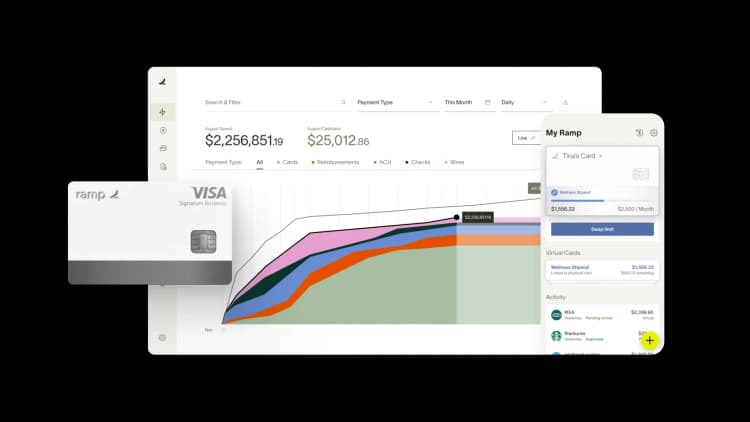
Virtual credit cards are generally safer than physical cards because they mask your real account number behind a temporary, controllable number. When you shop online, you hand the merchant a disposable stand-in instead of your actual card details.
What is a virtual credit card?
A virtual credit card is a randomly generated, temporary 16-digit number, with its own CVV and expiration date, that links to your real account but stays hidden from merchants. It works as a temporary credit card number for online purchases, so the store never touches your actual account details.
If that merchant suffers a breach, attackers see only the disposable virtual number, not your real account.
Single-use vs. multi-use virtual cards
Single-use cards expire after one transaction, making them ideal for one-time purchases where you want zero ongoing exposure. Multi-use cards can be reused with custom spending limits or merchant locks, which makes them better suited for recurring payments and ongoing vendor relationships.
The clearest way to choose between them is by fraud exposure. A single-use card carries near-zero ongoing exposure, so it's the right pick for unknown merchants you may never buy from again. A multi-use card is persistent, but limits and merchant locks keep it protected, which suits trusted vendors you pay on a schedule.
One caveat worth remembering: A single-use card will decline a subscription's next charge, so use a multi-use card for ongoing bills.
| Feature | Single-use cards | Multi-use cards |
|---|---|---|
| Best for | One-time purchases | Recurring payments |
| Expires | After one transaction | Set expiration date |
| Reusable | No | Yes |
| Best for security | Near-zero ongoing exposure (unknown merchants) | Persistent but limit- and lock-protected (trusted vendors) |
How virtual credit cards protect your information
Virtual cards are safer than physical cards because they create a buffer between merchants and your real account information. Here's how the specific security mechanisms work.
Unique card numbers and masking
Each transaction can use a different number. If a merchant's systems are compromised in a data breach, hackers only access your temporary virtual card number, not your real account details. Your main account stays protected from credit card fraud, and you simply generate a new virtual card.
A masked card hides your real card details behind the virtual number. When you make a purchase, the merchant only sees the generated number, not your actual account information. Think of it as a shield between your real financial data and the outside world.
That masking is why a breach stays contained: The merchant only records a number that leads nowhere near your bank.
Tokenization and encryption
Tokenization and encryption keep your real number out of the transaction entirely. Your actual account number sits in a secured digital vault. Each purchase sends a randomly generated token in its place, and encryption scrambles that data in transit so it's useless if intercepted.
Tokenization swaps your sensitive card number for a randomized credit card number that only your issuer can map back to your account. Because a masked card and its token mean nothing on their own, a thief who grabs them mid-transaction ends up with worthless data.
Spending limits and merchant locks
You can lock a virtual card to a specific dollar amount or a single merchant. This prevents unauthorized charges or overcharging, even if someone steals the number. It's a level of control that goes well beyond what a regular business credit card offers.
Picture a merchant-locked card tied to one software vendor. If that number leaks, it's declined everywhere else, so a stolen number is worthless to a fraudster. Ramp sharpens this further: Limits are enforced at swipe before spend happens, not caught later in a manual audit.
Automatic expiration dates
Virtual cards can expire in days or weeks rather than the years-long lifespan of a physical card. This dramatically limits the window for fraudulent use. Single-use cards take this even further by deactivating the moment a transaction completes. If a card expires before a refund posts, the refund routes back to your linked account instead.
Real-time monitoring and instant freeze
You receive instant alerts when charges occur on your virtual cards. If you spot something suspicious, you can deactivate that specific virtual card immediately without canceling your primary physical card. This keeps the rest of your spending uninterrupted while you address the issue.
In practice, that means a fraud response takes seconds. An unexpected alert lets you freeze or delete the one compromised virtual card, while every other card and vendor payment keeps running untouched.
Like all credit cards, virtual cards must comply with the payment card industry data security standard (PCI DSS), which safeguards transactions and cardholder account information.
Can virtual credit cards be hacked?
Yes, virtual credit cards can still be compromised, but the damage is far more contained than with a physical card. If a hacker obtains your virtual card number, it often expires quickly or has restrictions that make it difficult to misuse. Your real account remains protected regardless.
Here are the main risks to be aware of:
- Phishing attacks: Scammers can still trick you into revealing virtual card details through fake emails or websites
- Stolen before use: If intercepted during generation or transmission, an active card could be misused before you use it
The key difference is scope. A stolen physical card puts your entire account at risk. A stolen virtual card puts only that single temporary number at risk.
Are virtual credit cards safer than physical and debit cards?
Yes, for online use, a virtual card is the safer choice. A virtual card exposes a disposable number, a physical card exposes your real account, and a debit card exposes your checking funds directly with weaker fraud recourse. The table below shows where each one stands.
| Dimension | Virtual card | Physical credit card | Debit card |
|---|---|---|---|
| Number exposed | Disposable virtual number | Real account number | Real account number |
| Breach blast radius | Single vendor or transaction | Entire account | Checking account funds |
| Spending controls | Per-merchant, per-amount limits | Limited | Minimal |
| Fraud liability / chargeback rights | Full issuer chargeback rights | Full chargeback rights | Weaker, funds already gone |
| In-person usability | Limited (online-first) | Yes | Yes |
Are virtual credit cards traceable?
Merchants can't trace a virtual card back to your real account number. They only see the generated virtual number, which keeps your actual financial information private.
However, your card issuer still links the virtual card to your identity. This means you retain full chargeback rights and fraud protection, just like you would with a physical card. If a charge is unauthorized, you can dispute it through your issuer the same way you always would.
Virtual credit cards vs. digital wallets
These two terms often get confused, but they work differently. A virtual credit card generates an entirely new card number unconnected to your physical card number. A digital wallet like Apple Pay or Google Pay stores and tokenizes your real card information for contactless payments.
You can often add a virtual card to a digital wallet, combining the security benefits of both.
The security difference comes down to what's being protected. A virtual card gives the merchant a brand-new number with no link to your real card, while a digital wallet hands over a tokenized version of your real card. Both keep your raw details hidden, but the virtual card adds a layer of separation from your account.
| Feature | Virtual credit card | Digital wallet |
|---|---|---|
| Card number | New, randomly generated | Tokenized version of real card |
| Uses your real card number | No | Yes (masked) |
| Works in-store | Limited | Yes (tap to pay) |
| Works online | Yes | Yes |
| Spending controls | Yes (with most providers) | No |
How to use virtual cards safely
A few habits turn a secure online credit card into a low-risk one. These practices keep your exposure small no matter who you're paying.
- Use single-use cards for unknown or one-off merchants, and use multi-use cards with a small buffer for recurring subscriptions
- Set the tightest workable spending limit and merchant lock on every card
- Never enter card details from an email or SMS link, since that's how phishing works. Monitor your alerts and freeze anything unexpected.
Build those three habits into your workflow and your virtual cards stay safe.
How to choose a secure virtual card provider
The right provider depends on how you plan to use virtual cards and what your business needs from a security and workflow perspective. Lead your evaluation with the security and fraud factors, then weigh the workflow features.
- Security features: Prioritize real-time alerts, instant card freezing, and clear fraud protection policies. Confirm that chargeback rights match what you'd get with physical cards.
- Spending controls: Evaluate the ability to set custom dollar limits, merchant category restrictions, and approval workflows before purchases happen. The more granular the controls, the better you can enforce your expense policy.
- Reporting and visibility: Access to transaction data, automatic categorization, and audit trails simplifies expense tracking and compliance. If you can't see what's happening in real time, you're flying blind.
- Integration capabilities: Look for providers that connect with your accounting software and expense management tools. This eliminates manual data entry and reconciliation, saving your finance team hours each month.
Weigh pre-spend policy enforcement most heavily, since a control that fires before a purchase beats one that flags it afterward. Ramp delivers on each of these: pre-spend control, real-time monitoring, instant freeze, and 200+ integrations that reconcile transactions automatically.
Create unlimited virtual cards with Ramp
At Ramp, we provide unlimited physical and virtual corporate cards that empower your employees to spend while allowing you to enforce your company's expense policy. With the Ramp Business Credit Card, you get unlimited physical and virtual corporate cards that run on the Visa network. They're accepted in 200+ countries and are compatible with Apple Pay and Google Pay.
Our cards come with built-in spend management features, so you can easily assign virtual cards and create custom guidelines for use. Add restrictions to automatically prevent out-of-policy spend, flag questionable vendors for approval, and simplify approvals with personalized workflows that notify only the right people.
Try an interactive demo to see how Ramp keeps every online purchase secure with unlimited virtual cards.

FAQs
No. Virtual cards link to your existing account, so only that account's activity (balance, payment history, and utilization) affects your score. The virtual number itself has no separate credit impact.
It can be compromised, but the damage is contained. A stolen virtual number often expires quickly or is merchant- and amount-locked, and it never exposes your real account, so a fraudster gains little.
The main risks are phishing (handing over details yourself), a card being intercepted before use, and refund or subscription hiccups when a card expires. Virtual cards reduce fraud exposure but don't eliminate every risk.
Usually not directly. Virtual cards are built for online, phone, and mail-order purchases, though some can be added to a digital wallet like Apple Pay or Google Pay for in-store tap-to-pay.
Refunds work like physical cards. If the virtual card has expired, the refund typically routes back to your linked account, though processing can take a little longer than usual.


“I assumed I would have to choose between speed and control. What I found is that you can have both. A well-designed system takes friction out, for the finance function and for everyone else.”
Justin Webster
CFO, Denver Broncos

“A well-run district should not have to choose between getting work done at the school site and keeping control of the dollars behind it. We're not hiring more people to do more jobs, so we have to be smarter about the process. With Ramp, the purchase, the receipt, and the record stay together from the start. ”
Nick Brizeno
Director of Purchasing, San Marcos Unified School District

“In senior living, scale only works if the communities still feel personal. We needed the back office to carry more of the complexity, not the people serving residents. Ramp helped us build that infrastructure, so the experience in the community could stay human.”
Ryan Cole
CFO, Agemark Senior Living

“AI is moving faster than the finance context around it. Prices change, models change, and the value is not always obvious from an invoice. We needed enough detail to know which bets deserved more investment — and which ones did not.”
Greg Cooley
Controller, AngelList

“Invoices, cards, tokens. The categories change but the principle doesn't: know where the money is going, remove the work around it, and make sure the spend is worth it.”
Maciej Mylik. Finance
ElevenLabs

“We weren’t trying to retrofit an old finance system. We had a blank canvas, and Ramp gave us the foundation to build a global finance function of the future.”
Justin Dourado
Director of Finance, Othership

“There's just no surprises anymore. No more waiting two months to find out how a job did. We know how it's doing as it's happening.”
Erich Kuss
Financial Systems Manager, Infinity Home Services

“More token spend isn’t proof that AI is working. Less isn’t proof that it isn’t. What matters is whether we’re buying the right level of intelligence for the work. Ramp lets us make that judgment in the same place we manage every other type of spend.”
Cody Nutt
Senior Director of Business Systems, Daxko
