
- What is unused enterprise software?
- How much money companies waste on unused software
- Common types of unused software licenses
- Why software license waste happens
- How to identify unused software in your organization
- Strategies to reduce unused software license costs
- How to avoid unused SaaS subscriptions in your company
- Benefits of reclaiming unused software licenses
- How to prevent unused software charges with Ramp virtual cards
- Calculate your savings and take control
Unused software licenses are paid subscriptions, tools, or seats that deliver little or no value—a quiet drain that compounds as organizations grow and decentralize purchasing.
As teams add tools independently, software sprawl makes it harder to see what's actually being used, who owns each subscription, and whether spend aligns with real business needs. Without visibility and governance, unused licenses become a recurring source of waste rather than a one-time cleanup issue.
What is unused enterprise software?
Unused enterprise software is paid software that delivers little or no value relative to its cost. This includes licenses never activated, apps rarely used, and subscriptions employees have forgotten about. As companies add tools to support growth, these idle purchases accumulate quietly and become embedded in renewal cycles.
What is subscription creep?
Subscription creep is the gradual build-up of unused or underused software subscriptions, memberships, and licenses that go unnoticed but have a significant negative effect on an individual or company budget.
It usually comes in the form of SaaS subscriptions or memberships that:
- Aren’t being used anymore
- Were specific to an individual who left the company
- Should be downgraded for actual current use
- Could be bundled into a better package
- Have a cheaper, more effective alternative
Subscription creep often goes unaddressed because it either isn’t noticed or the energy required to fix it feels too high for such a small return. However, this form of zombie spend accumulates, causing real financial damage if left to run rampant.
How much money companies waste on unused software
The statistics surrounding software waste paint a disturbing picture. Research shows that 50% of all software licenses go unused, costing companies $45 million per month in completely wasted spend. Globally, 37% of all installed software is never used, translating to $259 in wasted spending per desktop in the United States alone. Over a four-year period, that amounts to a staggering $30 billion in lost value across the country.
When you focus specifically on SaaS, the waste becomes even more pronounced. 53% of SaaS applications go underutilized or unused, with organizations squandering approximately $21 million each year on SaaS licenses that provide no benefit. Only 34% of subscriptions are actively used, meaning roughly two-thirds of subscription spending may deliver zero value.
The problem varies by industry, with some sectors showing particularly alarming waste rates. Education leads the pack with 47% software waste, followed closely by energy and technology companies. For enterprises specifically, more than 10% of entire IT budgets disappear into unused software, with this figure climbing even higher in larger organizations where oversight becomes increasingly challenging.
The true cost beyond license fees
Software waste isn't just a budgeting mistake. It's a structural issue that compounds as you grow and decentralize purchasing. Beyond the direct cost of idle licenses, unused software creates hidden costs that are harder to quantify but just as damaging:
- Wasted IT resources: Your IT team spends time provisioning, updating, and managing software nobody uses—time they could redirect toward tools that actually matter.
- Security vulnerabilities: Unmonitored apps and dormant accounts create attack surfaces that bad actors can exploit. Every unused tool is a door you've left unlocked.
- Compliance risks: Unused licenses can still trigger audit issues. Mismatched entitlements, unmanaged user access, and untracked deployments increase your exposure.
- Opportunity cost: Budget tied up in waste can't fund tools employees actually need, security controls you're missing, or initiatives that move the business forward.
Common types of unused software licenses
Unused software licenses typically fall into four predictable categories. Recognizing them helps you target the biggest sources of waste first.
Completely unused licenses
These are licenses purchased but never activated or deployed. They often result from planned hires, pilots, or rollouts that never happened. Example: you buy 20 seats during a hiring push, but five of those new employees never set up their accounts.
Underutilized SaaS apps
These are apps employees log into rarely or where they use only a fraction of available features. The license is active, but it delivers far less value than its cost. Example: you're paying for a premium analytics tier when your team only uses basic reporting.
Redundant applications
Redundancy arises when different teams purchase tools that solve the same problem, adding cost and complexity without adding value. Example: marketing uses one project management tool while engineering uses another, and neither team knows about the overlap.
Legacy systems
These are outdated systems kept running "just in case" that nobody actively uses. Over time, ongoing support fees, maintenance, and license renewals turn them into a persistent source of waste. Example: an old CRM still running alongside the newer replacement your team adopted two years ago.
Why software license waste happens
Unused software rarely accumulates because of a single bad decision. It's usually the result of growth, decentralization, and fast purchasing colliding with slow governance. When no one owns the software portfolio end to end, unused licenses, overlapping tools, and forgotten renewals go unnoticed.
Lack of visibility into software usage
Finance and IT often can't see which apps employees actually use. Without usage data, you can't identify waste—and you end up renewing subscriptions out of caution rather than evidence. This blind spot grows as your company adds more tools and teams.
Manual license management processes
Spreadsheets and manual tracking can't keep pace with SaaS sprawl. When you're managing dozens or hundreds of subscriptions across different billing cycles, licenses slip through the cracks during renewals. By the time you catch the waste, you've already paid for another term.
Decentralized software purchasing
When departments buy their own tools independently—with different pricing models, contract terms, and renewal dates—duplicates emerge. No single person owns the full picture of software spend, and poor communication between teams means overlapping tools go unnoticed.
Shelfware from failed implementations
Shelfware is software bought with good intentions but never fully rolled out. It often happens after leadership changes, project pivots, or when implementations stall before reaching full adoption. The licenses sit on the shelf, quietly renewing while delivering no value.
How to identify unused software in your organization
You don't need a perfect inventory to start finding waste. The goal is to create enough visibility to make better renewal decisions in the next 30–90 days, then mature the process over time.
Step 1: Conduct a software audit
A practical software audit follows three phases: discover, measure, and decide. Most organizations can complete an initial pass in 4–6 weeks, then shift to lighter monthly or quarterly reviews.
Start with discovery by inventorying what you have, where it lives, and who pays for it. Pull data from finance systems, identity providers and single sign-on directories, endpoint management tools, and SaaS admin consoles.
Key metrics to track include:
- Login frequency, such as last login and active days in the last 30, 60, and 90 days
- Feature usage, especially for premium tiers and add-on modules
- License utilization, comparing purchased seats with assigned and active seats
Build a comprehensive inventory you can maintain. A common starting point is your top 20 vendors by spend, then expand over time. Record application name, owner, business purpose, departments, contract terms, renewal date, total cost, user counts, and utilization metrics.
Step 2: Analyze usage patterns
Define what "unused" and "underused" mean in practice. Unused typically indicates little to no activity over a defined window, while underused means the license is active but delivers far less value than its cost.
As a starting point, many teams use:
- 30 days with no activity as an early warning
- 60 days as a review threshold
- 90 days as a strong candidate for reclamation or cancellation
Benchmarks should vary by category. A design or analytics tool may be used heavily by a small group, while a companywide collaboration tool should not have most users inactive. Pressure-test thresholds with stakeholders, then run a department-by-department analysis to identify adoption gaps, tier mismatches, and duplicate toolsets.
Map redundant functionality across tools. Project management, surveys, knowledge bases, and observability platforms are frequent sources of overlap.
Step 3: Engage stakeholders
Usage data shows what is happening; stakeholders explain why. Pair admin-console data with short employee surveys to understand which tools people rely on, which they avoid, and where overlap exists.
Work with department heads to establish standards and ownership. The objective is not to remove tools arbitrarily, but to reduce sprawl, protect security, and fund tools that drive outcomes.
Bring finance and IT procurement in early to align on renewal timing and contract levers. Their involvement helps translate usage signals into concrete savings and renewal decisions.
Strategies to reduce unused software license costs
Once you have visibility into what's being used, you can move from diagnosis to action. The most effective approach separates quick wins in the next renewal cycle from longer-term process improvements.
Rightsize your licenses
Match license tiers to actual usage. Downgrade users who don't need premium features and reduce seat counts to match active headcount. Taking action before renewal windows close is critical—once contracts auto-renew, leverage shifts back to the vendor.
Many organizations support rightsizing with software asset management and SaaS management tools that centralize entitlements, usage data, and renewal tracking. Common platforms include ServiceNow Software Asset Management (SAM Pro), Flexera, and Snow Optimizer.
Rationalize redundant applications
Consolidate overlapping tools into a single solution for each core category. Get stakeholder buy-in before sunsetting anything—consolidation works best when teams understand the reasoning and have input on which tool becomes the standard.
Eliminating even one duplicate tool can save tens of thousands of dollars annually while simplifying your IT environment.
Negotiate with vendors
Usage data changes the tone of vendor negotiations. Instead of relying on anecdotes, you can renegotiate vendor contracts using utilization data to right-size tiers, reclaim unused seats, and push for flexibility—true-down clauses, rollover credits, or shorter terms.
Where it fits your usage patterns, usage-based pricing can reduce overbuying. Vendor consolidation can also improve leverage and simplify management, as long as it doesn't degrade the user experience or adoption of core tools.
How to avoid unused SaaS subscriptions in your company
Preventing waste is less about one-time cleanup and more about building systems that make visibility and accountability the default. When your teams know who owns each tool and how usage is evaluated, surprise renewals become far less common.
Establish software governance policies
Create approval workflows for new software purchases. Require a documented business justification, ownership assignment, and a check against existing tools before anyone buys something new.
A lightweight review board with representation from IT, security, finance, and procurement can set standards, review exceptions, and prioritize consolidation. These practices help prevent shadow purchasing—employees or teams acquiring software outside official channels—and ensure accountability doesn't disappear as teams grow.
Implement a platform for alerts on unused and underutilized apps
Automated monitoring tools can surface usage data, identify inactive seats, and alert your team before renewals so optimization happens while you still have leverage. Many organizations pair monitoring with software asset management platforms to reconcile entitlements, deployments, and usage in one place.
Set thresholds that trigger reviews—for example, flag any subscription where more than 30% of seats show no activity over 60 days. Over time, these systems reduce reliance on manual audits and improve confidence in renewal decisions.
Set expiration dates on software subscriptions
Use virtual cards or subscription controls that auto-expire, forcing intentional renewal decisions rather than passive auto-renewals. For free trials, set 30-day expirations. For short-term campaigns, align expiration with project end dates. For temporary licenses, match card life to the timeline.
This approach is particularly powerful for trial management. Instead of relying on calendar reminders, the payment method simply stops working when the trial should end, forcing an active decision to continue or cancel.
Benefits of reclaiming unused software licenses
Cleaning up your software portfolio isn't just about cutting costs. It creates a ripple effect across finance, IT, compliance, and security that makes your entire organization more efficient.
Immediate cost savings
Canceling or downgrading unused licenses frees up budget you can redirect immediately. Even a first-pass audit typically uncovers 15–20% in recoverable spend. Those savings compound as you catch more waste each quarter and build better habits around renewals.
Improved IT efficiency
Fewer tools to manage means less administrative burden for your IT team. Instead of provisioning, patching, and troubleshooting software nobody uses, they can focus on supporting the tools your people actually rely on every day.
Enhanced compliance
Accurate license counts reduce audit risk. You avoid paying penalties for over-deployment or under-licensing, and you can demonstrate to auditors that your entitlements match actual usage—a much easier conversation than explaining why you have 500 seats for 200 active users.
Increased security
Every dormant account and unused app is a potential entry point for attackers. By eliminating waste, you shrink your attack surface and reduce the number of unmonitored tools that could be exploited. Fewer idle accounts also means cleaner offboarding and less risk of unauthorized access.
How to prevent unused software charges with Ramp virtual cards
Virtual cards offer several practical approaches to eliminate software overspend and prevent forgotten subscriptions that traditional corporate cards simply can't match.
Configure virtual cards for maximum control
Some businesses prefer the one-to-one mapping approach where every software tool gets its own unique virtual card—individual cards for Zoom, Notion, Salesforce, and every other subscription. Others create cards for specific budgets or teams, like a marketing team advertising card or a design team software card. This approach works well for departments that need flexibility while maintaining budget boundaries.
When issuing virtual cards, configure spending limits that align with your vendor's expected billing and your budget constraints. Ramp offers different types of limits for different subscription scenarios: recurring monthly limits work perfectly for standard SaaS subscriptions, one-time limits are ideal for annual plans or project-based tools, and total spend caps are essential when testing new tools with uncertain costs.
For example, if your Canva Pro plan costs $120 annually, set a $120 annual limit on that card. This prevents price creep, unauthorized upgrades to premium tiers, and surprise charges from vendors who increase pricing without clear notification.
Use expiration dates to prevent forgotten renewals
Virtual card expiration dates provide automated protection against forgotten renewals—one of the biggest sources of software waste. Configure cards to expire automatically based on your specific use case.
For free trials, set 30-day expiration for tools you're testing. For short-term campaigns, align expiration with campaign end dates. For temporary licenses, match card life to project timelines.
This feature is particularly powerful for trial management. Instead of relying on calendar reminders or manual tracking, the card simply stops working when the trial should end, forcing an active decision to continue or discontinue the service.
Assign clear ownership for accountability
Every virtual card should have an individual owner—someone responsible for monitoring charges, evaluating usage, and making renewal decisions. This person becomes accountable for that specific software investment.
Owner responsibilities include reviewing monthly charges, assessing whether the tool is delivering expected value, and taking action when usage drops or needs change. If your head of growth owns the Mixpanel card, they'll receive alerts about renewals and be prompted to evaluate whether the analytics tool is still justified.
Let Ramp's monitoring catch what you miss
Ramp automatically analyzes virtual card transactions to identify waste patterns and anomalies. The system flags several critical issues: duplicate subscriptions when multiple team members are paying for the same or similar tools, price increases when vendors raise prices without clear notification, and inactive billing for tools that haven't been used but continue charging.
These insights arrive via Slack or email notifications, enabling immediate investigation and action. Instead of discovering duplicate Slack subscriptions during quarterly reviews, you'll know within days of the second subscription being activated.
Use the dashboard for strategic decisions
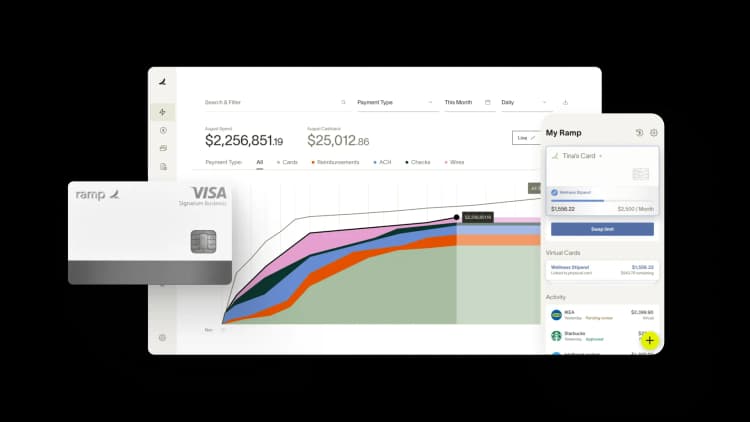
Ramp's centralized SaaS dashboard provides a comprehensive view of all software subscriptions managed through virtual cards. This single interface shows active subscriptions, card owners, monthly spending trends, and usage patterns across your entire organization.
The department filtering feature is particularly valuable for identifying consolidation opportunities. Filter by marketing to see three different social media scheduling tools, or review engineering subscriptions to spot overlapping development platforms. This visibility enables strategic decisions about vendor consolidation and enterprise package negotiations.
Review and optimize regularly
Establish quarterly review cycles for all software subscriptions using the data from your virtual card dashboard. These reviews should evaluate current usage levels, value delivery against cost, and opportunities for cost optimization through negotiations or plan changes.
Involve relevant stakeholders in these reviews—IT for technical assessment, finance for cost analysis, and department heads for strategic value evaluation. Use concrete usage metrics rather than assumptions about software value to guide these discussions.
Calculate your savings and take control
The return on investment for implementing virtual card-based subscription management is typically immediate and substantial. For a company spending $100,000 annually on software subscriptions, implementing better control mechanisms could easily capture $15,000–$20,000 in annual savings by eliminating forgotten renewals, duplicate tools, and unused licenses. Even conservative estimates show savings that far exceed the cost of implementing virtual card solutions.
The administrative time savings add another layer of value, as finance teams can redirect hours previously spent tracking down mysterious charges toward more strategic activities. Security and compliance benefits provide additional value, as better oversight reduces risk exposure and simplifies audit processes.
Beyond immediate cost savings, virtual card implementation enables improved budget accuracy and forecasting, as organizations gain real-time visibility into their software spending patterns. This enhanced data supports better vendor negotiations and more informed strategic decisions about technology investments.
The hidden cost of unused software represents one of the most significant yet overlooked drains on organizational resources. With billions of dollars wasted annually on subscriptions that provide no value, the status quo is simply unsustainable in today's competitive business environment.
Virtual cards offer a practical solution: the visibility and control to eliminate waste while enabling strategic technology investments. The implementation is straightforward, the benefits are immediate, and the long-term impact extends far beyond cost savings.
The financial tools and strategies to solve this problem exist today. Try an interactive demo to see how Ramp can help.

FAQs
Studies suggest a significant portion of enterprise software licenses sit idle. Research indicates that up to 50% of software licenses go unused, often due to over-purchasing during growth phases, employees leaving without license reassignment, or tools that were adopted for a pilot but never fully rolled out.
Refund policies vary by vendor. Some offer credits or prorated refunds for unused seats, especially if you catch them before renewal. Always check your contract terms and negotiate early—vendors are more willing to work with you when you raise the issue before the next billing cycle rather than after.
Quarterly audits work well for most companies. More frequent reviews make sense before major renewals or after significant headcount changes like layoffs, reorgs, or rapid hiring. Between formal audits, automated monitoring tools can flag waste in real time so you're not waiting 90 days to catch obvious issues.
Traditional software licenses are one-time purchases granting perpetual use of the software—you own the right to use it indefinitely. SaaS subscriptions are recurring payments for cloud-based access that stop working if you cancel. The key difference for waste management is that SaaS subscriptions auto-renew and create ongoing spend, while traditional licenses create a one-time cost but may still carry annual maintenance or support fees.


“I assumed I would have to choose between speed and control. What I found is that you can have both. A well-designed system takes friction out, for the finance function and for everyone else.”
Justin Webster
CFO, Denver Broncos

“A well-run district should not have to choose between getting work done at the school site and keeping control of the dollars behind it. We're not hiring more people to do more jobs, so we have to be smarter about the process. With Ramp, the purchase, the receipt, and the record stay together from the start. ”
Nick Brizeno
Director of Purchasing, San Marcos Unified School District

“In senior living, scale only works if the communities still feel personal. We needed the back office to carry more of the complexity, not the people serving residents. Ramp helped us build that infrastructure, so the experience in the community could stay human.”
Ryan Cole
CFO, Agemark Senior Living

“AI is moving faster than the finance context around it. Prices change, models change, and the value is not always obvious from an invoice. We needed enough detail to know which bets deserved more investment — and which ones did not.”
Greg Cooley
Controller, AngelList

“Invoices, cards, tokens. The categories change but the principle doesn't: know where the money is going, remove the work around it, and make sure the spend is worth it.”
Maciej Mylik. Finance
ElevenLabs

“We weren’t trying to retrofit an old finance system. We had a blank canvas, and Ramp gave us the foundation to build a global finance function of the future.”
Justin Dourado
Director of Finance, Othership

“There's just no surprises anymore. No more waiting two months to find out how a job did. We know how it's doing as it's happening.”
Erich Kuss
Financial Systems Manager, Infinity Home Services

“More token spend isn’t proof that AI is working. Less isn’t proof that it isn’t. What matters is whether we’re buying the right level of intelligence for the work. Ramp lets us make that judgment in the same place we manage every other type of spend.”
Cody Nutt
Senior Director of Business Systems, Daxko
