
- What is travel management software?
- Best corporate travel management software platforms
- Key features to look for in business travel software
- Benefits of using travel management software
- How to choose the right travel management software
- Common challenges and how travel management software solves them
- How Ramp streamlines business travel expense management
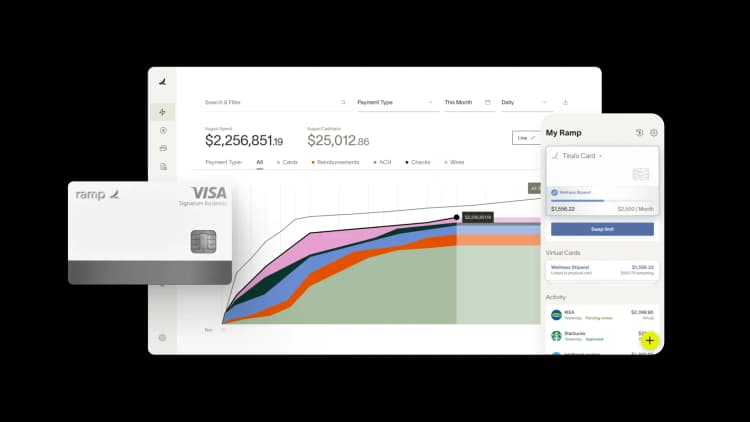
Travel management software gives you a smarter way to control costs, simplify approvals, and centralize reporting—all while saving time and resources. Recent projections from the Global Business Travel Association (GBTA) estimate that business travel spending will surpass $1.57 trillion in 2025, a 6% increase from 2024, and will exceed $2 trillion by 2029.
With so many platforms on the market, how do you pick the right one? Understanding the key features, benefits, and top solutions will help you make the best decision for your business.
What is travel management software?
Travel management software centralizes planning, booking, and tracking for business trips so you can cut costs, enforce policy, and give employees a smoother experience.
Beyond booking flights and hotels, leading platforms handle expense tracking, approval workflows, and real-time reporting so finance and HR can monitor spend and keep purchases aligned with your corporate travel policy. These tools replace manual processes such as spreadsheets and email chains with a single automated system.
Core functions include:
- Booking: Centralized platform for flights, hotels, and car rentals
- Policy enforcement: Automatic rules that flag or block out-of-policy bookings
- Expense tracking: Capture receipts and categorize travel spend in real time
- Reporting: Visibility into travel spend across teams and departments
Best corporate travel management software platforms
Here are eight leading business travel software solutions, compared across features, ideal use cases, and pricing.
Ramp

Ramp is an all-in-one finance operations platform that combines corporate cards, expense management, and travel booking. Sure, we may be biased in giving our platform the top spot, but our G2 and Capterra ratings speak for themselves. Here are a few more reasons to try Ramp:
- Integrated business travel booking: Ramp Travel pulls together a wide inventory of hotel accommodations and flights for employees to review and book, including deals not available elsewhere, thanks to our partnership with Priceline. Employees can easily see what's within policy before they book.
- Comprehensive expense management: Finance teams can set granular controls on how employees use company funds for business trips with Ramp's expense management automation. Real-time reporting lets you actively manage your T&E budget and prevent out-of-policy spending before it happens.
- Automated expense reporting and reimbursement: Ramp prompts employees to submit receipts for each transaction made with our corporate cards in real time. AI-powered software then reviews and categorizes each expense, saving your finance team hours on the back end.
- Travel booking is just the beginning: Ramp's unlimited free plan comes with our travel management solution, but you don't have to use it to benefit from the platform. If you already have a corporate travel management tool you're happy with, you can still use Ramp's full suite of financial tools on their own.
Pricing
Ramp offers an unlimited free tier with access to our most powerful expense management features, including our travel management tool. For even more control, you can upgrade to Ramp Plus for $15 per user per month. Ramp also offers enterprise pricing on request—just reach out for a quote.
Navan (formerly TripActions)

Formerly known as TripActions, Navan is an all-in-one travel and expense platform with AI-driven recommendations that help employees find cost-effective options. The consumer-grade booking experience drives high adoption, and a built-in rewards program incentivizes employees to choose cheaper options.
Use Navan's online booking tool to arrange trips for employees, guests, or groups of up to 50 people. Then, tap automatic receipt capture and advanced reporting for easier expense management and visibility into company travel spending.
Whether employees prefer DIY or personalized assistance, Navan offers self-serve tools and 24/7 customer support so they can manage itineraries on the go.
Pricing
Navan's travel booking features are free for businesses with up to 200 employees; expense management features are free for the first 5 users. Beyond that, Navan doesn't publicly advertise subscription costs—you'll need to contact sales for a quote.
SAP Concur

SAP Concur is a cloud-based travel, expense, and invoice management tool built for mid-sized to large enterprises, especially those with global operations and complex workflows. SAP Concur automates and integrates travel booking with its expense reporting tools, connecting your travel and expense data from booking to reimbursement.
The platform includes separate modules for expenses, travel, and invoices, so you can scale as your needs change. It offers robust global regulatory and compliance features and can handle multiple currencies, tax jurisdictions, and risk profiles. The trade-off: implementation can be complex, and the learning curve is steeper than lighter-weight alternatives.
Pricing
SAP Concur doesn’t publish pricing. You will need to call for a quote.
Perk

Perk simplifies corporate travel for mid-market and enterprise businesses by bringing a massive travel inventory into its platform. In doing so, Perk reduces the hassle and headaches that often come with booking business travel under strict company guidelines.
Employees can compare booking options from across the internet in real time to find a suitable choice that falls within company policy and budget. If needed, 24/7 customer support and concierge services assist with flights, car rentals, accommodations, and meeting rooms.
Perk also offers flexibility: with FlexiPerk, you can receive an 80% refund on any travel plans booked through the software, no matter the reason for cancellation. If your company already uses Ramp, you can integrate Perk with Ramp for seamless expense tracking and greater savings on business travel.
Pricing
Perk’s Starter plan comes with five free bookings per month; after that, you’ll pay 5% per booking. Perk also offers Premium, Pro, and Enterprise plans:
- Premium: $99 per month, plus 3% per booking
- Pro: $299 per month, plus 3% per booking for Pro
- Enterprise: Contact for details
Egencia

Egencia, which was acquired by American Express Global Business Travel in 2021, is a corporate travel management platform used for booking travel, managing itineraries, policy compliance, risk management, and traveler safety.
Generally, Egencia is best for medium to large enterprises, but the platform offers a robust set of travel management tools for any company with a high volume of travel. Their centralized booking is a key feature.
Egencia receives high marks in customer reviews for the user experience and access to a large inventory of travel options. The tool also integrates with a variety of expense management platforms to link travel booking to expense reporting and reimbursement.
Pricing
Egencia doesn’t publish their pricing. You will need to call for a quote, customized to your specific business needs.
Tools to manage travel spending
Not all companies will need business travel management software with every bell and whistle. Sometimes, a good expense management tool will suffice.
Without an efficient system to monitor and control travel spending, your company may be getting a poor return on your travel budget. Expense management solutions like Ramp and the ones we cover below help businesses track, control, and report on their travel expenses.
Spendesk

Not all businesses need full travel management software. Sometimes, a strong expense management tool is enough. Spendesk’s expense platform fits businesses of all sizes that want to monitor and control spending.
Its 7-in-1 solution includes company credit cards, expense reporting, invoices, approvals, accounting automation, budgets, and reporting, giving finance visibility while preserving employee flexibility. You can also set budgets and spending policies for Spendesk cards in advance to control and track employee travel expenses in real time.
Pricing
Spendesk offers three plans depending on business needs and size. All pricing is quote-based; schedule a demo with sales to try the software and get a cost estimate.
BILL Spend & Expense (formerly Divvy)

BILL Spend & Expense (formerly Divvy) is a popular expense management platform for small and mid-market businesses. While BILL doesn’t include a dedicated travel management tool, it still helps finance teams monitor T&E and automate operations with customizable spend controls and automatic expense categorization. If employees make eligible purchases with BILL corporate cards, your company can also collect rewards points and redeem them for cash back, gift cards, statement credit, or travel.
Pricing
BILL Spend & Expense is free to use if you qualify for the BILL corporate card. Advanced features like AP/AR automation require a paid subscription.
Pricing
BILL Spend & Expense is free to use, provided you qualify for the BILL corporate card. Advanced features like AP/AR automation require a paid subscription.
Circula

Circula is built for companies with an international presence, from professional service firms and startups to large corporations. The platform is designed for business travelers, with mobile-first UX, AI-powered receipt scanning, and Offline mode for submitting expenses without internet access (handy on flights). Travelers can also use Assistant mode to allow colleagues to submit expenses on their behalf.
Pricing
Circula offers three pricing tiers:
- Starter: €10 per user per month
- Professional: €15 per user per month
- Professional Plus: Contact sales
Key features to look for in business travel software
The right travel management tool goes well beyond basic booking. These are the capabilities that separate effective platforms from glorified search engines—and the ones that actually solve pain points for finance teams.
Real-time spend visibility
Waiting until month-end to discover budget overruns is a recipe for reactive firefighting. A modern travel management platform tracks expenses as they happen, giving you a live view of who's traveling, what they're spending, and which budgets they're hitting. This lets you make proactive adjustments instead of cleaning up surprises after the fact.
Policy enforcement at the point of booking
Your travel expense policy sets the rules for spending, approved vendors, and other guidelines. The best platforms embed those rules directly into the booking flow, automatically flagging or blocking out-of-policy purchases before they happen. That's travel expense automation in action—no more chasing violations after the credit card statement arrives.
Travel inventory and booking experience
A platform's travel inventory directly affects employee adoption. If the booking experience is clunkier than consumer sites like Google Flights or Expedia, employees will book elsewhere—and you'll lose visibility. Look for platforms that aggregate a wide range of flights, hotels, and rental cars in an intuitive interface that employees actually want to use.
Integration with accounting and ERP systems
Choose software that connects to your existing stack. Integrations with accounting tools like QuickBooks, NetSuite, or Sage—plus HR systems, calendar tools, and ERP platforms—eliminate manual data entry and reduce reconciliation work. A connected ecosystem can also reveal spending insights you wouldn't catch in siloed systems.
Mobile app functionality
Travel changes fast. An effective platform includes a mobile app so travelers can book, modify itineraries, upload receipts, and receive real-time alerts on delays or cancellations, all from their phone. Strong mobile functionality also reduces receipt loss, since employees can snap and submit on the spot.
Duty of care and traveler safety
You have an obligation to keep traveling employees safe. Modern travel management platforms support duty of care through real-time location tracking, emergency alerts, and 24/7 support. If a natural disaster, political event, or health emergency affects a destination, the platform can notify affected travelers and help you coordinate a response quickly.
Benefits of using travel management software
Managing business travel can be challenging and time-consuming. Travel management software provides a centralized, automated solution to address these complexities.
- Cost savings and improved budgeting: Access negotiated rates, add cost controls, and forecast more accurately
- Enhanced traveler experience and safety: Simplified booking with trip tracking and emergency alerts
- Time savings: Automate booking, approvals, and expense reporting to cut manual entry and back-and-forth
- Policy compliance and fewer errors: Enforce rules in-platform and flag or block out-of-policy purchases
- Centralized data and visibility: View spend and compliance in one place, run reports, and improve forecasts
How to choose the right travel management software
Start by aligning the tool to your program's realities—travel volume, integrations, user needs, and total cost—then run a scored evaluation to pick the best-fit partner.
Match the platform to your travel volume
High-volume travel programs need different features than occasional travel. If your team takes a handful of trips per quarter, a lightweight expense tool with basic booking may be enough. If you're managing hundreds of trips per month, you'll need robust approval workflows, policy enforcement, centralized dashboards, and possibly dedicated travel managers rather than pure self-service booking.
Evaluate integration requirements
A travel management tool should plug into the systems you already use. Map out what needs to connect: accounting software (QuickBooks, NetSuite, Sage), HRIS, corporate cards, ERP platforms, and calendar tools. Poor integrations create more manual work, not less—and they defeat the purpose of centralizing your travel operations.
Consider user adoption and training
The best travel management tool is one that employees actually use. If the booking experience feels clunky or the mobile app is an afterthought, people will default to booking on their own—and you'll lose visibility and control. Evaluate the user interface, mobile app quality, and the vendor's implementation and training support before committing.
Calculate the total cost of ownership
Look beyond the subscription fee. Factor in implementation costs, per-booking fees, support costs, and the internal time required to manage the platform. A tool that's "free" but requires hours of manual reconciliation every month may cost more than a paid platform that automates the entire workflow.
Step-by-step process for evaluating and selecting a solution
Once you're ready to evaluate, use a scorecard that tracks how each platform meets your requirements:
- Define your needs: Goals, pain points, travel volume, user counts
- Prioritize must-have features: Identify non-negotiables and desired customizations
- Shortlist and request demos: Line up 3–5 vendors that match your criteria
- Compare pricing vs. ROI: Map pricing models to expected time and cost savings
- Check reviews and references: Validate onboarding, integrations, and support quality
- Decide and plan implementation: Select the best fit and coordinate rollout with the vendor
Common challenges and how travel management software solves them
Corporate travel often breaks down around manual workflows, limited visibility, and policy gaps. A modern travel management platform centralizes booking, spend, and approvals so you can address these issues up front.
- Manual booking and approvals: Email-and-spreadsheet workflows create delays and overspending; centralize booking and automate approvals in one system
- Limited visibility into travel spend: Get a real-time view of who's traveling, what they're spending, and which budgets they hit via dashboards and reports
- Policy noncompliance: Enforce rules at booking and flag or block out-of-policy purchases automatically
- Time-consuming expense reconciliation: Automate receipt capture and matching so reports compile themselves with fewer errors
- Fragmented data: Pull information out of spreadsheets and sites into a single reporting dashboard for easier analysis and forecasting
How Ramp streamlines business travel expense management
Managing business travel expenses often means chasing receipts, enforcing policies after the fact, and reconciling spend weeks later.
Ramp replaces this manual work with real-time automation. Expenses are automatically captured and categorized, and receipts are matched to transactions as they happen, so your team is not stuck tracking down missing documentation.
You can set spend limits by category, such as hotels or meals, and block out-of-policy purchases before they occur. Instead of catching issues later, controls are applied at the point of spend.
Real-time visibility gives finance teams a clear view into travel costs as they occur, not just at month end. With automated reporting and built-in policy enforcement, managing travel expenses becomes faster and easier to control.
Ramp Travel brings booking, expense management, and controls into one place, so your team can manage trips without switching between tools while maintaining full visibility into spend.
Explore our product to see how Ramp automates expense and mileage tracking for 25k+ businesses.


“Browserbase builds infrastructure so AI agents can do real work. Ramp is doing the same for finance. It’s not another tool. It’s a system purpose-built for AI-driven finance, and that’s why we chose Ramp as our financial operating system from day one.”
Paul Klein IV
Founder & CEO, Browserbase

“We used to pay up to $20k a year for our AP platform. With Ramp, we’re earning back well over that amount. That's money that belongs to the mission now, not to the back-office software.”
Heidi Coffer
Chief Financial Officer, Boys & Girls Clubs of San Francisco

“The tricky thing about corporate travel policy is timing. We didn't need a stricter policy. We needed the policy to show up earlier. With Ramp Travel, it finally does.”
Keith Frantz
Director of Enterprise Risk Management, Prosper

“We're accountable to our funders, our partners, and the families we serve. That accountability starts with how we manage every dollar. Ramp makes it easy for our team to spend wisely, track in real time, and keep overhead low so more resources reach the families navigating infertility.”
Rachel Fruchtman
CFO, Jewish Fertility Foundation

“Each member of our team has an outsized impact due to our focus on using high-leverage tools like Ramp.”
Lauren Feeney
Controller, Perplexity

“With Ramp, we haven’t had to add accounting headcount to keep up with growth. The biggest takeaway is that instead of hiring our way through it, we fixed the workflow so we can keep supporting the organization as we scale.”
Melissa M.
VP of Accounting at Brandt Information Services

“In the public sector, every hour and every dollar belongs to the taxpayer. We can't afford to waste either. Ramp ensures we don't.”
Carly Ching
Finance Specialist, City of Ketchum

“Compared to our previous vendor, Ramp gave us true transaction-level granularity, making it possible for me to audit thousands of transactions in record time.”
Lisa Norris
Director of Compliance & Privacy Officer, ABB Optical
