The complete guide to travel and expense management

- What is travel and expense management?
- Travel and expense management vs. expense management
- Why travel and expense management matters
- How travel and expense automation works
- Key features of travel and expense management software
- Top travel and expense management software
- How to choose travel and expense management software
- Best practices for corporate travel expense management policies
- Travel expense tax and deductibility basics
- Simplify travel and expense management with Ramp
AI Summary
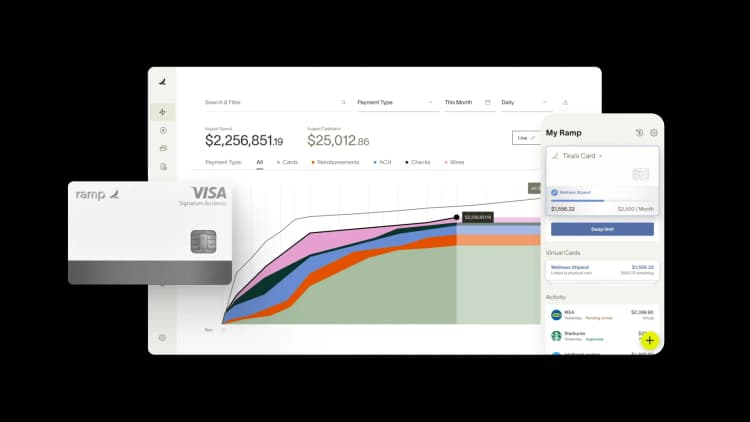
Travel and expense management is how you plan, book, track, and reimburse the costs of business travel in one connected system. Done well, it gives your finance team control and visibility without slowing down the employees on the road.
This guide walks through what T&E management is, why it matters, how automation works, which features and software to compare, and the policy and tax basics every finance team should know.
What is travel and expense management?
Travel and expense management is the system you use to plan, book, track, approve, and reimburse the costs employees incur during business trips. It covers the full lifecycle of a business trip, from the moment an employee requests approval to the final reimbursement hitting their bank account.
Modern T&E management systems replace spreadsheets and paper receipts with automation like AI-powered receipt scanning, virtual cards, and real-time policy enforcement. The goal is simple: give your finance team control and visibility without creating friction for employees on the road.
T&E management breaks down into four key components:
- Booking travel: Online booking tools (OBTs) and travel management companies handle flights, hotels, and rental cars within your policy guidelines.
- Expense reporting: Employees capture receipts and submit expenses for approval, often through a mobile app that auto-populates transaction details.
- Policy compliance: Systems flag or block out-of-policy spending automatically, so violations don't slip through unnoticed.
- Reimbursement and payment: Digital workflows process employee reimbursements and reconcile corporate card spending, syncing everything to your accounting software.
In the past, T&E processes were primarily manual, which often led to slow reimbursements and, at times, fraud. Today, automated expense reporting software handles the heavy lifting, improving efficiency and reducing errors across the board.
Travel and expense management vs. expense management
These two terms overlap, so it helps to draw a clear line. A travel and expense management system covers the full travel lifecycle: booking a trip, enforcing policy at the point of booking, and reimbursing the traveler afterward. Expense management is wider in scope, governing all employee and business spend, of which travel is just one category.
Here's a concrete example. A $180 client dinner charged to a corporate card is an expense-management item, while the flight and hotel booked for that same client visit fall under travel and expense management.
| Travel and expense management | Expense management | |
|---|---|---|
| Scope | The full business-travel lifecycle: booking, policy, and reimbursement | All employee and business spend, with travel as one category |
| Typical tools | Online booking tools, travel approval software, corporate cards | Corporate cards, receipt capture, reimbursement, and approval workflows |
If travel is a major line item, you need dedicated T&E capabilities. If your spend is mostly software, supplies, and the occasional trip, general expense management may be enough.
Why travel and expense management matters
Unmanaged travel spend leads to budget overruns, policy violations, and hours of wasted finance team time. Proper T&E management gives you control over costs and visibility into where every dollar goes, before month-end surprises force reactive decisions.
Reduce manual work and errors
Manual data entry is slow and mistake-prone. Duplicated entries, miscategorized expenses, and typos add up fast when your team processes hundreds of expense reports each month.
Travel expense automation eliminates most of that grunt work. Receipt scanning automatically captures transaction details, and auto-categorization assigns the right expense codes without anyone touching a spreadsheet. Your finance team spends less time fixing errors and more time on work that actually moves the business forward.
The payoff is concrete: finance teams on Ramp reclaim 4–5 hours a week that used to go to manual expense reviews.
Enforce travel policies automatically
A travel policy only works if people follow it. With travel approval software, you can flag or block out-of-policy bookings before they happen, not after.
For example, if your policy caps hotel rates at $200 per night in most cities, the system can prevent an employee from booking a $350 room without manager approval. That's a lot more effective than catching the overspend three weeks later during reconciliation.
Gain real-time visibility into spending
Waiting for month-end reports to understand your travel budget is like driving with your eyes closed. Real-time dashboards show you travel and expenses as they occur, so you can spot trends, catch anomalies, and adjust budgets before problems compound.
This kind of visibility also makes forecasting more accurate. When you can see current spend against budget at any point in the quarter, you make better decisions about where to allocate resources.
Improve employee experience
Nobody enjoys filling out expense reports. The faster and easier you make the process, the happier your traveling employees will be.
Modern T&E tools let employees book travel in minutes, snap receipt photos from their phone, and receive reimbursements in days instead of weeks. Less paperwork and faster payback mean fewer frustrated emails landing in your inbox.
Simplify audits and compliance
Automated receipt capture and expense categorization create a clean audit trail without extra effort. Every transaction is timestamped, categorized, and linked to its supporting documentation.
When auditors come knocking, or when you need to verify tax-deductible travel expenses, everything is organized and accessible. No more digging through filing cabinets or chasing employees for missing receipts.
How travel and expense automation works
T&E automation replaces disconnected manual steps with a single, connected workflow. Here's what the typical process looks like from trip request to accounting sync:
- Employee submits a trip request through travel approval software, including destination, dates, and estimated costs.
- Manager approves the request based on pre-configured policy rules, budget availability, and trip purpose.
- Employee books travel through an integrated booking tool that surfaces in-policy options for flights, hotels, and rental cars.
- Expenses are captured automatically from corporate card transactions or mobile receipt scans as they occur during the trip.
- The system auto-categorizes each expense and checks it against your travel policy, flagging anything that falls outside approved limits.
- An approver reviews and approves the expense report, with out-of-policy items clearly highlighted for quick decision-making.
- Finance processes reimbursement for any out-of-pocket expenses or reconciles corporate card spend against approved reports.
- Data syncs to your accounting software with the correct GL codes and cost centers, eliminating manual journal entries.
The entire process can take days instead of weeks, and your finance team touches far fewer transactions manually. On Ramp Travel, 95%+ of transactions have receipts auto-matched and memos generated, so there's no expense report to assemble after the trip.
Key features of travel and expense management software
Not all T&E tools are created equal, and in 2026 an AI agent that reviews spend automatically has moved from nice-to-have to a baseline expectation. These are the capabilities that matter most when you're managing business travel at scale.
Corporate card integration
Linking corporate cards to your T&E platform auto-imports transactions and matches them to receipts, eliminating manual data entry. Employee credit cards with built-in spend controls also let you set category-level limits so employees can only spend within policy.
Travel booking and itinerary management
Built-in travel booking software lets employees search and book flights, hotels, and cars without leaving the platform. The system surfaces in-policy options first and consolidates itineraries in one place, so travelers and finance teams always know what's booked and what it costs.
Expense reporting and receipt capture
Mobile receipt scanning apps use OCR technology to convert photos of receipts into categorized expense line items. Employees snap a picture, and the system auto-populates the merchant, amount, date, and category. No more manual data entry or lost paper receipts.
Automated policy enforcement
The system automatically flags or blocks out-of-policy expenses before an employee even submits their report. This reduces the back-and-forth between employees, managers, and finance, and it catches violations that manual reviews would miss.
The Association of Certified Fraud Examiners (ACFE) found that organizations lose a median of $104,000 to a typical fraud scheme, which runs about 12 months before anyone detects it. Automated policy checks and duplicate detection significantly reduce that risk.
Ramp's Policy Agent, an always-on AI reviewer trained on your actual policy, takes enforcement further: it reviews 100% of transactions and catches 7x more out-of-policy spend than rule-based systems at 99%+ accuracy—and because it also shows policy status for every booking option at the point of booking, compliant choices surface first and out-of-policy bookings need justification before they're confirmed, not a flag weeks after the fact.
Approval workflows
Customizable approval hierarchies route expenses to the right person based on amount, category, or department. A $50 meal might need only a direct manager's sign-off, while a $5,000 international flight triggers VP-level approval. This keeps things moving without sacrificing oversight.
Accounting software integration
Direct integrations with tools like QuickBooks, Xero, NetSuite, and Sage mean approved expenses sync automatically with the correct GL codes and cost centers. This reduces month-end close time and eliminates the reconciliation headaches caused by manually transferring data between systems.
Analytics and spend reporting
Dashboards show spending trends, policy compliance rates, and vendor analysis so you can make informed decisions about your travel budget. You can identify which departments overspend, which vendors offer the best rates, and where policy adjustments would have the biggest impact.
Top travel and expense management software
Choosing the right T&E platform depends on your company size, travel volume, and existing tech stack. Here's how the leading options compare:
| Software | Best For | Key Strength |
|---|---|---|
| Ramp | Companies of all sizes | All-in-one cards, expenses, travel, and bill pay |
| SAP Concur | Large enterprises | Deep ERP integration |
| Navan | Travel-heavy teams | Travel booking focus |
| Emburse | Flexible needs | Multiple product options |
| Expensify | Simple expense tracking | Easy receipt scanning |
The best business travel management software for you comes down to travel volume, company size, and how much of your finance stack you want in one place. Here's a deeper look at each option, with a best fit, key strength, and one honest limitation.
Ramp
Ramp combines corporate cards, travel booking, expense management, and accounting automation into a single spend management platform. AI-powered receipt matching and real-time policy enforcement mean less manual work for your finance team, whether you're a 20-person startup or a 2,000-person enterprise. Unlike point solutions that handle only one piece of the puzzle, Ramp consolidates the full finance stack in one place.
As a native online booking tool, Ramp Travel charges a $0 platform fee and $0 per-booking fee, where many corporate travel tools charge $10 to $35 per booking. Flight Savings surfaces a comparable lower fare at the moment of booking, saving about $115 on average when a traveler switches, so the platform actively works to save you money, not just process bookings.
- Best for: Companies of all sizes that want cards, expenses, and travel on one platform.
- Key strength: Zero booking fees plus in-flow savings like Flight Savings and automatic hotel rebooking.
- Limitation: Ramp Travel is a native OBT, not a full-service TMC, so complex international itineraries route to its TMC partners.
SAP concur
SAP Concur is enterprise travel expense management software with deep integrations into SAP ERP systems. It offers comprehensive travel booking, invoice processing, and compliance tools. The platform is powerful but implementation is lengthy and the UI is dated. It's a better fit for large organizations with dedicated admin resources already in the SAP ecosystem.
- Best for: Large enterprises already in the SAP ecosystem.
- Key strength: Deep ERP integration and comprehensive compliance tooling.
- Limitation: Lengthy implementation and a dated interface.
Navan
Navan (formerly TripActions) leads with its booking product. The consumer-grade flight and hotel search experience is genuinely better than most corporate tools. Best fit for companies where frequent travel is the primary pain point rather than complex expense workflows.
- Best for: Travel-heavy teams where booking is the main pain point.
- Key strength: Consumer-grade flight and hotel search.
- Limitation: Less suited to complex expense workflows.
Emburse
Emburse offers multiple products, including Certify, Abacus, and Chrome River. This flexibility lets you pick the right fit, but it also means the experience can vary depending on which product you use. It's worth evaluating each one separately rather than treating Emburse as a single platform.
- Best for: Teams that want to choose among several distinct products.
- Key strength: Flexibility across Certify, Abacus, and Chrome River.
- Limitation: The experience varies by product, so you have to evaluate each one separately.
Expensify
Expensify is known for user-friendly receipt scanning and straightforward expense reports. It's a strong choice for smaller teams that need straightforward expense tracking without a full travel management suite. The gaps show up at scale: limited corporate card controls, no built-in travel booking, and approval workflows that get unwieldy with larger teams.
- Best for: Smaller teams that need simple expense tracking.
- Key strength: User-friendly receipt scanning.
- Limitation: Limited card controls and no built-in travel booking, which strains larger teams.
How to choose travel and expense management software
The right T&E platform depends on where your team's biggest friction is today. Here's how to prioritize the evaluation criteria based on company size:
Under 100 employees
Prioritize ease of use and transparent pricing. You likely don't have a dedicated finance ops person managing the tool, so setup time and employee adoption matter more than deep customization. Look for strong mobile receipt capture and fast reimbursement workflows.
100–500 employees
Policy customization and accounting integrations become critical at this stage. You need a platform that can match your approval hierarchies and sync cleanly to your GL—manual journal entries at this scale create real close-time problems. Confirm the platform integrates with your specific accounting software before signing.
500+ employees
Global support and ERP integration are non-negotiable if you have international operations. Look for multi-currency reimbursement, local payment methods, and duty-of-care features. Also evaluate per-transaction pricing carefully—fees that seem minor at 200 users can become significant at 2,000.
Whatever your size, weigh three universal criteria before you commit:
- Integration depth: Verify direct, native connectors to your accounting software, not vague "we integrate" claims.
- Employee adoption: The best tool is the one your team actually uses, so prioritize mobile capture and a clean booking experience.
- Total cost of ownership: Add up implementation time plus per-booking and per-transaction fees. Fees that seem minor at 200 users can become significant at 2,000.
Data silos between your T&E platform and your accounting software will create more work than the tool saves—keep that front of mind as you evaluate.
Choose a platform your team will actually use
Two priorities that beat every feature comparison: adoption and integration. A platform your team embraces and that syncs cleanly to your books will save you more than any single standout feature.
Best practices for corporate travel expense management policies
A corporate travel policy is only as good as its specificity. Vague guidelines lead to inconsistent spending and awkward reimbursement disputes. These five practices help you build a policy that's clear, enforceable, and fair. For a step-by-step walkthrough, see our full guide to creating a travel and expense policy.
1. Set clear spending limits by category
Define per-diem rates for meals, hotel caps by city tier, and flight class rules so employees know exactly what's covered. For example, you might set a $75 daily meal allowance, cap hotels at $200 per night in most cities (with exceptions for high-cost markets like New York or San Francisco), and restrict flights to economy class for domestic trips under five hours.
Breaking limits down by category removes ambiguity and makes policy enforcement straightforward for both employees and approvers.
2. Define approval hierarchies
Spell out who approves what. A common structure routes standard domestic travel to the direct manager, international trips to a VP, and any trip exceeding a set dollar threshold (say, $5,000) to the finance team.
Clear hierarchies prevent bottlenecks. When employees know exactly who to go to, approvals move faster and fewer requests get stuck in limbo.
3. Require pre-trip approvals for high-cost travel
Require employees to get approval before booking any trip above a certain cost threshold. This prevents surprise expenses from hitting your budget after the fact.
Pre-trip approval also gives you a chance to suggest alternatives, like a different hotel or a direct flight that's cheaper than a connection. It's much easier to redirect spending before a booking is confirmed than to claw it back afterward.
4. Standardize preferred vendors
Negotiate rates with preferred airlines, hotel chains, and rental car companies to capture volume discounts. Then configure your booking tool to surface these vendors first.
Preferred vendor programs can meaningfully reduce travel costs, and they simplify reconciliation because you're working with a smaller set of consistent invoices and rate structures.
5. Establish receipt requirements
Specify which expenses require itemized receipts and which are covered by per diem allowances. IRS substantiation rules require documentation for business expenses including the amount, date, place, and business purpose, so make sure your policy reflects those requirements.
A good rule of thumb: require itemized receipts for any individual expense over $25 and for all lodging, regardless of amount. For meals under your per-diem rate, a simple daily log may suffice. Make your T&E policy required reading during onboarding so every new hire starts with clear expectations.
Travel expense tax and deductibility basics
Most ordinary and necessary business travel costs are tax deductible when you document them properly. This is general information, not tax advice, so confirm the specifics with a tax professional before you file.
Which travel expenses are tax deductible?
When a trip is primarily for business, IRS rules for deductible travel generally let you deduct the cost of getting there and doing business on the road. The main deductible categories are:
- Transportation: Flights, trains, rental cars, and mileage for driving your own vehicle.
- Lodging: Hotel or other lodging for the business nights you're away from home.
- Meals: 50% of the cost of business meals while traveling.
- Incidentals: Baggage fees, tips, and work-related communication.
To claim any of these, record the amount, date, place, and business purpose of each expense, the same documentation your T&E policy should already require. Personal side trips and your regular commute don't qualify.
What is the 300% rule for travel expenses?
The 300% rule is a federal travel guideline. When lodging isn't available at the standard per diem rate, an agency can reimburse actual lodging costs up to 300% of that location's per diem. It applies mainly to government and grant-funded travel, and because tax and travel rules change, treat it as a general ceiling and confirm current GSA per diem guidance before relying on it.
Simplify travel and expense management with Ramp
You now have a clear picture of what effective T&E management looks like: a policy with real teeth, software that enforces it automatically, and a reimbursement process that doesn't make your employees regret traveling for work.
The next decision is whether to build that system with one consolidated platform or stitch together separate tools for booking, expense reporting, and corporate cards. Most finance teams that go the stitched-together route find themselves managing integrations instead of managing spend.
Ramp Travel handles the full cycle. From booking to reconciliation in a single dashboard. See how it works with an interactive demo.

FAQs
A consumer travel app just books trips, while T&E software books travel and manages the whole spend lifecycle, enforcing policy and syncing expenses to your accounting system. The difference is control and visibility, not just booking.
No. They integrate with tools like QuickBooks, Xero, NetSuite, and Sage, syncing coded transactions so your general ledger still lives in your accounting system.
Link corporate cards and mobile receipt capture to a T&E platform so transactions import and categorize themselves in real time, instead of chasing paper receipts and spreadsheets after each trip.
Ordinary and necessary business travel costs like transportation, lodging, 50% of business meals, and incidentals are generally deductible when properly documented. Personal side trips and your regular commute are not.


“I assumed I would have to choose between speed and control. What I found is that you can have both. A well-designed system takes friction out, for the finance function and for everyone else.”
Justin Webster
CFO, Denver Broncos

“A well-run district should not have to choose between getting work done at the school site and keeping control of the dollars behind it. We're not hiring more people to do more jobs, so we have to be smarter about the process. With Ramp, the purchase, the receipt, and the record stay together from the start. ”
Nick Brizeno
Director of Purchasing, San Marcos Unified School District

“AI is moving faster than the finance context around it. Prices change, models change, and the value is not always obvious from an invoice. We needed enough detail to know which bets deserved more investment — and which ones did not.”
Greg Cooley
Controller, AngelList

“Invoices, cards, tokens. The categories change but the principle doesn't: know where the money is going, remove the work around it, and make sure the spend is worth it.”
Maciej Mylik. Finance
ElevenLabs

“We weren’t trying to retrofit an old finance system. We had a blank canvas, and Ramp gave us the foundation to build a global finance function of the future.”
Justin Dourado
Director of Finance, Othership

“There's just no surprises anymore. No more waiting two months to find out how a job did. We know how it's doing as it's happening.”
Erich Kuss
Financial Systems Manager, Infinity Home Services

“More token spend isn’t proof that AI is working. Less isn’t proof that it isn’t. What matters is whether we’re buying the right level of intelligence for the work. Ramp lets us make that judgment in the same place we manage every other type of spend.”
Cody Nutt
Senior Director of Business Systems, Daxko

“Most banks treat the back office as a cost to keep down. We treat ours as a return to compound, which is why we run it on Ramp. Now we put our clients on Ramp, too.”
Patrick Gaughen
President & COO, Hingham Institution for Savings
