What is accounts payable (AP) automation and how does it work?

- What is accounts payable automation?
- Challenges of manual accounts payable
- How accounts payable automation works
- How AI is changing AP automation
- Benefits of AP automation
- How AP automation strengthens vendor relationships
- How AP automation handles exceptions
- How to choose AP automation software
- How Ramp delivers fast, predictable vendor payments
- Choose Ramp Bill Pay for delivering reliable vendor payments
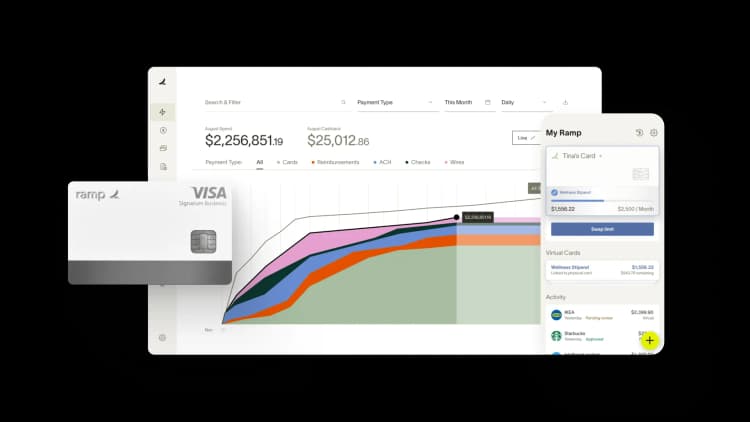
You probably already know your manual AP process is slow, error-prone, and expensive. AP automation fixes that by digitizing the entire invoice-to-pay workflow, from capture through payment execution and reconciliation.
What is accounts payable automation?
Accounts payable (AP) automation is the use of software to digitize and simplify the invoice-to-pay process, replacing manual tasks like data entry and paper handling with intelligent, automated workflows.
AP automation covers the full lifecycle of an invoice: capture, data validation, 2-way and 3-way matching, approval routing, payment execution, and reconciliation. Instead of manually keying data and routing paper approvals through email chains, automated systems handle each step using AI, OCR, and rules-based logic.
AP automation modernizes an existing function rather than creating a new technology category. The shift from paper-based, manual AP to digital, AI-driven workflows lets you process invoices faster, with fewer people, fewer errors, and shorter cycle times.
| Dimension | Manual AP | Automated AP |
|---|---|---|
| Processing time | Days per invoice | Minutes per invoice |
| Cost per invoice | $15+ | $2–$4 |
| Error rate | High (manual data entry) | Near-zero (automated validation) |
| Visibility | Limited, spreadsheet-based | Real-time dashboards |
| Scalability | Headcount-dependent | Volume-independent |
| Compliance | Manual audit trail | Automated audit trail |
Challenges of manual accounts payable
Manual AP processes rely on handling invoices and payments through paper-based or basic digital systems without automation. Typically, invoices are received physically or via email, entered manually into accounting systems, routed for approvals through email or handoffs, prepared for payment by hand, and recorded in spreadsheets or basic accounting software.
These manual processes create specific bottlenecks that delay payments. The more invoices you handle, the harder each of these issues compounds:
- Approval workflows stall when key approvers are unavailable
- Manual data entry introduces errors that cause payment rejections or incorrect amounts
- Limited visibility makes tracking invoice status difficult
- Physical documents get lost, forcing vendors to resend invoices
- Data entry errors lead to duplicate payments: without automated matching, your team can process and pay the same invoice twice. Recovering overpayments is time-consuming and damages vendor trust.
- Difficulty tracking invoices across departments: when invoices arrive via email, mail, and vendor portals, they get lost between teams. No single source of truth means no one knows an invoice's status.
- Inability to scale without adding headcount: manual AP is linear, and more invoices means more people. If you're processing 500+ invoices per month, hiring is often the only option.
These bottlenecks become even more pronounced as invoice volumes grow. A system that handles 50 invoices monthly can quickly become overwhelmed at 500, forcing you to hire more AP staff just to keep up.
Once you see where manual AP breaks down, the case for accounts payable automation is clear.
How accounts payable automation works
AP automation handles the full invoice-to-pay lifecycle in five steps: invoice capture, data validation and matching, approval routing, payment execution, and reconciliation. Each step uses a combination of AI, optical character recognition (OCR), and rules-based logic:
1. Invoice capture
AP automation ingests invoices from multiple channels (email, mail, vendor portals, and EDI) and converts them into structured data. Basic OCR reads text from a document. AI-powered capture goes further: it understands invoice structure, identifies line items, and extracts data with higher accuracy, even from non-standard formats.
Modern tools handle any format (PDF, image, or paper scan) without requiring manual templates for each vendor.
2. Data validation and matching
Once captured, invoice data is validated against your existing records. 2-way matching compares the invoice to the purchase order. 3-way matching adds a third check: the receiving report, confirming that goods or services were actually delivered.
AP automation flags discrepancies automatically (quantity mismatches, price variances, duplicate invoice numbers) and routes them for review. This is where most fraud and error prevention happens.
3. Approval routing
Validated invoices are routed to the right approver based on rules you define: amount thresholds, department, vendor, or GL code. The system auto-approves low-risk invoices (those matching a PO, under a set threshold, from a known vendor). Exceptions get flagged for human review.
Most platforms support mobile approvals, so invoices don't stall when approvers are away from their desks.
4. Payment execution
Approved invoices are scheduled for payment automatically based on vendor terms, early payment discount opportunities, or cash flow optimization rules. Payment methods include ACH, check, wire, and virtual card.
You can optimize payment timing to capture early payment discounts. With 2/10 net 30 terms, for example, paying within 10 days earns a 2% discount.
5. Reconciliation and reporting
AP automation creates a complete, searchable audit trail for every invoice, from capture through payment. Real-time dashboards show outstanding liabilities, cash flow projections, spend by vendor or category, and aging reports.
Automated reconciliation accelerates month-end close, replacing the manual matching that typically drags out the process by days.
How AI is changing AP automation
Modern AP automation goes well beyond basic OCR. Machine learning models extract data from invoices and improve accuracy over time, learning your vendors' invoice formats and adapting to new ones without manual template configuration. Pattern recognition flags anomalies (unusual amounts, duplicate submissions, or invoices from unfamiliar addresses) for review before payment.
The distinction matters. OCR-only solutions read text but don't learn. If a vendor changes their invoice layout, OCR breaks. AI-powered systems adapt automatically, reducing exceptions over time and increasing the percentage of invoices processed without human intervention.
Beyond extraction, AI handles intelligent routing, sending invoices to the right approver based on historical patterns, not just static rules. Predictive analytics can forecast cash flow based on your AP pipeline, helping you plan payments around working capital needs.
AI is augmenting AP professionals, not replacing them. AI handles the repetitive work: data extraction, invoice matching, anomaly detection, and auto-coding to the correct GL account. Your team still manages vendor relationships, resolves disputes, handles complex exceptions, and makes the payment timing decisions that require judgment.
Benefits of AP automation
AP automation delivers measurable gains across cost, speed, accuracy, and compliance:
- Labor costs decrease as staff shift from data entry to exception handling and strategic work
- Late payment penalties are reduced with automated due date tracking
- You capture more early payment discounts
- Processing costs per invoice can drop from $5–$10 to $2–$5
Faster payment cycles reduce late invoice fees and improve cash control. By settling payments in one day instead of five, you retain access to cash longer. That flexibility lets you earn interest, invest, or negotiate better terms with other vendors.
Beyond cost savings, AP automation reduces payment errors and fraud risk through built-in controls. 3-way matching verifies invoice details before payment. Duplicate invoice detection prevents double payments, and approval thresholds enforce separation of duties.
You can also grow without adding AP headcount. While manual processes require more people as invoice volumes increase, automated systems handle the extra volume with minimal additional resources, keeping your AP costs flat.
- Error and fraud reduction: 3-way matching catches discrepancies before payment, and duplicate invoice detection prevents overpayment. Anomaly flags surface suspicious invoices for review before money leaves your account.
- Improved visibility: Real-time dashboards show outstanding liabilities, cash flow projections, and spend by vendor or category. You don't need to wait for month-end reports to know where you stand.
- Compliance and audit readiness: Every invoice gets a complete, timestamped audit trail, from capture through payment. When auditors ask for documentation, you pull it up in seconds instead of digging through filing cabinets.
- Faster close cycles: Automated reconciliation eliminates the manual matching that drags out month-end close. Teams that previously spent days closing AP can do it in hours.
- Vendor trust: On-time payments build vendor trust, unlock better terms, and protect your supply chain. Consistent, predictable payments turn you from a customer vendors chase into one they prioritize.
How AP automation strengthens vendor relationships
Reliable, on-time payments are the foundation of strong vendor relationships. When suppliers know they'll be paid on time, they can focus on serving your business instead of chasing payments. AP automation enhances the vendor experience by providing detailed remittance information with each payment, payment status notifications, and clear payment timelines via vendor portals.
These improvements translate directly into business benefits:
- Better contract terms from vendors who see you as a low-risk customer
- Priority service during supply constraints
- Greater supply chain resilience
- Potential for preferential pricing
As your vendor relationships strengthen, you open the door to deeper collaboration, from consignment inventory to joint cost reduction initiatives. Reliable payments set the stage for long-term partnerships that benefit both sides.
AP automation gives you visibility into every vendor interaction, from invoice receipt to payment confirmation, so you can resolve issues proactively instead of reacting to complaints. That level of responsiveness reinforces vendor trust in ways that go beyond payment speed alone.
How AP automation handles exceptions
Not every invoice follows a standard path. AP exceptions include non-standard situations like:
- Partial payments
- Disputed invoices
- Rush payments
- Invoices requiring extra documentation
Modern AP systems handle these exceptions with configurable approval matrices that route unusual cases to the right decision-makers. You get override capabilities for authorized users and customizable workflows that adapt to your company's policies.
Common exception scenarios include:
How does AP automation handle disputed invoices?
When an invoice is flagged as disputed, the system routes it to a resolution workflow. Designated staff can document the issue, communicate with vendors through the platform, and track progress. Once resolved, the invoice returns to the standard payment approval process with dispute documentation attached.
Can AP automation process partial payments?
Yes. Modern AP systems allow authorized users to split invoices for partial payment while tracking the unpaid portion. The system maintains the relationship between the original invoice and all partial payments, providing clear documentation for both internal records and vendor remittance.
How are rush payments handled in automated systems?
AP automation platforms include priority flags to accelerate specific invoices through AP approval workflows. Authorized users can initiate expedited payments that bypass standard batching, while still maintaining proper controls and documentation.
By adapting to real-world scenarios, AP automation ensures your processes remain flexible and controlled, even when exceptions arise.
How to choose AP automation software
Choosing the right AP automation software comes down to matching the platform's capabilities to your specific workflow, volume, and integration requirements:
- Data capture accuracy (AI vs. OCR): Look for AI-powered extraction that learns over time, not static OCR templates that break on new invoice formats. Ask vendors about their touchless processing rate (the percentage of invoices that flow through without manual intervention).
- ERP integration: The solution should connect to your existing accounting system (NetSuite, QuickBooks, Sage, or whatever you're running) without manual rekeying. Ask about pre-built connectors, sync frequency, and whether the integration is bidirectional.
- Workflow flexibility: You need configurable approval rules: by amount, department, vendor, GL code, or any combination. One-size-fits-all routing won't match your policies.
- Scalability: Can the platform handle 10x your current invoice volume without adding headcount or per-invoice fees? Ask about pricing at scale, not just the starting tier.
- Security and compliance: Look for role-based access controls, automated audit trails, and SOC 2 compliance at minimum. If you're in a regulated industry, ask about specific certifications.
- Total cost of ownership: Factor in setup fees, per-user pricing, per-invoice charges, and integration costs. The headline price rarely tells the full story.
- Vendor reputation and support: Check G2 reviews, ask about implementation timelines, and find out whether the vendor provides dedicated onboarding support or leaves you with a knowledge base
How Ramp delivers fast, predictable vendor payments
Ramp Bill Pay is autonomous accounts payable software that is built to keep payments on schedule, whether you're paying a handful of vendors or processing hundreds of invoices each month. The platform combines intelligent automation, flexible scheduling, and reliable payment rails to help teams deliver on time, every time.
Consistent payment timelines
Ramp processes payments with clear, predictable timing so you can plan ahead with confidence:
- ACH payments: Delivered in 2 business days
- Check payments: Delivered in 10 business days
- Domestic wires: If approved before 1:00 PM ET, funds may arrive same day; otherwise, 0–5 business days (domestic wires cost a flat $15 fee)
- International wires (USD): Funds are ACH-debited in 1–4 business days, then wired to your vendor in 1–5 business days
Ramp also offers no processing fees on standard ACH, check, and card payments through Ramp Bill Pay. For even faster delivery, Ramp Business Account holders get free, unlimited same-day ACH and wire transfers, both domestic and international—without minimum balance requirements or maintenance fees. Learn more about Ramp payment timelines.
Automation that prevents late payments
Ramp's approval workflows are built to move quickly and stay ahead of payment deadlines. Invoices are routed to the right approvers automatically, based on vendor, department, or custom rules. Due dates and terms are applied directly from vendor records, so there's no need for manual scheduling or deadline tracking.
Recurring payments can be set up for regular vendors, or one-time payments can be scheduled days or weeks in advance. Even during busy cycles or staff absences, payments go out as planned—no last-minute rushes or emergency runs.
Ramp also integrates with major ERPs, keeping records in sync and preventing rekeying errors that commonly delay payments. That means fewer missed deadlines, fewer vendor inquiries, and a smoother AP process end-to-end.
Here's how Ramp Bill Pay made scaling vendor payments easy for Dragonfly Pond Works.
How Dragonfly Pond Works scaled AP and simplified bill payments with Ramp
As Dragonfly Pond Works expanded, its bill pay process couldn't keep up. The company had outgrown its bank-based scheduling tool, which lacked flexibility, vendor visibility, and control at scale. Payments were hard to track, and managing timing across growing responsibilities became increasingly manual.
Ramp Bill Pay gave the team a more scalable and reliable way to handle payments. Rather than batching payments through a limited banking portal, Dragonfly's staff accountant now enters invoices into Ramp, selects the vendor, and schedules payments via ACH or check within the platform.
"Before Ramp, we had a bill pay scheduling function through our bank. The solution worked well, but we simply outgrew the system. We wanted to find ways to improve our process, optimize our days payable outstanding, and allow visibility for our vendors on payments," says Austin Mcilwain, CFO at Dragonfly Pond Works.
"We also wanted a more scalable way to pay vendors via ACH. Our staff accountant enters all the information through Ramp Bill Pay and can easily schedule, whether via ACH or a check, in a way that we weren't able to before."
Since implementing Ramp, Dragonfly has cut a full week off its month-end close. With automated payment scheduling, real-time visibility, and a platform built to scale, the finance team now spends less time chasing down due dates—and more time planning ahead.
Choose Ramp Bill Pay for delivering reliable vendor payments
Ramp Bill Pay is AP automation software that helps finance teams by providing autonomous processing that catches errors, touchless workflows that speed payments, and visibility that strengthens vendor trust.
Whether your focus is eliminating duplicate payments, accelerating payment cycles, maintaining vendor satisfaction, or gaining payment oversight—Ramp provides the controls and automation to make it happen. Finance teams on G2 rate it as one of the easiest AP platforms to get started with.
Use Ramp Bill Pay as your standalone AP solution, or integrate it with Ramp's corporate cards, expense tools, and procurement system for unified spend control. Start with the free tier covering core AP features, or access Ramp Plus at $15 per user per month for advanced duplicate detection and payment capabilities.
Vendor payments shouldn't come with errors. Try an interactive demo.

FAQs
Accounts payable automation uses software to handle the full invoice-to-pay cycle—from capturing invoices to executing payments and reconciling records. It replaces manual data entry, paper routing, and spreadsheet tracking with AI-powered workflows that process invoices faster and with fewer errors.
Yes, and most of the process can run without manual intervention. Modern AP automation handles invoice capture, matching, approvals, and payments automatically. Human review is only needed for exceptions like price discrepancies, new vendors, or invoices above a set threshold.
AI is augmenting AP, not replacing it. AI-powered tools handle repetitive tasks like data extraction, invoice matching, and anomaly detection. AP professionals still manage vendor relationships, resolve disputes, handle exceptions, and make strategic payment timing decisions that require judgment.
Costs vary based on invoice volume, features, and integration complexity. Entry-level solutions start at a few hundred dollars per month; enterprise platforms can cost tens of thousands annually. If you're paying $15+ per invoice manually, automation at $2–$4 per invoice pays for itself quickly.
Implementation timelines range from a few days for cloud-based tools with simple integrations to several months for enterprise deployments with ERP integration, custom workflows, and multi-entity setups. Most mid-market companies go live within 2–6 weeks.
An enterprise resource planning (ERP) system is a broad business management platform that includes AP as one module among many. AP automation is purpose-built software that goes deeper on the invoice-to-pay process, with features like AI-powered invoice capture, intelligent matching, and automated approval routing that most ERP AP modules don't offer natively. Many companies use both together.


“I assumed I would have to choose between speed and control. What I found is that you can have both. A well-designed system takes friction out, for the finance function and for everyone else.”
Justin Webster
CFO, Denver Broncos

“A well-run district should not have to choose between getting work done at the school site and keeping control of the dollars behind it. We're not hiring more people to do more jobs, so we have to be smarter about the process. With Ramp, the purchase, the receipt, and the record stay together from the start. ”
Nick Brizeno
Director of Purchasing, San Marcos Unified School District

“In senior living, scale only works if the communities still feel personal. We needed the back office to carry more of the complexity, not the people serving residents. Ramp helped us build that infrastructure, so the experience in the community could stay human.”
Ryan Cole
CFO, Agemark Senior Living

“AI is moving faster than the finance context around it. Prices change, models change, and the value is not always obvious from an invoice. We needed enough detail to know which bets deserved more investment — and which ones did not.”
Greg Cooley
Controller, AngelList

“Invoices, cards, tokens. The categories change but the principle doesn't: know where the money is going, remove the work around it, and make sure the spend is worth it.”
Maciej Mylik. Finance
ElevenLabs

“We weren’t trying to retrofit an old finance system. We had a blank canvas, and Ramp gave us the foundation to build a global finance function of the future.”
Justin Dourado
Director of Finance, Othership

“There's just no surprises anymore. No more waiting two months to find out how a job did. We know how it's doing as it's happening.”
Erich Kuss
Financial Systems Manager, Infinity Home Services

“More token spend isn’t proof that AI is working. Less isn’t proof that it isn’t. What matters is whether we’re buying the right level of intelligence for the work. Ramp lets us make that judgment in the same place we manage every other type of spend.”
Cody Nutt
Senior Director of Business Systems, Daxko
