AI accounting software: 14 best tools for 2026

- What is AI accounting software?
- How finance teams use AI accounting software
- At a glance: Comparing the best AI accounting software
- 14 best AI accounting software tools
- How to choose the right AI accounting software
- Will AI replace accountants?
- Get review-ready reconciliations and journal entries with Ramp Stack
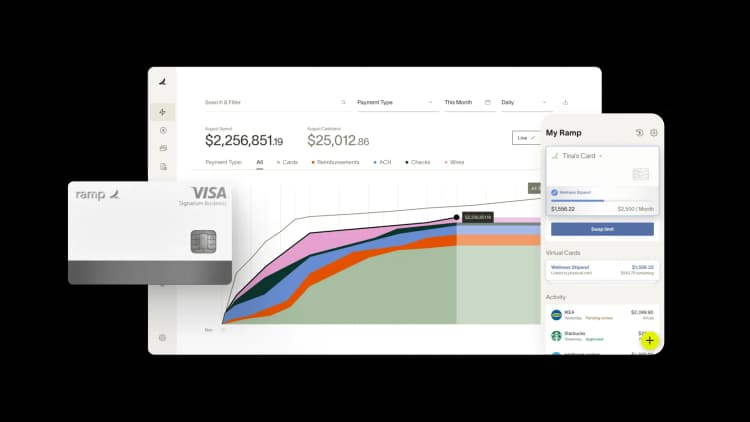
AI accounting software automates the repetitive parts of accounting, including transaction categorization, invoice processing, and financial reporting, so finance teams can close faster and focus on higher-value work. In 2026, the question for most teams isn't whether to adopt these tools, but which ones fit their workflows best.
What is AI accounting software?
AI accounting software automates bookkeeping, transaction classification, reconciliation, and financial reporting using artificial intelligence. Also called AI bookkeeping software or automated accounting software, it uses machine learning instead of rule-based automation to recognize patterns, adapt to your workflows, and improve accuracy over time.
Some key features include:
- Automated data entry: Reduces manual work for expense tracking and invoice processing
- Real-time insights: Provides instant dashboards and cash flow metrics instead of waiting for month-end
- Enhanced accuracy: Detects errors and anomalies humans might miss
The result is software that learns how you code transactions, matches receipts on its own, and surfaces insights without waiting for someone to run a report.
How finance teams use AI accounting software
AI shows up across the accounting workflow, from coding individual transactions to closing the books. The sections below walk through the most common use cases and explain how AI changes the work at each stage.
Automated transaction categorization
AI learns your chart of accounts and categorizes transactions automatically as they post. Connected bank feeds sync activity in real time, so you stop manually keying entries and reviewing every line.
Receipt matching and expense tracking
AI extracts data from receipts submitted via photo, PDF, or email and matches them to the right transactions. You spend less time chasing documentation and reconciliation moves faster because nothing slips through the cracks.
Bill payment and AP automation
AI reads invoices, pulls out vendor details and amounts, and routes them through the right approval flow. You skip manual invoice entry entirely and gain a consistent audit trail for every payment. If you're evaluating dedicated solutions, you can compare the best AP software for large businesses to see how standalone AP tools stack up against all-in-one platforms.
Real-time financial reporting and insights
AI generates reports on demand instead of making you wait for month-end close. Live cash flow dashboards and anomaly detection help you spot problems early and answer leadership questions in minutes.
Month-end close acceleration
AI handles reconciliation work and flags discrepancies for review, cutting close time from weeks to days. Your team focuses on judgment calls rather than tying out routine entries.
Audit trail and compliance documentation
AI maintains detailed logs of every transaction, approval, and adjustment. These records make audits easier and help you stay aligned with regulatory requirements without scrambling for evidence.
At a glance: Comparing the best AI accounting software
The platforms below represent the leading AI accounting tools available in 2026. Each one solves a different problem, so the right pick depends on your team size, tech stack, and the workflows you most want to automate.
| Software | Best for | Key AI feature | Pricing |
|---|---|---|---|
| Ramp | Expense management and AP automation | Auto-categorization, receipt matching | Free tier and paid plans |
| QuickBooks Online | Small businesses | Intuit Assist AI assistant | Paid plans |
| Xero | Cloud reconciliation | AI-driven bank matching | Paid plans |
| Docyt | Multi-location businesses | Back-office automation | Paid plans |
| Vic.ai | Enterprise AP teams | Autonomous invoice processing | Custom pricing |
| Zeni | Venture-backed startups | AI bookkeeping with human review | Paid plans |
| Digits | Always-on bookkeeping | 24/7 AI categorization | Paid plans |
| Puzzle | Startups and accounting firms | AI-native ledger, 85–95% automated bookkeeping | Free tier and paid plans |
| Rillet | Scaling / high-growth companies | AI-native ERP, natural-language GL querying | Custom pricing |
| Campfire | Mid-market tech replacing legacy ERP | AI-native ERP with L.A.M. model | Custom pricing |
| Blue dot | Tax compliance | AI-powered expense tax detection | Custom pricing |
| Gridlex | All-in-one operations | Unified AI across accounting, CRM, HR | Custom pricing |
| Trullion | Audit and lease accounting | AI for compliance workflows | Custom pricing |
| Sage Intacct | Multi-entity enterprises | AI-powered consolidation | Paid plans |
14 best AI accounting software tools
Here's a closer look at each tool, what makes its AI approach different, and the team it fits best.
1. Ramp: Best for AI-native finance and accounting automation
Ramp pairs a comprehensive finance operations platform with AI agents that actually do the work. It unifies corporate cards, expense management, procurement, and bill pay, and Ramp's Accounting Agent takes the first pass on coding every transaction the moment it posts. The agent auto-codes the GL, department, class, location, and custom fields with no rules to build or maintain.
Routine in-policy spend moves from swipe to ERP automatically, and only exceptions surface for your review. Every decision shows its confidence level and rationale, and nothing posts to your ERP without your confirmation. For in-house finance teams, the payoff is a 3x faster close and 3.5x more transactions coded automatically vs. rules-only automation software.
Accounting firms get a different starting point with Ramp Stack, a standalone AI accounting platform. Agents run the full close across client books on QuickBooks Online, from reconciliations and journal entries to accruals and schedules, with the same formula-backed outputs and human sign-off. Firms running on Stack are closing their clients' books up to 60% faster.
Key strengths
- Accounting Agent auto-codes GL, department, class, location, and custom fields the moment a transaction posts, with no rules to maintain.
- A zero-touch lane carries routine, in-policy spend from swipe to ERP, surfacing only exceptions for review.
- 98% accuracy on transactions flagged ready to sync, with 70% fewer corrections in the first month as the agent learns from your overrides
- Every AI decision includes a confidence level, rationale, and override, so the audit trail stays intact.
- Ramp Stack lets accounting firms deploy agents to run the full close across single-entity clients on QuickBooks Online.
- Stack outperformed every general-purpose AI model on a benchmark of 170+ accounting tasks built and graded by working accountants.
Drawbacks
- Ramp's platform and Accounting Agent work alongside your existing ERP rather than replacing it.
- Ramp Stack is built for single-entity clients running QuickBooks Online, so other ERPs and multi-entity setups aren't supported yet.
Ramp is ideal for in-house finance teams that want AI to auto-code spend and accelerate close inside their existing ERP, and for accounting firms that want agents to run the full close across multiple clients.
2. QuickBooks Online with Intuit Assist: Best for small businesses
QuickBooks Online embeds AI through Intuit Assist, an assistant that helps with categorization, report generation, and natural-language queries about your books. It automates routine bookkeeping while keeping the familiar QuickBooks interface most small businesses already know.
Key strengths
- Automates bookkeeping by categorizing transactions and reducing data entry errors
- Uses AI to run cash flow projections, helping you plan ahead.
- Answers natural-language questions about your financial data
- Sends personalized invoice reminders to help you get paid faster.
- Syncs with Excel for custom analysis and reporting
Drawbacks
- Has a learning curve, especially for users new to accounting software.
- Subscription fees may feel steep for very small businesses.
QuickBooks Online is ideal for small businesses already in the Intuit ecosystem that want AI features layered onto a tool their accountant already supports.
3. Xero: Best for cloud reconciliation
Managing accounting tasks across disconnected systems creates bottlenecks and limits visibility. Xero Cloud Accounting tackles this with AI-driven bank matching and a conversational AI assistant called JAX that automates routine workflows.
Key strengths
- Secure bank connections with automatic transaction syncing
- Learns how you categorize expenses and suggests classifications.
- Forecasting up to 30 days for a clearer view of future cash positions
- Automated balance sheets and financial statements
- Real-time financial metrics for up-to-date performance tracking
Drawbacks
- Limited customization options for larger enterprises.
- Advanced features have a learning curve for beginners.
Xero is ideal for small businesses that want simple, cloud-based accounting with AI-powered reconciliation built in.
4. Docyt: Best for multi-location businesses
Docyt automates back-office accounting for businesses running multiple locations or entities. Its AI handles bookkeeping, AP, and real-time reporting across properties, so franchise owners and multi-unit operators don't have to consolidate manually.
Key strengths
- AI-powered transaction categorization across locations
- Automated AP workflows with invoice extraction
- Real-time consolidated reporting for multi-entity operations
- Integrations with major accounting platforms
- Industry-specific workflows for hospitality, restaurants, and retail
Drawbacks
- Less recognizable brand than mainstream alternatives
- May be more than single-location businesses need.
Docyt is ideal for franchise owners, multi-location operators, and multi-entity businesses that need centralized AI bookkeeping.
5. Vic.ai: Best for invoice-heavy automation
Handling invoices manually slows down operations and increases errors. Vic.ai uses deep learning to autonomously process invoices and AP workflows without templates or custom rules, learning from past transactions to improve over time.
Key strengths
- Automates invoice processing from data extraction to approval
- Integrates with major ERP systems to sync financial data
- Reduces human error by identifying duplicate invoices and accounting mistakes.
- Automatically applies tax codes and calculates VAT.
- Provides real-time financial insights to improve decision-making.
Drawbacks
- No transparent pricing; businesses must request a quote.
- Some users note missing features like a direct vendor payment interface
Vic.ai is ideal for enterprise AP teams processing high invoice volumes that need end-to-end accounts payable automation.
6. Zeni: Best for venture-backed startups
Zeni combines AI-powered bookkeeping with human bookkeepers to give startups hands-off financial operations. The platform delivers daily-updated dashboards along with managed bookkeeping services in a single subscription.
Key strengths
- AI-driven transaction categorization with human review
- Real-time financial dashboards updated daily
- Bill pay, expense management, and bookkeeping in one platform.
- Built specifically for startup metrics and investor reporting.
- Tax and CFO services available as add-ons.
Drawbacks
- Pricing can be high relative to DIY bookkeeping tools.
- Designed primarily for startups, less ideal for traditional businesses
Zeni is ideal for venture-backed startups that want AI-powered bookkeeping backed by human experts so founders can stay focused on growth.
7. Digits: Best for always-on AI bookkeeping
Digits is an AI-native accounting platform built around an AI-native general ledger, with 24/7 automated bookkeeping and real-time transaction categorization. It's built from the ground up with AI rather than retrofitting AI features onto legacy software, and Digits reports its AI agents can automate up to 97% of transaction classifications.
Key strengths
- Continuous transaction categorization without batch processing
- AI-generated financial reports and visualizations
- Real-time anomaly detection
- Modern interface designed for non-accountants
- Integrations with major banks and payment platforms
Drawbacks
- Newer platform with smaller ecosystem than incumbents
- May lack advanced features needed by larger enterprises
Digits is ideal for startups and accounting firms that want always-on AI automation paired with a clean, modern interface.
8. Puzzle: Best for AI-native startup bookkeeping
Puzzle is an AI-native accounting ledger that uses accounting AI agents to handle repetitive month-end close tasks like categorization and reconciliation, so your books stay current automatically. Built for startups and the accounting firms that serve them, Puzzle reports automating 85–95% of repetitive bookkeeping and reaching up to 95% categorization accuracy that improves as it learns from your edits.
Real-time burn, runway, and revenue metrics update continuously rather than at month-end. AI agents draft categorization, reconciliation, and close for your review, so nothing posts without your approval.
Key strengths
- Puzzle reports automating 85–95% of repetitive bookkeeping, with up to 95% categorization accuracy that learns from your edits.
- Real-time burn, runway, and revenue metrics update continuously, not just at month-end.
- AI agents draft categorization, reconciliation, and close for your review, and nothing posts without your approval.
- Native integrations with Stripe, Brex, Mercury, Ramp, and Gusto
- Partner-only model, so Puzzle doesn't compete with firms for their clients
Drawbacks
- Built primarily for startups and SaaS models, so it's less suited to complex international operations
- Some users report AI miscategorizations can be tricky to correct.
Puzzle is ideal for early-stage founders and startup-focused accounting firms that want real-time, review-controlled books.
9. Rillet: Best for growth-stage companies
Rillet is an AI-native ERP built for scaling companies. Its Aura AI lets finance teams query their live general ledger in plain language, and it runs embedded agents for flux, accruals, and reconciliation that Rillet reports match 95%+ of transactions automatically. CPA-led implementation typically finishes in about 6 weeks, with the goal of a zero-day close.
Key strengths
- Aura AI answers natural-language questions against your live general ledger.
- Embedded agents handle flux, accruals, and reconciliation, with Rillet reporting 95%+ of transactions matched automatically.
- Supports multi-entity, multi-currency, and multi-geography operations.
- CPA-led implementation typically completes in about 6 weeks.
- Native integrations with Stripe, Ramp, Salesforce, and HubSpot
Drawbacks
- Overkill for simple single-entity bookkeeping
- Custom pricing with a white-glove implementation window rather than instant self-serve
Rillet is ideal for high-growth Series A–D finance teams evaluating AI-native alternatives to legacy ERPs.
10. Campfire: Best for mid-market teams replacing a legacy ERP
Campfire is an AI-native ERP for mid-market and high-growth tech companies that want to replace a legacy ERP, such as NetSuite or Sage Intacct, with a modern, automation-first platform. It runs the general ledger, revenue automation, reporting, and close management on one platform.
Campfire's proprietary Large Accounting Model (LAM) is trained on accounting data and, per its Series B announcement, reported at roughly 95% accuracy on reconciliations and variance detection, with multi-entity consolidation built in.
Key strengths
- One platform for general ledger, revenue automation, reporting, and close management
- Proprietary Large Accounting Model (LAM) trained on accounting data, reported at ~95% accuracy on reconciliations
- Multi-entity consolidation for complex org structures
- Native integrations with Ramp, Rippling, and Salesforce across 100+ endpoints
Drawbacks
- Newer entrant with a growing ecosystem
- Not aimed at small businesses needing basic bookkeeping or inventory and supply-chain features
- Custom pricing with a multi-week implementation
Campfire is ideal for mid-market finance teams that have outgrown QuickBooks or Xero and want an AI-native ERP with built-in revenue recognition.
11. Blue dot: Best for tax compliance
Blue dot uses AI to identify tax-deductible expenses, track employee benefits, and flag VAT recovery opportunities. It's purpose-built for companies with complex tax requirements operating across multiple jurisdictions.
Key strengths
- AI-driven detection of tax-deductible transactions
- Employee benefits tracking and reporting
- VAT recovery and compliance automation
- Multi-jurisdiction tax support.
- Integrations with expense and ERP platforms
Drawbacks
- Narrowly focused on tax compliance rather than full accounting
- Most valuable for international or tax-complex operations
Blue dot is ideal for finance teams managing complex tax requirements who want AI to surface compliance opportunities other tools miss.
12. Gridlex: Best for all-in-one operations
Gridlex combines accounting, CRM, and HR into a unified platform with AI features across each module. Businesses that want fewer tools and more integration use it as a single operational backbone.
Key strengths
- Unified platform across finance, sales, and HR
- AI-powered automation across modules
- Customizable workflows and reporting
- Lower total cost than buying separate tools
- Centralized data for cross-functional insights
Drawbacks
- Breadth can mean less depth than best-of-breed tools
- May require more configuration up front
Gridlex is ideal for businesses that want an all-in-one platform with AI across accounting, CRM, and HR rather than juggling separate systems.
13. Trullion: Best for audit and lease accounting
Trullion uses AI to extract data from contracts and source documents, automating audit workflows and lease accounting compliance under ASC 842 and IFRS 16. It connects unstructured data to financial reporting in a way most ERPs can't. Trullion positions this as auditable AI rather than black-box automation, and its agentic assistant, Trulli, handles extraction and review with a traceable path back to the source document.
Key strengths
- AI extraction from contracts and PDFs
- Automated lease accounting compliance
- Audit workflow automation with full traceability
- Real-time collaboration between auditors and finance teams
- Integrations with major ERPs
Drawbacks
- Specialized focus rather than general accounting
- Custom pricing requires sales engagement
Trullion is ideal for CFOs, controllers, and audit teams that need AI-driven compliance automation for leases and audits.
14. Sage Intacct with AI capabilities
Sage Intacct is enterprise-grade cloud accounting with AI features for multi-entity consolidation, intelligent reporting, and continuous close. It's built for complex businesses that have outgrown small-business platforms.
Key strengths
- AI-powered multi-entity and multi-currency consolidation
- Intelligent GL outlier detection
- Dimensional reporting for granular insights
- Industry-specific features for SaaS, nonprofits, and services
- Strong ecosystem of integrations and add-ons.
Drawbacks
- Higher cost and complexity than SMB tools
- Implementation typically requires a partner.
Sage Intacct is ideal for complex, growing businesses that need sophisticated multi-entity accounting with AI built in.
How to choose the right AI accounting software
Use these criteria to evaluate options against your specific needs rather than chasing flashy features. Each one helps you separate marketing claims from real fit, so you can make a confident decision before committing to a platform.
Integration with existing accounting systems
Confirm compatibility with your current ERP or GL, whether that's QuickBooks, NetSuite, Sage Intacct, or Xero. Two-way sync matters more than one-way export because it keeps data consistent across both systems without manual reconciliation.
Automation features and AI capabilities
Ask vendors what specific tasks the software automates, whether it uses true machine learning or rule-based logic, and how it learns from your team's behavior over time.
The clearest tell is who owns the first coding pass. Genuine agentic AI tools for accounting put an agent on every transaction the moment it posts and auto-code it, while a suggestion layer only proposes categories for rules you still build by hand. For scale, the average midmarket business codes 320+ transactions automatically each month with Ramp's Accounting Agent, with no rules to maintain.
Security and compliance standards
Look for SOC two compliance, bank-grade encryption, and role-based permissions. Every automated action should be logged and traceable so you can satisfy auditors and prove controls are working.
Pricing and scalability
Understand the pricing model, whether it's per user, per transaction, or flat fee. Make sure costs scale reasonably as you add users, entities, or transaction volume. Understanding accounts receivable management best practices can also help you evaluate how well a platform handles the full cash cycle, not just the payables side.
Implementation and support
Ask about onboarding time, training resources, and customer support availability. Complex platforms often require more implementation effort, so factor in time-to-value, not just subscription cost.
Will AI replace accountants?
No. AI handles the repetitive parts of accounting so you can spend more time on analysis, strategy, and advisory work that actually requires human judgment.
The accountant shortage is making AI more valuable. Smaller teams can accomplish more without burning out, and the work that remains is more interesting and higher-impact than manual data entry ever was.
If anything, AI makes accountants more valuable. The professionals who learn to work alongside these tools will be the ones leading finance teams through the next decade.
So will AI take over accounting jobs? The evidence points to a shift in the work, not the headcount. With Ramp's Accounting Agent, Quora reached 5x faster transaction review, freeing accountants to spend their time on judgment and controls instead of manual data entry. Finance teams looking to benchmark their own efficiency can also explore how Ramp uses its own procurement tools to run leaner operations internally.
Get review-ready reconciliations and journal entries with Ramp Stack
Many tools on this list propose a category or track a close checklist, then hand the reconciliations, schedules, and journal entries back to your team. General-purpose AI can draft that work, but you still build the system connections and review steps around it.
Ramp Stack gives your team agents that complete accounting work end to end in the systems you already use. Agents pull data from your GL and return formula-backed workbooks and journal entries you can inspect and edit. Nothing syncs until an accountant approves it.
Here's what AI accounting looks like with Stack:
- Run recurring work faster: Agents finish schedules and reconciliations up to 9x faster.
- Teach your process once: Skills capture your instructions and review steps. Agents learn them like a new accounting hire, and the training sticks.
- Connect to your GL: Native connectors cover QuickBooks, NetSuite, Sage Intacct, and spreadsheets.
- Trace every entry: Each session produces an exportable Session Audit Log, and synced entries link back to it.
Try Stack for free to see why 4,500+ accounting firms, including 92 of the top 100 CPA firms, partner with Ramp.

FAQs
AI automates data entry, transaction categorization, receipt matching, invoice processing, bank reconciliation, and report generation. More advanced tools also handle accruals, amortization, and anomaly detection.
Yes. Most AI accounting tools offer direct integrations with major ERPs and general ledgers, including QuickBooks, NetSuite, Sage Intacct, and Xero.
Yes. AI tools maintain detailed audit trails and many are designed specifically to support compliance requirements and audit workflows.
Pricing varies widely, from free (like Ramp) to hundreds of dollars per month for enterprise platforms. Most vendors offer tiered pricing based on features or transaction volume.
AI bookkeeping focuses on transaction recording and categorization. AI accounting software includes broader features such as reporting, compliance, AP automation, and financial analysis.


“I assumed I would have to choose between speed and control. What I found is that you can have both. A well-designed system takes friction out, for the finance function and for everyone else.”
Justin Webster
CFO, Denver Broncos

“A well-run district should not have to choose between getting work done at the school site and keeping control of the dollars behind it. We're not hiring more people to do more jobs, so we have to be smarter about the process. With Ramp, the purchase, the receipt, and the record stay together from the start. ”
Nick Brizeno
Director of Purchasing, San Marcos Unified School District

“In senior living, scale only works if the communities still feel personal. We needed the back office to carry more of the complexity, not the people serving residents. Ramp helped us build that infrastructure, so the experience in the community could stay human.”
Ryan Cole
CFO, Agemark Senior Living

“AI is moving faster than the finance context around it. Prices change, models change, and the value is not always obvious from an invoice. We needed enough detail to know which bets deserved more investment — and which ones did not.”
Greg Cooley
Controller, AngelList

“Invoices, cards, tokens. The categories change but the principle doesn't: know where the money is going, remove the work around it, and make sure the spend is worth it.”
Maciej Mylik. Finance
ElevenLabs

“We weren’t trying to retrofit an old finance system. We had a blank canvas, and Ramp gave us the foundation to build a global finance function of the future.”
Justin Dourado
Director of Finance, Othership

“There's just no surprises anymore. No more waiting two months to find out how a job did. We know how it's doing as it's happening.”
Erich Kuss
Financial Systems Manager, Infinity Home Services

“More token spend isn’t proof that AI is working. Less isn’t proof that it isn’t. What matters is whether we’re buying the right level of intelligence for the work. Ramp lets us make that judgment in the same place we manage every other type of spend.”
Cody Nutt
Senior Director of Business Systems, Daxko
