What is cost analysis? Definition and how to calculate

- What is cost analysis?
- Cost analysis vs. cost-benefit analysis
- Cost analysis vs. price analysis
- Why cost analysis is important for business
- Types of cost analysis
- Key components of a cost analysis
- How to perform a cost analysis
- Cost analysis example
- Cost analysis tools and software
- Common cost analysis challenges and how to solve them
- How Ramp enables more accurate cost analysis
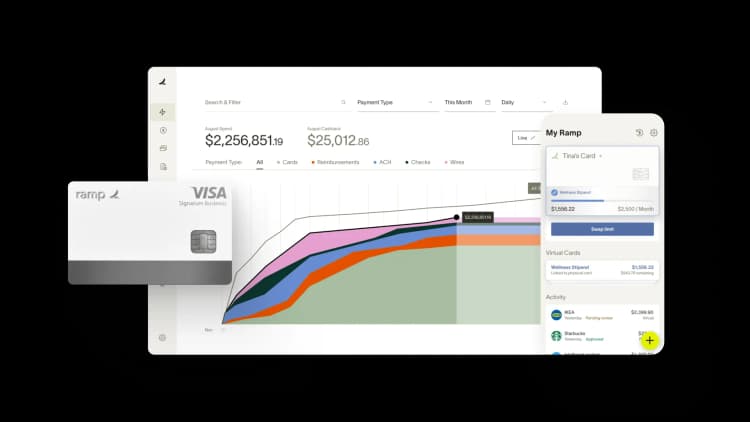
Cost analysis is the process of identifying, measuring, and forecasting all costs tied to a product, service, or decision so you can understand its true financial impact. It helps you compare options based on the full picture, not just obvious line items, whether you're pricing a product, evaluating a project, or deciding whether to build in-house or buy a tool.
By breaking costs into clear categories and modeling how they change over time, cost analysis supports more accurate budgets, profitability forecasts, and investment decisions.
What is cost analysis?
Cost analysis is a systematic process of identifying, quantifying, and forecasting all costs tied to a project, product, or decision. It helps you determine financial viability, compare options, and estimate expected ROI before committing resources.
At its core, cost analysis involves three things:
- Cost identification: Finding all direct and indirect costs tied to a decision
- Monetary valuation: Assigning dollar values to those costs and any related benefits
- Forecasting: Projecting future costs across the project's timeline
Say you're deciding whether to build a feature in-house or buy a tool. The subscription price might be easy to compare. The real decision depends on implementation hours, ongoing admin time, training, security reviews, and the opportunity cost of pulling engineers away from other priorities.
Cost analysis vs. cost-benefit analysis
Cost analysis answers the question: What will this cost? Cost-benefit analysis (CBA) answers a different one: Is it worth it?
In a CBA, you still estimate costs, but you also quantify benefits such as revenue, savings, risk reduction, and time saved. You then compare those benefits to total costs to determine whether the net outcome justifies the decision.
Technically, CBA is a type of cost analysis, but the two terms aren't interchangeable. Cost analysis can stand on its own when the goal is simply to understand spend, while CBA layers benefits on top to evaluate tradeoffs.
Cost analysis vs. price analysis
Price analysis focuses on the price tag. It helps you determine whether a vendor's quote is reasonable compared to the market. Cost analysis focuses on your spend reality, or the total cost to implement, operate, and support a decision over time.
| Factor | Cost analysis | Price analysis |
|---|---|---|
| Focus | Internal production costs | External market prices |
| Purpose | Understand true cost structure | Evaluate vendor pricing |
| Data source | Internal records, estimates | Market data, competitor pricing |
Price analysis can inform cost analysis, but it rarely tells you the whole story on its own.
Why cost analysis is important for business
Cost analysis replaces gut-feel decisions with data-driven insights. By making costs explicit and comparable, it helps you plan more accurately, allocate resources more effectively, and reduce financial risk.
Identifies cost-saving opportunities
Breaking down costs by category reveals hidden inefficiencies, overlapping vendors, and processes where you're overspending. Once those drivers are visible, you can prioritize the changes that move the needle, like consolidating tools or automating manual work.
Improves budget accuracy
Understanding your true cost structure leads to more realistic forecasting and fewer budget surprises. When direct, indirect, fixed, and variable costs are explicit, budgets become more predictable and easier to defend.
Supports strategic decision-making
Cost analysis helps you compare alternatives using consistent categories and time horizons. That makes it easier to prioritize projects with the best benefit-to-cost ratio and allocate resources where they'll have the most impact.
Reduces financial risk
Clear cost visibility helps you anticipate problems before committing resources. Sensitivity testing on labor, volume, or timing assumptions surfaces potential overruns early, so you can build contingencies instead of scrambling later.
Types of cost analysis
Different methods serve different decisions. The right approach depends on what you're evaluating, how far ahead you need to look, and how precise the analysis needs to be.
- Cost-benefit analysis: Compares total predicted costs against total expected benefits, ideally in the same units. It's the most common type of cost analysis and is especially useful when decisions involve tradeoffs between money, time, risk, and customer experience.
- Break-even analysis: Calculates the point where total revenue equals total costs. It tells you the minimum sales volume needed to avoid losses and is widely used for pricing decisions, product launches, and capacity planning.
- Cost-effectiveness analysis: Compares the costs of different alternatives that achieve the same goal. It's useful when benefits are hard to monetize, like comparing two compliance tools that both meet the same regulatory requirement.
- Lifecycle cost analysis: Evaluates the total cost of ownership over an asset's full lifespan, including acquisition, operation, maintenance, and disposal. Use it when a lower upfront cost could create higher long-term expenses, such as equipment, fleet, or multi-year software contracts.
Key components of a cost analysis
A strong cost analysis breaks costs into categories you can defend, update, and explain. These are the building blocks you'll identify whenever you run an analysis.
Direct costs
Direct costs are expenses you can trace directly to a product, service, job, or project. Common examples include raw materials, project-specific labor, and hardware purchased for a specific initiative.
Indirect costs
Indirect costs support work but don't tie neatly to a single product or project. These include overhead like rent, utilities, IT, finance operations, and administrative salaries.
You still need to allocate indirect costs, or your total cost will be understated. Common methods include allocation by direct labor hours, spend-based allocation, activity drivers, or a flat percentage rate.
Fixed costs
Fixed costs stay constant regardless of production volume in the short term. Rent, insurance, base software subscriptions, and salaried headcount are typical examples.
Variable costs
Variable costs fluctuate based on production or activity level. Raw materials per unit, shipping per order, payment processing fees, and sales commissions all rise and fall with volume.
How you classify costs matters. Misclassifying fixed and variable expenses can distort break-even points and profitability assumptions.
Opportunity costs
Opportunity cost is the value of the next best alternative you give up when you choose one option over another. These costs rarely appear in your general ledger, but they affect real outcomes.
Assigning senior engineers to a custom build may delay a revenue-driving feature or push out a launch. Even when precise estimates aren't possible, naming the tradeoff and estimating a reasonable range improves decision quality.
How to perform a cost analysis
Cost analysis works best when it's repeatable. This seven-step process applies to projects, product decisions, and vendor evaluations, and it scales from quick estimates to detailed models.
Step 1. Define the scope
Clearly identify what you're analyzing: a specific project, product, decision, or time period. Set boundaries on time horizon, cost categories, and intended output to prevent scope creep, and state explicitly what's excluded.
Step 2. Identify cost categories
Map out every cost category relevant to your scope using the direct/indirect and fixed/variable framework. Missing categories early almost always lead to understated totals later, so include upfront, operating, support, change, and end-of-life costs.
Step 3. Gather cost data
Source data from historical records, vendor quotes, industry benchmarks, and internal accounting systems. Start with verifiable sources to establish defensible baselines, and use ranges instead of single-point estimates when projections are unavoidable.
Step 4. Calculate direct costs
Add up all costs directly attributable to the project or product, including materials, labor hours, and equipment usage. Avoid common pitfalls like using list prices instead of contracted rates, or forgetting one-time costs like data migration or integration work.
Step 5. Allocate indirect costs
Choose an allocation method that reflects how overhead is actually consumed, such as labor hours, square footage, or activity drivers. Apply it consistently and document allocation rates so the math can be reviewed and updated.
Step 6. Account for time value of money
For long-term projects, apply a discount rate to convert future cash flows into today's dollars. A dollar today isn't worth the same as a dollar 3 years from now, and net present value (NPV) lets you compare options with different timing on equal footing.
Step 7. Analyze and interpret results
Compare total costs against expected benefits or budget, and identify which assumptions have the biggest impact. Translate findings into a clear recommendation, whether that's to approve, delay, renegotiate, or reject an option.
Cost analysis example
Say you're deciding whether to bring marketing in-house or continue working with an outside agency. Here's how the analysis breaks down:
- Scope: A 12-month comparison of in-house marketing versus your current agency retainer
- Direct costs: In-house salary, benefits, software licenses, and equipment versus the agency's monthly retainer and project fees
- Indirect costs: Management time to oversee an internal hire, training, office space, recruiting fees, and shared tools
- Analysis: Compare the total cost of ownership for each option, factor in the opportunity cost of management time, and weigh flexibility tradeoffs
The result might show that in-house looks cheaper on paper, but once you include recruiting, ramp time, and management overhead, the agency wins in year one. The point isn't the answer, it's that the model makes the drivers explicit so you can defend the decision.
Cost analysis tools and software
The best cost analysis tool is the one you'll actually use and maintain. Most teams start simple and add sophistication as decisions, data volume, and complexity grow.
- Spreadsheet templates: Excel and Google Sheets work well for one-time analyses or simple decisions. They're flexible, transparent, and easy to share without specialized training.
- Financial management platforms: Tools like Ramp automate cost data collection, categorize transactions in real time, and give you ongoing visibility into spending by department, vendor, and category
- Specialized costing software: Purpose-built tools handle multi-scenario forecasting, consistent allocation logic, and complex manufacturing or project costing at scale
A practical rule of thumb is to begin with a repeatable template and move to specialized tools only when scale or complexity demands it.
Common cost analysis challenges and how to solve them
Cost analysis breaks down when it becomes either too messy to trust or too complicated to maintain. Here's how to handle the most common issues.
Incomplete or inaccurate data
Incomplete data is the most common barrier to effective cost analysis. Establish clear data collection processes, start with verifiable sources like the general ledger and vendor invoices, and verify inputs before running the model. Label estimates clearly and use ranges when precision isn't possible.
Difficulty allocating indirect costs
Indirect costs are tricky because they don't tie cleanly to a single product or project. Choose an allocation method that reflects actual resource consumption, like labor hours or activity drivers, and apply it consistently across analyses. A simplified approach beats ignoring overhead entirely.
Accounting for intangible costs
Intangible costs like employee morale, brand impact, and opportunity cost are hard to quantify but excluding them weakens decision-making. When exact values aren't possible, acknowledge them qualitatively, use proxy measures like hours saved, and document assumptions clearly.
Keeping your analysis current
Costs change as vendors update pricing, teams scale, and workflows evolve. Schedule regular reviews, especially for long-term projects, and link your analysis to live expense and invoice data so the model reflects reality instead of last quarter's assumptions.
How Ramp enables more accurate cost analysis
Analyzing costs across your organization can be time consuming. You may be reviewing expense reports from multiple departments, reconciling disconnected spreadsheets, and struggling to see which costs actually drive value versus those that quietly erode margins.
Ramp's expense management software helps turn cost analysis into an ongoing, data-backed process instead of a one-time exercise. The platform automatically categorizes transactions across your organization, giving you clear visibility into spending by department, vendor, and category. Instead of waiting for month-end reports, you can monitor cost drivers as they change.
Ramp also helps reduce the manual work that makes cost analysis hard to sustain. Automated controls, policy enforcement, and real-time alerts help prevent waste before it happens, while clean, structured data makes it easier to analyze trends over time.
Whether you're running a break-even analysis, evaluating a new vendor, or refining pricing assumptions, Ramp gives you the foundation to understand true costs and act on them. Try an interactive demo to see how it works.

FAQs
There's no single formula. Cost analysis involves adding up all relevant costs (direct + indirect + opportunity costs) and comparing them against expected benefits or budget constraints to evaluate financial viability.
The four main cost types are direct costs, indirect costs, fixed costs, and variable costs. Each plays a different role in understanding your total cost structure and how spending behaves as volume changes.
Review your cost analysis quarterly, or whenever significant changes occur, such as new vendor contracts, price increases, or shifts in project scope. Long-term projects benefit from more frequent reviews tied to live spending data.
Cost analysis focuses specifically on understanding and evaluating costs tied to a decision or project. Financial analysis is broader and covers revenue, profitability, cash flow, and overall financial health.


“I assumed I would have to choose between speed and control. What I found is that you can have both. A well-designed system takes friction out, for the finance function and for everyone else.”
Justin Webster
CFO, Denver Broncos

“A well-run district should not have to choose between getting work done at the school site and keeping control of the dollars behind it. We're not hiring more people to do more jobs, so we have to be smarter about the process. With Ramp, the purchase, the receipt, and the record stay together from the start. ”
Nick Brizeno
Director of Purchasing, San Marcos Unified School District

“In senior living, scale only works if the communities still feel personal. We needed the back office to carry more of the complexity, not the people serving residents. Ramp helped us build that infrastructure, so the experience in the community could stay human.”
Ryan Cole
CFO, Agemark Senior Living

“AI is moving faster than the finance context around it. Prices change, models change, and the value is not always obvious from an invoice. We needed enough detail to know which bets deserved more investment — and which ones did not.”
Greg Cooley
Controller, AngelList

“Invoices, cards, tokens. The categories change but the principle doesn't: know where the money is going, remove the work around it, and make sure the spend is worth it.”
Maciej Mylik. Finance
ElevenLabs

“We weren’t trying to retrofit an old finance system. We had a blank canvas, and Ramp gave us the foundation to build a global finance function of the future.”
Justin Dourado
Director of Finance, Othership

“There's just no surprises anymore. No more waiting two months to find out how a job did. We know how it's doing as it's happening.”
Erich Kuss
Financial Systems Manager, Infinity Home Services

“More token spend isn’t proof that AI is working. Less isn’t proof that it isn’t. What matters is whether we’re buying the right level of intelligence for the work. Ramp lets us make that judgment in the same place we manage every other type of spend.”
Cody Nutt
Senior Director of Business Systems, Daxko
