How Ramp’s million-plus users finish expenses in under 15 seconds

- 1. Never worry about another receipt — Ramp automatically grabs it from your inbox.
- 2. Ask Ramp what’s in policy, get instant answers, and effortlessly submit expenses on Slack or SMS
- 3. Rest easy knowing Ramp is always learning from your patterns and looking for ways to automate more busywork
- What you gain: Operational excellence, time back, and a faster close
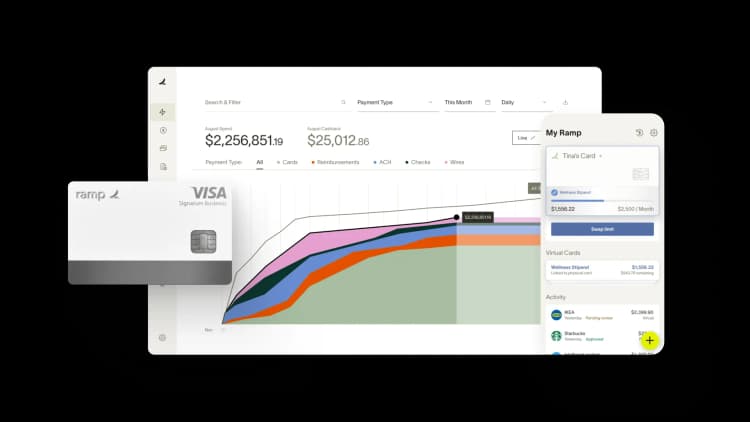
Expense reports are dead — or they should be.
Your top marketing talent and finance teams weren’t hired to chase receipts, write redundant memos, or decode unclear transactions. Their time is too valuable, and it’s unnecessary; tools can automate this process for them.
With Ramp, employees can ask policy questions, complete expenses, and submit them on the go, often without ever opening the Ramp app. That means managers and finance teams get cleaner, faster expenses with a lot fewer follow-ups. No more playing bad cop. It’s a win-win for everyone.
Good news: if you’re an admin, there are just two quick settings you need to enable to eliminate receipt chasing and speed up the submission and approval process by letting Ramp run on web, mobile, SMS, and Slack.
“We’ve seen a huge increase in compliance since moving to Ramp because it’s just so easy to use. Employees can text a picture of a receipt if it’s not captured by the Gmail or Uber integration, use the mobile app, or submit in Slack, where we spend a majority of our time…the more accessible Ramp is, the more people actually use it.”
Ian Woodcock, Accounting Operations Leader, Solidcore
1. Never worry about another receipt — Ramp automatically grabs it from your inbox.
Stop asking employees to keep every receipt and manually type in all the details. When you connect Gmail or Outlook, Ramp pulls receipts straight from your inbox.
Why this matters: You can’t stay compliant if receipts never make it to the transaction, and relying on employees to save and upload them is a losing game. Ramp’s receipt integrations remove that burden entirely. Teams match 3x more receipts without lifting a finger — no forwarding receipts, no uploads, no “oops, I forgot.”
How to enable: Admins can connect Gmail or Outlook and also add other top vendors like Amazon or Uber Eats directly in their App Center in a matter of minutes. (Note: For Gmail, you need Google Workspace Superadmin access to turn on this capability.)

2. Ask Ramp what’s in policy, get instant answers, and effortlessly submit expenses on Slack or SMS
Ask Ramp what’s in policy.
Employees constantly ask the same questions: “Can I expense this?” “What’s my spending limit?” “What’s the per diem?” Instead of guessing or pinging finance, they can ask Ramp via Slack or text and get instant answers based on your policy, cards, and funds.
Ask Ramp to complete your expenses.
Just like a personal assistant, Ramp can help you with your expense tasks: submit receipts or memos, check fund balances, lock or unlock cards, and more.

Why this matters: No additional logins or switching between tools. Just immediate answers in plain English, so employees can make the right call without the back-and-forth with managers or finance, enabling faster, more accurate, and compliant expenses.
How to enable SMS: Automatically available; employees can text HIRAMP (447267) to get started. (Remember, an uploaded policy is needed to answer policy questions, and if you don’t have one, we provide a best practice template as a starting point.)
How to enable Slack: Admins need to connect Slack in their App Center. It takes just a few minutes and once connected, employees can start messaging Ramp.
3. Rest easy knowing Ramp is always learning from your patterns and looking for ways to automate more busywork
Ramp pre-fills or suggests the right memo and accounting code.
Ramp learns from past expenses and pre-fills or suggests the right memo using context like transaction details, past behavior, calendar events, and attendees. And it applies the same intelligence to accounting: suggesting or even auto-coding the right category using ERP history, accountant feedback, and transaction-level signals.
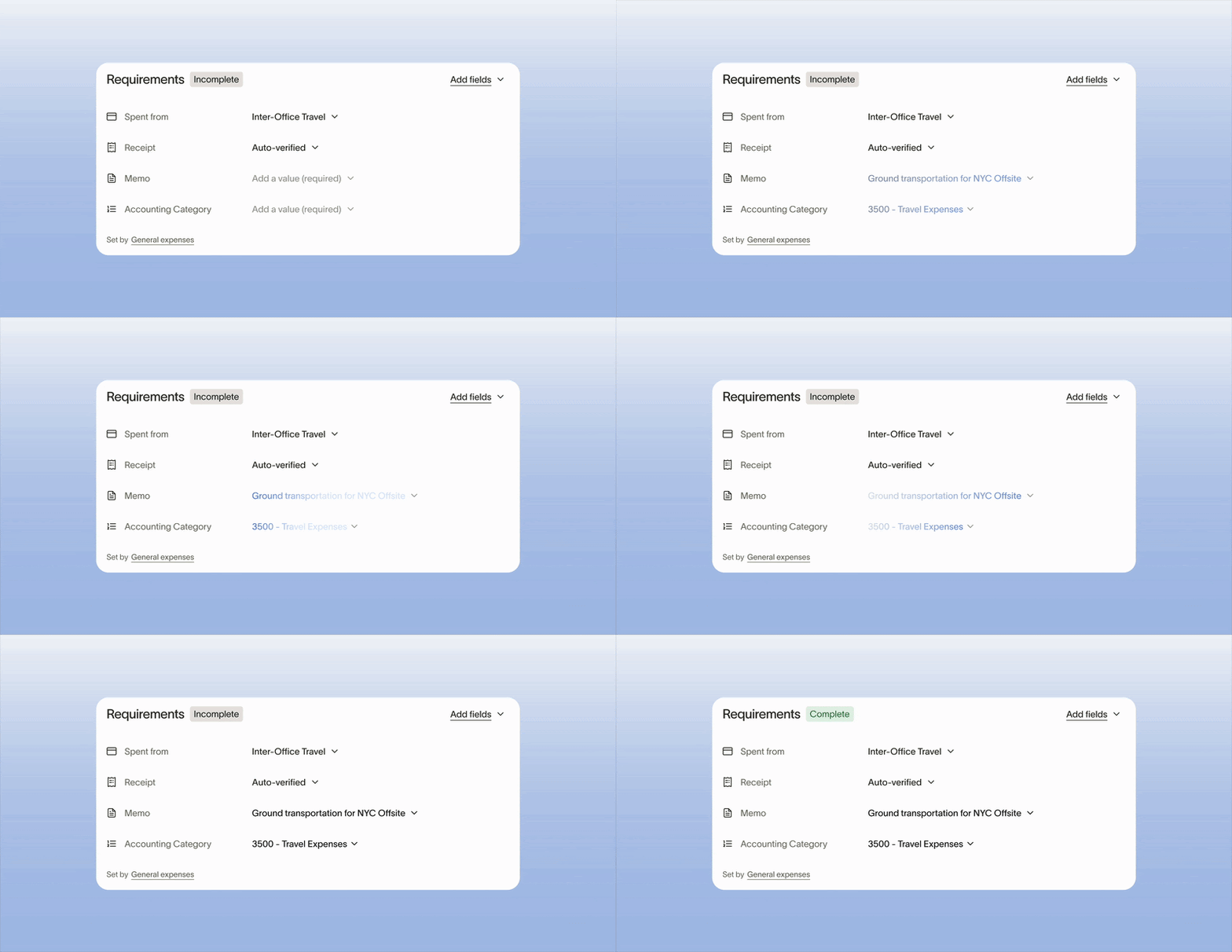
Why this matters: Memos and accounting codes are repetitive, easy to get wrong, and time-consuming to clean up. Ramp removes that burden entirely, giving employees accurate, one-click options and giving finance cleaner data from the start.
How to enable: Nothing to do for memo and accounting suggestions. If you want to remove employee coding requirements and let the Accounting Agent code instead, you can enable early access for AI coding here.
What you gain: Operational excellence, time back, and a faster close
Our receipt and Slack integrations are quick, lightweight settings to turn on, but they deliver outsized value for employees and major downstream benefits for your team.
Receipts appear automatically. Expenses get completed and submitted in under 15 seconds. Approvals happen in Slack where work already happens, and accounting codes are there before anyone asks.
The results are hard to ignore:
- 70 percent-plus of receipts are matched within 24 hours of card swipe
- Over a year’s worth of work every hour saved through automation
- Books closed 3x faster after switching to Ramp
This is what it looks like when the expense experience is automated, conversational, and — whenever possible — invisible.


“I assumed I would have to choose between speed and control. What I found is that you can have both. A well-designed system takes friction out, for the finance function and for everyone else.”
Justin Webster
CFO, Denver Broncos

“A well-run district should not have to choose between getting work done at the school site and keeping control of the dollars behind it. We're not hiring more people to do more jobs, so we have to be smarter about the process. With Ramp, the purchase, the receipt, and the record stay together from the start. ”
Nick Brizeno
Director of Purchasing, San Marcos Unified School District

“In senior living, scale only works if the communities still feel personal. We needed the back office to carry more of the complexity, not the people serving residents. Ramp helped us build that infrastructure, so the experience in the community could stay human.”
Ryan Cole
CFO, Agemark Senior Living

“AI is moving faster than the finance context around it. Prices change, models change, and the value is not always obvious from an invoice. We needed enough detail to know which bets deserved more investment — and which ones did not.”
Greg Cooley
Controller, AngelList

“Invoices, cards, tokens. The categories change but the principle doesn't: know where the money is going, remove the work around it, and make sure the spend is worth it.”
Maciej Mylik. Finance
ElevenLabs

“We weren’t trying to retrofit an old finance system. We had a blank canvas, and Ramp gave us the foundation to build a global finance function of the future.”
Justin Dourado
Director of Finance, Othership

“There's just no surprises anymore. No more waiting two months to find out how a job did. We know how it's doing as it's happening.”
Erich Kuss
Financial Systems Manager, Infinity Home Services

“More token spend isn’t proof that AI is working. Less isn’t proof that it isn’t. What matters is whether we’re buying the right level of intelligence for the work. Ramp lets us make that judgment in the same place we manage every other type of spend.”
Cody Nutt
Senior Director of Business Systems, Daxko
