Accounts payable vs. accrued expenses: Key differences

- What are accrued expenses?
- What is accounts payable?
- Accounts payable vs. accrued expenses
- How to record accrued expenses and accounts payable
- How accrued expenses and accounts payable work together
- How accrued expenses and accounts payable impact cash flow
- Why tracking both matters for your close
- Manage AP and accruals faster with Ramp

The core difference between accounts payable and accrued expenses is documentation. You record accounts payable after you receive an invoice, and you record accrued expenses before one arrives. Both sit as current liabilities on the balance sheet under accrual accounting. Getting the distinction right matters for accurate financial statements and reliable cash flow forecasting.
What are accrued expenses?
Accrued expenses, also called accrued liabilities, are costs you've incurred before an invoice arrives. You record them through an adjusting journal entry at the end of an accounting period so the expense hits the period it actually occurred in, following the matching principle.
Because there's no invoice to confirm the exact figure, you estimate the amount. Once the invoice arrives, you adjust the entry to reflect the actual cost.
Accrued expenses appear as current liabilities on the balance sheet. They're typically settled within one year, making them part of your short-term obligations alongside accounts payable.
Common accrued expense examples
- Employee wages: Staff works during the pay period, but payday falls in the next period
- Utilities: You've consumed electricity, water, or gas, but the bill hasn't arrived
- Accrued interest: Interest accumulates on a loan between payment dates
- Rent: You've occupied space for the month but haven't been billed yet
What is accounts payable?
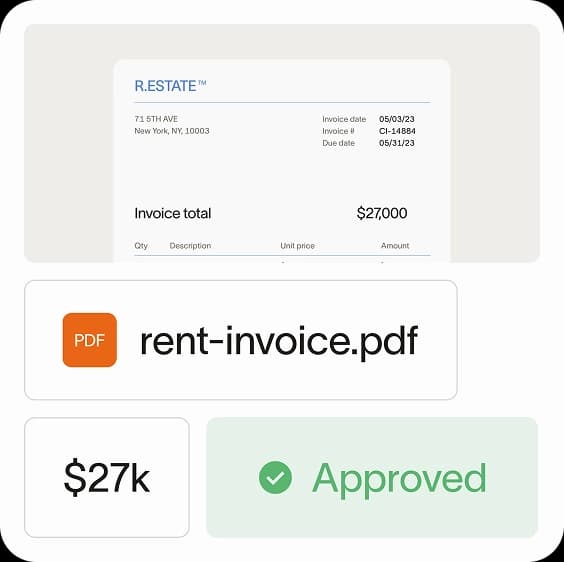
Accounts payable (AP) are amounts you owe to vendors or suppliers after receiving an invoice. You know the exact amount and due date, which distinguishes AP from accrued expenses.
You record AP when the invoice arrives, creating a debit to the relevant expense or asset account and a credit to accounts payable. Payment terms are typically Net 30, Net 60, or Net 90, giving you a defined window to settle the balance.
Common accounts payable examples
- Inventory purchases: Raw materials or supplies ordered from a vendor with an invoice
- Professional services: Legal, consulting, or audit fees with an invoice and payment terms
- Contractor payments: A freelancer or contractor submits an invoice after completing work
- Office supplies: A vendor delivers supplies with an invoice due in 30 days
Accounts payable vs. accrued expenses

Accrued expenses and accounts payable are both short-term liability accounts that track your company's financial obligations, but there's one major difference: You record an accrued expense before you receive an invoice, and you post to accounts payable after you receive an invoice.
The differences extend beyond timing to documentation, ledger mechanics, and cash flow impact:
| Criteria | Accrued expenses | Accounts payable |
|---|---|---|
| Timing | When you incur an expense, but before you receive an invoice | Once you receive an invoice |
| Amount owed | Estimate of what will be billed | Exact amount you've been billed (i.e., the amount on the invoice) |
| Documentation | No invoice on file at the time of recording | Invoice received and on file |
| Ledger entry | Adjusting entry at period end | Standard entry when invoice is received |
| Cash flow impact | Shows an eventual obligation to pay | Shows an imminent obligation to pay |
| Examples | Accrued wages, utilities, accumulated interest, and estimated taxes | Asset purchases, supplies, and freelancer and contractor payments |
Don't confuse accrued expenses with prepaid expenses. Prepaid expenses are the opposite: you've paid for something you haven't consumed yet, like paying insurance premiums upfront. Accrued expenses are costs you've consumed but haven't paid for.
Timing
When do you post an entry to your accrued expense account, and when do you post an accounts payable journal entry?
- Accrued expenses: If your business uses accrual accounting, you record an accrued expense when you've accepted goods or services but haven't received a formal invoice
- Accounts payable: You post to accounts payable upon receiving an invoice or when you otherwise have an obligation to pay, representing a current liability
Amount owed
How much will your journal entry be for?
- Accrued expenses: Record the amount you will be billed for the goods or services you purchased. If you don't know the exact number, you can estimate.
- Accounts payable: Post the amount shown on the invoice to accounts payable, i.e., the total cost of the goods or services that remains unpaid
Cash flow impact
Posting entries to accrued expense and AP don't immediately impact cash flow. Rather, they signify an eventual impact.
- Accrued expenses: When you accrue an expense, you don't imminently owe any cash, but you know that you'll eventually receive an invoice that requires a cash payment
- Accounts payable: When you post to accounts payable, you signal that a cash payment will soon be required
Examples
You can post nearly any business expense to accrued expenses or accounts payable; it depends on when your vendor sends the invoice. However, some expenses are commonly accrued, and others are typically pushed straight to accounts payable.
Accrued expenses
Common examples of accrued expenses include:
- Employee wages: Your employees have performed their job duties, but you haven't paid them yet
- Utilities: You've used heat and water but haven't received any utility bills yet
- Accrued interest: You've incurred interest on a loan but haven't been billed for the interest payments yet
- Rent: You've occupied space for the month but haven't been billed
- Estimated taxes: Taxes owed for the period that haven't been formally assessed
Accounts payable
Common examples of accounts payable include:
- Purchases on credit: You've purchased raw materials, inventory, supplies, assets, etc. on credit, but the bill hasn't come due
- Professional fees: Your lawyer reviews a contract for you and sends you an invoice, which you're required to pay within 15 days
- Contractor fees: Your contractor performed services for you and sent you an invoice, which you're required to pay within 30 days
How to record accrued expenses and accounts payable
Both accrued expenses and accounts payable require journal entries, but the mechanics differ depending on whether you have an invoice in hand.
Accrued expense journal entry
When you accrue an expense, you debit the expense account and credit accrued expenses (or accrued liabilities). This adjusting entry at period end ensures the cost hits the correct accounting period.
| Account | Debit | Credit |
|---|---|---|
| [Expense account] | $X | |
| Accrued expenses | $X |
For example, if you estimate $2,000 in employee wages earned but not yet paid at month end, you'd debit Wages Expense for $2,000 and credit Accrued Expenses for $2,000.
Accounts payable journal entry
When you receive an invoice, you debit the expense or asset account and credit accounts payable for the invoiced amount.
| Account | Debit | Credit |
|---|---|---|
| [Expense/Asset account] | $X | |
| Accounts payable | $X |
When you pay the AP balance, you debit accounts payable and credit cash, completing the cycle.
How accrued expenses and accounts payable work together
Sometimes the same expense touches both accounts over its lifecycle.
Let's say you have a contract with your HVAC provider that requires them to provide maintenance services throughout the year. The $1,200 contract is due once per year. Under the accrual method of accounting, you record 1/12 of the contract to accrued expense each month, showing that you've used 1/12 of that service contract.
These are the monthly adjusting entries you'll record:
| Date | Description | Account | Debit | Credit |
|---|---|---|---|---|
| 1/31/2025 | Use of HVAC service contract for January | HVAC Expense | $100 | |
| Accrued Expense | $100 | |||
| 2/28/2025 | Use of HVAC service contract for February | HVAC Expense | $100 | |
| Accrued Expense | $100 | |||
| 3/31/2025 | Use of HVAC service contract for March | HVAC Expense | $100 | |
| Accrued Expense | $100 |
Accrued expense example
The entries above show how you'd accrue $100 each month for the HVAC service contract. By year end, you've accrued $1,200 in total, matching the expense to the periods you actually used the service.
When an accrued expense becomes accounts payable
When the invoice finally arrives, you move the balance from accrued expenses to AP.
On January 5 of the following year, after completing the maintenance contract, you receive a bill from your provider. Now that you've received an invoice, you'll want to move all the expenses you've accrued from your accrued expense account into your accounts payable account:
Then, you pay the total amount when the invoice is due on February 5:
| Date | Description | Account | Debit | Credit |
|---|---|---|---|---|
| 2/5/2026 | Payment of HVAC invoice | Accounts Payable | $1,200 | |
| Cash | $1,200 |
How accrued expenses and accounts payable impact cash flow
When you book an expense to accrued expenses, there's no immediate cash outlay. The same is true when you book to AP. Both entries indicate a future impact on cash flow.
When comparing the two, an entry to AP shows that a cash outlay is just around the corner, while an entry to accrued expense indicates that a cash outlay is on the horizon. When it comes to accrued expenses, that payment could be due soon, or it could come due in months.
Because entries to accrued expense and AP don't directly affect cash, you won't see these entries on the cash flow statement. However, a reversing entry to these expense accounts does tend to hit your company's cash flow statement.
Accrued expense cash flow example
Each month, you accrue wastewater expenses. These periodic expenses come due only once per quarter. At the end of the quarter, you pay your bill. Only the payment (i.e., the reversing entry) would impact cash flow. This is what those entries might look like:
| Date | Description | Account | Debit | Credit |
|---|---|---|---|---|
| 4/30/2025 | Wastewater accrual | Utilities Expense | $500 | |
| Accrued Expense | $500 | |||
| 5/31/2025 | Wastewater accrual | Utilities Expense | $500 | |
| Accrued Expense | $500 | |||
| 6/30/2025 | Wastewater accrual | Utilities Expense | $500 | |
| Accrued Expense | $500 | |||
| 7/1/2025 | Wastewater payment for Q2 | Accrued Expense | $1,500 | |
| Cash | $1,500 |
Accounts payable cash flow example
You receive an invoice from your supplier on June 1, and your payment terms are net 30. Only the payment (i.e., the reversing entry) would impact cash flow. This is what those entries might look like:
| Date | Description | Account | Debit | Credit |
|---|---|---|---|---|
| 6/1/2025 | Receive invoice from supplier | Supplies Expense | $750 | |
| Accounts Payable | $750 | |||
| 7/1/2025 | Pay off supplier invoice | Accounts Payable | $750 | |
| Cash | $750 |
Why tracking both matters for your close
Classifying expenses correctly between AP and accrued accounts keeps your balance sheet accurate and your close process clean.
Cash keeps your business running. Without enough of it, even a profitable operation can stall. Fortunately, the amounts shown in your accrued expense and AP accounts can help you manage cash flow effectively.
AP shows a more immediate need for cash. If you don't have enough cash to cover what's in your AP account, you're in trouble.
Accrued expenses don't have a set due date, but they can turn into cash requirements at the drop of a hat.
It's best practice to have enough cash to cover all current liabilities (which includes both accrued expenses and AP). To see if your cash reserves are adequate, look at some of the following financial ratios:
- Operating cash flow (OCF): Both AP and accrued expense changes show up in the operating activities section of your cash flow statement
- Free cash flow (FCF): FCF starts with operating cash flow, so unpaid obligations in AP and accrued expenses directly affect the calculation
- Net working capital (NWC): Current liabilities, including AP and accrued expenses, are subtracted from current assets to calculate NWC
- Other liquidity ratios: The current ratio and quick ratio both use total current liabilities in the denominator, so your AP and accrued expense balances directly influence these measures
Manage AP and accruals faster with Ramp
The AP side of your close is where the most manual time goes: processing invoices, coding transactions, routing approvals, and making payments. Ramp Bill Pay eliminates that overhead.
Instead of setting up rules and babysitting exceptions, AP Agents learn how your team codes and approves, then handle the full cycle: intake, coding, approval routing, payment, and ERP sync. The result is AP that gets faster the longer you use it.
The numbers back it up: finance teams process invoices 2.4x faster with 99% OCR accuracy on invoice capture and 86% fewer clicks per invoice compared to legacy AP tools.
Ramp Bill Pay works as standalone AP software or alongside Ramp's corporate cards, expense management, and accounting automation. It connects natively to ERPs like NetSuite, QuickBooks, Xero, and Sage Intacct for audit-ready books.
Ramp holds a 4.8-star average on G2 from 2,100+ verified reviews.
Try an interactive demo to see how Ramp can automate your AP workflow.
1. Based on Ramp’s customer survey collected in May’25
2. Based on Ramp's customer survey collected in May’25

FAQs
The main difference is whether you've received an invoice. You record accrued expenses before an invoice arrives, using an estimated amount. You record accounts payable after you receive an invoice with the exact amount due.
Accounts payable is backed by an invoice with a known amount and due date. Accrued liabilities are estimates for costs you've incurred but haven't been billed for yet. While both are current liabilities, AP has documented certainty that accrued liabilities lack.
Yes. Accrued expenses are classified as current liabilities because they're typically settled within one year. You'll find them on the balance sheet alongside accounts payable and other short-term obligations.
Rent is typically an accrued expense. You've occupied the space and consumed the benefit before the landlord invoices you. Once you receive a rent invoice, the balance moves to accounts payable.


“I assumed I would have to choose between speed and control. What I found is that you can have both. A well-designed system takes friction out, for the finance function and for everyone else.”
Justin Webster
CFO, Denver Broncos

“A well-run district should not have to choose between getting work done at the school site and keeping control of the dollars behind it. We're not hiring more people to do more jobs, so we have to be smarter about the process. With Ramp, the purchase, the receipt, and the record stay together from the start. ”
Nick Brizeno
Director of Purchasing, San Marcos Unified School District

“In senior living, scale only works if the communities still feel personal. We needed the back office to carry more of the complexity, not the people serving residents. Ramp helped us build that infrastructure, so the experience in the community could stay human.”
Ryan Cole
CFO, Agemark Senior Living

“AI is moving faster than the finance context around it. Prices change, models change, and the value is not always obvious from an invoice. We needed enough detail to know which bets deserved more investment — and which ones did not.”
Greg Cooley
Controller, AngelList

“Invoices, cards, tokens. The categories change but the principle doesn't: know where the money is going, remove the work around it, and make sure the spend is worth it.”
Maciej Mylik. Finance
ElevenLabs

“We weren’t trying to retrofit an old finance system. We had a blank canvas, and Ramp gave us the foundation to build a global finance function of the future.”
Justin Dourado
Director of Finance, Othership

“There's just no surprises anymore. No more waiting two months to find out how a job did. We know how it's doing as it's happening.”
Erich Kuss
Financial Systems Manager, Infinity Home Services

“More token spend isn’t proof that AI is working. Less isn’t proof that it isn’t. What matters is whether we’re buying the right level of intelligence for the work. Ramp lets us make that judgment in the same place we manage every other type of spend.”
Cody Nutt
Senior Director of Business Systems, Daxko
