12 Accounts Payable Best Practices to Improve Efficiency

- What is the accounts payable process?
- 12 accounts payable best practices to manage AP effectively
- Key accounts payable goals and metrics to track
- How AP automation supports best practices
- Why Ramp Bill Pay is the best way to simplify AP processes
- How Ramp Bill Pay delivers results

Accounts payable (AP) sits at the intersection of cash flow, vendor relationships, and fraud risk, which means small inefficiencies can create big problems fast. Late payments rack up fees, duplicate payments drain cash, and weak controls invite fraud.
The good news is a handful of proven best practices can transform AP from a manual headache into a reliable, low-risk function.
What is the accounts payable process?
Accounts payable is the money your business owes to vendors and suppliers for goods or services you've already received. It's a short-term liability on your balance sheet that needs to be paid on agreed-upon terms.
The standard AP process follows five steps:
- Receive the invoice: Your team receives invoices from vendors through email, traditional mail, or a supplier portal
- Verify the invoice: Each invoice is checked against the corresponding purchase order (PO) and goods receipt to confirm accuracy
- Route for approval: The invoice is sent to the appropriate approver based on the transaction amount and the department involved
- Issue payment: Payment is disbursed to the vendor via check, ACH transfer, wire, or corporate card
- Record the transaction: The completed payment is logged as an entry in your general ledger
When any of these steps break down, the consequences add up quickly: late payments damage vendor trust, duplicate payments waste cash, and weak controls open the door to fraud. AP best practices help you avoid all three.
12 accounts payable best practices to manage AP effectively
These 12 practices focus on three pillars of a healthy AP function: accuracy, fraud prevention, and efficiency. Apply them together, and you'll reduce errors, protect your business, free your team to focus on higher-value work, and strengthen vendor relationships.
1. Automate invoice processing and approvals
Automating invoice processing eliminates manual data entry and accelerates approvals, two of the highest-impact efficiency gains in AP. AP automation tools use optical character recognition (OCR) to read invoice data and pull fields like vendor name, invoice number, amount, and due date into your system without human input.
Automated approval routing sends each invoice to the right approver based on rules you set, such as dollar threshold, department, or GL code. Approvers can review and sign off from their phone, which cuts approval cycles from days to hours.
2. Go paperless with digital invoice capture
Paper invoices are a bottleneck. They're easy to lose, slow to route, and a nightmare to audit. Digital invoices solve all three problems while lowering processing costs.
Moving to e-invoicing and digital receipt capture shortens cycle times, reduces error rates, and creates a clean audit trail you can search in seconds. Vendors can submit invoices through a portal or email, and the system captures them automatically.
3. Standardize your accounts payable workflow
A standardized AP workflow means every invoice follows the same documented path from receipt to payment. Key workflow elements to standardize include:
- Invoice intake: Use a single channel for receiving invoices, such as a dedicated email address or vendor portal
- Coding: Apply consistent GL coding rules so every transaction lands in the right account
- Approval routing: Define clear escalation paths based on amount, department, or vendor
- Payment scheduling: Set a defined payment run cadence (weekly, twice monthly, etc.)
Consistency makes training easier, reduces errors, keeps you compliant with internal policies, and creates a reliable audit trail.
4. Centralize and maintain accurate vendor data
A single source of truth for vendor information prevents duplicate vendors, payment errors, and fraud. Store contact info, payment terms, banking details, and tax forms in one centralized system.
Require a completed W-9 before adding any new vendor, and verify bank details directly with the vendor before issuing the first payment. A self-service supplier portal lets vendors update their own contact and banking info, which keeps records current without adding work for your team.
5. Establish internal controls and limit system access
Strong internal controls are your first line of defense against AP fraud and errors. The foundation is segregation of duties, which means the person entering invoices shouldn't also approve them or release payments.
Pair segregation of duties with role-based access so only authorized users can change sensitive settings like vendor banking info. Core controls to put in place include:
- Segregation of duties: Separate invoice entry, approval, and payment execution across different people
- Approval thresholds: Require additional sign-off above certain dollar amounts (e.g., CFO approval over $25,000)
- Access restrictions: Limit who can add new vendors or change payment details
Together, these controls prevent costly errors and ensure no single employee has unchecked authority over AP transactions.
6. Use 3-way matching
Three-way matching compares the purchase order, goods receipt, and invoice before a payment goes out. If all three line up on price, quantity, and item, the invoice is cleared for payment.
This catches pricing discrepancies, quantity mismatches, and unauthorized purchases before money leaves your account. It's one of the most effective AP controls you can implement and a cornerstone of any well-run AP function.
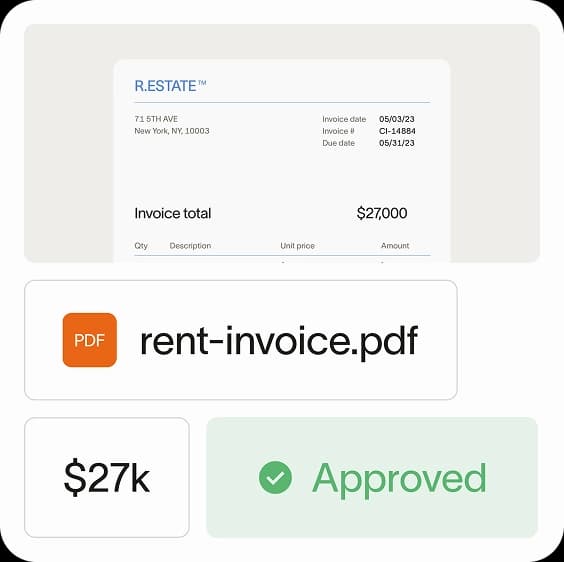
7. Prevent duplicate payments with automated checks
Duplicate payments happen more often than you'd think. A vendor resubmits an invoice, the same PDF gets emailed twice, or an invoice gets entered both manually and through OCR. Each one quietly drains cash.
Automated duplicate detection flags invoices with matching vendors, amounts, dates, or invoice numbers before they're approved. The best systems check invoice content, not just invoice numbers, because vendors sometimes change formatting between submissions.
8. Detect and prevent accounts payable fraud
Common AP fraud schemes include fake vendor invoices, altered invoices with inflated amounts, and business email compromise where a fraudster impersonates a vendor to request a banking change. Each one can cost six or seven figures.
Always verify banking changes by calling the vendor using a phone number you already have on file, never the number listed on the invoice or email. Combine that habit with the segregation of duties controls, and you eliminate the most common attack paths.
9. Prioritize invoices by due date and discount opportunity
Not every invoice deserves the same urgency. Sort your invoice queue by due date first, then by early payment discount availability, so you pay strategically instead of reactively.
This approach prevents late fees, captures discounts when they're worth taking, and protects vendor relationships by keeping critical suppliers paid on time. A well-prioritized queue also reduces last-minute fire drills at month-end.
10. Negotiate better payment terms with vendors
Payment terms directly affect your working capital, so they're worth negotiating. Common terms include net 30 (payment due in 30 days), net 60, and 2/10 net 30 (2% discount if paid within 10 days, otherwise full payment in 30).
If you have a strong payment history, use it as leverage to request extended terms or better discounts. A simple request, such as "We'd like to move from net 30 to net 45," often works with vendors who value your business and trust you to pay on time.
11. Capture early payment discounts
Early payment discounts like 2/10 net 30 can deliver meaningful annualized returns. A 2% discount for paying 20 days early equates to roughly a 36% annualized yield, usually a better return than holding the cash.
To decide whether to take the discount, compare the effective annualized rate to your cost of capital. Automation makes capturing discounts easier because invoices get processed and approved quickly enough to hit the discount window every time.
12. Track and resolve vendor disputes promptly
Disputes such as pricing errors, quantity discrepancies, or damaged goods are inevitable, but unresolved ones delay payments and damage vendor relationships. A clear resolution process keeps small issues from becoming big ones.
Use a simple three-step process: Log the issue in your AP system, communicate with the vendor in writing, and document the resolution for your records. Assign clear ownership so disputes don't sit in someone's inbox for weeks.
Key accounts payable goals and metrics to track
You can't improve what you don't measure. These KPIs help you benchmark your AP performance, spot bottlenecks, and prove the ROI of process improvements.
Invoice processing time
Invoice processing time measures the average number of days from invoice receipt to payment approval. The longer this number, the more late payments and missed discounts you'll see. Best-in-class teams process invoices in under 3 days.
Cost per invoice processed
Cost per invoice equals your total AP department costs (labor, software, overhead) divided by the number of invoices processed. Manual AP teams often spend $10–$15 per invoice, while automated teams can get this under $3.
Payment accuracy rate
Payment accuracy rate is the percentage of payments made without errors—correct amount, correct vendor, on time. Errors include duplicates, overpayments, underpayments, and late payments, all of which cost money or damage relationships.
Days payable outstanding
Days payable outstanding (DPO) measures the average number of days it takes you to pay invoices. The right DPO balances cash flow with vendor goodwill: too short strains cash, too long frustrates vendors.
| DPO range | What it indicates |
|---|---|
| Under 30 days | Paying quickly: good for vendor relationships, but may strain cash |
| 30–45 days | Balanced approach for most businesses |
| Over 45 days | Preserving cash but may frustrate vendors |
How AP automation supports best practices
AP automation is the connective tissue that makes the best practices above realistic to execute at scale. Instead of asking your team to manually enforce controls and chase invoices, automation handles the repetitive work and surfaces exceptions for human review.
- Automated invoice capture: Uses OCR and email forwarding to digitize invoices the moment they arrive
- Workflow routing: Sends invoices to the right approver based on configurable rules
- Duplicate detection: Flags suspicious invoices before they reach approvers
- 3-way matching: Automatically compares POs, receipts, and invoices
- Real-time visibility: Shows AP status across the organization so nothing slips through the cracks
The result is your team spends less time on data entry and more time on exception handling and AP analysis that actually moves the business forward.
Why Ramp Bill Pay is the best way to simplify AP processes
Ramp Bill Pay enables finance teams to simplify AP operations through intelligent automation. This autonomous AP platform deploys AI agents that categorize invoices using historical data, flag suspicious activity pre-approval, generate comprehensive approval records, and execute vendor payments via cards, removing manual friction from your AP workflow.
OCR technology extracts invoice details at up to 99% accuracy while moving invoices through 2.4x faster than traditional platforms,1 accelerating AP cycles while reducing processing errors. Up to 95% of businesses also report gaining stronger oversight of their operations when using Ramp.2
Core Ramp Bill Pay features
- Four AI agents: Code transactions automatically by learning from invoice patterns, identify fraudulent submissions and anomalies, build approval documentation with vendor history and contract analysis, and process card-eligible payments through vendor portals
- Automated PO matching: Performs 2-way and 3-way verification between invoices and purchase orders to catch discrepancies and overbilling
- Intelligent invoice capture: Pulls data from every line item with 99% OCR accuracy for complete invoice processing
- Real-time invoice tracking: Monitors each invoice from receipt through final payment for complete workflow visibility
- Custom approval workflows: Builds multi-tier approval routing based on your organizational structure and business rules
- Approval orchestration: Accelerates reviewer processes while maintaining control and visibility across approval chains
- Payment methods: Executes vendor payments through ACH, corporate card, check, or wire based on your payment strategy
- Vendor Portal: Provides vendors secure access to check payment status and update account details
- Real-time ERP sync: Connects bidirectionally with ERPs like NetSuite, QuickBooks, Xero, Sage Intacct, and others for synchronized financial data
- GL coding: Assigns transactions to appropriate accounts using AI-powered recommendations
- Vendor onboarding: Collects W-9s, verifies TINs, and manages 1099 information for compliance
- Recurring bills: Handles regular payment schedules through automated templates
- Batch payments: Combines multiple vendor payments into single processing runs for operational efficiency
- Reconciliation: Automatically matches transactions during month-end close to accelerate book closing
How Ramp Bill Pay delivers results
Ramp Bill Pay represents modern AP software—precision in data handling, autonomous operations that eliminate busywork, touchless processing that accelerates workflows, and transparency that improves financial control.
Your AP priorities might include faster processing cycles, lower operating costs, higher data accuracy, or better spend visibility—Ramp delivers the automation tools and insights to achieve these outcomes. Finance professionals on G2 consistently rate it as one of the most intuitive AP platforms available.
Run Ramp Bill Pay as your dedicated AP system, or connect it with Ramp's corporate card infrastructure, expense management capabilities, and procurement tools for end-to-end spend governance. Begin with the no-cost tier handling essential AP functions, or upgrade to Ramp Plus at $15 per user monthly for expanded features.
AP management doesn't have to drain resources. Ramp Bill Pay handles it efficiently.
1. Based on Ramp’s customer survey collected in May ’25
2. Based on Ramp's customer survey collected in May ’25

FAQs
The golden rules are: Verify before you pay using 3-way matching, separate duties to prevent fraud, and pay on time to maintain vendor relationships and capture discounts. Together, these three principles cover accuracy, security, and cash flow.
Reconcile your AP ledger to your general ledger at least monthly. Weekly reconciliation catches errors faster and makes month-end close significantly easier.
A healthy AP turnover ratio varies by industry but generally falls between 6 and 12, meaning you pay vendors every 30 to 60 days on average. Higher ratios suggest you're paying quickly; lower ratios suggest you're holding cash longer.
Prioritize invoices approaching their due date, then those with early payment discounts worth capturing, and finally strategic vendors whose relationships matter most to your business. This protects both your cash position and your key supplier partnerships.


“I assumed I would have to choose between speed and control. What I found is that you can have both. A well-designed system takes friction out, for the finance function and for everyone else.”
Justin Webster
CFO, Denver Broncos

“A well-run district should not have to choose between getting work done at the school site and keeping control of the dollars behind it. We're not hiring more people to do more jobs, so we have to be smarter about the process. With Ramp, the purchase, the receipt, and the record stay together from the start. ”
Nick Brizeno
Director of Purchasing, San Marcos Unified School District

“In senior living, scale only works if the communities still feel personal. We needed the back office to carry more of the complexity, not the people serving residents. Ramp helped us build that infrastructure, so the experience in the community could stay human.”
Ryan Cole
CFO, Agemark Senior Living

“AI is moving faster than the finance context around it. Prices change, models change, and the value is not always obvious from an invoice. We needed enough detail to know which bets deserved more investment — and which ones did not.”
Greg Cooley
Controller, AngelList

“Invoices, cards, tokens. The categories change but the principle doesn't: know where the money is going, remove the work around it, and make sure the spend is worth it.”
Maciej Mylik. Finance
ElevenLabs

“We weren’t trying to retrofit an old finance system. We had a blank canvas, and Ramp gave us the foundation to build a global finance function of the future.”
Justin Dourado
Director of Finance, Othership

“There's just no surprises anymore. No more waiting two months to find out how a job did. We know how it's doing as it's happening.”
Erich Kuss
Financial Systems Manager, Infinity Home Services

“More token spend isn’t proof that AI is working. Less isn’t proof that it isn’t. What matters is whether we’re buying the right level of intelligence for the work. Ramp lets us make that judgment in the same place we manage every other type of spend.”
Cody Nutt
Senior Director of Business Systems, Daxko
