
- What is spend management software and why does it matter?
- Types of spend management software
- Spend management software vs. expense management and ERP
- Key features to look for in spend management software
- At a glance: Comparing the top spend management tools
- 8 best spend management software tools for 2026
- How to choose the right spend management software
- Take control of your spending with Ramp
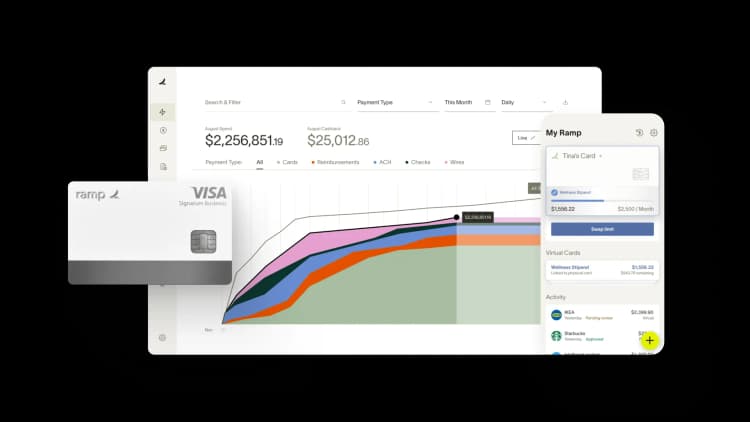
Managing your spending across teams, tools, and processes gets harder as you scale. What starts as a few expense reports quickly becomes a tangle of disconnected approvals, manual reconciliation, and limited visibility into where your money is actually going.
To help you find the right fit, this roundup compares the top platforms on the criteria that matter most: features, pricing, and the use case each one is best suited for.
What is spend management software and why does it matter?
Spend management software automates, tracks, and controls company spending across corporate cards, employee expenses, and vendor invoices in one system.
Spend management software goes beyond basic expense tracking tools that only track reimbursements or receipts. A true platform manages the full spending lifecycle, from request to payment, while enforcing policies and providing analytics. It brings together expense management, procurement, and accounts payable (AP) in one system.
It matters because scattered tools leave finance teams reconciling after the fact instead of controlling spend as it happens. A single system gives you real-time visibility and consistent policy enforcement across every dollar.
Benefits of spend management software
- Real-time visibility: Track spend by department, project, or category as it happens.]
- Faster approvals: Automate workflows to cut processing time and reduce manual data entry
- Policy enforcement: Block out-of-policy purchases and flag exceptions automatically
- Cost control: Surface waste, savings opportunities, and vendor consolidation through analytics
- Fraud prevention: Automated controls and real-time alerts flag suspicious transactions before they're paid
- Faster month-end close: Automated reconciliation and receipt matching reduce the manual work that delays closing the books
Spend management software eliminates errors, enforces consistency, and gives you the visibility you need to make better decisions.
Types of spend management software
Not every platform solves the same problem, so it helps to know the four main categories before you shortlist vendors. Understanding which type aligns with your team's workflows and primary spend patterns will save you time during evaluation and help you avoid buying more—or less—than you actually need.
| Type | What it does | Best for |
|---|---|---|
| Card-first | Real-time corporate card controls with automatic coding | Teams that want to control card spend as it happens |
| Procure-to-pay | Structured purchasing, vendor management, and invoice workflows | Companies with formal purchasing and approval chains |
| Travel and expense | Employee-driven travel booking and reimbursements | Distributed teams with heavy travel and out-of-pocket spend |
| Unified spend platforms | Procurement, cards, bills, and accounting in one system | Finance teams consolidating spend onto a single platform |
A unified spend management platform is the broadest option, combining cards, bills, procurement, and accounting into one spend management solution rather than stitching point tools together. Ramp is the unified example here: More than 85,000 organizations use Ramp to save over $1 billion a month and over a year’s worth of work every hour, and it powers over $275 billion in annual purchases.
Spend management software vs. expense management and ERP
Spend management is the umbrella, and it's easy to confuse with two adjacent categories. Two clean distinctions clear it up.
First, expense management is one layer inside spend management, covering employee-initiated purchases and reimbursements rather than the full request-to-payment lifecycle. Second, a purpose-built spend platform differs from an ERP procurement or AP module, which offers broad coverage with procurement and AP bolted on rather than a spend-first design.
| Spend management | Expense management | ERP module | |
|---|---|---|---|
| Scope | Full spending lifecycle across cards, bills, and expenses | Employee purchases and reimbursements | Broad financial operations with procurement/AP add-ons |
| Primary user | Finance teams controlling company-wide spend | Employees and their approvers | Finance and IT managing the system of record |
| When it fits | You want one system to control all spend | You mainly need to track and reimburse expenses | You already run an ERP and need spend as an add-on |
The umbrella model is clearest in software spend management built on one data model: with Ramp, card, expenses, reimbursements, bill pay, and approvals share the same data, which is what lets policy be enforced before spend rather than reconciled after the fact.
Key features to look for in spend management software
When evaluating vendors, connect each feature to the problem it solves:
- Automated workflows: Cut processing time from days to minutes and maintain a clear audit trail
- Real-time visibility and controls: Track budgets, flag unusual activity, and prevent end-of-month surprises
- Corporate card management: Issue physical and virtual cards with customizable limits and automatic coding
- Receipt capture and matching: Speed up reimbursements and ensure compliance by pairing receipts with transactions
- Enterprise resource planning (ERP) and accounting integrations: Sync approved transactions directly into your general ledger
- Reporting and analytics: Provide insights to benchmark performance and identify savings opportunities
- Policy enforcement: Look for enforcement that happens before spend, not just flags after it. The strongest platforms block out-of-policy purchases at the point of sale rather than catching exceptions during reconciliation.
- Vendor management: Consolidate supplier data and contracts to simplify renewals and negotiations. Strong supplier performance management practices become much easier when your spend platform centralizes vendor data in one place.
Together, these features automate manual tasks, enforce compliance, and give you the data you need to optimize spending and make better financial decisions.
At a glance: Comparing the top spend management tools
Use this side-by-side comparison to quickly identify which platforms fit your needs across features, pricing, and integrations:
| Tool | Best For | Starting Price | Pricing | Free Trial/Promo |
|---|---|---|---|---|
| Ramp | Businesses of all sizes, from startups to large enterprises | Free | $15/user/mo. for Ramp Plus, Enterprise pricing available | Unlimited free tier |
| Brex | Startups and scaling companies | Free (Essentials) | ~$12/user/mo Premium, Enterprise custom | Free Essentials tier |
| Paylocity for Finance (fka Airbase) | Mid-market procure-to-pay | Quote-based | Custom by company size | No free plan (demo only) |
| BILL Spend & Expense | Small businesses, Mid-market | Free | Free plan with revenue from interchange; enterprise pricing available | Unlimited free tier |
| Expensify | Small businesses, Mid-market | $5/user/mo. (Collect) | $5 Collect, $9 Control | 7-day free trial |
| Spendesk | Startups, Mid-market | Quote-based | Tiered subscription plans | No free plan (demo only) |
| Teampay | Mid-market | Quote-based | Custom plans by company size, features, and modules | No free plan (demo only) |
| Coupa | Large enterprises | Quote-based | Enterprise modules priced separately | No free plan (demo only) |
8 best spend management software tools for 2026
Ramp leads the list if you want automation, pre-spend control, and a free core platform, but several other tools stand out for specific use cases.
1. Ramp
Ramp combines corporate cards, expense management, bill payments, travel, procurement, and accounting automation in a single platform. It's designed for you whether you're a startup or an enterprise looking to consolidate financial operations and uncover savings.
Ramp enforces policy before spend, not after: Policy Agent blocks 3.5% of out-of-policy spend at the swipe and leaves only 10–15% of transactions needing human review after implementation. That means tighter compliance without adding reviewers to your team.
Key features
- AI-powered savings insights and automation
- Unlimited virtual and physical cards with spend controls.
- Automated receipt scanning and real-time expense tracking
- Procurement workflows including vendor management and contract tracking
- Policy enforcement to prevent out-of-policy spending.
- Policy Agent, an AI reviewer that catches 7x more out-of-policy spend than rule-based systems.
Integrations
Ramp integrates with QuickBooks, Xero, NetSuite, and Sage Intacct, along with human resources information system (HRIS) platforms such as Rippling and Workday. It also connects with thousands of other apps via Zapier.
Pros
- Ramp's automation and AI insights help you actively identify cost savings, and finance teams reclaim 4–5 hours per week from manual expense reviews.
- The platform consolidates cards, bill pay, and procurement in a single interface, reducing the need for multiple vendors.
- Its implementation is fast and intuitive, making it easy for small finance teams to adopt.
Cons
Ramp's international features are still expanding, which may create limitations if you operate globally.
Pricing
- Ramp's core platform is free, with revenue generated through interchange fees on card usage.
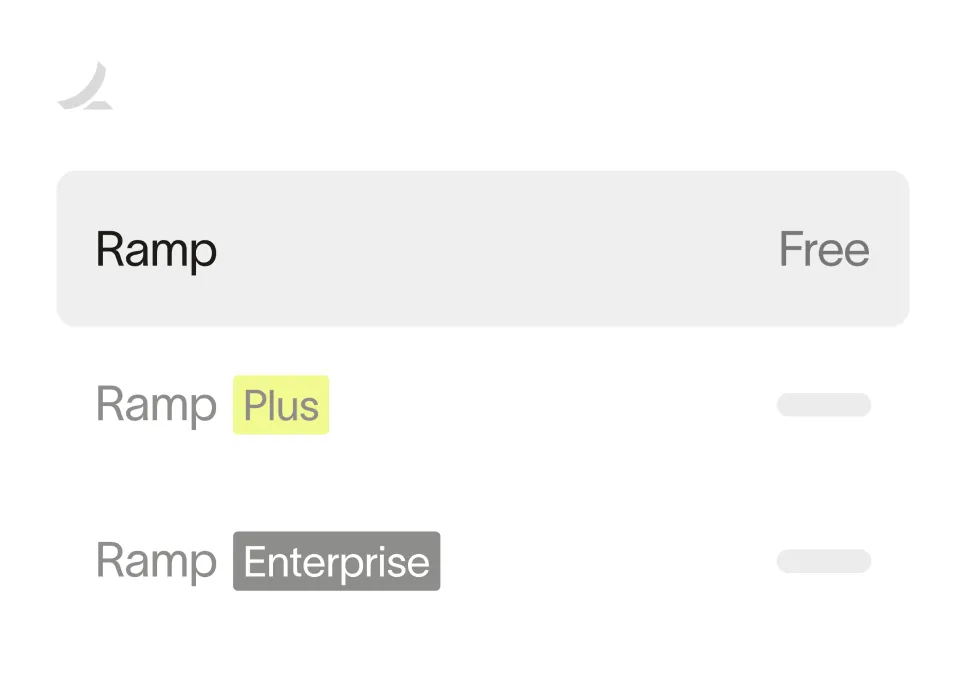
- Ramp Plus costs $15 per user per month and unlocks advanced controls and customization
- Enterprise pricing is available for larger organizations. Contact Ramp for a custom quote.
Best for
Ramp is ideal whether you're a startup or an enterprise. Its free core platform suits growing teams, while Ramp Plus and enterprise plans scale as your needs grow.
Ready to take control of your finances?
Learn about Ramp’s pricing plans and start saving today.
2. Brex
Brex combines corporate cards, expense tracking, travel booking, bill pay, and banking in one dashboard. The platform targets startups and scaling enterprises with distributed teams that need cross-border visibility and control.
Key features
- AI-powered expense workflows that auto-categorize and flag policy exceptions
- Automatic receipt capture via mobile, email, and SMS
- Customizable spend controls with per-card, per-department, and per-vendor limits.
- Real-time accounting sync with multi-entity support
- Global multi-currency support with local card issuance in 100+ countries
Integrations
Brex integrates with NetSuite, QuickBooks, Sage Intacct, Xero, and HRIS platforms including Rippling and Workday.
Pros
- Expenses, travel, bill pay, and cards run through one system with shared automation.
- Brex reports faster month-end close times after implementation.
- Granular spend controls let you set rules at the card, department, and merchant level.
Cons
- Very small businesses may not qualify for Brex's underwriting requirements.
- The travel module is primarily geared toward growth-stage companies and may offer fewer options for infrequent travelers.
Pricing
- Essentials plan is free, with revenue generated through interchange fees
- Premium plan costs approximately $12 per user per month
- Enterprise pricing is custom based on company size and needs
Best for
Brex works best for startups and fast-growing companies with distributed teams that need integrated travel and expense management alongside corporate cards.
3. Paylocity for Finance
Paylocity for Finance, formerly Airbase, is a procure-to-pay platform covering purchase requests, approval workflows, automated accounting sync, and real-time spend visibility. It targets mid-market companies that want to control spending before it happens, not just track it after the fact.
Key features
- Purchase request workflows with configurable approval routing
- Automated 3-way matching across purchase orders, invoices, and receipts
- Virtual and physical corporate cards with embedded spend controls.
- Subscription management with renewal tracking and vendor intelligence
- Guided procurement for first-time and infrequent buyers
Integrations
Paylocity for Finance integrates with NetSuite, QuickBooks, Sage Intacct, and Xero.
Pros
- Pre-purchase controls prevent unauthorized spend before invoices arrive.
- Finance teams get full visibility from request through reconciliation, which cuts the time spent chasing approvals.
- Multi-entity support handles complex legal structures without separate instances.
Cons
- Implementation takes longer than lighter tools, which can slow initial rollout.
- The feature set may be more than small teams with simple expense workflows need.
Pricing
Paylocity for Finance uses quote-based pricing that varies by company size and integration requirements.
Best for
Paylocity for Finance fits mid-market companies (100 to one,000 employees) with complex procurement needs and multi-entity structures that want full procure-to-pay coverage under one roof.
4. BILL Spend & Expense
BILL Spend & Expense, previously Divvy, combines corporate cards, expense tracking, and basic AP automation. It is designed for small and midsize businesses, particularly those already using BILL's accounts payable and receivable products.
Key features
- Real-time spend controls on physical and virtual cards
- Automated categorization of expenses
- Simple approval workflows and reimbursements
- Budget management and analytics
- Seamless integration with BILL's AP/AR platform
Integrations
BILL Spend & Expense integrates with QuickBooks, Xero, NetSuite, and Sage Intacct.
Pros
- The platform integrates tightly with BILL's AP/AR solutions, making it ideal if you're already in the BILL ecosystem.
- Its card-based spend controls and real-time budget tracking are easy to set up and use.
Cons
- BILL Spend & Expense lacks advanced procurement and supplier management features, making it less suitable for larger enterprises.
Pricing
BILL Spend & Expense is free to use, with revenue generated primarily from interchange fees on card spend. Additional transaction fees may apply depending on services.
Best for
BILL Spend & Expense works well for small and mid-market businesses, particularly QuickBooks or Xero users who want card-first spend management integrated with BILL's AP/AR platform.
5. Expensify
Expensify focuses on streamlined expense management with an emphasis on ease of use and rapid deployment. It is popular among small to midsize businesses.
Key features
- SmartScan receipt capture with OCR
- Automatic credit card import and policy enforcement
- Next-day employee reimbursements
- Basic approval workflows
- Corporate card management and travel booking via partners
- Bring-your-own-card support and a Concierge AI assistant that guides expense and report tasks.
Integrations
Expensify integrates with accounting systems such as QuickBooks and Xero, along with HRIS platforms and travel booking tools.
Pros
- Expensify is quick to implement and employees find its mobile app simple and intuitive.
- Next-day reimbursements improve employee satisfaction.
- Flexible active-user pricing keeps costs low for companies with occasional expense reporters.
Cons
- Expensify lacks advanced procurement and approval customization, making it less suitable for larger enterprises
Pricing
- The Collect plan is $5 per member per month.
- The Control plan starts at $9 per active user per month with an annual commitment and Expensify Card usage.
Best for
Expensify suits small and mid-market businesses, as well as teams within larger organizations, that want a simple, user-friendly expense reporting solution.
6. Spendesk
Spendesk is an all-in-one spend management solution with strong adoption in Europe. It provides centralized control while giving employees flexible payment options.
Key features
- Physical and virtual cards with customizable limits
- Invoice processing with approval workflows
- Expense reimbursements and budget management
- Real-time dashboards and analytics
- Multi-entity and multi-currency capabilities
Integrations
Spendesk integrates with NetSuite, QuickBooks, and Xero, along with HRIS systems and banks through its API.
Pros
- Spendesk's multi-entity and multi-currency support makes it an excellent choice if you operate across European borders.
- Its dashboards and real-time controls give finance teams strong visibility into spend without overcomplicating workflows.
Cons
- Spendesk has a smaller North American presence compared to enterprise vendors.
- It offers fewer advanced procurement features than platforms like Coupa.
Pricing
Spendesk offers subscription-based, tiered pricing without per-active-user charges. Plans vary by company size and features, with custom quotes available.
Best for
Spendesk is designed for startups and mid-market businesses, especially if you operate in Europe or manage multi-entity, multi-currency needs.
7. Teampay
Teampay, now part of Paystand, is a spend management platform designed to give employees flexibility while maintaining finance team control. It automates the purchasing process from request through reconciliation, making it a strong fit for distributed, fast-growing organizations.
Key features
- Virtual and physical cards with customizable spend limits
- Pre-approval workflows to control spend before purchases are made
- Real-time expense tracking and budget visibility
- Automatic categorization and reconciliation of transactions
- Multi-entity and multi-currency support for global teams.
Integrations
Teampay integrates with NetSuite, QuickBooks, Xero, Sage Intacct, and leading collaboration tools like Slack and Microsoft Teams, enabling employees to make purchase requests directly in chat.
Pros
- Pre-approval workflows prevent out-of-policy spend before it happens.
- Employee-friendly interface encourages adoption and compliance.
- Strong collaboration tool integrations streamline requests and approvals.
- Works well for distributed teams managing purchases across multiple departments.
Cons
- Focused more on pre-approvals than advanced procurement or AP automation.
- Pricing can be higher than lightweight SMB-focused expense tools.
- May be more robust than very small businesses need.
Pricing
Teampay does not publish list pricing. Plans are custom and vary by company size, feature set, and selected modules.
Best for
Teampay is best for mid-market companies that want to empower employees to make purchases while keeping finance teams in control through pre-approvals and real-time visibility.
8. Coupa
Coupa is a comprehensive business spend management platform that goes beyond expense management to cover procurement, sourcing, invoicing, and supplier management. It is built for global enterprises with complex financial operations.
Key features
- Guided procurement and sourcing workflows
- Invoice management with advanced matching
- Expense tracking with automated policy enforcement
- Supplier information management and benchmarking
- AI and community intelligence for spend optimization.
Integrations
Coupa connects with major ERP systems such as SAP and Oracle, as well as HRIS platforms and industry-specific solutions.
Pros
- Coupa provides an enterprise-grade suite that covers sourcing through payment, offering exceptional breadth.
- Its supplier network and community insights deliver benchmarking and risk monitoring unavailable in smaller tools.
- Compliance and regulatory features are particularly strong for highly regulated industries.
Cons
- Coupa's implementations are lengthy and resource-intensive, requiring significant IT and finance involvement.
- The platform is costly, making it impractical for smaller organizations.
Pricing
Coupa uses custom enterprise pricing based on modules, company size, and deployment scope.
Best for
Coupa is built for large enterprises with complex procurement, sourcing, and compliance requirements, especially those with global operations.
How to choose the right spend management software
Selecting a spend management platform comes down to finding the right fit for your needs today while ensuring it can scale with you tomorrow. The steps below walk you through the key decision points.
Start with three questions, then map your answers back to the platform types above:
- Company size: Are you a startup, mid-market, or enterprise? Smaller teams lean toward card-first or travel and expense tools, while larger ones need procure-to-pay or unified platforms.
- Primary spend type: Is most of your spend employee travel, vendor bills, or card purchases? Match the platform's core strength to where your money actually goes.
- Current accounting software: Do you run QuickBooks, NetSuite, or Xero? Shortlist platforms with native, real-time sync for your general ledger.
For example, a 200-person company standardizing its close on NetSuite should shortlist platforms with native NetSuite sync and real-time GL coding, not tools that export a flat file at month-end.
1. Identify your business needs
Document your current pain points and workflows. If manual reconciliations are slowing your team down, automation should be a priority. If compliance is inconsistent, focus on platforms with real-time policy enforcement. Match the solution to the problems you need to solve, not just a feature checklist.
2. Factor in company size and growth
Small businesses often benefit from simple, user-friendly platforms that employees adopt quickly. Larger organizations usually need software that supports complex approval chains, multiple entities, and global compliance. Think about scalability: your platform should handle growing headcount and transaction volume without forcing a costly switch.
3. Check integrations and compatibility
Strong integrations with your accounting, ERP, HR, and banking systems are essential. The best platforms automatically sync transactions with the general ledger, eliminating manual entry and reconciliation. Poor integrations create silos and more work for finance teams.
4. Evaluate cost and ROI
Look beyond subscription pricing to include implementation, training, and support costs. Compare that total investment to the time savings and cost reductions you expect from automation and policy control. Many companies see efficiency gains offset the platform's cost within the first year.
5. Prioritize usability and adoption
Even the most advanced system won't deliver value if employees struggle to use it. Look for an intuitive interface, strong mobile app, and simple receipt capture. Role-based permissions should give finance teams full control without complicating the process for employees, and multi-currency support ensures the platform works across global teams.
6. Review security and compliance
A good platform should help you meet audit and regulatory requirements while keeping sensitive data secure. Features like built-in audit trails, SOC two compliance, and GDPR readiness are critical, especially for companies in regulated industries or with international operations.
Take control of your spending with Ramp
The right spend management software gives you visibility, control, and automation across every dollar you spend. But most platforms stop at tracking what already happened. Ramp is different: it combines corporate cards, expense management, bill payments, procurement, and accounting automation into one platform that actively helps you cut costs.
Ramp's AI-driven savings insights surface duplicate subscriptions, negotiate better vendor rates, and flag spending patterns you'd otherwise miss. Policy Agent, an AI reviewer, catches 7x more out-of-policy spend than rule-based systems, so your policies actually work. Automated receipt matching, real-time spend controls, and deep ERP integrations mean you close the books faster and spend less time on manual reconciliation. Finance teams evaluating the best AP software for large businesses will find that Ramp's bill pay and approval workflows hold up at enterprise scale.
With a free core platform and over 85,000 organizations already saving an average of 7.5% a year, Ramp is built to help you manage spend more effectively from day one. Try an interactive demo to see how Ramp simplifies spend management across your organization.

FAQs
Spend management software automates, tracks, and controls company spending across corporate cards, employee expenses, and vendor invoices in one system. Unlike basic expense trackers, it manages the full spending lifecycle from request to payment while enforcing policies and providing analytics.
Expense management tracks and reimburses employee-initiated purchases. Spend management is broader, covering the full lifecycle across procurement, vendor payments, corporate cards, and expenses, with expense management as one layer inside it.
An ERP handles broad financial operations with procurement and AP as add-on modules, while spend management software is purpose-built to control spending across cards, expenses, and bills in one design. Spend platforms enforce policy before purchase, while ERP modules typically reconcile after.
Pricing ranges from free (Ramp, BILL Spend & Expense, Brex Essentials) to $5–15 per user per month for mid-tier plans, up to custom enterprise pricing. Free platforms typically earn revenue through interchange fees on card transactions rather than subscriptions.
Platforms with free tiers and fast implementation fit small businesses best. Ramp and BILL Spend & Expense both offer free core products, and at this stage accounting integrations matter more than advanced procurement features.


“I assumed I would have to choose between speed and control. What I found is that you can have both. A well-designed system takes friction out, for the finance function and for everyone else.”
Justin Webster
CFO, Denver Broncos

“A well-run district should not have to choose between getting work done at the school site and keeping control of the dollars behind it. We're not hiring more people to do more jobs, so we have to be smarter about the process. With Ramp, the purchase, the receipt, and the record stay together from the start. ”
Nick Brizeno
Director of Purchasing, San Marcos Unified School District

“In senior living, scale only works if the communities still feel personal. We needed the back office to carry more of the complexity, not the people serving residents. Ramp helped us build that infrastructure, so the experience in the community could stay human.”
Ryan Cole
CFO, Agemark Senior Living

“AI is moving faster than the finance context around it. Prices change, models change, and the value is not always obvious from an invoice. We needed enough detail to know which bets deserved more investment — and which ones did not.”
Greg Cooley
Controller, AngelList

“Invoices, cards, tokens. The categories change but the principle doesn't: know where the money is going, remove the work around it, and make sure the spend is worth it.”
Maciej Mylik. Finance
ElevenLabs

“We weren’t trying to retrofit an old finance system. We had a blank canvas, and Ramp gave us the foundation to build a global finance function of the future.”
Justin Dourado
Director of Finance, Othership

“There's just no surprises anymore. No more waiting two months to find out how a job did. We know how it's doing as it's happening.”
Erich Kuss
Financial Systems Manager, Infinity Home Services

“More token spend isn’t proof that AI is working. Less isn’t proof that it isn’t. What matters is whether we’re buying the right level of intelligence for the work. Ramp lets us make that judgment in the same place we manage every other type of spend.”
Cody Nutt
Senior Director of Business Systems, Daxko
