
- Why companies are looking for Expensify alternatives
- At a glance: Expensify alternatives compared
- 1. Ramp: The best overall Expensify alternative
- 2. Rippling Spend
- 3. BILL Spend & Expense (formerly Divvy)
- 4. Zoho Expense
- 5. SAP Concur
- 6. Navan (formerly TripActions)
- 7. Sage Expense Management (formerly Fyle)
- Where Expensify still wins
- How to choose the right Expensify alternative
- Choose the top-rated Expensify competitor
Expensify has been a fixture in expense management software for almost two decades. It built its name on mobile-first receipt capture, simple reimbursements, and a low entry price, and it’s grown to offer travel booking, bill pay, and a business credit card. For freelancers and lean teams that mostly need to photograph a receipt and get reimbursed, it remains one of the easiest tools to pick up.
That accessibility is also why teams tend to outgrow it. That accessibility is also why teams tend to outgrow it. As companies scale, common friction points include complex pricing on higher tiers, shallow controls and multi-entity support, chat-first support with no phone line, and a tool that sits on top of your existing bank rather than replacing the work around it.
The upside is that you're not short on options. Today's Expensify alternatives range from lean expense trackers to enterprise travel and expense suites, with all-in-one finance platforms in between. The real question is how much you want one tool to do. Taking that wide spectrum into account, here are today’s seven best Expensify competitors:
- Ramp
- Rippling Spend
- BILL Spend & Expense (formerly Divvy)
- Zoho Expense
- SAP Concur
- Navan (formerly TripActions)
- Sage Expense Management (formerly Fyle)
To compile this list, we looked at real customer reviews and each platform's true capabilities, then layered on our own research into which tools fit your team's use case best.
Why companies are looking for Expensify alternatives
Most teams don't leave Expensify because it stops working. They leave because the work they need it to do outgrows what it was built for.
Pricing that climbs at higher tiers
Expensify's entry price is genuinely cheap. The Collect plan costs just $5 per member per month with no annual contract and no card requirement. The catch shows up when you graduate to higher tiers, which include the integrations, multi-level approvals, and controls that scaling teams need.
One step from the Collect plan, the Control plan runs $9 per active user only if you sign a 12-month commitment, adopt the Expensify Card, and route at least half your card spend through it. Without the card, that per-user rate doubles to $18, and month-to-month pricing runs $36 per user.
Limited controls and multi-entity support
As your finances get more complex, the limits become clearer. Expensify's policy controls, customization, and analytics are lighter than a dedicated spend platform, and multi-entity support is thin. A January 2026 interface redesign also drew complaints from admins who found the new views harder to navigate than the ones they knew.
Expense tracking, not spend management
Expensify has added budgets, travel, bill pay, and invoicing, and it works with the cards you already have. Even so, it remains a pre-accounting and reporting layer that evaluates spend after it happens rather than a platform that issues cards, moves money, and enforces policy at the point of purchase.
Limited accounts payable offering
Expensify does offer accounts payable, but it’s best suited for simple workflows and low invoice volumes. Direct bill pay is limited to U.S. bank accounts, so paying international vendors often means falling back on third-party tools and manual tracking. If you need complex approval workflows, advanced purchase order generation, or native 1099 filing, a more complete AP offering will serve you better.
At a glance: Expensify alternatives compared
| Platform | Best for | Key strengths | Pricing |
|---|---|---|---|
| Ramp | Finance teams of any size that want the most complete, AI-native platform | Purpose-built to save time and money; deepest automation and agentic capabilities; all-in-one cards, expense management, AP, travel, accounting automation, and procurement | Free; $15/user/mo. for Ramp Plus |
| Rippling Spend | Teams that want a single platform for HR, IT, and finance | Corporate cards with custom limits; AI receipt scanning and auto-categorization; native tie to payroll and HR data | Quote-based, requires full core platform (no public pricing) |
| BILL Spend & Expense | Teams that want spend control at no software cost | Top-down budget control; free corporate cards; integrates with BILL's AP/AR offering | Free; AP/AR requires separate paid plan |
| Zoho Expense | Price-sensitive teams in the Zoho stack | Low cost; receipt OCR and mileage tracking; multi-level approvals; native Zoho Books sync | Free for up to 3 users; paid from $3/user/mo. |
| SAP Concur | Global enterprises with complex T&E | Deep ERP integration; multi-entity policy control; established enterprise credibility | Quote-based (no public pricing) |
| Navan | Travel-heavy teams | Travel booking; integrated expense management; point-of-sale controls; global reimbursement | Free for first 5 active monthly users; quote-based enterprise plans |
| Sage Expense Management | Teams keeping their existing cards | Real-time reconciliation on existing cards; text-message receipt capture; | From $11.99/user/mo. |
1. Ramp: The best overall Expensify alternative
Full disclosure: We’re biased on why you should choose Ramp for your finance operations. Luckily, you don’t have to take our word for it. More than 2,400 real users have rated Ramp 4.8 out of 5 on G2.
So why does Ramp stand out as the top Expensify competitor?
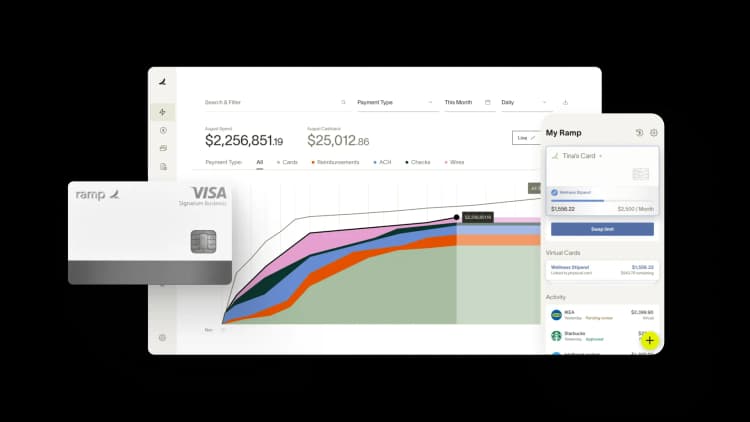
The clearest difference is scope. Expensify is an expense tool that has added pieces around the edges. Ramp’s all-in-one finance operations platform combines corporate cards, expense management, travel, AP, procurement, and more into a single system, then layers on AI agents that actually do the work for you. The data and workflows that Expensify hands off to other tools all stay in one place on Ramp.
The second difference is where the work happens. Expensify is built to capture and report spend after it occurs, sitting on top of the bank and cards you already use. Ramp issues the cards, moves the money, and enforces your expense policy at the moment of purchase, so out-of-policy spend gets stopped instead of cleaned up later.
Expensify is priced to track expenses after the fact. Ramp is built to control spend before it happens across your whole finance stack.
Key features
- Unlimited physical and virtual corporate cards with customizable spend limits, plus tokenized virtual cards for AI agents to make purchases on your behalf (now in early access)
- Single platform that unites data and workflows across cards, expense management, travel, bill pay, accounting automation, and procurement
- AI that covers the full spend life cycle, including agents for expense policy enforcement, bill pay, procurement, and month-end close
- Vendor intelligence that benchmarks quotes against thousands of anonymized transactions so you can negotiate a better price on SaaS subscriptions
- Invoice automation through Ramp Bill Pay, which imports bills in one step with 99% OCR accuracy, routes them for approval, and pays via card, ACH, check, or wire
- 200+ integrations with everyday business tools, including ERP and accounting software like QuickBooks, NetSuite, and Sage Intacct
- Real-time visibility into every dollar spent, with reporting across the whole platform
Why choose Ramp over Expensify
Companies choose Ramp over Expensify because it replaces a patchwork of tools with one platform that automates the busywork and pays for itself. The numbers bear that out: More than 85,000 businesses run on Ramp, and over 1,900 have switched from Expensify directly. Here's why they chose Ramp:
- AI that does the work: Expensify's Concierge is a capable AI assistant that can chat, categorize, and even submit expenses. Ramp's agents work across the full spend lifecycle, from procurement through bill pay. Ramp’s expense policy agent saves teams 4 hours a week on manual expense review alone.
- A faster month-end close: Customers their books over 3x faster after switching to Ramp and see a 67% increase in zero-touch transaction coding compared to rules-based automation tools
- Control spend before it happens: Policy lives on the card, not in a report. You set limits by vendor, category, or department, and non-compliant spend is blocked up front rather than flagged after the fact. After implementing Ramp’s policy agent, customers blocked 7x more out-of-policy spend
- Real, measured savings: Ramp customers grow revenue 16% on average in their first year on the platform and save over 7.5% a year, adding up to over $1 billion a month and over a year’s worth of work every hour saved across all customers
By the numbers: More than 1,900 businesses and counting have chosen Ramp over Expensify for its agentic features, automated expense tracking, and real-time spend visibility.
Pricing
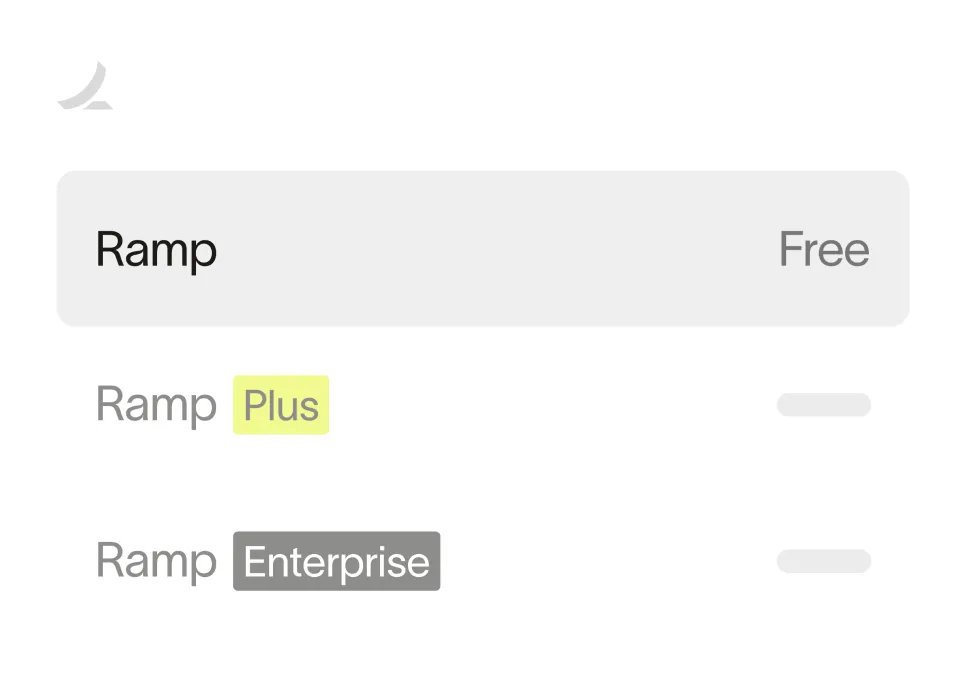
You can use most of Ramp’s expense management features for free. The free plan covers unlimited physical and virtual cards, bill pay, travel, accounting automation, budgets, and automated expense reporting and reimbursements. If you need advanced controls, custom workflows, and deeper ERP integrations, Ramp Plus is $15 per user per month. Enterprise plans are available, too—just reach out for a quote.
Reviews and ratings
- G2: 4.8/5 (2,400+ reviews)
- Capterra: 4.9/5 (200+ reviews)
Ready to take control of your finances?
Learn about Ramp’s pricing plans and start saving today.
2. Rippling Spend
Rippling Spend is the finance module of the Rippling platform, which includes HR, IT, payroll, and finance in one system. It handles corporate cards, expenses, and bill pay, and it's built for teams that want spend to sit alongside to payroll and headcount data.
Key features
- Corporate cards with customizable spend limits by department or role
- Expense tracking with AI receipt scanning and automatic categorization
- Bill pay that pulls data from invoices and routes them for approval
- Customizable approval workflows tailored to departments and authority levels
- Integrations with accounting tools, plus a native tie to Rippling payroll and HR
Why choose Rippling over Expensify
The case for Rippling over Expensify is consolidation. Expensify is a standalone expense tool you bolt onto the rest of your stack, while Rippling runs spend through the same system as your HR and payroll data. On Rippling, cards, expenses, and headcount share one source of truth instead of syncing across tools. A standalone product like Expensify can't match can’t match that level of integration.
That consolidation is also the catch. Rippling Spend requires the core Rippling platform and delivers its full value mainly when you're already running HR and payroll there. Costs climb as you stack modules and seats, and teams that want only the spend piece often wind up with more software than they need.
Pricing
Rippling doesn't publish its pricing. Spend is sold as a module on top of the required core platform and is priced per employee per month. You'll need to reach out for a custom quote based on the number and type of modules you want.
3. BILL Spend & Expense (formerly Divvy)
BILL Spend & Expense, formerly Divvy, is a free budgeting and expense management platform with integrated corporate cards. It's part of BILL's broader finance platform, which includes separate paid AP and AR software.
Key features
- Free spend management software with no per-user subscription costs
- Physical and virtual BILL Divvy Cards with customizable limits built in
- AI-powered auto-categorization and a reconciliation agent that drafts notes
- Mobile receipt capture, with prompts to upload at the time of swipe
- Integrations with QuickBooks and other accounting tools
Why choose BILL over Expensify
Where Expensify captures and reports spend after the fact, BILL is designed to control spend before it happens. You set budgets and card limits up front, so you govern spending in real time rather than reconcile it at month-end. On top of that, BILL’s software is free. For teams that want budget enforcement and corporate cards without a per-user fee, that's a more direct fit than Expensify.
What BILL does well with cards and budgets, it doesn't extend much further. BILL’s accounts payable and receivable software is a separate paid add-on, so building out a complete finance stack on BILL means adding modules and cost. Connecting Spend & Expense to BILL AP/AR can be clunky, and the budget controls can feel rigid in practice.
Pricing
BILL Spend & Expense is free, with no per-user subscription fee. Using BILL's AP/AR module requires a separate paid subscription.
4. Zoho Expense
Zoho Expense is a low-cost expense and travel reporting tool that fits naturally into the wider Zoho ecosystem. It's a strong option for price-sensitive small and midsize teams, especially if you’re already using Zoho Books.
Key features
- Free plan for up to 3 users, with 20 receipt autoscans, mileage tracking, and multicurrency expenses
- AI-powered receipt OCR that extracts and codes expense data
- Multi-level approval workflows, spend rules, and policy enforcement
- Corporate card reconciliation and per diem automation on paid plans
- Native sync with Zoho Books and Zoho Analytics, plus QuickBooks Online and Xero
Why choose Zoho Expense over Expensify
The case for Zoho Expense over Expensify comes down to cost and ecosystem fit: Zoho’s useful free tier and lower pricing on paid plans appeals to cost-conscious companies. And if you already run Zoho Books, the native two-way sync keeps expenses, projects, and accounting in one ecosystem.
The low price is easiest to justify if you already use Zoho. Third-party integrations are thinner than other options like Ramp, and the free plan's 3-user cap and usage limits get tight quickly. It’s also worth noting that Zoho Expense doesn’t include travel booking until you reach its Premium pricing tier.
Pricing
Zoho Expense offers a free plan for up to 3 active users and 20 receipt autoscans a month, though it excludes travel booking. The Standard plan is $3 per user per month, billed annually, but it also doesn’t include travel booking. The Premium plan does include travel booking at $5 per user per month, billed annually. Enterprise pricing is available on request.
5. SAP Concur
SAP Concur has been the enterprise standard for T&E management for over two decades, and it's a common landing spot for companies that outgrow lightweight expense tracking tools. It brings expense management, travel booking, and AP into one suite built for large, multi-entity businesses.
Key features
- Spend management, travel booking, and accounts payable in one connected suite
- AI that audits transactions and flags policy issues and duplicate expenses
- Configurable policy controls and multi-step approval routing
- Deep integrations with ERP and HR systems like Oracle, NetSuite, Workday, and, of course, SAP
- Global compliance support for multinational operations
Why choose Concur over Expensify
Companies move from Expensify to SAP Concur when they outgrow what a lightweight tool can handle. Concur is built for complex, multi-entity organizations that operate across regions, with policy configuration and compliance controls to match. Expensify keeps small and midsize teams moving quickly, while Concur handles the complexity of a large enterprise.
This enterprise depth adds friction. Concur is the lowest-rated tool on this list, with reviewers citing a dated interface and a steep learning curve. Pricing is quote-only, implementation can run from tens of thousands of dollars into six figures, and Concur also doesn't issue its own corporate cards.
Pricing
SAP Concur doesn't publish its pricing tiers. Plans are custom-quoted based on company size, modules, and transaction volume.
6. Navan (formerly TripActions)
Navan, formerly known as TripActions, is a travel-first platform that pairs free corporate travel booking with expense management and corporate cards. It's a strong fit for travel-heavy teams that want to handle booking and expenses in one place.
Key features
- Travel booking for flights, hotels, cars, and rail, with policy controls built in
- A free Business Travel tier with unlimited bookings for companies under 300 employees
- Expense automation with receipt capture and auto-populated fields
- Corporate cards and reimbursements across 45 countries and 25 currencies
- Accounting sync with NetSuite, Sage Intacct, QuickBooks, and Xero
Why choose Navan over Expensify
The difference between Navan and Expensify comes down to travel. Both handle T&E, but Navan leads with travel booking, offering extensive flight, hotel, car rental, and rail inventory with policy built into the trip. And because Navan earns from supplier commissions, the booking itself is free. For travel-heavy teams, it's a more complete travel experience than Expensify's expense-led approach.
Navan tends to be a strong choice when travel is your primary expense category. Its general expense and AP capabilities are less mature than a comprehensive platform like Ramp, and its expense management features can grow costly after you hit the free tier’s 5-user cap. Additionally, Navan’s commission-funded model means listed fares aren't always the lowest available.
Pricing
Navan offers a free travel booking tier for companies with up to around 300 employees, plus free expense features for up to 5 users. If you need additional features or user seats, Navan has custom-quoted Enterprise plans.
7. Sage Expense Management (formerly Fyle)
Sage Expense Management, formerly Fyle, is an expense-native platform built to run on the credit cards you already have. Its signature is real-time reconciliation by text message, which makes it a popular choice for midsize and accountant-led teams that want expense automation without switching cards.
Key features
- Real-time card feeds for the Visa, Mastercard, and American Express cards you already use
- Instant text alerts on every transaction with automated receipt matching
- AI-powered OCR that codes and categorizes expenses to projects and cost centers
- Expense submission from Gmail, Outlook, Slack, Microsoft Teams, and text
- Two-way sync with Sage Intacct, NetSuite, QuickBooks Online, and Xero
Why choose Sage Expense Management over Expensify
Sage Expense Management and Expensify both work with the cards you already have, so the real contrast is how reconciliation happens. Sage pushes a text the moment an employee swipes their card and matches their reply photo to the transaction, codes it to the right project and cost center, and syncs with your accounting system. For accountant-led teams that want spend reconciled as it happens, that real-time, GL-first workflow is a big draw.
Keeping your cards is the point of running expenses on Sage, but it’s also a downside for many users. Sage layers automation onto your existing cards rather than issuing its own, so it doesn't bring native virtual cards, banking, AP, procurement, or travel. Some integrations carry an implementation fee, and a few reviewers find report submission to be an unnecessary extra step.
Pricing
Sage Expense Management doesn’t offer a free tier, and pricing is based on active monthly users. The Growth plan starts at $11.99 per user per month, billed annually, with more expensive tiers adding an advanced policy engine, project and cost-code tracking, and ACH reimbursements. Enterprise pricing is available by quote.
Where Expensify still wins
Expensify has remained a popular choice for good reasons. Its SmartScan receipt capture and mobile-first simplicity are still useful for solo operators and small teams, and the Collect plan is genuinely cheap and simple at a flat $5 per member with no contract.
Concierge is also a capable contextual AI assistant, and Expensify works with whatever cards you already use. QuickBooks and Xero integrations cover basic accounting sync. If you're a freelancer or a small team that mainly needs fast receipt capture and reimbursements, Expensify may still be the simplest answer.
How to choose the right Expensify alternative
The best alternative depends on how your team spends and what you're trying to consolidate. Here’s where to start:
| Your situation | Start here | Why |
|---|---|---|
| You want one platform for cards, expenses, AP, procurement, travel, and close | Ramp | The broadest feature set here, with AI agents that automate policy enforcement, AP, procurement, and month-end close. Free to start. |
| You're a small team that just needs receipt capture and reimbursements | Ramp or Expensify | Ramp's free plan covers both at no cost and goes well beyond a typical free tier. Expensify is simplest for pure mobile receipt capture. |
| You're price-sensitive and already use Zoho | Zoho Expense | Free tier and native Zoho Books sync |
| You want free budgeting and cards | Ramp or BILL | Both offer budgets and cards for free. Ramp adds AP at no additional cost. |
| You're consolidating HR, payroll, and finance | Rippling Spend | Spend lives alongside payroll and HR in one system |
| Travel is a major part of your spend | Ramp or Navan | Navan leads on booking inventory. Ramp covers travel inside a full finance platform. |
| You're a global enterprise with complex compliance needs | SAP Concur | Deep ERP integration and multi-entity policy control |
| You want to keep your existing cards | Sage Expense Management | Lets you retain your existing Visa, Mastercard, and Amex cards with real-time, text-based reconciliation |
Choose the top-rated Expensify competitor
The best Expensify alternative is the one that fits how your team actually spends. Many tools handle one or two areas well, but only a few replace the manual work that sits between your cards, your bank, and your books.
That's what sets Ramp apart as the strongest overall choice. Its AI-native finance operations platform covers expense management, corporate cards, travel, AP, procurement, and more, backed by AI agents that handle the busywork your finance team is shouldering today.
Try an interactive demo and see why more than 1,900 businesses switched from Expensify to Ramp.

FAQs
Ramp is the best overall Expensify alternative for teams that want to replace the busywork around their spend, not just track it. It combines corporate cards, expense management, travel, AP, procurement, and accounting automation in one platform, and rates higher than Expensify on the major software review sites.
Yes. Ramp offers a free plan that covers unlimited corporate cards, expense management, reimbursements, AP, and travel booking. Other options include BILL Spend & Expense, which is free when you adopt its card, and Navan offers free travel booking.
Companies usually switch from Expensify as they scale. When you need deeper controls, multi-entity support, stronger AP, and a platform that enforces policy before spend happens, competitors like Ramp become a better fit.


“I assumed I would have to choose between speed and control. What I found is that you can have both. A well-designed system takes friction out, for the finance function and for everyone else.”
Justin Webster
CFO, Denver Broncos

“A well-run district should not have to choose between getting work done at the school site and keeping control of the dollars behind it. We're not hiring more people to do more jobs, so we have to be smarter about the process. With Ramp, the purchase, the receipt, and the record stay together from the start. ”
Nick Brizeno
Director of Purchasing, San Marcos Unified School District

“In senior living, scale only works if the communities still feel personal. We needed the back office to carry more of the complexity, not the people serving residents. Ramp helped us build that infrastructure, so the experience in the community could stay human.”
Ryan Cole
CFO, Agemark Senior Living

“AI is moving faster than the finance context around it. Prices change, models change, and the value is not always obvious from an invoice. We needed enough detail to know which bets deserved more investment — and which ones did not.”
Greg Cooley
Controller, AngelList

“Invoices, cards, tokens. The categories change but the principle doesn't: know where the money is going, remove the work around it, and make sure the spend is worth it.”
Maciej Mylik. Finance
ElevenLabs

“We weren’t trying to retrofit an old finance system. We had a blank canvas, and Ramp gave us the foundation to build a global finance function of the future.”
Justin Dourado
Director of Finance, Othership

“There's just no surprises anymore. No more waiting two months to find out how a job did. We know how it's doing as it's happening.”
Erich Kuss
Financial Systems Manager, Infinity Home Services

“More token spend isn’t proof that AI is working. Less isn’t proof that it isn’t. What matters is whether we’re buying the right level of intelligence for the work. Ramp lets us make that judgment in the same place we manage every other type of spend.”
Cody Nutt
Senior Director of Business Systems, Daxko
