
- How Expensify, BILL, and Ramp compare at a glance
- Expense management and receipt handling
- Accounts payable automation
- Corporate cards and spending controls
- Pricing and free tiers
- Accounting integrations and automation
- Expensify vs BILL vs Ramp: full comparison
- Which platform fits your team?
- See how Ramp brings spend management together
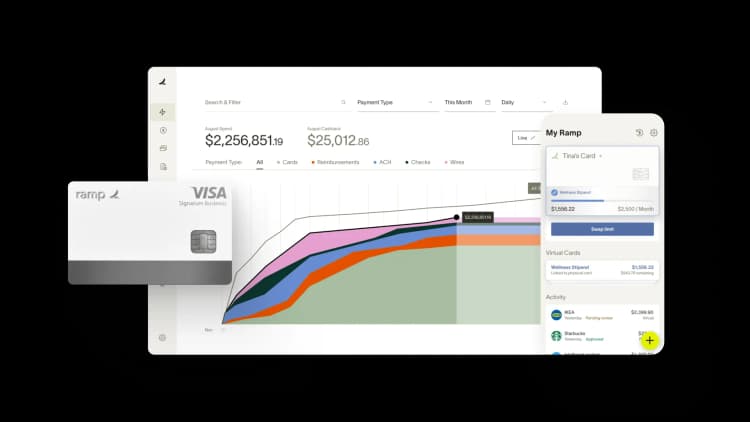
Choosing between Expensify, BILL, and Ramp often comes down to what's causing headaches or is broken in your finance workflow. Expensify offers expense reporting and receipt tools, BILL offers accounts payable automation alongside BILL Spend & Expense, and Ramp combines expense management, accounts payable, and corporate cards on one platform.
This comparison breaks down how each platform handles the core workflows finance teams care about, from receipt scanning to vendor payments to spending controls, so you can figure out which one fits your team's actual needs.
How Expensify, BILL, and Ramp compare at a glance
The table below highlights how each platform handles the workflows most finance teams evaluate.
| Feature | Expensify | BILL | Ramp |
|---|---|---|---|
| Best for | Companies focused on standalone expense reporting and receipt scanning | Companies running standalone AP automation with broad payment options | Companies that want expense management, AP, and cards on one platform |
| Pricing | Collect $5/member/month; Control from $9/member/month (annual w/ Expensify Card, 50%+ US spend) | BILL Spend & Expense free; AP Essentials $49/user/month | Free tier; Plus $15/user/month plus platform fee |
| Cashback | Up to 2% (Expensify Card) | Yes | Yes, on purchases |
| Corporate cards | Yes | Yes | Yes |
| Expense management | Yes | Yes | Yes |
| Accounts payable | Yes | Yes | Yes |
| Accounting integrations | Yes | Yes | Yes |
| Free tier | Yes (individual) | No | Yes |
Below, we look at each platform in detail and how features across those differ.
Expense management and receipt handling
Expense management covers how your team tracks purchases, submits receipts, and gets reimbursed. The approach each platform takes here shapes the day-to-day experience for both employees and finance teams.
Expensify
Expensify's expense management is built around SmartScan, an OCR technology that reads receipt images and pulls out transaction details automatically. Your employees snap a photo, and SmartScan populates the merchant name, amount, date, and category fields without manual entry.
The platform works well for teams with heavy reimbursement workflows. Employees submit out-of-pocket expenses, and finance processes payments through direct deposit or the Expensify Card. One thing to keep in mind: Expensify's expense controls are reactive. You're reviewing spending after it happens rather than setting limits before purchases occur. For some teams, that's fine. For others, it creates extra work cleaning up policy violations after the fact.
BILL
BILL offers expense management through BILL Spend & Expense, a separate product from BILL's core AP platform. If you use both, you'll work in two different interfaces.
BILL Spend & Expense provides budget-based spending controls. You set spending limits on cards and track expenses against department budgets in real time. When an employee hits their limit, the card declines. This approach works well for teams that want to enforce budgets at the point of purchase. The tradeoff is managing two systems if you also use BILL for vendor payments.
Ramp
Ramp's expense management handles receipt matching, policy enforcement, and accounting synchronization in a single workflow. When an employee makes a purchase, Ramp automatically prompts them to submit a receipt via text or the mobile app. AI matches receipts to transactions and flags potential policy violations before expenses reach your approval queue.
You can set spending limits, merchant restrictions, and category controls directly on cards. Policy enforcement occurs at the point of purchase, reducing out-of-policy expenses to review later. Ramp also automatically generates receipts for certain purchases, such as software subscriptions, reducing the number of receipts employees have to track down manually.
Accounts payable automation
Accounts payable covers how you receive invoices, route them for approval, and pay vendors. Each platform handles AP differently.
Expensify
Expensify offers basic bill pay functionality. You can upload invoices, route them for approval, and schedule payments. The AP features are limited compared to dedicated AP solutions.
If your AP volume is low and your approval workflows are straightforward, Expensify's bill pay may be sufficient. Teams with complex approval routing, high invoice volumes, or international payment requirements often find Expensify’s AP capabilities insufficient for their workflows.
BILL
BILL's core product automates accounts payable end to end. You can upload invoices manually or receive them electronically from vendors, route them through custom approval chains based on amount, vendor, or department, and pay via ACH, check, virtual card, or international wire. BILL also connects to a vendor network that simplifies payment setup.
If AP automation is your primary concern and you're less focused on expense management, BILL handles that use case well.
Ramp
Ramp’s accounts payable software handles invoice intake, approval routing, and payment execution. You can pay vendors via ACH, check, or virtual card. The platform uses AI to extract invoice data and match invoices to purchase orders automatically.
Because Ramp combines AP, expense management, and corporate cards, you get a unified view of all company spending. Everything lives in one place, which makes it easier to track cash flow, forecast expenses, and close your books faster.
Corporate cards and spending controls
Corporate cards determine how employees access company funds and how much control finance teams have over spending before it happens.
Expensify
Expensify offers the Expensify Card, which provides up to 2% cashback on purchases. The card integrates directly with Expensify's expense management, so transactions flow into expense reports automatically.
Expensify's card controls are relatively basic. You can set spending limits, but the platform doesn't offer granular merchant-level or category-level restrictions. If you want to block specific merchant categories or restrict spending to certain vendors, you'll find the options limited. Expensify supports bring-your-own-card (BYOC), though pricing increases for BYOC customers.
BILL
BILL Spend & Expense provides virtual and physical cards with budget-based controls. You can issue cards tied to specific budgets and track spending against limits in real time.
The card program integrates with BILL Spend & Expense but operates separately from BILL's core AP platform. Card transactions and vendor payments live in different systems, which can complicate reporting and reconciliation. If you're trying to get a complete picture of company spending, you'll pull data from two places.
Ramp
Ramp offers physical and unlimited virtual corporate cards with no fees. Ramp offers cashback on purchases. You can issue cards instantly and set controls at the card level, including daily, monthly, or total spending limits per card, merchant-level restrictions to block specific merchants or merchant categories, and category controls that restrict cards to specific expense categories like software or travel.
Virtual cards are particularly useful for software subscriptions and vendor payments. You can create a unique card for each vendor, making it easy to track spending and cancel subscriptions without affecting other payments.
Pricing and free tiers
Each platform structures pricing differently, and total cost depends on which features you use and how many employees you have.
Expensify
Expensify uses per-member pricing that varies by plan and whether you use the Expensify Card. The Collect plan runs $5 per unique member per month on a month-to-month basis with no annual contract, and earns 1% cash back with the Expensify Card. The Control plan has three pricing options: $9 per active member per month on an annual subscription with Expensify Card usage (50%+ of spend on the Card in the US), $18 per active member per month annual without the Card, or $36 per active member per month pay-per-use with no commitment. Control earns up to 2% cash back.
Expensify offers a free tier for individuals, but business features start at the Collect or Control plan. Card choice and commitment level both affect total cost, so factor those into your calculation.
BILL
BILL Spend & Expense (formerly Divvy) is free at $0 per user per month. BILL's accounts payable platform is priced separately and tiered: Essentials starts at $49 per user per month, with Team, Corporate, and Enterprise tiers running higher for larger teams and more complex approval workflows. Per-transaction fees apply to certain payment types like ACH, checks, and international wires.
If you use both BILL AP and BILL Spend & Expense, you're managing two product subscriptions and two interfaces, but only paying for one of them.
Ramp
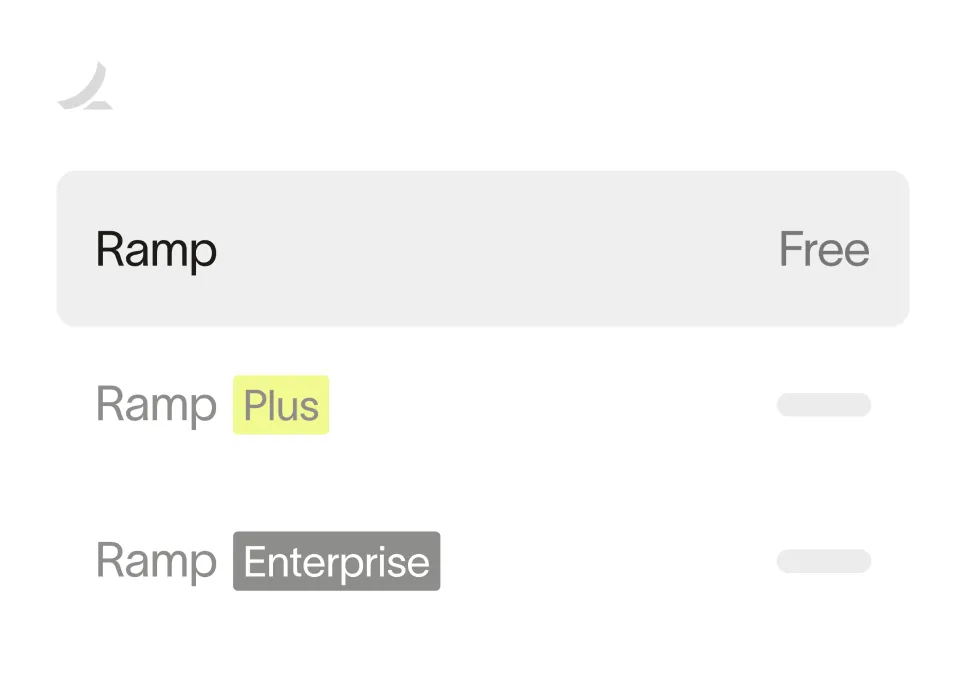
Ramp offers a free tier that includes corporate cards, expense management, and basic AP features. The Plus plan runs $15 per user per month plus a platform fee and adds advanced features like custom workflows, multi-entity support, and procurement tools.
Ramp's free tier covers core workflows for many teams. You can issue unlimited cards, track expenses, and pay bills without paying subscription fees. The cashback you earn on card purchases can offset other costs.
Ready to take control of your finances?
Learn about Ramp’s pricing plans and start saving today.
Accounting integrations and automation
Accounting integrations determine how easily expense and payment data flows into your general ledger. Strong integrations reduce manual data entry and speed up your monthly close.
Expensify
Expensify integrates with QuickBooks, NetSuite, Xero, and Sage Intacct. The platform syncs expense data to your accounting system automatically, mapping expenses to the appropriate GL accounts.
The integrations work well for basic expense sync. If you're using Expensify's bill pay features alongside expense management, you may have to configure separate sync rules for each workflow.
BILL
BILL integrates with QuickBooks, NetSuite, Sage Intacct, Microsoft Dynamics, and Xero. The platform's accounting connections are a core part of its AP automation workflow.
Because BILL's AP and expense management products are separate, you may have to manage two sets of integrations and maintain consistent coding across both systems.
Ramp
Ramp integrates with QuickBooks, Xero, NetSuite, and Sage Intacct. The accounting automation goes beyond basic sync. Ramp learns your coding patterns and suggests GL accounts, departments, and classes automatically.
Because expenses, AP, and cards all live on one platform, you're syncing data from a single source. Reconciliation becomes simpler, and the risk of coding inconsistencies drops. Finance teams using Ramp often close their books faster because they don’t have to chase down data across multiple systems.
Expensify vs BILL vs Ramp: full comparison
| Feature | Expensify | BILL | Ramp |
|---|---|---|---|
| Primary focus | Expense reporting and receipts | Accounts payable automation | Unified expense, AP, and cards |
| Corporate cards | Yes | Yes | Yes |
| Receipt scanning | Yes | Yes | Yes |
| Spending controls | Basic limits | Budget-based controls | Card-level limits, merchant and category restrictions |
| AP automation | Yes | Yes | Yes |
| Reimbursements | Yes | Yes | Yes |
| Multi-entity support | Limited | Yes | Yes |
| Free tier | Yes (individual) | No | Yes |
| Pricing model | Per-member (Collect $5; Control from $9 with Card, $18 without, $36 pay-per-use) | Subscription plus per-transaction fees | Free tier; Plus $15/user/month plus platform fee |
Which platform fits your team?
Expensify works well for teams that primarily handle receipt scanning and expense reporting. If your employees submit a lot of out-of-pocket expenses and you want a straightforward reimbursement workflow, Expensify's SmartScan technology handles that use case effectively. The platform is less suited for teams that want proactive spending controls or robust AP automation.
BILL is a strong choice for teams that prioritize accounts payable automation. If you process a high volume of vendor invoices and want flexible payment options, BILL's core AP product handles that workflow well. The expense management features through BILL Spend & Expense are solid but operate as a separate product, which can add complexity to your finance stack.
Ramp makes sense for teams that want expense management, accounts payable, and corporate cards working together on one platform. You get proactive spending controls, AI-powered automation, and a unified view of all company spending.
See how Ramp brings spend management together
Companies running cards, expenses, and AP across multiple tools often spend their close cycle reconciling data instead of analyzing it. Ramp consolidates those workflows so finance teams can issue cards, capture receipts, pay vendors, and sync to the GL in one place — which means less time stitching tools together and more time on the work that actually moves the business.
Try an interactive demo to see how Ramp can help your team save time and money.


“I assumed I would have to choose between speed and control. What I found is that you can have both. A well-designed system takes friction out, for the finance function and for everyone else.”
Justin Webster
CFO, Denver Broncos

“A well-run district should not have to choose between getting work done at the school site and keeping control of the dollars behind it. We're not hiring more people to do more jobs, so we have to be smarter about the process. With Ramp, the purchase, the receipt, and the record stay together from the start. ”
Nick Brizeno
Director of Purchasing, San Marcos Unified School District

“In senior living, scale only works if the communities still feel personal. We needed the back office to carry more of the complexity, not the people serving residents. Ramp helped us build that infrastructure, so the experience in the community could stay human.”
Ryan Cole
CFO, Agemark Senior Living

“AI is moving faster than the finance context around it. Prices change, models change, and the value is not always obvious from an invoice. We needed enough detail to know which bets deserved more investment — and which ones did not.”
Greg Cooley
Controller, AngelList

“Invoices, cards, tokens. The categories change but the principle doesn't: know where the money is going, remove the work around it, and make sure the spend is worth it.”
Maciej Mylik. Finance
ElevenLabs

“We weren’t trying to retrofit an old finance system. We had a blank canvas, and Ramp gave us the foundation to build a global finance function of the future.”
Justin Dourado
Director of Finance, Othership

“There's just no surprises anymore. No more waiting two months to find out how a job did. We know how it's doing as it's happening.”
Erich Kuss
Financial Systems Manager, Infinity Home Services

“More token spend isn’t proof that AI is working. Less isn’t proof that it isn’t. What matters is whether we’re buying the right level of intelligence for the work. Ramp lets us make that judgment in the same place we manage every other type of spend.”
Cody Nutt
Senior Director of Business Systems, Daxko
