
- How Concur, BILL, and Ramp compare at a glance
- How expense management works on each platform
- How accounts payable automation compares
- Pricing and tiers
- How accounting integrations differ
- How approval workflows function
- Concur vs BILL vs Ramp: full comparison
- Which platform fits different team profiles?
- See how Ramp brings spend management together
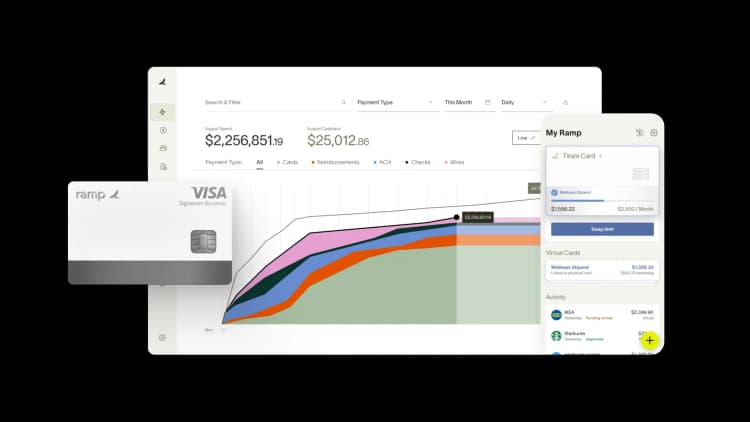
Concur, BILL, and Ramp take different approaches to managing finance operations. Concur offers expense management, travel, and invoice processing widely used by enterprise teams. BILL offers AP automation alongside a separate spend management product (BILL Spend & Expense). Ramp combines corporate cards, expense management, and accounts payable into a single platform.
We'll break down how they compare across expense management, AP automation, pricing, integrations, and approval workflows so you can match the right tool to your finance team's actual needs.
How Concur, BILL, and Ramp compare at a glance
The table below highlights how the three platforms differ across pricing, features, and capabilities.
| Feature | SAP Concur | BILL | Ramp |
|---|---|---|---|
| Best for | Companies running enterprise-grade expense management tied to an existing ERP | Companies focused on standalone AP automation with broad payment options | Companies that want expense management and AP together with cards and accounting |
| Pricing | Per-expense-report fees, requires sales contact | Tiered subscription plans plus per-transaction fees | Free tier; Plus $15/user/month plus platform fee |
| Cashback | No (external card programs) | Yes (BILL Spend & Expense) | Yes, on purchases |
| Corporate cards | No (external card programs) | Yes (BILL Spend & Expense) | Yes |
| Expense management | Yes | Yes (BILL Spend & Expense) | Yes |
| Accounts payable | Yes | Yes | Yes |
| Accounting integrations | Yes | Yes | Yes |
| Free tier | No | No | Yes |
Next, we'll break down each feature area to show how the platforms differ in practice.
How expense management works on each platform
The approach you choose affects how much time employees spend on reports and how quickly your finance team closes the books each month.
SAP Concur
Concur's expense workflow follows a traditional model: employees make purchases, then submit expense reports afterward for manager review and approval.
The platform offers granular policy controls and detailed audit trails that meet the needs of compliance teams at large organizations. You can configure rules for nearly any scenario, from per diem limits by city to receipt requirements by expense type.
However, Concur's interface reflects its age, with a steep learning curve and dated design. The mobile app functions, though it lacks the polish of newer alternatives. If your team already uses SAP for ERP, Concur integrates tightly with that ecosystem, which can simplify implementation.
BILL
BILL's expense management runs through BILL Spend & Expense (formerly Divvy), a different product from BILL's AP automation. BILL Spend & Expense offers corporate cards, spend controls, and budgeting alongside BILL's invoice processing capabilities.
BILL Spend & Expense is priced and accessed separately from BILL's core AP product. For teams whose primary need is AP automation and view expense management as secondary, this separation may not matter much.
Ramp
Ramp treats expense management and corporate cards as one connected system. When an employee swipes a Ramp card, the transaction appears immediately with prompts to add a receipt. The platform uses AI to match receipts to transactions and auto-categorize spending based on vendor and transaction data.
Ramp lets you set spending rules before purchases happen. This proactive approach catches policy violations in real time. Ramp offers cashback on purchases, which can offset software costs for teams with significant card spend.
How accounts payable automation compares
AP automation determines how quickly you pay vendors and how much manual work invoice processing requires. The three platforms take notably different approaches.
SAP Concur
Concur Invoice handles AP separately from expense management within the Concur ecosystem. The product supports invoice capture, approval routing, and payment processing. It integrates with Concur's travel and expense modules, which helps if you're already using those tools.
Implementation typically requires IT resources and configuration time. The platform works for enterprises with complex approval hierarchies and global payment requirements, though smaller teams may find it more than they actually need.
BILL
BILL is built around AP automation. Vendors email invoices directly to a BILL inbox or your team uploads them manually. OCR reads the invoice details and populates fields automatically, then invoices flow through approval workflows based on rules you define. From there, your team pays vendors by ACH, check, virtual card, or international wire.
BILL handles high invoice volumes with multiple payment methods. The platform connects to major accounting systems and automatically syncs payment data. BILL's AP automation is its core paid product, with feature depth for teams whose primary pain point is invoice processing.
Ramp
Ramp combines accounts payable with its card and expense platform in a single system. Invoices flow into the same place where card transactions appear, giving you one view of all company spending.
The platform offers two-way sync with accounting software, so changes in either system stay current. Approval workflows work across both card purchases and invoices, so you configure rules once.
Pricing and tiers
Pricing structures vary across the three platforms, and total costs depend on your team size and transaction volume.
SAP Concur
SAP Concur uses per-expense-report pricing and requires contacting sales for quotes. This model can become expensive for teams with high expense volumes, though enterprises often negotiate custom rates. The lack of transparent pricing makes comparison difficult without going through a sales process first.
BILL
BILL offers tiered subscription plans starting at $49/user/month for the Essentials AP tier, with additional per-transaction fees on payments.
BILL Spend & Expense is a separate product available free of charge alongside BILL's paid AP platform. Costs add up as you layer on AP modules and increase payment volume.
Ramp
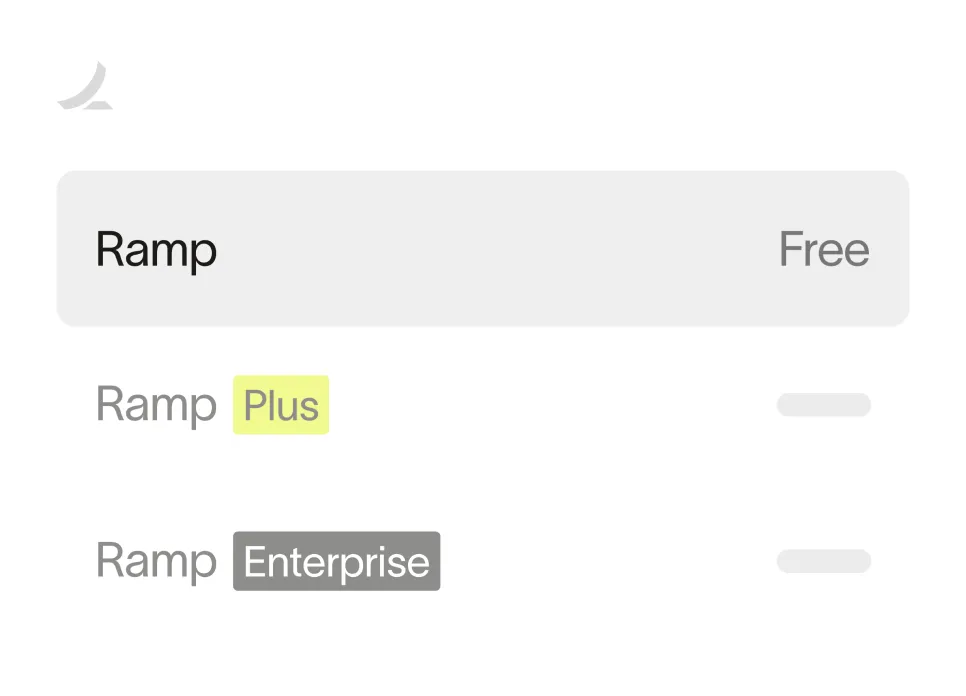
Ramp offers a free tier that includes corporate cards, expense management, and basic AP automation.
The Plus tier costs $15/user/month plus a platform fee and adds features like advanced integrations and custom workflows. The free tier works well for smaller teams, while growing companies often move to Plus for additional controls and reporting.
Ready to take control of your finances?
Learn about Ramp’s pricing plans and start saving today.
How accounting integrations differ
Your expense and AP platform connects to your general ledger, so integration quality directly affects how much manual work month-end close requires.
SAP Concur
SAP Concur integrates natively with SAP ERP products and connects to other accounting systems, such as NetSuite, QuickBooks, and Sage Intacct, via partner integrations.
BILL
BILL connects to QuickBooks, NetSuite, Sage Intacct, Microsoft Dynamics, and Xero. The integrations automatically sync invoice and payment data. BILL's accounting connections cover most popular mid-market accounting platforms.
Ramp
Ramp offers direct integrations with QuickBooks, Xero, NetSuite, and Sage Intacct. The platform syncs transactions, receipts, and categorizations automatically. Two-way sync means changes you make in your accounting system reflect in Ramp, and changes in Ramp appear in your accounting system. This bidirectional flow reduces the reconciliation work that often piles up at month-end.
How approval workflows function
Approval workflows determine how spending gets authorized and who has visibility into purchases before and after they happen.
SAP Concur
SAP Concur offers highly configurable approval chains. You can build complex routing rules based on amount, expense type, cost center, or any combination of factors. This flexibility serves enterprises with intricate organizational structures, though it requires significant upfront configuration work and ongoing maintenance.
BILL
BILL routes invoices through approval workflows based on rules you define. The platform supports multi-level approvals and delegation when approvers are unavailable. Approval workflows apply to AP only, while expense approvals through BILL Spend & Expense work through a separate system.
Ramp
Ramp applies approval rules to both card spending and invoices in one unified system. You can require pre-approval for purchases above certain amounts or from specific vendors. Managers receive notifications and can approve requests from email or mobile without logging into the platform. The unified approach means you configure rules once rather than maintaining separate approval logic for different spend types.
Concur vs BILL vs Ramp: full comparison
| Feature | SAP Concur | BILL | Ramp |
|---|---|---|---|
| Pricing model | Per-expense-report fees | Tiered subscription plus per-transaction fees | Free tier; Plus $15/user/month |
| Cashback | Through external card programs | Through BILL Spend & Expense card | Yes, on purchases |
| Corporate cards | Through external bank/Amex programs | Through BILL Spend & Expense | Unlimited physical and virtual |
| Card controls | Through external card program | Yes (BILL Spend & Expense) | Yes (real-time limits) |
| Expense management | Yes (full platform) | Through BILL Spend & Expense | Yes (AI receipt matching) |
| Receipt capture | Mobile app | BILL Spend & Expense mobile app | Yes (AI auto-match) |
| Accounts payable | Concur Invoice | Yes (full platform) | Yes (two-way accounting sync) |
| Approval workflows | Highly configurable | Yes (AP-side) | Yes (unified across cards and AP) |
| Accounting integrations | Yes | Yes | Yes |
| Sync model | Partner integrations | Direct sync | Two-way sync |
| Free tier | No | Yes, but only for Spend & Expense | Yes |
Which platform fits different team profiles?
The right choice depends on where your team sits today and where you're headed over the next few years.
SAP Concur makes sense if you're already invested in SAP's ecosystem and have IT resources to manage implementation and ongoing configuration. The platform handles enterprise complexity well, though it requires more administrative overhead than newer alternatives.
BILL fits teams whose primary challenge is invoice processing and vendor payments. If you process high invoice volumes and want deep AP automation with flexible payment options, BILL handles that workflow well. Expense management is available through BILL Spend & Expense, a separate product.
Ramp works well for teams that want a single platform to cover cards, expenses, and AP without managing multiple systems. The proactive spend controls help growing companies maintain financial discipline without adding headcount to the finance team. Cashback on purchases and a free tier make Ramp accessible for teams watching costs closely.
See how Ramp brings spend management together
ABB Optical Group switched from Concur to Ramp and cut down its expense management workload. Their finance team now spends less time chasing receipts and reconciling transactions because Ramp automates receipt matching and categorization.
You can explore how Ramp handles expense management, AP automation, and corporate cards in one platform. Try an interactive demo to see the workflows in action.


“I assumed I would have to choose between speed and control. What I found is that you can have both. A well-designed system takes friction out, for the finance function and for everyone else.”
Justin Webster
CFO, Denver Broncos

“A well-run district should not have to choose between getting work done at the school site and keeping control of the dollars behind it. We're not hiring more people to do more jobs, so we have to be smarter about the process. With Ramp, the purchase, the receipt, and the record stay together from the start. ”
Nick Brizeno
Director of Purchasing, San Marcos Unified School District

“In senior living, scale only works if the communities still feel personal. We needed the back office to carry more of the complexity, not the people serving residents. Ramp helped us build that infrastructure, so the experience in the community could stay human.”
Ryan Cole
CFO, Agemark Senior Living

“AI is moving faster than the finance context around it. Prices change, models change, and the value is not always obvious from an invoice. We needed enough detail to know which bets deserved more investment — and which ones did not.”
Greg Cooley
Controller, AngelList

“Invoices, cards, tokens. The categories change but the principle doesn't: know where the money is going, remove the work around it, and make sure the spend is worth it.”
Maciej Mylik. Finance
ElevenLabs

“We weren’t trying to retrofit an old finance system. We had a blank canvas, and Ramp gave us the foundation to build a global finance function of the future.”
Justin Dourado
Director of Finance, Othership

“There's just no surprises anymore. No more waiting two months to find out how a job did. We know how it's doing as it's happening.”
Erich Kuss
Financial Systems Manager, Infinity Home Services

“More token spend isn’t proof that AI is working. Less isn’t proof that it isn’t. What matters is whether we’re buying the right level of intelligence for the work. Ramp lets us make that judgment in the same place we manage every other type of spend.”
Cody Nutt
Senior Director of Business Systems, Daxko
