
- How Mercury, Rho, and Ramp compare at a glance
- Banking and treasury
- Corporate cards and rewards
- Spend management and controls
- Beyond cards: expense management, AP, and accounting
- Pricing
- Mercury vs Rho vs Ramp: full comparison
- Which platform fits your team?
- See why teams are choosing Ramp
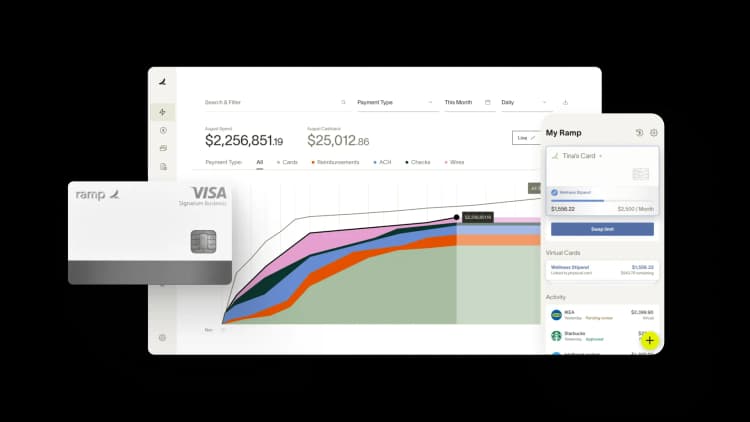
Choosing between Mercury and Rho often comes down to a simple question: do you want a platform that leads with banking, or one that leads with spend management? Both serve startups well, but they solve different problems first.
This comparison breaks down how Mercury, Rho, and Ramp differ across banking, treasury, cards, expense management, and accounts payable, so you can match the platform to your team's priorities.
How Mercury, Rho, and Ramp compare at a glance
The table below highlights how the three platforms differ across pricing, features, and capabilities.
| Feature | Mercury | Rho | Ramp |
|---|---|---|---|
| Best for | Companies wanting straightforward banking with cards | Companies wanting banking, cards, and AP in one platform | Companies wanting spend management with banking, cards, and AP included |
| Business banking | Yes, through partner banks | Yes, FDIC-insured | Business account with interest on operating cash |
| Treasury/yield | Mercury Treasury for idle cash | Treasury options available | Business account plus investment account for higher yields |
| Corporate cards | IO card with 1.5% cashback on all spend | Corporate cards with up to 1.5% cashback | Unlimited physical and virtual cards with cashback |
| Expense management | Basic expense tracking | Yes, included | Yes, with receipt matching |
| Accounts payable | Bill pay with AI invoice extraction | AP automation included | Yes, with two-way sync |
| Accounting integrations | QuickBooks, Xero, NetSuite | QuickBooks, Xero, NetSuite, Sage Intacct | QuickBooks, Xero, NetSuite, Sage Intacct |
| Free tier | Yes | Yes | Yes |
Next, we break down each feature to show how the platforms differ in practice.
Banking and treasury
The way each platform handles operating cash and idle reserves shapes how you allocate working capital. If you're deciding where to park funds between payroll runs or while waiting to deploy capital, the differences here matter.
Mercury
Mercury offers business checking through partner banks with FDIC insurance. For cash you don't need immediately, Mercury Treasury offers higher yields than a standard checking account.
The platform's interface makes it straightforward to move money between accounts. You can also set up automatic transfers based on percentage rules, which helps you set aside tax reserves each month without having to think about it.
Rho
Rho combines business banking, FDIC coverage, and treasury options in one platform. You can hold operating funds in a checking account while earning yield on reserves you won't touch for a while.
Because Rho positions itself as a full financial operating system, banking integrates directly with spend management and AP tools. You're not logging into separate systems to see your cash position versus your outstanding payables.
Ramp
Ramp offers a business account that earns interest on operating cash through FDIC-insured institutions.¹
For idle cash you don't need immediately, an investment account provides access to higher yields.² There are no fees or minimums on either account, and both connect directly to Ramp's cards and bill pay. So your cash, your cards, and your vendor payments all live in the same place.
Corporate cards and rewards
Card rewards and controls differ in how they're structured and in the cost to administer them. The right fit depends on your spending volume and the level of control you want over individual transactions.
Mercury
Mercury's IO card offers 1.5% cashback on all spend and ties directly to your Mercury banking relationship. Card management happens within the same interface as your accounts, which keeps things simple if you're already using Mercury for banking.
Card controls include custom daily, weekly, or monthly spending limits, merchant locking, company-wide merchant and category restrictions, and receipt upload requirements. Real-time policy enforcement and workflow simulation aren't part of the product.
Rho
Rho provides corporate cards with up to 1.5% flat cashback on all spend. Cards integrate with Rho's broader platform, so you can set spending limits and approval workflows without adding another vendor.
The combination of banking and cards in one place appeals to teams that want fewer relationships to manage. You're not reconciling card transactions from one system against bank statements from another.
Ramp
Ramp offers unlimited physical and virtual corporate cards with cashback on purchases. Card-level controls include merchant restrictions that block specific merchants or merchant categories, spending limits set daily, monthly, or per-transaction, and auto-lock that declines out-of-policy purchases before the transaction goes through.
Spend management and controls
The depth of policy enforcement shapes how much manual reconciliation work falls on your finance team each month. Catching out-of-policy spend before it happens saves time compared to chasing down violations after the fact.
Mercury
Mercury offers card-level spending limits and basic categorization. You can track where money is going, but the platform wasn't built primarily for spend management.
Teams with complex approval workflows or detailed policy requirements may find themselves supplementing Mercury with additional tools. That's not necessarily a problem if you're early-stage and your policies are simple, but it's worth knowing upfront.
Rho
Rho includes spend management features covering approval workflows, budget controls, and policy enforcement at the point of purchase. Approval rules can route by amount or team, and off-policy spend gets flagged the moment a card is used rather than at month-end close.
Spending limits are configurable on daily, weekly, monthly, or annual cycles, with merchant and category restrictions available at the card level. For teams that want banking, cards, and finance operations consolidated, Rho covers a meaningful share of the workflow.
Ramp
Ramp's spend management uses real-time controls that enforce policies at the point of purchase, before money leaves your account.
You can block specific merchants, restrict spending to certain categories, or require receipts for transactions over a set amount. Piñata achieved 95% receipt compliance with Ramp, a 58% improvement over their previous process. Automated reminders and controls that enforced policy at the point of purchase made the difference.
That kind of compliance rate is difficult to achieve when you're relying on employees to remember policies after they've already spent the money.
Beyond cards: expense management, AP, and accounting
The platform around the card determines how much manual work flows downstream. A card that doesn't connect to your expense system or accounting software creates reconciliation work every single month.
Mercury
Mercury Bill Pay handles invoice intake with AI data extraction and duplicate detection, multi-layered approval rules, and Slack-based approvals. Bills sync two-way to QuickBooks, Xero, and NetSuite. Expense reimbursements are included for up to 5 users on the free tier, with higher seat limits on paid tiers.
For teams that need richer expense management or finer approval logic, many Mercury users supplement with dedicated tools. That works fine, though it means managing multiple systems and making sure data flows correctly between them.
Rho
Rho includes AP automation and expense management within its platform. You can process invoices, manage approvals, and track employee expenses without adding another vendor to your stack.
For teams that want banking and finance operations in one place, the consolidation is appealing. You're not exporting data from one system and importing it into another just to see the full picture.
Ramp
Cards are one part of a broader platform that includes expense management, accounts payable software, and accounting automation. Bill Pay by Ramp handles vendor payments with two-way sync to your accounting system.
Expenses are automatically categorized and matched to receipts. The goal is continuous reconciliation rather than a monthly close crunch where you're scrambling to match transactions.
Snapdocs cut monthly reconciliation from 5–6 hours to under 30 minutes after consolidating onto Ramp. That's a 91% improvement, and the time savings compounds every month.
Pricing
Pricing models vary in how they scale and what's included at each tier. The sticker price doesn't always reflect the true cost once you factor in add-ons and the tools you'll need to supplement.
Mercury
Mercury offers a free tier that covers basic banking and cards. Paid plans unlock additional features like expense reimbursements for more than five users.
The pricing is straightforward, though you may need to budget for separate expense management or AP tools if your needs grow beyond what Mercury offers natively.
Rho
Rho doesn't charge subscription fees or per-user fees. Banking, cards, expense management, and AP automation are all included at no monthly cost, with no checking minimums.
Treasury is a separate investment product with its own management fees, structured as a managed RIA rather than a platform tier. For growing teams, the question is whether Rho’s included features meet your needs as workflows become more complex.
Ramp
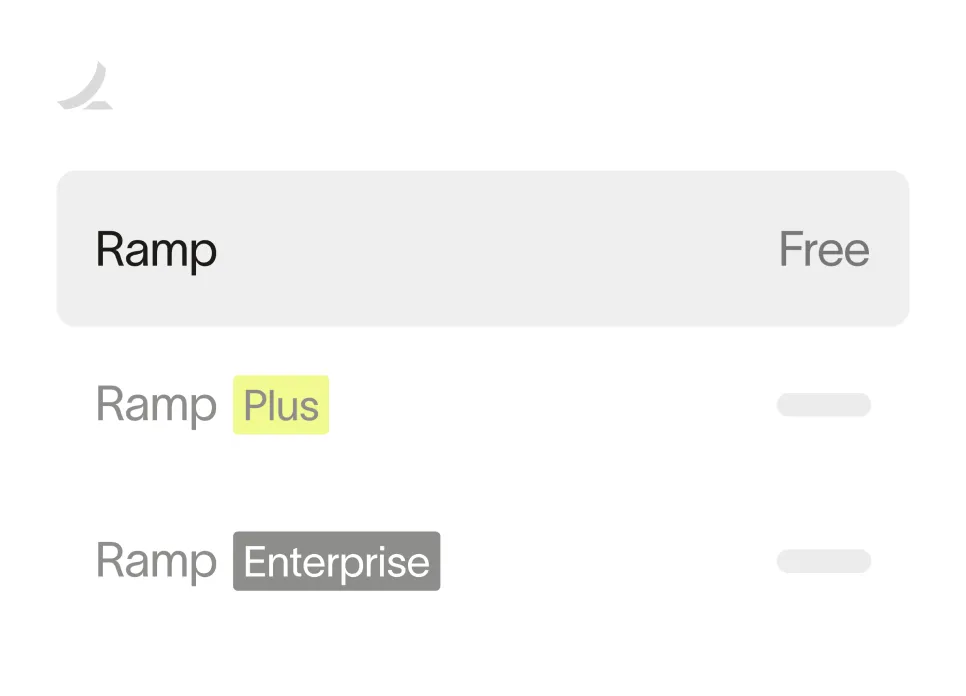
Ramp's free tier includes cards, expense management, and bill pay. The Plus tier costs $15 per user per month plus a platform fee and adds features like workflow simulation and advanced controls.
Cashback on purchases offsets some of the cost. Because Ramp consolidates multiple tools into one platform, the total cost of ownership often compares favorably to running separate systems for cards, expenses, and AP.
Ready to take control of your finances?
Learn about Ramp’s pricing plans and start saving today.
Mercury vs Rho vs Ramp: full comparison
| Capability | Mercury | Rho | Ramp |
|---|---|---|---|
| Business checking | Yes, through partner banks | Yes, FDIC-insured | Business account with interest |
| Treasury yield | Mercury Treasury | Treasury options | Business account plus investment account |
| Corporate cards | IO card | Corporate cards | Unlimited physical and virtual |
| Cashback | 1.5% on all spend | Up to 1.5% flat | Yes, on purchases |
| Card-level controls | Merchant locking, category restrictions, custom limits | Spending limits, merchant/category restrictions, approvals | Merchant, category, and vendor controls |
| Expense management | Reimbursements (5 users free, more on paid tiers) | Yes, included | Yes, with receipt matching |
| Accounts payable | Bill pay with AI extraction and approval workflows | AP automation | Yes, with two-way sync |
| Accounting integrations | QuickBooks, Xero, NetSuite | QuickBooks, Xero, NetSuite, Sage Intacct | QuickBooks, Xero, NetSuite, Sage Intacct |
| Free tier | Yes | Yes | Yes |
| Paid pricing | Tiered plans | No subscription fees | Plus: $15/user/month plus platform fee |
Which platform fits your team?
Your priority determines the right choice. The decision often comes down to whether you're starting from a banking-first or spend-management-first perspective.
If you're an early-stage startup that wants simple, clean banking with cards attached, Mercury's straightforward interface and quick setup may be a good fit. You can always add expense and AP tools later as you grow. Mercury works well when your financial operations are still simple and you don't have complex approval workflows yet.
If you want banking and spend management in one platform without juggling multiple vendors, Rho covers both. The combination of checking, treasury, cards, and AP automation appeals to teams that value consolidation. You're trading some depth of features for the convenience of having everything in one place.
If your priority is spend management with granular controls, and you want cards, expenses, AP, and accounting automation working together, Ramp covers the most ground. The platform works for teams at various stages, from startups implementing financial discipline for the first time to larger organizations automating manual processes.
See why teams are choosing Ramp
Finance teams at over 85,000 companies use Ramp to manage spend, automate expenses, and close books faster. The platform combines corporate cards, expense management, accounts payable, and accounting automation in one place.
Explore an interactive demo to see how the platform works, or browse customer stories to see how teams like yours have simplified their finance operations.


“I assumed I would have to choose between speed and control. What I found is that you can have both. A well-designed system takes friction out, for the finance function and for everyone else.”
Justin Webster
CFO, Denver Broncos

“A well-run district should not have to choose between getting work done at the school site and keeping control of the dollars behind it. We're not hiring more people to do more jobs, so we have to be smarter about the process. With Ramp, the purchase, the receipt, and the record stay together from the start. ”
Nick Brizeno
Director of Purchasing, San Marcos Unified School District

“In senior living, scale only works if the communities still feel personal. We needed the back office to carry more of the complexity, not the people serving residents. Ramp helped us build that infrastructure, so the experience in the community could stay human.”
Ryan Cole
CFO, Agemark Senior Living

“AI is moving faster than the finance context around it. Prices change, models change, and the value is not always obvious from an invoice. We needed enough detail to know which bets deserved more investment — and which ones did not.”
Greg Cooley
Controller, AngelList

“Invoices, cards, tokens. The categories change but the principle doesn't: know where the money is going, remove the work around it, and make sure the spend is worth it.”
Maciej Mylik. Finance
ElevenLabs

“We weren’t trying to retrofit an old finance system. We had a blank canvas, and Ramp gave us the foundation to build a global finance function of the future.”
Justin Dourado
Director of Finance, Othership

“There's just no surprises anymore. No more waiting two months to find out how a job did. We know how it's doing as it's happening.”
Erich Kuss
Financial Systems Manager, Infinity Home Services

“More token spend isn’t proof that AI is working. Less isn’t proof that it isn’t. What matters is whether we’re buying the right level of intelligence for the work. Ramp lets us make that judgment in the same place we manage every other type of spend.”
Cody Nutt
Senior Director of Business Systems, Daxko
