Best business checking accounts of 2026: Compare fees and features

- What business banking fees should you expect?
- How to choose the right business checking account
- Best checking account features by business type
- The top 10 business checking accounts for 2026
- Compare business checking accounts
- Your bank account shouldn't create more work
Business checking accounts aren’t all the same. Some charge fees or cap transactions. Others offer automation and flexibility that help finance teams move faster. Whether you're just starting out or growing fast, the right account can save hours and cut unnecessary costs.
This guide compares top options from major banks and modern platforms, focusing on fees, transaction limits, and overall fit.
What business banking fees should you expect?
Understanding how banks charge for everyday activity helps you avoid unnecessary costs.
Common fees to watch for
- Monthly maintenance: $0–$30 per month, unless waived by balance or activity
- Transaction fees: $0.25–$0.50 per transaction after free limits
- Wire transfers: $10–$50 per domestic or international wire
- Cash deposits: Often free up to a threshold, then per-deposit or per-dollar fees
- Overdrafts: $25–$35 per item
- Minimum balance penalties: Varies by account when balance falls below required minimum
Digital-first platforms like Ramp, Bluevine, and Mercury skip most fees—but each has tradeoffs around cash access or physical branches.
How to choose the right business checking account
The best checking account matches how your business operates. A cash-heavy business might prioritize deposit limits, while a digital team may care more about transaction caps and wire fees.
Start here:
- Estimate monthly volume: Review past activity for typical deposits, withdrawals, and transfers
- Check cash deposit needs: If you handle physical cash, review branch and ATM options, and any fees
- Evaluate branch access: Decide whether you need in-person services
- Confirm software integrations: Look for connections to your accounting, payroll, or spend tools
- Compare your short list: Once you’ve narrowed it to two or three options, compare them side by side
Fees matter, but so do customer support, usability, multi-user access, and controls if more than one person touches money.
Best checking account features by business type
Different businesses need different account features depending on transaction volume, balance, and how you operate.
| Business Type | What matters most | Potential downsides | Example match |
|---|---|---|---|
| Startup | No monthly fees, no minimums, unlimited transactions | Transaction limits or lack of integrations | Online-only, no-fee accounts |
| Small Business | Waivable fees, branch access, basic integrations | Balance requirements | Traditional bank free checking |
| Mid-Sized Team | Multi-user tools, integrations, cash management | Maintenance fees | Checking with waivable fees |
| Large Enterprise | Relationship pricing, advanced controls | Wire and service fees | Commercial checking account |
With those business types in mind, let's compare specific accounts that fit each category.
The top 10 business checking accounts for 2026
These accounts are ranked based on fees, transaction limits, cash access, and overall fit for different business types.
1. Ramp Checking Account*
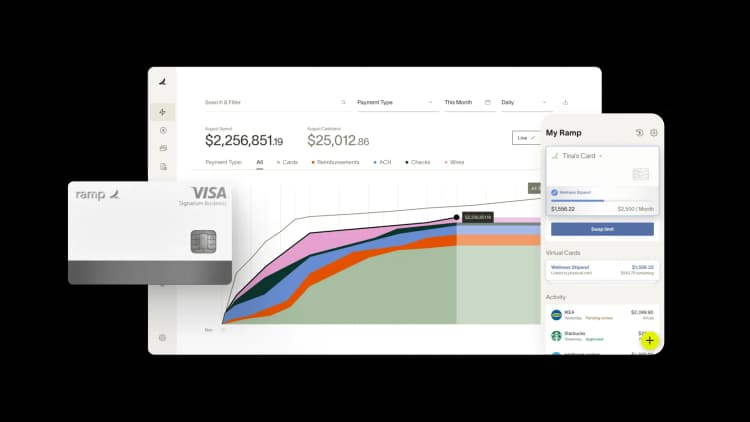
Most business bank accounts hand you a statement and leave the reconciliation to you. Ramp combines banking*, corporate cards, bill pay, and expense management in one system—and syncs every transaction to your accounting software in real time, automatically. No manual entry, no month-end reconciliation sprint.
Spend policies are enforced at the point of purchase. Approvals route according to your rules. Your books stay current as money moves.
Eligible customers earn -.--% APY1 on funds held in the Ramp Checking Account* — so your operating cash works while you spend it.
- Best for: Finance teams that want integrated spend management and banking, plus real-time spend controls, approvals, and automatic accounting.
- Watch for: Not a fit if you rely on branches or cash deposits.
2. Bluevine Business Checking
Bluevine offers three business checking tiers designed to scale with your business. The Standard plan is free with unlimited transactions, while Plus and Premier add features like higher interest rates on savings, dedicated support, and enhanced cash flow tools.
- Best for: Startups with high transaction volume that want simple, no-fee checking.
- Watch for: Cash deposits get expensive as volume grows; advanced controls cost extra.
3. Novo Business Checking
A digital checking account with integrations built for freelancers and small online businesses. Novo connects directly with popular tools like Stripe, PayPal, and QuickBooks, and offers built-in invoicing and expense tracking. The platform is designed for simplicity.
- Best for: Freelancers and solo operators who want a lightweight, no-fee account.
- Watch for: Limited wires and no cash support make scaling difficult.
4. Chase Business Complete Banking
Strong physical presence with thousands of branches nationwide makes Chase a solid choice for businesses that value in-person service. You can deposit cash, get cashier's checks, and speak with bankers face-to-face.
- Best for: Cash-heavy businesses that need in-person branch services.
- Watch for: Low transaction limits for high-volume businesses.
5. Mercury Business Checking
Mercury offers a digital-only banking platform built for startups, with multi-account support, virtual card issuance, and integrations with tools like Stripe and Gusto. The platform supports international payments in multiple currencies and is built for remote, cash-free operations.
- Best for: Venture-backed and remote teams that don't touch cash.
- Watch for: No cash deposits, no physical branches, and limited support options on the free tier.
6. Axos Basic Business Checking
Axos Basic Business Checking offers unlimited transactions with no monthly fees and reimburses all domestic ATM fees—a rare perk that gives you access to any ATM nationwide without worrying about charges.
- Best for: Businesses that want nationwide ATM access without monthly fees.
- Watch for: Outgoing wire fees unless reimbursed.
7. Bank of America Business Advantage
One of the few traditional banks with high monthly transaction limits. Bank of America also provides numerous digital tools, Zelle integration for fast payments, and access to business specialists who can help with lending, merchant services, and financial planning. The Preferred Rewards for Business program can waive fees and provide additional benefits if you maintain larger balances.
- Best for: High-volume businesses that regularly deposit cash.
- Watch for: High balance requirement and per-item fees add up.
8. Capital One Business Checking
Unlimited transactions and access to one of the largest fee-free ATM networks make Capital One a practical choice for growing businesses. The account includes free ACH transfers, mobile check deposit, and QuickBooks integration.
- Best for: Growing businesses with steady balances and frequent transactions.
- Watch for: Limited branches and higher wire fees.
9. U.S. Bank Business Essentials
A solid middle ground between digital and in-person banking. U.S. Bank provides access to both physical branches and strong digital tools, including mobile deposit, bill pay, and QuickBooks integration. The bank also offers business lending and merchant services if you need more than just checking.
- Best for: Small to mid-sized teams that need occasional branch access.
- Watch for: Only 25 free teller and paper transactions per cycle — cash-heavy or branch-dependent businesses will hit this fast.
10. NBKC Business Account
NBKC Business Account offers no monthly fees, unlimited transactions, and affordable domestic wire transfers. The digital-first bank provides mobile deposit, online bill pay, and access to an extensive MoneyPass ATM network. NBKC is ideal for businesses that operate primarily online and rarely need cash services.
- Best for: Digital-first teams with predictable activity and minimal banking needs.
- Watch for: No cash deposits and pricey international wires.
Compare business checking accounts
The table below compares baseline fees and transaction limits across popular business checking accounts side by side.
| Account | Monthly Fee | Fee Waiver Requirements | Monthly Transaction Limits |
|---|---|---|---|
| Ramp Checking Account* | None | N/A | No limits |
| Bluevine Business Checking (Standard) | $0 | N/A | No limits |
| Novo Business Checking | None | N/A | No monthly fee cap; some daily/monthly limits on ACH and checks |
| Chase Business Complete Banking | $15 | $2,000 min daily balance | 100 free non-electronic transactions/month |
| Mercury Business Checking | None | N/A | No limits |
| Axos Basic Business Checking | None | N/A | No limits |
| Bank of America Business Advantage | $16 | $5,000 combined avg. monthly balance OR $500 monthly debit spend | 200 free/month |
| Capital One Business Checking | $15 | $2,000 min balance | No limits |
| U.S. Bank Business Essentials | $0 | N/A | Unlimited digital; 25 free teller/paper per cycle |
| NBKC Business Account | None | N/A | No limits |
Note: Account details for non-Ramp financial institutions are based on publicly available information as of May 2026 and are subject to change. Some banks may offer promotional rates or limited-time fee waivers not reflected in this comparison
Your bank account shouldn't create more work
Ramp combines checking, corporate cards, bill pay, and expense management in one place — with spend policies enforced automatically and every transaction synced to your accounting software in real time.
- No monthly fees, transaction limits, or minimum balances
- Earn -.--% APY1 on eligible funds in your Ramp Checking Account*
- Same-day ACH availability for bills and reimbursements
- Real-time spend controls and approval workflows
- Automatic syncs to major accounting and ERP systems
* Ramp Business Corporation is a financial technology company and is not a bank. Bank deposit services provided by First Internet Bank of Indiana, Member FDIC.
1. Annual Percentage Yield (APY) on eligible funds in your Ramp Checking Account. Interest is paid by First Internet Bank of Indiana, Member FDIC. Rate is accurate as of 05/28/2026. The Interest rate and APY are variable and subject to change without notice. See the Business Account Addendum for more information.

FAQs
We ranked these accounts based on what matters most to you: low costs, high transaction limits, and easy access. Here's how we weighted each factor:
- Fee structure (40%): Low or no monthly fees, transparent pricing, and minimal hidden charges. We weighted permanent no-fee structures more heavily than temporary promotional offers.
- Transaction limits (20%): We ranked accounts with high or unlimited free transactions higher.
- Minimum requirements (15%): We favored accounts with low or no minimum balance requirements.
- Access and convenience (15%): We considered ATM network size, branch access, and digital tools.
- Additional features (10%): Integrations and user experience.
Yes, you can often use your SSN if you're a sole proprietor. Most banks require an EIN for LLCs and corporations.
You'll get legal separation, higher transaction limits, and business-specific features with a business account. Mixing business and personal finances can create tax headaches and liability problems for you.
You'll likely need one or two accounts. You might use multiple accounts for different purposes, like separating your operating funds from tax savings.
As your business scales, prioritize accounts with higher transaction limits, multi-user access, and accounting software integrations. Key features include ACH and wire capabilities, API connections for automated syncing, and robust approval workflows if multiple team members handle payments.


“I assumed I would have to choose between speed and control. What I found is that you can have both. A well-designed system takes friction out, for the finance function and for everyone else.”
Justin Webster
CFO, Denver Broncos

“A well-run district should not have to choose between getting work done at the school site and keeping control of the dollars behind it. We're not hiring more people to do more jobs, so we have to be smarter about the process. With Ramp, the purchase, the receipt, and the record stay together from the start. ”
Nick Brizeno
Director of Purchasing, San Marcos Unified School District

“In senior living, scale only works if the communities still feel personal. We needed the back office to carry more of the complexity, not the people serving residents. Ramp helped us build that infrastructure, so the experience in the community could stay human.”
Ryan Cole
CFO, Agemark Senior Living

“AI is moving faster than the finance context around it. Prices change, models change, and the value is not always obvious from an invoice. We needed enough detail to know which bets deserved more investment — and which ones did not.”
Greg Cooley
Controller, AngelList

“Invoices, cards, tokens. The categories change but the principle doesn't: know where the money is going, remove the work around it, and make sure the spend is worth it.”
Maciej Mylik. Finance
ElevenLabs

“We weren’t trying to retrofit an old finance system. We had a blank canvas, and Ramp gave us the foundation to build a global finance function of the future.”
Justin Dourado
Director of Finance, Othership

“There's just no surprises anymore. No more waiting two months to find out how a job did. We know how it's doing as it's happening.”
Erich Kuss
Financial Systems Manager, Infinity Home Services

“More token spend isn’t proof that AI is working. Less isn’t proof that it isn’t. What matters is whether we’re buying the right level of intelligence for the work. Ramp lets us make that judgment in the same place we manage every other type of spend.”
Cody Nutt
Senior Director of Business Systems, Daxko
