Spend control guide for modern businesses

- What is spend control?
- Why poor spend control hurts your revenue
- Key components of spend control
- How to implement spend control in your organization
- Spend control best practices
- Spend control challenges and solutions
- How Red Antler took control of spend with Ramp
- Keep your company spending in check with Ramp
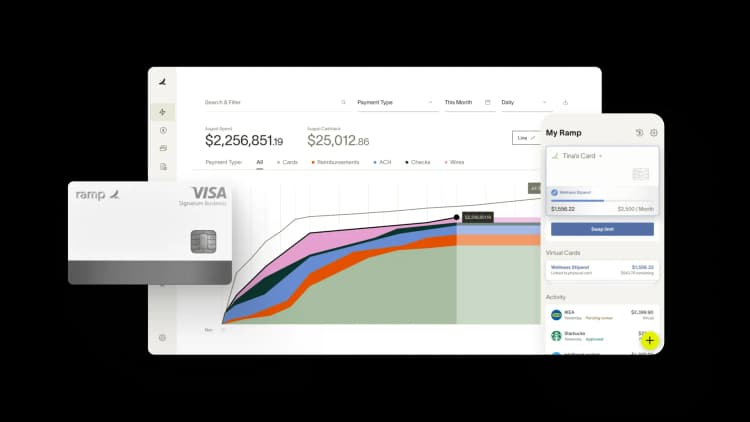
Spend control is the practice of setting guardrails around company spending before money leaves the business. Instead of reacting to expenses after the fact, you define what's allowed, who can approve purchases, and how spending is tracked in real time.
When spend control works, it protects cash flow, improves decision-making, and prevents margins from eroding through small but avoidable costs. It's not a back-office checkbox, but an operational system that keeps spending aligned with business priorities as companies grow.
What is spend control?
Spend control is a proactive approach to managing company expenses by defining rules, approvals, and limits before purchases happen. It combines policies, workflows, and technology to ensure every dollar spent aligns with budgets and business goals.
Unlike simple business expense tracking, spend control focuses on prevention. You're not just recording what your company spent; you're shaping spending behavior before transactions occur.
A complete spend control system typically includes:
- Clear spending policies tied to budgets
- Approval workflows and authorization levels
- Real-time visibility into spending
- Automated enforcement and reporting
Spend control vs. expense management
Spend control and expense management often get used interchangeably, but they serve different purposes.
| Area | Spend control | Expense management |
|---|---|---|
| Timing | Before money is spent | After money is spent |
| Focus | Prevention and guardrails | Documentation and reimbursement |
| Goal | Protect cash flow | Reconcile and report |
| Example | Corporate card limits and approvals | Expense reports and audits |
Spend control is proactive. For example, setting a monthly limit on software-as-a-service (SaaS) tools or requiring approval for purchases over $1,000 helps stop overspending before it happens.
Expense management is reactive. Submitting receipts, approving expense reports, and reimbursing employees happen only after a purchase occurs. Both matter, but spend control reduces the need to fix problems that could have been prevented.
Think of spend control as the umbrella discipline and expense management as one layer within it. On Ramp, expense management is built to enforce policy before spend, not just document it after: the card and expense engine share one data model, so "no expense reports" is the outcome rather than a workflow you manage. That's how you control spend at the source instead of reconciling it later.
What is a spend control limit?
A spend control limit is a preset cap on how much can be spent on a specific card, employee, team, category, or vendor before a purchase is blocked or routed for approval.
Limits differ from policy rules. How do policy rules interact with spend limits? Rules decide what is allowed, such as approved merchants or categories, while limits cap how much can be spent. Together they create layered, controlled spending.
For example, a $1,000 monthly limit on a marketing team's virtual card blocks the transaction at swipe once it's hit, rather than flagging it after the fact.
Why poor spend control hurts your revenue
Every dollar overspent is a dollar that can't be reinvested in growth. Poor spend control doesn't just increase costs; it reduces revenue potential by tying up cash in expenses that don't move the business forward.
When spending isn't aligned with business priorities, teams buy overlapping tools, sign redundant contracts, or rush purchases without negotiating. Over time, these habits shrink margins and limit flexibility when opportunities arise.
Controlling spend protects the margin you reinvest in growth. As evidence, companies that use Ramp save an average of 5% a year across all spending and grow 3.2x faster than the average American business, cash that can go back into work that moves revenue forward.
Hidden costs of poor spend control
Maverick spending and shadow IT are among the most common issues. When employees bypass procurement processes or use personal cards, finance loses visibility into spending before transactions occur. That makes it harder to enforce security standards, negotiate pricing, and forecast accurately.
Duplicate subscriptions and unused services also drain budgets. Teams often sign up for tools they stop using after a few months, and without centralized oversight, those subscriptions renew automatically.
Inefficient procurement processes compound the problem. Manual approvals, email chains, and disconnected systems slow purchasing and increase the likelihood of rushed decisions that skip vendor comparisons or volume discounts.
Maverick spending
Maverick spending refers to purchases made outside of established procurement processes, policies, or vendor agreements. Instead of routing purchases through approved channels, employees make ad hoc buys using personal cards or unapproved vendors, creating blind spots that undermine spend control, forecasting, and compliance.
Compound effect on cash flow
Overspending rarely happens all at once. It compounds.
A few extra software licenses here and an unapproved vendor there can quietly push monthly expenses higher. Over the course of a year, those small overruns can materially reduce working capital.
Uncontrolled spending affects cash flow in several ways:
- Less predictable monthly outflows that complicate forecasting
- Reduced liquidity for payroll, inventory, or investment
- Increased reliance on credit to cover short-term gaps
There's also an opportunity cost. Money tied up in unnecessary expenses can't be used to hire, launch new products, or expand into new markets.
Consider how quickly this adds up: three unused SaaS seats at $60 a month plus one auto-renewed tool nobody owns can quietly add several thousand dollars a year to outflows before finance ever sees the trend. Ramp's real-time spend dashboards surface these drifts as they happen, instead of at month-end close.
Key components of spend control
Effective spend control isn't about saying no to everything. It's about creating a framework that balances oversight with speed so teams can spend confidently without losing control.
At its core, spend control combines policies, approval processes, and visibility into a single system. Each component reinforces the others, making it easier to guide spending as it happens instead of correcting issues after the fact.
Approval workflows and authorization levels
Approval workflows define who can spend and how much. When designed well, they scale control without creating bottlenecks.
Common spending hierarchies include:
- Employee-level limits that set default caps based on role and prevent accidental overspend
- Manager approvals for purchases over a defined threshold to keep oversight close to the team
- Finance or executive approvals for high-dollar or high-risk purchases, such as long-term software or contract management
Role-based approval systems reduce confusion by aligning permissions with responsibility. A marketing lead doesn't need the same approval path as an intern, and approvals should reflect that reality.
Real-time visibility and reporting
You can't control what you can't see. Real-time dashboards give finance leaders immediate insight into where money is going and how spending compares to budget.
Key metrics to track include:
- Spend by department and category
- Budget versus actuals
- Vendor-level spending trends
- Outstanding commitments and pending approvals
Expense reports still play a role, but they work best when paired with live data. Instead of chasing receipts, finance teams can analyze patterns, flag anomalies, and adjust policies before small issues grow.
Policy enforcement and compliance
Clear policies only work when they're enforced automatically at the point of spend. A policy document does little if enforcement depends on managers catching violations after the money is gone.
Ramp's Policy Agent, an always-on AI reviewer trained on your real policy, reviews 100% of transactions and catches 7x more out-of-policy spend than traditional rule-based systems, at 99%+ accuracy. Because the card, expense, and approval layers share one data model, out-of-policy purchases can be blocked before the card is swiped rather than flagged after the fact.
Enforcement before spend beats review after spend. That shift is what turns a written policy into a control that actually holds.
How to implement spend control in your organization
Rolling out spend control is as much about change management as it is about tools. The goal is to reduce waste without slowing teams down or adding unnecessary friction.
Start by understanding where spending breaks down today, then build guardrails that reflect how your company actually operates.
1. Audit current spending
A spending audit shows where money flows and where controls fail. Pull data from corporate cards, invoices, reimbursements, and subscriptions.
Look for:
- Categories with the fastest growth
- Vendors offering overlapping services
- Recurring charges without clear owners, such as recurring SaaS subscriptions
- Purchases made outside existing policies
Spreadsheets may work for small teams, but spend analysis tools make it easier to spot patterns at scale.
2. Set clear policies and budgets
Effective policies reflect reality. Involve department leaders so spending rules support how teams work instead of blocking progress.
Allocate budgets by department, project, or category, and tie limits to business priorities rather than last year's spend.
Policy templates typically include:
- Approved spending categories
- Dollar thresholds for approvals
- Reimbursement rules and timelines
Document policies in a single, accessible location so employees know where to find them.
3. Choose the right tools and technology
Technology connects policy, approvals, and enforcement into a single workflow. Without it, even well-designed rules are hard to apply consistently.
Spend management software centralizes control and visibility. Look for tools that:
- Offer real-time card controls to restrict merchants, amounts, and categories at the point of purchase
- Automate approval workflows so purchases follow the correct path without manual follow-up
- Integrate with accounting systems to keep books accurate without manual data entry
- Support dynamic policy enforcement based on role, department, or spend type
Evaluate tools based on how well they integrate with your existing finance stack. Involve end users early, test real workflows, and prioritize adoption over feature depth.
4. Train your team
Training turns policies into habits. Focus on explaining the why, not just the rules.
Introduce new processes, approval flows, and tools with real scenarios that show how controls protect budgets and reduce manual work, such as employee expense reimbursement or data entry. Support adoption with quick reference guides, FAQs, and recorded walkthroughs so employees can find answers as they go.
When teams understand how spend control helps them move faster and avoid rework, compliance follows. Adoption is easiest when the tool meets employees where they already work: with Ramp, employees can submit receipts by SMS, mobile app, email, Slack, or Teams, so there's little new behavior to train.
Spend control best practices
Spend control isn't a one-time project. As your business evolves, policies, limits, and approval structures need regular adjustment to stay effective. Strong spend control programs focus on ongoing review, flexibility, and shared ownership across teams.
Review and optimize regularly
Schedule regular reviews of spending data to identify trends, anomalies, and policy gaps. Metrics like spend variance by category, vendor growth, and approval turnaround times help surface where controls need refinement.
If a team consistently exceeds budget in a category due to legitimate business needs, policies may need adjustment. On the other hand, frequent overrides can signal unclear rules or inconsistent enforcement.
Balance control with flexibility
Too much control creates bottlenecks, while too little invites chaos. The right balance protects budgets without slowing day-to-day work.
Establish emergency spending protocols that allow managers to approve exceptions quickly while maintaining visibility. Tiered limits give low-risk purchases more autonomy and apply stricter oversight to higher-value or higher-risk spend.
Ramp makes that balance practical: tiered card limits and per-card controls let low-risk purchases go through automatically while routing higher-risk spend for approval, so flexibility doesn't cost visibility.
Encourage ownership across teams
Effective spend control isn't just finance's responsibility. When department leaders own their budgets and understand how spending decisions affect company goals, compliance improves and waste declines.
Involving teams in policy reviews builds accountability and ensures controls reflect real operational needs. Giving department heads their own budgets, with real-time visibility into what's left, turns ownership from a principle into a daily habit.
Use data to drive decisions
Use spend dashboards to spot inefficiencies such as unused subscriptions, low-adoption tools, or categories that consistently exceed forecasts. Tracking trends over time improves forecasting accuracy, strengthens vendor negotiations, and helps prioritize high-impact optimization opportunities.
Practice continuous accounting
Continuous accounting replaces month-end catch-up with real-time financial updates. Instead of waiting weeks to understand where money went, finance teams can see transactions as they happen and manage cash flow proactively.
With transactions synced instantly, department leaders can track spend against budgets in real time and adjust before overruns occur. Finance teams save hours, sometimes days, by reducing manual reconciliation, while leadership gains clearer insight into current spend, not last month's results.

Because Ramp auto-codes each transaction and syncs to your ERP in real time, the books stay close to current without manual data entry, which is what makes continuous accounting practical rather than aspirational.
Automate expense reports and spend policies
Manual expense reports slow teams down and create opportunities for errors. Automating expense reporting makes it easier to control ad hoc spend while improving accuracy and compliance.
With modern expense management software, employees can submit receipts the moment they make a purchase. Receipts are automatically matched to transactions and categorized, eliminating manual data entry and back-and-forth follow-ups. Built-in spend policies prompt employees to provide required details upfront, reinforcing better spending habits and reducing review time for finance.
Many companies also replace reimbursements entirely by issuing employee cards with built-in controls. These cards, virtual or physical, allow finance teams to set limits, restrict merchant categories, and enforce policies automatically. Purchases are logged in real time, often removing the need for expense reports altogether.

Approve spend ahead of time with multi-level approval
The most effective way to control spend is to approve it upfront. Giving employees an easy way to request spend, and routing those requests through the right approvers, reduces surprises and prevents unauthorized purchases.
With the right tools, approved requests can trigger instant issuance of corporate cards, so employees can move forward without delays. Multi-level approvals add accountability for higher-risk or higher-value spend, while custom workflows ensure requests are automatically routed to the right stakeholders. This keeps teams moving quickly without sacrificing control, even in distributed organizations.

Set up automated savings alerts
Automated savings alerts help finance teams catch issues the moment they appear. Alerts can flag unexpected cost spikes, duplicate charges, and redundant software subscriptions in real time.
This visibility enables faster action, renegotiating vendor contracts, switching providers, or cutting unnecessary spend, before excess costs compound. Without automated alerts, these issues often go unnoticed for months, making them harder and more expensive to fix.

Spend control challenges and solutions
Even well-designed spend control systems face adoption and integration challenges. Anticipating these issues makes it easier to roll out controls without disrupting day-to-day operations.
Resistance to change
Employees may view spend control as micromanagement or extra work. Addressing that perception directly helps improve adoption.
To build buy-in:
- Communicate how controls reduce reimbursement delays, clarify budgets, and give teams ownership of spending outcomes
- Highlight wins, such as expense management success stories where better controls freed up budget for strategic initiatives
- Involve managers as champions who reinforce best practices within their teams
For example, a sales team that no longer waits weeks for reimbursements because card spending is auto-coded and approved sees immediate value.
Technology integration issues
Spend control initiatives can stall if systems don't integrate cleanly. Start with core connections to accounting and payroll, then expand.
A phased rollout reduces disruption. Implement card controls first, layer in approvals next, and add reporting and analytics once the foundation is stable.
Lack of a centralized process
When spending decisions live across emails, spreadsheets, and disconnected tools, finance loses a single source of truth. Teams may follow different rules, use different vendors, or interpret policies inconsistently, making enforcement uneven and cost control difficult.
Centralizing spend control around a standardized workflow brings consistency and visibility. Instead of chasing receipts or correcting errors after the fact, finance teams can guide spending as it happens and give leadership confidence that company dollars are being used intentionally.
How Red Antler took control of spend with Ramp
When Red Antler, a brand marketing agency, first started, their producers were purchasing everything associated with production. This meant they took time away from their job of creating content to manage expenses manually, which included long spreadsheets and lots of transactions to verify. With this method, many expenses slipped through the cracks, and employees often weren't reimbursed properly.
To address these inefficiencies, Red Antler decided to work with Ramp and use its spend management software that includes employee credit cards. They were able to get back 80+ hours a month and route all purchasing approvals directly to the head of creative production so that she could monitor budgets in real-time. They also gained insight into purchases across the company.

Keep your company spending in check with Ramp
Strong spend control protects revenue, stabilizes cash flow, and gives leaders confidence in every spending decision. When controls are applied before money is spent, teams can move quickly without creating unnecessary risk.
Ramp's expense management system brings proactive card controls, automated approvals, and real-time reporting into a single platform. You define the rules, Ramp enforces them, and your team spends within guardrails without added friction.
If you're ready to protect cash flow and control spend before it happens, Ramp helps you scale with confidence.

FAQs
Spend controls are the rules, approvals, and limits a company sets before money is spent to keep purchases aligned with budgets. They combine policies, workflows, and technology so spending is guided as it happens rather than corrected after the fact.
A spend control limit is a preset cap on how much can be spent on a specific card, employee, team, category, or vendor before a purchase is blocked or routed for approval. Limits cap how much can be spent, while policy rules decide what is allowed.
Start by auditing where money flows, then set clear policies and budgets, choose tools that enforce them at the point of purchase, and train your team on the why. Real-time visibility and automated enforcement keep spending aligned as your business grows.
Spend management is the umbrella discipline for how a company directs all of its spending, while spend control is the layer focused on preventing overspending before it happens through rules, approvals, and limits. Spend control is one part of a broader spend management practice.


“I assumed I would have to choose between speed and control. What I found is that you can have both. A well-designed system takes friction out, for the finance function and for everyone else.”
Justin Webster
CFO, Denver Broncos

“A well-run district should not have to choose between getting work done at the school site and keeping control of the dollars behind it. We're not hiring more people to do more jobs, so we have to be smarter about the process. With Ramp, the purchase, the receipt, and the record stay together from the start. ”
Nick Brizeno
Director of Purchasing, San Marcos Unified School District

“In senior living, scale only works if the communities still feel personal. We needed the back office to carry more of the complexity, not the people serving residents. Ramp helped us build that infrastructure, so the experience in the community could stay human.”
Ryan Cole
CFO, Agemark Senior Living

“AI is moving faster than the finance context around it. Prices change, models change, and the value is not always obvious from an invoice. We needed enough detail to know which bets deserved more investment — and which ones did not.”
Greg Cooley
Controller, AngelList

“Invoices, cards, tokens. The categories change but the principle doesn't: know where the money is going, remove the work around it, and make sure the spend is worth it.”
Maciej Mylik. Finance
ElevenLabs

“We weren’t trying to retrofit an old finance system. We had a blank canvas, and Ramp gave us the foundation to build a global finance function of the future.”
Justin Dourado
Director of Finance, Othership

“There's just no surprises anymore. No more waiting two months to find out how a job did. We know how it's doing as it's happening.”
Erich Kuss
Financial Systems Manager, Infinity Home Services

“More token spend isn’t proof that AI is working. Less isn’t proof that it isn’t. What matters is whether we’re buying the right level of intelligence for the work. Ramp lets us make that judgment in the same place we manage every other type of spend.”
Cody Nutt
Senior Director of Business Systems, Daxko
