
- What to look for in invoice approval software
- Invoice approval workflows: Ramp, Stampli, BILL, and Tipalti compared
- Ramp
- Stampli
- BILL
- Tipalti
- Which platform fits your team?
- See why finance teams choose Ramp for invoice approvals
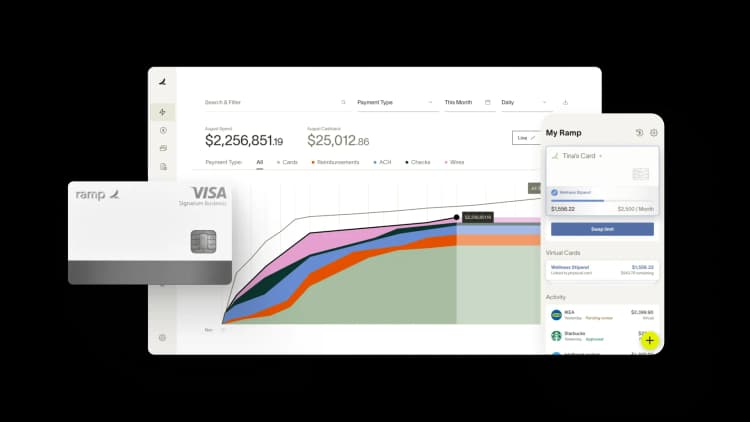
Invoice approval workflows are one of the biggest sources of AP bottlenecks, and most teams are still running them through tools that weren't built for the job. An invoice arrives, someone forwards it over email, and it sits in an inbox for 3 days. By the time you approve it, the early-payment discount window has closed.
The best platforms approach this problem in very different ways, and the right one for you depends on how your team actually works. Some center the entire product around the invoice. Others treat approval routing as one feature inside a broader spend management system, where the same rules apply to cards, expense reports, and vendor invoices.
What to look for in invoice approval software
Routing logic that matches how your team actually approves. You probably don't route all invoices the same way. A $300 software renewal routes differently than a $40,000 vendor contract. Look for platforms where you can set approval tiers by amount, cost center, department, vendor, and GL code without needing outside help to configure it. The closer the routing logic matches your actual policy, the less time your AP team spends handling edge cases by hand.
Exception handling that doesn't land everything in a manual queue. When an invoice doesn't match a PO, exceeds a threshold, or comes from a new vendor, it should trigger a specific workflow, not disappear into a generic inbox. The best platforms let you define what counts as an exception and exactly what happens next. Without this, exceptions create the same bottlenecks you were trying to automate away.
Audit trail attached to the invoice, not to a separate system. You need a record of who approved what, when, and why, to live alongside the invoice itself. If your platform logs approval history in a separate feed or exports it to a spreadsheet, you're creating extra reconciliation work and making it harder to answer auditor questions.
Accounting sync that closes automatically. A two-way sync with your GL codes and reconciles every approved invoice automatically, no manual export step needed. One-way syncs push data out but don't pull reconciliation status back in, so you're still doing manual work at month-end close.
Escalation and delegation when approvers are unavailable. Without automatic escalation and temporary delegation, one person's vacation can freeze your entire AP process.
Invoice approval workflows: Ramp, Stampli, BILL, and Tipalti compared
These four platforms take meaningfully different approaches to invoice approvals.
| Feature | Ramp | Stampli | BILL | Tipalti |
|---|---|---|---|---|
| Configurable approval routing | Yes | Yes | Yes | Yes |
| Routing by amount, department, and vendor | Yes | Yes | Yes | Yes |
| AI coding suggestions | Yes | Yes | Yes | Yes |
| Invoice-attached audit trail | Yes | Yes | Yes | Yes |
| Automatic escalation for overdue approvals | Yes | Yes | No | Yes |
| Exception workflow configuration | Yes | Yes | No | Yes |
| Two-way accounting sync | Yes | Yes | Yes | Yes |
| Card and expense management included | Yes | Yes (AP and expense cards) | No (separate product) | Yes (separate modules) |
| International payments | Yes | Yes | Yes | Yes (200+ countries) |
| Pricing | Free | Custom | Custom | From $99/month + transaction fees |
| Free to use | Yes | No | No | No |
| Best for | Managing AP alongside card spend and expenses on one platform | High invoice volume with complex multi-department approval workflows | Reliable standalone AP at lower cost and complexity | Significant global payment volume, multi-currency invoices, or compliance-intensive payee relationships |
Ramp
The thing that separates Ramp's accounts payable software from standalone AP tools isn't the routing logic. It's the context. When you review an invoice from a vendor you've paid for 2 years, you can see the full payment history, existing card spend, and open contracts in the same view. That context matters most when you're approving a renewal invoice and trying to remember whether you're actually still using the software.
You can configure approval routing by amount, department, cost center, and vendor. If an invoice sits unreviewed too long, it escalates automatically. Approvers can approve from email or mobile without logging in. Approved invoices sync two-way with QuickBooks, NetSuite, Sage Intacct, and other major accounting systems, coding and reconciling every payment without a manual export step.
If you're managing both card spend and AP, the consolidation makes a real difference. A vendor you pay partly by invoice and partly by company card shows up once in the vendor record, with a complete payment history across both. If you're currently reconciling AP and card spend in separate systems at month-end, that's where you'll save the most time.
Stampli
Stampli makes the invoice the center of everything. Instead of routing invoice data into a separate approval system, Stampli keeps approvers, coding suggestions, comments, and the full approval history attached to the invoice itself. When an exception comes up or an auditor asks a question months later, the record is right on the invoice. It's not buried in an email thread or a separate activity log.
Billy, Stampli's AI assistant, suggests GL codes and predicts the right approvers based on how you've routed invoices in the past. It gets more accurate over time as it learns from your team's coding and routing decisions. The approval routing supports multi-level workflows and cost center routing out of the box, no custom setup needed.
Stampli also offers AP Cards and Expense Cards, which work within the procure-to-pay workflow rather than as a standalone card program. AP Cards are tied to approved purchase requests. Expense Cards handle employee reimbursements with configurable limits.
Stampli supports international payments with built-in FX tools. Stampli doesn't go as deep on global payment compliance or mass payee onboarding, that's where Tipalti is purpose-built.
BILL
BILL is what most mid-market AP teams default to, and the reasons are straightforward: it's mature, it works, and it doesn't require a long implementation. AI-powered invoice capture pulls vendor, amount, and line items from PDFs. The approval routing handles multi-level sign-off with automatic reminders. International payments reach 130+ countries via local transfer, wire, and card, enough to handle most vendor payment scenarios without adding a second tool.
The limitations show up at the edges. When invoices don't follow expected patterns, unusual cost center splits, approvers outside the standard hierarchy, or complex exceptions, BILL requires more manual work than platforms built for those scenarios.
BILL Spend & Expense is a separate product from the core AP platform. If you want card and expense management alongside AP, you can use both, but they're distinct products with separate interfaces. That's not a dealbreaker if you're comfortable running parallel systems, but it's worth knowing before you commit.
Tipalti
Most AP automation tools started with domestic payments and added international support later. Tipalti went the other direction. The platform handles payments in 200+ countries and territories, 120 currencies, and 50+ payment methods. Tipalti built its approval workflow around that complexity.
Payee onboarding is self-service, vendors enter their own banking details and tax forms (W-9, W-8BEN). If you're managing dozens or hundreds of international payees, that cuts out a lot of manual work.
Tipalti's approval routing uses AI to predict approvers and route invoices automatically based on how you've handled similar invoices before. Tipalti built its compliance and audit infrastructure for enterprise-scale needs like SOX compliance, multi-entity reporting, and regulatory requirements across jurisdictions.
Tipalti costs more and takes longer to implement than mid-market AP tools, and it's built for teams with high-volume global payments. If your AP is mostly domestic and straightforward, you're paying for infrastructure you won't use. Tipalti offers cards and expense management as separate modules rather than integrating them into the core workflow.
Which platform fits your team?
The right platform depends on your biggest AP pain point.
If your biggest AP challenge is high invoice volume and complex approvals, Stampli’s invoice-first design handles them cleanly. The product is purpose-built for the approval workflow, and having approval history attached directly to each invoice makes compliance much easier.
If you're paying contractors or suppliers in multiple countries and currencies, Tipalti handles the compliance and payment infrastructure that domestic AP tools don't. The setup takes longer, but it pays off quickly when you're managing cross-border payments in volume.
If you need a reliable domestic AP with a straightforward approval workflow and no broader platform commitment, BILL gets the job done at a lower cost and with less complexity.
If your AP challenge is connected to a broader spend visibility problem, Ramp consolidates those workflows. Employees using corporate credit cards with the same vendors you pay by invoice? Expense reports running through a separate system? Ramp brings it all together. The same vendor record covers card transactions and invoice payments. Approved invoices sync directly to your accounting system in the same workflow that handles the rest of your close.
See why finance teams choose Ramp for invoice approvals
You can handle invoice approvals alongside cards and expenses on one platform with Ramp, so the context you need to approve an invoice is in the same place as the approval itself. If you're spending time reconciling AP, card spend, and expense reports across separate systems, consolidating them into one close process is where you'll save the most time.


“I assumed I would have to choose between speed and control. What I found is that you can have both. A well-designed system takes friction out, for the finance function and for everyone else.”
Justin Webster
CFO, Denver Broncos

“A well-run district should not have to choose between getting work done at the school site and keeping control of the dollars behind it. We're not hiring more people to do more jobs, so we have to be smarter about the process. With Ramp, the purchase, the receipt, and the record stay together from the start. ”
Nick Brizeno
Director of Purchasing, San Marcos Unified School District

“In senior living, scale only works if the communities still feel personal. We needed the back office to carry more of the complexity, not the people serving residents. Ramp helped us build that infrastructure, so the experience in the community could stay human.”
Ryan Cole
CFO, Agemark Senior Living

“AI is moving faster than the finance context around it. Prices change, models change, and the value is not always obvious from an invoice. We needed enough detail to know which bets deserved more investment — and which ones did not.”
Greg Cooley
Controller, AngelList

“Invoices, cards, tokens. The categories change but the principle doesn't: know where the money is going, remove the work around it, and make sure the spend is worth it.”
Maciej Mylik. Finance
ElevenLabs

“We weren’t trying to retrofit an old finance system. We had a blank canvas, and Ramp gave us the foundation to build a global finance function of the future.”
Justin Dourado
Director of Finance, Othership

“There's just no surprises anymore. No more waiting two months to find out how a job did. We know how it's doing as it's happening.”
Erich Kuss
Financial Systems Manager, Infinity Home Services

“More token spend isn’t proof that AI is working. Less isn’t proof that it isn’t. What matters is whether we’re buying the right level of intelligence for the work. Ramp lets us make that judgment in the same place we manage every other type of spend.”
Cody Nutt
Senior Director of Business Systems, Daxko
