How to apply for a business credit card in 5 steps

- Can you qualify for a business credit card?
- What you need to apply
- How issuers evaluate your application
- How to apply for a business credit card
- What to do if your application is denied
- Common mistakes to avoid when applying
- How to choose the right business credit card for your company
- Traditional business credit cards vs. corporate cards
- Why companies are choosing Ramp for business spending
AI Summary
A business credit card makes it easier to separate personal and company spending, manage cash flow, and keep your team's purchases organized. Applying is usually straightforward once you know what to prepare and what issuers look for.
You apply for a business credit card online through the issuer, and sole proprietors, freelancers, LLCs, and startups can all be eligible. For example, a freelance designer can apply with a Social Security number, while a new LLC can apply with its EIN.
To get a business credit card, follow these five steps:
- Check your credit
- Choose a card
- Gather your details
- Apply
- Set up your account
Here's what you need to know about qualifying, gathering your information, and choosing the right card for your business.
Note: The cashback percentages, limits, fees, and other figures mentioned in this article are for illustrative purposes only. They do not represent guaranteed or expected rates. Actual terms, credit limits, rewards, and approval criteria vary by card issuer and may change at any time. Readers should verify current details directly with each issuer before applying.
Can you qualify for a business credit card?
You don't need to run a large company to qualify for a business credit card. Sole proprietors, freelancers, independent contractors, LLCs, corporations, and startups can all be eligible to apply.
Issuers typically review three things:
- Who you are: Your legal name, contact information, date of birth, and tax identification details
- How your business operates: Your business name, structure, address, industry, time in business, and number of employees
- Your ability to repay: Your personal credit history, business revenue, cash flow, and bank information
Each issuer weighs these factors differently, so it's worth checking specific requirements before you apply. Traditional business cards often look at your personal credit and may require a personal guarantee. Some corporate cards, like Ramp, don't require a personal guarantee or personal credit check.
What you need to apply
Having this information ready can speed up your application and help you avoid delays:
Personal details
- Legal name and home address
- Date of birth and contact information
- Social Security number or Individual Taxpayer Identification Number, when required
- Personal income, if requested
Business details
- Legal business name and any DBA name
- Business address, phone number, and email
- Business structure, such as sole proprietorship, LLC, partnership, or corporation
- Industry, time in business, and number of employees
- Employer identification number, or your Social Security number if you operate as a sole proprietor
Financial and ownership details
- Annual business revenue and expected monthly spend
- Business bank account information or recent statements, if requested
- Ownership information for people with a meaningful ownership stake
- Supporting documents, such as formation documents or tax records, if the issuer asks for them
No personal guarantee, no credit check
How issuers evaluate your application
Issuers weigh three things: your personal credit, your business's financial picture, and whether you'll personally guarantee the debt. How hard approval is depends on how well your application lines up with each one.
When you apply for a business credit card, the issuer uses these factors to decide whether to approve you and how much credit to extend. Many traditional business credit cards for small business owners weigh the first and third heavily:
- Personal credit: Traditional issuers check your personal credit history to see how you've handled debt in the past.
- Business finances: Issuers look at your revenue, cash flow, and bank balance to judge how much your business can repay.
- Personal guarantee: You agree to repay the debt yourself if the business can't, so you're personally on the hook.
A personal guarantee is common with traditional cards, and many top small business cards require your SSN and a personal guarantee. Some corporate cards don't require one.
For example, say a 2-year-old LLC has steady monthly deposits, but its owner has a short credit history. A traditional card that leans on personal credit may still approve the application, but with a lower limit than the business's cash flow could support.
What if your business is new?
Being new doesn't disqualify you. If you're a freelancer, independent contractor, or new business owner, just report your current business activity and income accurately. If you're a sole proprietor without a separate EIN, you can typically apply using your own name and Social Security number.
If your business is relatively new, focus on what you can document: consistent revenue, a business bank account, clear records, and a realistic spending estimate. It may be useful to compare business credit cards for startups.
Discover Ramp's corporate card for modern finance
How to apply for a business credit card
You can apply for a business credit card online, and decision times vary by issuer.
1. Check your personal credit
Many traditional issuers pull your personal credit report as part of the application. Your score directly affects whether you're approved and how much credit you get.
If your personal credit score isn't strong enough for a traditional card, some providers take a different approach. Some corporate cards, like Ramp, don't run a personal credit check.
Checking your score first helps you apply for cards you're likely to get approved for and avoid hard inquiries that could temporarily lower your score. You can get free weekly credit reports from all three bureaus at AnnualCreditReport.com, and many card issuers and banks show your score for free.
Scan each report for errors before you apply, since mistakes can drag down your approval odds. For example, if you find an old account wrongly reported as late, you can dispute it now instead of after a denial.
2. Choose the right card
Start by reviewing your top spending categories from the past year. If your team spends heavily on travel, look for cards with travel rewards and no foreign transaction fees. If most of your spending goes toward software subscriptions, office supplies, or online advertising, a flat-rate cashback card may deliver more consistent value.
Think about which card type matches how you actually spend and manage cash flow. Cashback cards return a percentage on every purchase, while travel rewards cards offer points toward flights and hotels. If you're planning a large purchase and want to spread out payments, a 0% intro APR card could help. You'll get more value by matching the card to your actual spending patterns than by chasing the highest rewards rate.
You'll also want to decide whether you need a traditional bank card or a modern card that handles expense management too. Major banks have well-known card programs. Modern providers like Ramp go further by combining spending controls, receipt capture, and accounting automation in one place. The real question: Do you want a card that just processes payments, or one that also manages your expenses?
3. Gather the required information
Have these ready before you start:
- Business bank account information, like routing number, account number, and recent statements
- Ownership information, including details for anyone who owns 25% or more of the business
- Government-issued ID for yourself and any other business owners
4. Submit your application
You can complete most business credit card applications on the issuer's website:
- Go to the card issuer's website
- Complete the online form with your business details
- Double-check all information for accuracy
- Submit your application
Make sure to fill out all sections completely to avoid unnecessary delays in processing.
5. Get approved and set up your account
After approval, you can set up your account features:
- Generate virtual cards for immediate use or team distribution
- Connect your accounting software for automatic expense sync
- Set spending limits and approval workflows for employees
- Configure receipt capture and categorization settings
With modern cards, you can start using virtual cards right after approval.
How long does approval take?
Approval timing depends on the issuer and on how complete your application is. These factors usually decide whether your application moves quickly or stalls:
- Incomplete or mismatched details: Missing fields or a business name that doesn't match your records can send your application back for review.
- Identity and ownership verification: Issuers confirm who you are and who owns the business before they make a decision.
- Manual underwriting review: Some applications need a human underwriter, which takes longer than an automated decision.
For example, if the EIN on your form doesn't match your IRS confirmation letter, your application may sit in manual review until you send documents.
Ramp lets you issue unlimited virtual cards to your team once your account is set up. Ramp corporate card applications are approved in fewer than 48 hours.
Maximize your card's value
Once your account is active:
- Review your card's specific benefits and rewards structure
- Set up automatic payment aligned with your billing cycles
- Create expense policies aligned with your business needs
- Take advantage of expense tracking features to monitor costs
Some cards help you identify cost-saving opportunities through vendor comparisons, subscription management, and contract renewal alerts. Focus on using these tools to optimize your spending rather than just earning rewards.
What to do if your application is denied
A denial isn't final. The issuer must tell you its decision, and you have the right to request the specific reasons under Regulation B's notification rules.
Use those reasons to plan your next move:
- Request and read the reasons: Ask the issuer why it declined you, then note which reasons you can fix now.
- Fix the cause: Correct mismatched business details, gather any missing documents, and dispute errors on your credit report.
- Consider a different card type: A secured business card asks you to put down cash as collateral. A corporate card like Ramp doesn't require a personal credit check or personal guarantee.
For example, if the issuer cites incomplete documentation, you can send your formation documents and recent bank statements with your next application. If your personal credit is the sticking point, see how to get a business credit card with bad personal credit.
Common mistakes to avoid when applying
A few simple errors can slow down your application or lead to an unnecessary denial:
- Mismatched business details: Double-check that your business name, address, and EIN match across your application, bank accounts, and official records.
- Underestimating your monthly spend: Use a realistic estimate so the card and any resulting limit fit your actual needs.
- Applying to too many cards at once: Each application may result in a hard credit inquiry depending on the issuer and product, which temporarily lowers your score. Do your research and apply for your top choice first.
How to choose the right business credit card for your company
The best card depends on how your company spends, pays, and grows.
Match the card to your spending
If your business spends heavily on travel, software, advertising, supplies, or vendor payments, look for a card whose rewards and controls align with those categories. A flat-rate rewards card can be easier to manage for companies with spending spread across many categories.
Consider more than rewards
A high rewards rate does not always mean the card is the best fit. Compare fees, payment terms, credit or spending limits, customer support, and the cost of managing expenses manually.
Evaluate employee-card and accounting needs
If several employees need to spend on behalf of the business, look for controls that make it easy to set limits, restrict merchant categories, issue virtual cards, and collect receipts. Integrations with your accounting tools can also reduce manual work at month-end.
Choose for the next stage, not just today
A card should still work as your company adds employees, vendors, and new spending categories. Consider whether the issuer can support more users, stronger controls, and more complex workflows as the business grows.
Traditional business credit cards vs. corporate cards
Traditional business credit cards work well if you want a straightforward card with rewards and flexibility for everyday purchases. Your eligibility and terms often depend on your personal credit, and some cards require a personal guarantee.
Corporate credit cards give you a single platform to manage employee spending, set controls, collect receipts, and automate accounting. Eligibility and payment terms are often different from traditional cards, so compare them carefully before you apply.
| Traditional business credit card | Corporate card | |
|---|---|---|
| How you repay | Often lets you carry a balance and pay interest | May require paying the full balance each statement period |
| Personal credit check | Often required | May not be required |
| Personal guarantee | May be required | May not be required |
| Employee cards and controls | May offer employee cards with basic limits | Usually built for employee cards with per-card spend controls |
| Accounting integration | May rely on manual exports | Often syncs with accounting software |
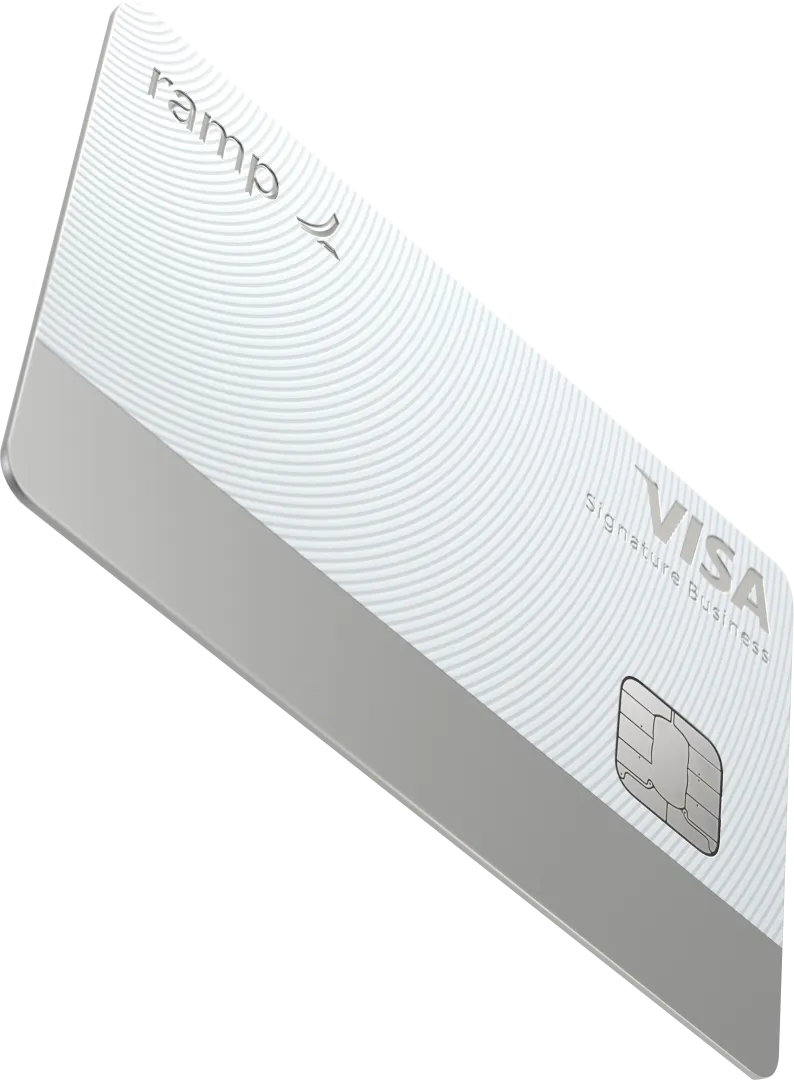
The Ramp Corporate Card is a Visa-backed charge card. Balances auto-debit from your business bank account each statement period, with no interest, no APR, no personal guarantee, and no personal credit check.
The difference shows up fast as your team grows. For example, a 40-person company that issues cards to every team lead can set merchant limits on each card instead of reconciling one shared card. For the full range of options, read more about the types of business credit cards.
Why companies are choosing Ramp for business spending
Ramp is a corporate card and finance platform that helps your finance team cut manual work, find savings, and close the books faster. Expense management, accounting automation, and spending controls all live in one place.
You get automated expense reviews, fraud detection, and real-time policy checks. Ramp enforces your spending policy at the point of swipe and syncs transactions to your accounting tools automatically.
Build control into the card before spend even happens. You set merchant, category, and amount limits on each card, and Ramp blocks 3.5% of transactions at swipe for policy violations. With 90% of transactions auto-coded, you spend less time chasing receipts and more time on analysis.
The median Ramp customer achieved 7.5% savings on expenses in their first year.
If you want more visibility, control, and automation as you grow, Ramp brings them together. Ramp offers cashback rewards on purchases, plus real-time spending insights and expense management in one place.
See if you're eligible for Ramp's modern corporate business credit card.

FAQs
Small business credit cards are available to owners of businesses of all sizes and enterprises, including sole proprietors, freelancers, gig workers, and independent contractors.
It's possible, since some issuers offer secured business credit cards, which require a refundable deposit and can help you rebuild your credit over time. Corporate cards like Ramp don't require a personal credit check.
If you're denied, the issuer must tell you, and you have the right to request the specific reasons for the decision. Common reasons include insufficient revenue, poor credit history, or incomplete documentation, so fix the cause before you reapply.
Yes, but options are limited, since many small business cards still require an SSN, though corporate cards like Ramp don't require a personal credit check.
With most traditional cards, yes: a personal credit check can temporarily lower your score, and a personal guarantee makes you personally liable for the debt. Corporate cards like Ramp don't require a personal credit check or personal guarantee, helping you keep business and personal finances separate.


“I want to trust the people at our sites to buy what they need, when they need it. With everything in Ramp, they have one place to go and one set of rules to follow. And I can see how all of their spending ties back to the contracts that fund their work.”
Marina Peterson
CFO, Wu Yee Children’s Services

“I assumed I would have to choose between speed and control. What I found is that you can have both. A well-designed system takes friction out, for the finance function and for everyone else.”
Justin Webster
CFO, Denver Broncos

“A well-run district should not have to choose between getting work done at the school site and keeping control of the dollars behind it. We're not hiring more people to do more jobs, so we have to be smarter about the process. With Ramp, the purchase, the receipt, and the record stay together from the start. ”
Nick Brizeno
Director of Purchasing, San Marcos Unified School District

“In senior living, scale only works if the communities still feel personal. We needed the back office to carry more of the complexity, not the people serving residents. Ramp helped us build that infrastructure, so the experience in the community could stay human.”
Ryan Cole
CFO, Agemark Senior Living

“AI is moving faster than the finance context around it. Prices change, models change, and the value is not always obvious from an invoice. We needed enough detail to know which bets deserved more investment — and which ones did not.”
Greg Cooley
Controller, AngelList

“Invoices, cards, tokens. The categories change but the principle doesn't: know where the money is going, remove the work around it, and make sure the spend is worth it.”
Maciej Mylik. Finance
ElevenLabs

“We weren’t trying to retrofit an old finance system. We had a blank canvas, and Ramp gave us the foundation to build a global finance function of the future.”
Justin Dourado
Director of Finance, Othership

“There's just no surprises anymore. No more waiting two months to find out how a job did. We know how it's doing as it's happening.”
Erich Kuss
Financial Systems Manager, Infinity Home Services
