
- How spend management and multi-location businesses are connected
- 5 spend management challenges multi-location operations face
- Key components of ESM for multi-location businesses
- How ESM works across restaurant, hospitality, and retail businesses
- The role of cards and payments
- Best practices for multi-location spend management
- How Ramp Enterprise supports multi-location operations
- Use Ramp Enterprise to centralize spend across every entity
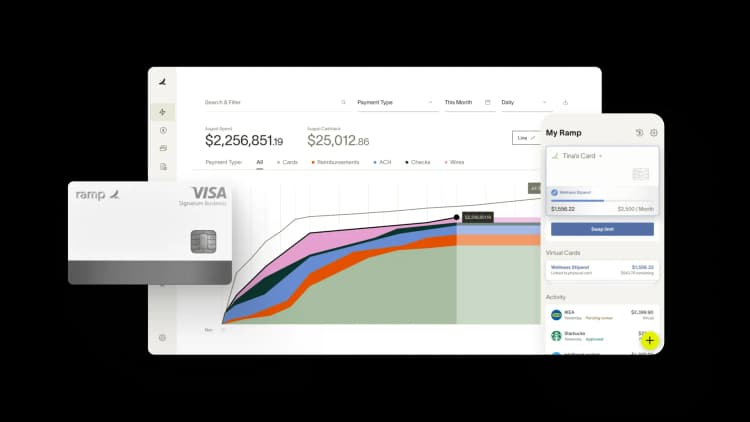
Every new location you open makes spend harder to control. When sites buy independently, the cost of different vendors, prices, and approval processes multiply fast. A 5% pricing variance across vendors is manageable at one location, but across 80 locations it becomes a margin problem that stays hidden until someone pulls data from dozens of systems.
Enterprise spend management (ESM) gives you centralized visibility and policy control without slowing down the purchasing your teams need to do every day.
How spend management and multi-location businesses are connected
Every location you operate generates spend. Without a centralized system, each one becomes its own silo with its own vendors, processes, and blind spots.
If you're running 50 locations, you can't manage spend the same way a single-site operation does. There are too many purchasing decisions happening in too many places for anyone to see the full picture.
ESM works by letting headquarters set the rules—vendor frameworks, approval thresholds, and spending policies—while your location managers handle day-to-day purchasing within those guardrails. The platform enforces the rules automatically. Your locations stay fast, and headquarters gets the visibility that a free-for-all purchasing approach can't deliver.
5 spend management challenges multi-location operations face
Multi-location businesses face spend management challenges that compound with every location added.
1. Vendor fragmentation and price variance across locations
When each location onboards vendors on its own, the same supplier might show up under three different names in three different systems. And the same product could cost 20–40% more at one site than another.
No single location is doing anything wrong, but you can't see the full picture, and you have no leverage to negotiate better pricing across the board.
2. Invisible tail spend
Small-ticket purchases like office supplies, emergency maintenance parts, local catering, and cleaning products individually fall below review thresholds. Add them up across all your locations, though, and they represent a real chunk of your costs. These are costs that nobody's managing because no single purchase is big enough to flag.
3. Paper invoices from local vendors
Food distributors, maintenance contractors, and local service providers still send paper invoices that sit on managers' desks until someone enters them manually. You end up paying late fees, missing early-payment discounts, and burning hours on data entry with the problem getting worse with every location you add.
4. No per-location profitability visibility
To figure out whether a specific location is actually profitable, you need to connect all its costs to its revenue. When your spend data lives in different systems, that means pulling it together by hand. Unprofitable locations can hide for months until a quarterly or annual review finally surfaces the issue.
5. Scaling spend controls to new locations
Without a repeatable setup process, opening a new location means weeks of manual work. This includes issuing cards, setting up vendor accounts, building approval workflows, creating budgets, and connecting everything to your reporting. That turns your finance team into a bottleneck on growth.
Key components of ESM for multi-location businesses
Your enterprise spend management platform needs to give headquarters control without creating bottlenecks at individual sites.
Real-time visibility across all locations
Real-time visibility means seeing spend across every location as transactions happen. You can see what each site is spending at any point during the month, and location-level data rolls up so you can benchmark across your portfolio.
When you can see that Location 12 spends 22% more on supplies than similar-sized locations in the same region, that's a specific conversation with a specific manager about a specific variance.
Pre-spend controls and policy enforcement
Pre-spend controls enforce purchasing policy at the point of transaction. Approved vendor catalogs steer your teams toward contracted suppliers. Budget thresholds auto-approve routine purchases and escalate exceptions. And merchant category restrictions on your corporate cards block out-of-policy spend before it happens.
The threshold logic matters for operational speed. A restaurant GM needs to order from a backup produce supplier when the primary is out of stock. Waiting for HQ approval would mean an empty prep line. That same GM shouldn't be signing a new services contract without regional review, and threshold-based rules distinguish between these scenarios automatically.
Automated invoice processing
Your location managers can photograph paper invoices on their phones. The system extracts the vendor name, invoice number, line items, and amounts, then auto-codes everything to the right location and GL account.
Three-way matching catches discrepancies before payment, so when a distributor invoices for 50 cases but the delivery receipt shows 45, the system flags the variance before processing.
Multi-entity support and per-location reporting
If you set up each location as a separate LLC, each entity needs its own books, GL coding, and financial statements that roll up to a consolidated parent view. With multi-entity support, every transaction codes to the right entity automatically, and you get per-location P&L reporting that connects spend to revenue at each site.
Scalable provisioning for new locations
With a templatized setup, every new location plugs into your existing workflows, vendor catalogs, card structures, and approval chains from day one. Cards issue to the management team with pre-configured limits, and approved vendors carry over from the regional template. For operators opening multiple locations per quarter, this makes location launch an operational step rather than a finance project.
How ESM works across restaurant, hospitality, and retail businesses
Enterprise spend management looks different for restaurants, hotels, and retail stores because each industry has its own spend patterns and metrics.
Restaurants
Restaurants operate on thin margins where food cost is the dominant variable. The biggest challenge is connecting what you buy to menu-level profitability. That means tracking actual vs. theoretical food cost per location, monitoring vendor contract compliance, and spotting waste patterns across sites.
Food cost percentage is the KPI restaurant operators track most closely. A price change from a single distributor affects the P&L of every menu item that uses that ingredient.
Vendor consolidation matters more for restaurant groups than almost any other industry. Fewer distributors means volume-based pricing your individual locations could never get on their own. Guided buying catalogs steer your locations toward contracted vendors so they're always ordering at the best price.
Hospitality
Hotels deal with purchasing complexity that most other industries don't have. A single property has separate budgets for housekeeping, food and beverage, maintenance, events, and the front desk—each with different vendors, seasonal patterns, and budget cycles. CapEx for renovations and FF&E (furniture, fixtures, and equipment) requires different approval controls than daily operating purchases.
Cost per occupied room (CPOR) is the key metric that connects spend to revenue. It varies a lot by season, so year-over-year comparisons are more useful than month-over-month. When your spend management separates OpEx from CapEx and attributes both to the right property, you can see profitability at the property level.
Retail
Retail stores generate a high volume of small transactions like fixtures, signage, maintenance, marketing materials, and POS supplies that individually fly under the radar. When that spending is scattered across hundreds of stores, spotting patterns is nearly impossible without pulling the data together.
Spend per square foot is the metric that tells you which stores are overspending relative to their size. When you aggregate those transactions across all your stores and benchmark by location size and region, you can see where the cost problems are.
The role of cards and payments
Your cards and payment setup are where spend policies get enforced and determine whether controls kick in before or after the money is spent.
- Location-specific virtual cards: Each location or manager gets a unique card number with its own budget, merchant restrictions, and spending limits. Transactions auto-attribute to the correct location and person.
- Instant issuance and deactivation for high-turnover industries: You can issue cards for new hires or seasonal staff and freeze them immediately when someone leaves. That eliminates the spend exposure window during turnover.
- Pre-approved spending: When employees spend on controlled cards with embedded limits, policy enforcement happens before the transaction, so transactions are already coded, approved, and attributed when they occur.
Best practices for multi-location spend management
1. Start with vendor consolidation data before negotiating contracts
Pull your spend data together across all locations first so you can see the full picture for which vendors overlap and where prices differ. You'll end up with a specific list of vendors you can consolidate to give you real leverage before you renegotiate.
2. Use threshold-based approval rules
Auto-approve routine purchases under a set amount at the location level, route mid-range purchases to the regional manager, and escalate large or unusual purchases to headquarters. This preserves operational speed for the 90% of routine transactions while maintaining oversight on the ones that require it.
3. Templatize new location setup
Build a standard provisioning template with card structures, vendor catalogs, approval workflows, budgets, and GL coding that a new location inherits on day one. The goal is that adding a location becomes a configuration step measured in hours rather than a custom project measured in weeks.
4. Benchmark comparable locations against each other
Per-location profitability data is only useful when you're comparing similar locations. A flagship urban location and a suburban satellite have different cost structures, so benchmark within comparable groups by region, size, and format. If two suburban locations of similar size show a 15% difference in supply costs, that's worth investigating.
5. Measure contract compliance
Tracking total vendor spend is just the starting point. You also need to know whether your locations are actually buying from contracted vendors at the prices you negotiated. That's what tells you whether your procurement strategy is working at the site level.
How Ramp Enterprise supports multi-location operations
With Ramp Enterprise, you get corporate cards, expense management, AP, procurement, travel, and accounting automation on one platform—built for businesses with multiple entities and locations. Ramp customers transact in over 180 countries, and more than 65% of Ramp's customer base transacted internationally last year. Built-in policy, fraud, and accounting controls stop out-of-policy spend before it hits your books.
Location-specific virtual cards with budget and merchant controls
You can issue unlimited virtual cards for each location or manager, each with its own merchant category restrictions, per-transaction limits, and budget. You can issue and freeze cards instantly for seasonal or high-turnover staff, so you don't have to deal with shared cards or petty cash reconciliation.
Automated invoice capture and AP automation
With Ramp's mobile-first invoice capture, your managers can snap a photo of a paper invoice and the system handles the rest—extracting the data, coding it to the right GL account and entity, matching it 3 ways, and routing it for approval.
HRIS continuous sync for workforce card management
Ramp integrates with Workday and other HRIS platforms so new hires automatically get cards, role changes update spending authority, and terminations trigger immediate deactivation.
Pre-spend controls
Ramp's Policy Agent screens every transaction against your spending policy with 99% accuracy. Card-level merchant restrictions, category blocks, and automated approval workflows enforce your rules before money is spent. Early customers are catching 7x more out-of-policy spend with the Policy Agent than before.
AI-powered auto-coding per location
Ramp's AI auto-codes transactions to the right entity and location based on your rules and historical patterns. Up to 85% of your transactions get automatically approved because they're low-risk.
Multi-entity support with per-location reporting
Ramp Enterprise supports each location with its own books, entity-level policies, approval chains, and reporting—all rolling up to a consolidated parent view. Whether you're expanding domestically or internationally, your finance team can see every location without juggling separate logins, reconciliations, or exports.
Restaurant365 integration
Ramp's direct integration connects card transactions and AP data to restaurant-specific accounting workflows for food cost tracking, vendor compliance monitoring, and location-level P&L reporting.
Enterprise-grade security and compliance
Ramp Enterprise meets SOC 2 Type II, ISO 27001, and PCI DSS standards. You also get SSO/SCIM provisioning and a complete, immutable audit trail for every transaction. Ramp Enterprise gives you a single platform to centralize spend controls, benchmark locations, and scale your governance as fast as you add new sites.
What this means for your finance team
Ramp Enterprise supports the areas multi-location operators care about most:
- Scale without adding headcount: Automated expense coding, policy-driven controls, and per-location governance let you open new sites without scaling your finance team in lockstep.
- Eliminate wasteful spend: Card-level merchant restrictions and AI policy enforcement block non-compliant purchases at the point of swipe, before a GM buys from an unapproved vendor or a site manager goes over budget.
- Reduce location-level admin: Hands-free expense creation, AI receipt matching, and autonomous low-risk approvals eliminate the manual processing that bogs down site managers and local staff.
- Enforce approved vendor compliance across every site: Procurement intake workflows and preferred vendor controls ensure your site managers order from contracted suppliers at negotiated prices, closing the gap between corporate procurement agreements and what actually gets purchased on the ground.
- Strengthen compliance: Continuous policy enforcement with complete audit trails moves you from spot-check audits to full auditability across every transaction.
- See every location as it spends: Separate entities no longer mean separate blind spots. A consolidated parent view gives your finance team real-time visibility into what every site is spending, so out-of-pattern spend surfaces the day it happens.
With Ramp Enterprise, you can control spend across every site, enforce vendor compliance at the point of purchase, and close the books without chasing down receipts from hundreds of locations.
Use Ramp Enterprise to centralize spend across every entity
Restaurant groups like Rustic Canyon, José Andrés Group, and Big Fish Restaurant Group already run on Ramp, managing spend across locations, enforcing vendor compliance at the point of purchase, and closing the books without chasing down receipts across hundreds of entities.
Ramp closes the gap between what HQ sees and what's being spent on the ground, with centralized controls at the corporate level, site-level visibility in real time, and provisioning that keeps pace as you add locations.
Explore Ramp Enterprise.


“I assumed I would have to choose between speed and control. What I found is that you can have both. A well-designed system takes friction out, for the finance function and for everyone else.”
Justin Webster
CFO, Denver Broncos

“A well-run district should not have to choose between getting work done at the school site and keeping control of the dollars behind it. We're not hiring more people to do more jobs, so we have to be smarter about the process. With Ramp, the purchase, the receipt, and the record stay together from the start. ”
Nick Brizeno
Director of Purchasing, San Marcos Unified School District

“In senior living, scale only works if the communities still feel personal. We needed the back office to carry more of the complexity, not the people serving residents. Ramp helped us build that infrastructure, so the experience in the community could stay human.”
Ryan Cole
CFO, Agemark Senior Living

“AI is moving faster than the finance context around it. Prices change, models change, and the value is not always obvious from an invoice. We needed enough detail to know which bets deserved more investment — and which ones did not.”
Greg Cooley
Controller, AngelList

“Invoices, cards, tokens. The categories change but the principle doesn't: know where the money is going, remove the work around it, and make sure the spend is worth it.”
Maciej Mylik. Finance
ElevenLabs

“We weren’t trying to retrofit an old finance system. We had a blank canvas, and Ramp gave us the foundation to build a global finance function of the future.”
Justin Dourado
Director of Finance, Othership

“There's just no surprises anymore. No more waiting two months to find out how a job did. We know how it's doing as it's happening.”
Erich Kuss
Financial Systems Manager, Infinity Home Services

“More token spend isn’t proof that AI is working. Less isn’t proof that it isn’t. What matters is whether we’re buying the right level of intelligence for the work. Ramp lets us make that judgment in the same place we manage every other type of spend.”
Cody Nutt
Senior Director of Business Systems, Daxko
