
- What is farm accounting software?
- Why farmers need specialized accounting software
- At a glance: Comparing the best farm accounting software
- 7 best farm accounting software programs
- How to assess your farm bookkeeping needs
- Key features in the best farm accounting software
- Farm-specific software vs. general accounting software
- How much does farm accounting software cost?
- How to evaluate farm accounting software before you buy
- Farm tax preparation and recordkeeping features
- Integrating farm software with your financial operations
- Automate farm accounting with Ramp
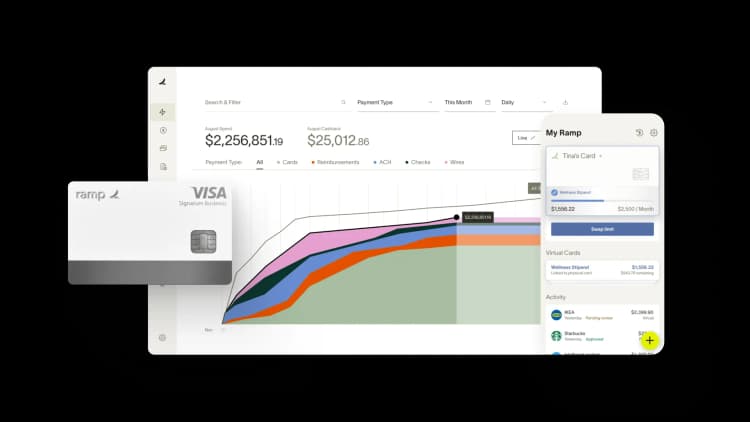
Farm accounting software helps farmers, ranchers, and agribusinesses track income, expenses, assets, and liabilities in ways that reflect how farms actually operate. Unlike generic accounting tools, these platforms handle seasonal revenue swings, equipment depreciation, government subsidies, crop and livestock inventory, and IRS Schedule F reporting out of the box.
What is farm accounting software?
Farm accounting software is a financial management tool built specifically for farms and agribusinesses. It differs from general accounting software by addressing the realities of agricultural operations including crop cycles, livestock tracking, multi-enterprise profit and loss, and ag-specific tax requirements.
Where a standard platform might force you to build workarounds for tracking seed inventory or calculating tractor depreciation, accounting software for farms handles these tasks natively. The result is a clearer financial picture with less manual setup, so you can spend more time running your operation and less time wrestling with spreadsheets.
Why farmers need specialized accounting software
Generic tools like basic QuickBooks setups or Excel spreadsheets weren't designed for the financial complexity of farming. The unique rhythms of agriculture create gaps that general software can't fill without significant customization.
Seasonal cash flow management
Farm income often arrives in large, infrequent payments after a harvest or major livestock sale, while expenses like fuel, feed, and labor occur year-round. General accounting software isn't built to manage these cycles, making it difficult to project cash flow accurately.
Agriculture accounting software helps you track seasonal income trends, create cash flow forecasts tied to production cycles, and plan for off-season expenses. These tools analyze historical sales data and market conditions so you can maintain enough liquidity to keep operations running between revenue events.
Multi-enterprise and livestock tracking
Farms frequently operate as multiple businesses under one roof, with separate enterprises for corn, soybeans, and cattle, each requiring its own profit and loss tracking. Specialized livestock accounting software tracks animal counts, health records, births, deaths, and sales alongside your financial data. General software lacks this capability entirely.
Agricultural tax compliance and schedule F
Proper accounting for farming is essential at tax time. Farm tax software aligns your income and expense categories directly with IRS Schedule F, the farm income tax form. It helps you track and claim agricultural deductions that generic software might miss, reducing errors and audit risk.
Farm inventory and equipment depreciation
Farms must track inventory for items such as seed, feed, and fertilizer while managing complex depreciation schedules for expensive equipment like tractors, combines, and irrigation systems. Farm-specific software automates depreciation calculations according to IRS rules and ties inventory costs to specific enterprises or fields.
At a glance: Comparing the best farm accounting software
The best farm accounting software ranges from dedicated ag platforms to general bookkeeping tools, with pricing that spans one-time desktop purchases and subscriptions. Dedicated farm platforms run from about $36/month (FarmRaise) to roughly $950/year (Traction Ag).
| Software | Best for | Starting price | Standout feature |
|---|---|---|---|
| Traction Ag | Mid-size to large row crop operations | ~$950/year | Real-time multi-entity reporting |
| FarmRaise Tracks | Small farms that need grant help | From $36/month (billed annually) | USDA grant and program tracking |
| CenterPoint Accounting for Agriculture | Established, complex operations | Contact vendor | Deep inventory and enterprise analysis |
| EasyFarm | Small farms moving off spreadsheets | One-time purchase | Simple cash-basis accounting |
| Farm Biz Software | Budget-conscious family farms | One-time purchase | Farm-specific report templates |
| QuickBooks | Farms whose accountant requires it | From ~$38/month | 800+ app integrations |
| Sage Intacct | Large agribusiness operations | Subscription (contact vendor) | Multi-location automation and controls |
7 best farm accounting software programs
Farming operations vary widely in size, structure, and financial complexity. The right farm accounting programs for a small family farm look very different from what a large-scale agribusiness needs. Here's an objective look at the top options and who each one serves best.
Traction Ag
Traction Ag is a cloud-based farm accounting platform built by farmers, for farmers. It delivers strong real-time reporting and multi-entity support, making it a natural fit for mid-size to large row crop operations that need to track profitability across multiple fields and enterprises.
Key benefits:
- Real-time financial reporting across multiple entities
- Built-in crop enterprise analysis
- Cloud-based access from any device
- Designed around actual farming workflows
Drawbacks:
- May be more platform than small farms need
- Subscription pricing can add up for larger operations
Traction Ag is best for mid-size to large row crop operations that want purpose-built farm accounting with strong reporting.
- Pricing: Subscription, starting around $950/year
FarmRaise Tracks
FarmRaise Tracks is a mobile-first solution that combines simple bookkeeping with integrated grant and USDA program tracking. Trusted by more than 20,000 farmers, it connects to more than 12,000 financial institutions and works offline, a real advantage when you're in areas with spotty connectivity.
Key benefits:
- Automated income and expense tracking with IRS Schedule F categorization
- Integrated grant and loan opportunity discovery
- Offline-capable mobile app for mileage logging and receipt digitization
- Affordable pricing starting at $36/month with annual subscription
Drawbacks:
- Reporting capabilities are still basic, with enhancements in progress
- Limited customer support options compared to larger competitors
FarmRaise Tracks is best for small farms that need straightforward bookkeeping combined with help finding and managing grants.
- Pricing: Subscription from $36/month billed annually ($432/year), with a one-week free trial. Month-to-month plans start at $40/month.
CenterPoint Accounting for Agriculture
CenterPoint Accounting for Agriculture is comprehensive desktop software with deep agricultural features. It offers powerful inventory management and detailed enterprise analysis, making it a strong choice for established operations that need in-depth financial reporting.
Key benefits:
- Detailed enterprise-level profit and loss tracking
- Robust inventory management for crops and livestock
- Comprehensive depreciation and asset tracking
- Flexible reporting tailored to agricultural operations
Drawbacks:
- Desktop-based, which limits remote access
- Steeper learning curve than simpler alternatives
CenterPoint is best for established, complex operations that require detailed reporting and enterprise analysis.
- Pricing: Contact the vendor directly for a quote
EasyFarm
EasyFarm is a single-entry, cash-basis system designed for farmers who want simplicity over feature depth. If you're transitioning from spreadsheets and don't need multi-entity tracking or accrual reporting, EasyFarm offers a gentler learning curve.
Key benefits:
- Simple, intuitive interface for cash-basis accounting
- Low barrier to entry for farmers new to accounting software
- Farm-specific expense categories built in
- One-time purchase with no recurring fees
Drawbacks:
- Limited to cash-basis accounting only
- Lacks advanced reporting and multi-entity features
EasyFarm is best for small farms or those moving off spreadsheets who need simple, affordable accounting.
- Pricing: One-time purchase
Farm Biz Software
Farm Biz Software provides cash-basis accounting with a suite of farm-specific reports at a budget-friendly price point. It covers the essentials without overwhelming you with features you won't use.
Key benefits:
- Affordable pricing for family farms
- Farm-specific report templates
- Straightforward cash-basis bookkeeping
- Easy to set up and start using
Drawbacks:
- Limited scalability for growing operations
- Fewer integrations than cloud-based alternatives
Farm Biz Software is best for family farms looking for a straightforward, budget-friendly option.
- Pricing: One-time purchase
QuickBooks for agricultural accounting
QuickBooks is a general accounting platform that many farmers use because their accountant already works with it. It integrates with over 800 business apps and offers real-time access from mobile devices, but it requires significant manual setup to handle farm-specific tracking.
Key benefits:
- Real-time financial tracking from any device
- Integration with over 800 business apps
- Automated bank transaction imports and expense categorization
- Familiar interface for accountants and bookkeepers
Drawbacks:
- Requires extensive customization for agricultural accounting needs
- Additional fees for payroll and advanced features
- No built-in Schedule F alignment, crop tracking, or livestock management
QuickBooks is best for farms whose accountant requires it or for very simple operations that don't need ag-specific features.
- Pricing: Monthly subscription starting near $38/month
Integrate QuickBooks with Ramp
QuickBooks integrates with Ramp, so you can automate expense tracking, manage business credit card spending, and gain real-time cash flow visibility. You'll reduce manual data entry and speed up reconciliation.
Sage Intacct for agribusiness
Sage Intacct is an enterprise-level cloud accounting platform built for large agricultural operations. It offers advanced automation, multi-location support, and robust financial controls that smaller platforms can't match.
Key benefits:
- Real-time financial reporting and cash flow forecasting
- Multi-location and multi-entity support
- Advanced automation for data entry and reconciliation
- Strong compliance and audit trail features
- Digital tax submission compliant with regulations
Drawbacks:
- Enterprise pricing puts it out of reach for smaller farms
- Requires implementation support and training
Sage Intacct is best for large agribusiness companies with complex supply chains, multiple locations, and advanced reporting needs.
- Pricing: Subscription; contact the vendor for enterprise pricing
How to assess your farm bookkeeping needs
Before you start comparing software, take stock of your farm's specific situation. Answering a few key questions up front will narrow your options and prevent you from paying for features you don't need or missing ones you do.
Evaluate your farm size and complexity
A small hobby farm has very different needs than a large commercial operation. Consider these questions:
- How many enterprises (crops, livestock, dairy) do you manage?
- How many employees do you have, including seasonal workers?
- What's your approximate annual revenue?
- Do you manage multiple farm entities or locations?
Your answers will determine whether you need simple small farm accounting software or a more robust platform with multi-entity support and advanced reporting.
Determine cash vs. accrual accounting requirements
Most farms use the cash method of accounting, which records income when received and expenses when paid. Accrual accounting records transactions when they're earned or incurred, regardless of when money changes hands.
Your software choice depends on which method you use. Some lenders or investors may require accrual-based reports, and certain advanced platforms let you run reports in either format from the same data set.
Identify integration needs
Consider what other systems your accounting software should connect with. Make a list of potential integrations:
- Bank and credit card accounts
- Payroll services
- Grain elevator data feeds
- Commodity pricing services
- Existing accounting platforms or ERPs
Establish your budget for farm software
Pricing ranges from free options to several hundred dollars per month for complex systems. Set realistic expectations based on your farm's size and complexity. Free versions can work for very small operations, but always verify they cover your core needs before committing.
Key features in the best farm accounting software
Not all farm accounting platforms are created equal. These are the features that separate quality software from tools that will leave you filling in gaps manually.
Income and expense tracking by enterprise
Look for the ability to categorize income and expenses by specific crop, field, or livestock group. This is essential for understanding which parts of your farm are truly profitable and which are dragging down margins.
Crop and livestock recordkeeping
The best farm recordkeeping software tracks operational data like planting dates, yields, animal counts, births, deaths, and sales. Accurate operational data should feed directly into your financial reports and tax preparation without requiring duplicate entry.
Asset and depreciation management
Farms have significant equipment investments. Your software should automatically calculate and track depreciation using IRS-approved methods, saving you hours of manual work and ensuring accurate asset values on your balance sheet.
Financial reporting and analysis
Your software should generate farm-formatted reports, not generic business ones. Look for balance sheets, profit and loss statements, and cash flow projections that reflect the realities of agriculture. The ability to report by enterprise, field, or season is a major advantage.
Payroll for seasonal and farm employees
Many farms hire seasonal workers with unique tax situations, such as H-2A visa holders or employees subject to agricultural exemptions. Your software needs to handle these complexities, including varying wage rates, tax withholdings, and compliance with federal and state labor laws.
Agriculture accounting software automates wage calculations, tax deductions, and compliance reporting. It can also track labor costs by task, such as planting, harvesting, and equipment maintenance, giving you insight into workforce efficiency.
Mobile access for field use
Farmers work in the field, not behind a desk. A mobile app is essential for recording expenses on the go, snapping receipt photos, and checking financial data from a tractor cab or livestock pen.
Farm-specific software vs. general accounting software
This is one of the most common decisions farmers face. The right answer depends on your operation's complexity and your accountant's preferences.
When to choose farm-specific software
Choose specialized agricultural accounting software when you need:
- Built-in livestock tracking and animal inventory
- Automatic Schedule F integration
- Crop enterprise analysis by field or season
- Agricultural inventory management for seed, feed, and fertilizer
- Depreciation automation following IRS agricultural rules
The time saved on setup and daily use typically justifies the cost, especially as your operation grows.
When general accounting software works
General accounting software may be enough for very small operations, farms with simple finances, or situations where your accountant requires a specific platform. Just be prepared to create custom categories and reports manually. You'll also miss out on ag-specific features like enterprise-level profit tracking and Schedule F alignment.
How much does farm accounting software cost?
Pricing varies widely depending on the type of software, your farm's size, and the features you need. Here's a breakdown of the main pricing models:
| Pricing model | Typical cost range | Best for |
|---|---|---|
| Monthly subscription (cloud) | $15–$200+/month | Farms wanting automatic updates and remote access |
| One-time purchase (desktop) | $100–$600+ | Farms that prefer no recurring fees |
| Enterprise/custom pricing | Varies (often $500+/month) | Large agribusinesses with complex needs |
| Free options | $0 | Very small farms with basic needs |
Monthly subscription pricing
Most cloud-based options charge monthly fees that scale with the number of features, users, or entities. Expect to pay $15–$50/month for basic plans and $100–$200+/month for advanced multi-entity platforms. Dedicated ag platforms like Traction Ag start around $950/year, while general tools like QuickBooks start near $38/month.
One-time purchase options
Desktop software like EasyFarm and Farm Biz Software charges a higher up-front cost but eliminates recurring fees. You may need to pay separately for annual updates or technical support, so factor that into your total cost of ownership.
Free farm bookkeeping software alternatives
Free options exist but come with significant limitations. These include spreadsheet templates, basic versions of paid software, or open-source tools. If cost is your main constraint, free farm accounting software can cover the basics. ZipBooks, for example, offers a free general accounting plan positioned for farmers who want to track income and expenses. They can work for very small operations, but always verify that a free option covers your core needs before relying on it for tax preparation or financial reporting.
How to evaluate farm accounting software before you buy
Don't commit to a platform based on a features list alone. These steps will help you make a confident decision:
1. Request a demo or free trial
Most vendors offer live demos or trial periods. Use this time to test the core features you identified as priorities, including enterprise tracking, Schedule F alignment, mobile access, or whatever matters most to your operation.
2. Test with real farm data
During the trial, enter actual transactions from your farm. See how the software handles your specific crops, livestock, or enterprises. A platform that looks great in a demo can fall short when it meets your real-world data.
3. Involve your farm accountant
Your accountant or tax preparer will use this data, so get their input before you commit. Check for compatibility with their systems and confirm the software generates reports in formats they can work with.
4. Assess customer support quality
Test the vendor's support responsiveness during your trial. Farms operate on tight schedules, and you need to know you can get help quickly when problems arise, especially during tax season or harvest.
Farm tax preparation and recordkeeping features
Tax season is a major pain point for farmers. The right software turns it from a weeks-long scramble into a manageable process.
Schedule f reporting capabilities
Your software should categorize income and expenses to directly match the line items on IRS Schedule F. This simplifies filing, reduces error risk, and saves you and your accountant significant time.
Depreciation schedule automation
Farm equipment depreciation follows specific IRS rules. Your software should automatically track purchase dates, calculate annual depreciation using approved methods (MACRS, Section 179), and generate the reports your tax return requires.
Expense categorization for agricultural deductions
Farm-specific business expense deductions for seed, feed, fertilizer, conservation expenses, and other ag inputs need correct categorization. The best software has these agricultural categories built in so you maximize deductions without manual sorting.
Integrating farm software with your financial operations
Modern farms use multiple software tools. Connecting your accounting system with other platforms reduces duplicate data entry and prevents the errors that come with manual processes.
Accounting system connections
If you use a separate accounting system or ERP, look for software with direct integrations or easy data export options. Avoid platforms that trap your data in proprietary formats.
Banking and payment integrations
Connect your bank and credit card accounts to automatically import transactions. Some software also supports direct bill pay and vendor payments from within the platform, reducing the number of tools you need to manage.
Expense management automation
Mobile receipt capture, automatic expense categorization, and approval workflows save significant time on daily bookkeeping. Ramp goes further with its Accounting Agent, which auto-codes each transaction the moment it posts, setting the GL account, department, class, and location. It routes only the exceptions to your team for review and syncs to your ERP in real time. Teams that use Ramp close their books 3x faster.
Automate farm accounting with Ramp
More than 85,000 organizations, from family farms and space startups to the Fortune 100, use Ramp to save over $1 billion a month and over a year’s worth of work every hour.
Farm financial management requires tracking diverse expense categories across multiple cost centers and production cycles. Manual categorization and reconciliation slow down month-end close and make it harder to analyze profitability by crop, field, or season.
Ramp's accounting automation software eliminates manual data entry and coding so you can track farm expenses accurately without the busywork. Every transaction is coded automatically as it posts, matched with receipts, and synced to your accounting system in real time. You'll spend less time chasing paper receipts and more time analyzing what drives profitability across your operation.
Here's how Ramp streamlines farm accounting:
- AI codes transactions automatically: Ramp learns your farm's expense patterns and applies the right GL codes, cost centers, and classes to every purchase, from fuel and feed to equipment repairs
- Capture receipts instantly: Snap photos of receipts with Ramp's mobile app, and AI extracts line-item details and matches them to transactions automatically
- Sync to your ERP in real time: Ramp identifies in-policy spend and syncs it to your ERP automatically so your books stay current without manual exports
- Reconcile with confidence: Ramp's reconciliation workspace surfaces variances and missing entries so you can tie out accounts quickly and close books faster every month
Try an interactive demo to see how your farm can reclaim 17+ hours a month by automating receipt collection and coding with Ramp.

FAQs
Yes, most farm accounting software lets you import historical data or start fresh mid-year. That said, starting at the beginning of your fiscal year typically simplifies the transition and gives you cleaner year-end reports.
To get started, you'll generally need your chart of accounts, recent bank statements, a list of outstanding invoices, an equipment list with purchase dates and costs, and beginning inventory counts for crops and livestock.
Most agricultural accounting software supports both cash and accrual methods. Some advanced platforms even let you run reports in either format from the same data set, which is useful if your lender requires accrual-based financials.
Yes, many farm accounting programs support multiple locations, entities, or enterprises. This functionality may require a higher-tier pricing plan, so confirm multi-entity support before you buy if you manage more than one operation.
It depends on how and where you work. Cloud-based software offers mobile access and automatic updates, while desktop software may provide more robust features without requiring a constant internet connection. Many farmers prefer cloud-based options for the flexibility of managing finances from the field.


“I assumed I would have to choose between speed and control. What I found is that you can have both. A well-designed system takes friction out, for the finance function and for everyone else.”
Justin Webster
CFO, Denver Broncos

“A well-run district should not have to choose between getting work done at the school site and keeping control of the dollars behind it. We're not hiring more people to do more jobs, so we have to be smarter about the process. With Ramp, the purchase, the receipt, and the record stay together from the start. ”
Nick Brizeno
Director of Purchasing, San Marcos Unified School District

“In senior living, scale only works if the communities still feel personal. We needed the back office to carry more of the complexity, not the people serving residents. Ramp helped us build that infrastructure, so the experience in the community could stay human.”
Ryan Cole
CFO, Agemark Senior Living

“AI is moving faster than the finance context around it. Prices change, models change, and the value is not always obvious from an invoice. We needed enough detail to know which bets deserved more investment — and which ones did not.”
Greg Cooley
Controller, AngelList

“Invoices, cards, tokens. The categories change but the principle doesn't: know where the money is going, remove the work around it, and make sure the spend is worth it.”
Maciej Mylik. Finance
ElevenLabs

“We weren’t trying to retrofit an old finance system. We had a blank canvas, and Ramp gave us the foundation to build a global finance function of the future.”
Justin Dourado
Director of Finance, Othership

“There's just no surprises anymore. No more waiting two months to find out how a job did. We know how it's doing as it's happening.”
Erich Kuss
Financial Systems Manager, Infinity Home Services

“More token spend isn’t proof that AI is working. Less isn’t proof that it isn’t. What matters is whether we’re buying the right level of intelligence for the work. Ramp lets us make that judgment in the same place we manage every other type of spend.”
Cody Nutt
Senior Director of Business Systems, Daxko
