How to track customer payments and improve cash flow

- What is customer payment tracking?
- Why tracking customer payments matters for cash flow
- How to set up a client payment tracker
- Common challenges in tracking customer payments and how to avoid them
- Key strategies to track customer payments
- Best software to track customer payments
- Common mistakes when tracking customer payments
- Simplify payment tracking with Ramp
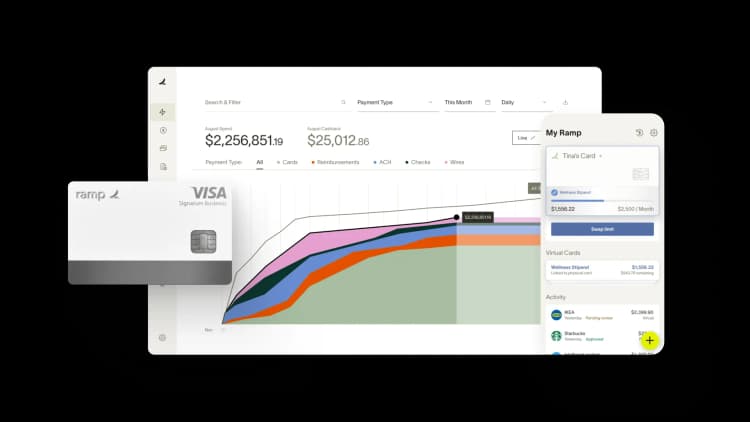
Tracking customer payments is the practice of monitoring what each client owes, when they owe it, and what they've paid. Done well, it gives you a clear picture of your cash position and helps you catch overdue invoices before they become bad debt. Done poorly, it creates revenue leaks, forecasting headaches, and uncomfortable conversations with customers.
A clear view of who owes you what, and when it's due, is what keeps your cash flow steady—without it, you're guessing at your own bank balance.
What is customer payment tracking?
Customer payment tracking is the process of recording every invoice, due date, and payment received so you always know who owes you, how much, and when it's due.
Freelancers, small business owners, and AR or finance teams all do this work, and it never really stops. Once you're sending 20 or more invoices a month across ACH, card, and check, you need a running record rather than a memory of who paid last.
Why tracking customer payments matters for cash flow
Poor payment tracking creates cash flow gaps that ripple through the business. Missed invoices, unrecorded payments, and forgotten follow-ups can leave thousands of dollars on the table and make it nearly impossible to predict when money will hit your account. You either hold back on spending out of caution or overspend based on business revenue that hasn't materialized, both of which can stall growth.
Accurate tracking is the foundation of predictable cash flow. When you know exactly who owes what and when it's due, you can avoid shortfalls, make smarter decisions, forecast revenue with confidence, and time your spending accordingly.
How to set up a client payment tracker
A client payment tracker is a system that monitors billing status, invoice history, outstanding balances, and payment due dates for every customer. It can be as simple as a well-structured spreadsheet or as sophisticated as a dedicated AR platform. What matters is that it captures the right data and stays current.
Use essential fields for your tracker
Your fields should cover four things: client details, an invoice log, payment status, and summary reporting.
- Client name and contact: Who owes the money
- Invoice or project number: Reference for the work
- Amount billed: Total cost of the service
- Payment terms: Due date (e.g., net 30) to track aging
- Amount received: Partial or full payments made
- Outstanding balance: Remaining amount left to pay
- Payment status: Unpaid, Partial, Paid, or Overdue
Choose between spreadsheets and software
A spreadsheet works well if you're handling a low volume of invoices with simple needs and a single person managing updates. Software makes more sense once volume grows, multiple people need access, or you want automated reminders and account reconciliation.
| Factor | Spreadsheet | Software |
|---|---|---|
| Cost | Free or low-cost | Monthly subscription |
| Automation | Manual updates | Automatic syncing |
| Scalability | Limited | Handles growth |
| Error risk | Higher | Lower |
Keep your tracker accurate and up to date
A tracker is only useful if it reflects reality. Update entries the moment a payment posts, assign clear ownership so someone is accountable for accuracy, and schedule weekly reviews to catch discrepancies before they snowball. A standing 15-minute reconciliation review every Friday afternoon is usually enough.
Common challenges in tracking customer payments and how to avoid them
Payment tracking sounds simple on paper, but a few recurring problems make it harder than expected. Understanding where things typically break down is the first step toward building a process that holds up at scale.
Manual data entry and spreadsheet errors
Relying on people to type invoice numbers, amounts, and dates into a spreadsheet introduces typos, duplicate entries, and outdated information. One missed zero or stale balance can throw off your entire AR report.
Switching to accounting or invoicing software that automatically logs payment data cuts most of that risk at the source. Tools such as QuickBooks, Xero, or FreshBooks pull transaction data directly from your payment processor, so your records stay accurate without anyone manually re-entering figures. Fewer hands on the data means fewer chances for something to go wrong.
Payment information scattered across systems
Customers pay with checks, ACH, credit cards, and wire transfers, and that data often lives in different tools. Reconciling it means jumping between your bank portal, payment processor, and accounting software just to confirm a single transaction cleared.
Connecting your tools through integrations, or choosing a platform that handles invoicing, payments, and reconciliation in one place, pulls that scattered data into a single view. Many payment processors offer direct syncs with popular accounting software, so a payment that comes in shows up in your books automatically. That gives your team one place to look instead of three.
For example, Ramp's accounting integrations sync transaction data to QuickBooks Online and NetSuite, so a cleared payment posts to your books on its own. Nobody has to re-enter the same figure in a second system.
Limited visibility into outstanding invoices
Without a centralized view, you can't quickly answer basic questions such as who owes you money or how long an invoice has been outstanding. That blind spot makes prioritizing collections nearly impossible.
A dedicated accounts receivable dashboard, whether built into your accounting software or through a standalone AR tool, gives your team a live look at every open invoice, its age, and its status. Most platforms let you filter and sort by due date, client, or amount, so you can spot overdue accounts at a glance and act on them quickly.
An AR aging report turns that view into something you can act on by sorting every open invoice into buckets:
- 0–30 days: Current or recently past due, usually low risk
- 31–60 days: Slipping, and worth a direct follow-up
- 61–90 days: High risk of becoming bad debt
Watch days sales outstanding (DSO) alongside those buckets. It's the headline number that tells you how long your average invoice takes to turn into cash.
Inconsistent follow-up on overdue accounts
When no one owns the reminder process, late payments slip through the cracks. A few weeks turn into a few months, and suddenly you're chasing invoices that should have been collected long ago.
Assigning one person or team to own the follow-up process, and setting up automated reminders for invoices that hit specific aging thresholds, keeps overdue accounts from falling off anyone's radar. Most invoicing platforms let you build out a reminder schedule that sends emails at 7, 14, and 30 days past due without anyone having to remember to do it manually.
Key strategies to track customer payments
Follow seven steps to tighten your tracking process and reduce late payments. Each one builds on the last, so working through them in order gives you the most complete system.
1. Track payments in real time
Live dashboards and software that updates automatically when payments post give you an accurate picture at any moment. That visibility also makes it easier to catch discrepancies before they compound. You won't have to wait for end-of-month reports to spot a problem.
2. Automate payment reminders
Set up automatic emails before and after due dates to nudge customers without manual effort. Most invoicing platforms let you customize the timing and tone of each message to match your brand. A reminder 3 days before the due date and another the day after can dramatically reduce late payments.
3. Set clear payment terms up front
Define net 15, net 30, or whatever payment terms you offer in every contract and on every invoice. Include any late fees or penalties in that same language so there are no surprises down the line. When expectations are explicit, customers are less likely to delay, and you have a clear basis for follow-up.
4. Send invoices promptly
Every day you delay an invoice is a day you delay payment. Send invoices immediately after delivering goods or services so the work stays fresh in the customer's mind. Batching invoices at the end of the week might feel efficient, but it quietly pushes your cash flow back by days.
5. Offer multiple payment options
The easier you make it to pay, the faster you'll get paid. Accept ACH transfers, credit cards, wire transfers, and checks so customers can choose whatever method fits their workflow. Adding a payment link directly to your invoice removes one more reason for someone to put it off.
6. Reconcile payments weekly
Reconciliation means matching payments received against the invoices they cover. Block a consistent time slot each week for it so the habit sticks. A weekly cadence keeps your records accurate and surfaces any unapplied payments or missed deposits early.
7. Build a collections process for late payments
Create a clear escalation path so no overdue invoice falls through the cracks. Documenting that path in writing gives anyone on your team the confidence to follow it consistently. Start with a reminder email, escalate to a phone call after a week, send a formal letter if needed, and use a collections agency as a last resort.
Best software to track customer payments
The right tool depends on your invoice volume, existing tech stack, and how much automation you need. Knowing what each category of software does well helps you match the tool to where your process actually breaks down.
All-in-one financial operations platforms
Platforms like Ramp bring expense management, bill pay, and accounts receivable visibility together in one place. Consolidating these workflows reduces manual data entry, eliminates duplicate records across systems, and gives you a single source of truth for cash flow. More than 85,000 organizations use Ramp to save over $1 billion a month and over a year’s worth of work every hour by moving cards, bill pay, banking, and accounting onto one platform.
Dedicated accounts receivable software
AR-specific tools focus exclusively on invoicing, payment collection, and collections workflows. They're a strong fit for businesses with high invoice volume or complex billing needs that demand specialized automation.
Accounting software with built-in AR features
Tools like QuickBooks and FreshBooks combine invoicing, payment tracking, and reporting in a single product. They're a practical choice for small businesses that want core accounts receivable features without managing multiple subscriptions.
Common mistakes when tracking customer payments
Even with a system in place, a handful of habits can undermine your accuracy. Catching these early is a lot easier than untangling the mess they leave behind.
Relying only on manual spreadsheets
Spreadsheets break down as volume grows. Dedicated invoicing software handles that scale without adding work for your team. More invoices mean more opportunities for typos, version-control issues, and stale data, problems that compound the longer you wait to upgrade.
Ignoring accounts receivable aging reports
An AR aging report breaks down outstanding invoices by how long they've been unpaid, usually in buckets such as 0–30, 31–60, and 61–90 days. Most accounting platforms generate this report automatically, so pulling it takes seconds. Skipping this report means you lose visibility into which accounts are slipping and where to focus collection efforts.
Failing to reconcile bank deposits
Payments that hit your bank account but never get matched to invoices create confusion and inaccurate records. Customers may even get reminders for invoices they've already paid, which damages trust. Running reconciliation weekly catches these gaps before they pile up and become harder to untangle.
Automation scales better than a manual weekly match. Ramp's Accounting Agent auto-codes transactions and reconciles your Ramp data against your ERP, QuickBooks Online or NetSuite, as payments post, so matches don't wait for your Friday session.
Skipping payment confirmations to customers
A quick "payment received" email builds trust and prevents disputes down the line. Keep the message short, and include just the invoice number, amount, and date received. It also gives the customer a paper trail they can reference if questions come up later.
Simplify payment tracking with Ramp
Payment tracking only tells you something useful when it's tied to the invoices you've actually sent. Ramp Accounts Receivable tracks customer payments against those invoices directly, so you can see what's open, overdue, or paid at any point.
Set a collections policy and Ramp prepares a follow-up for each overdue balance for you to review and send. When a customer pays, Ramp matches the payment to the right invoice and updates QuickBooks Online automatically, so you can see what's been collected instead of just what's been billed.
Try Ramp's AR software.

FAQs
Review your AR aging report at least weekly to catch overdue invoices early. A weekly cadence also makes follow-up conversations easier because the issues are still fresh.
Send a polite reminder email the day after the due date, then call if payment doesn't arrive within a week. Keep the tone professional and offer to help resolve anything holding up payment.
Yes, but you'll update it manually and risk errors as you grow. Most teams outgrow spreadsheets once they're sending more than a few dozen invoices a month.
Record the amount received, update the outstanding balance, and note the remaining amount due with a new expected payment date. Confirm it in writing so both sides agree on what's still owed.
Track days sales outstanding (DSO) and your AR aging breakdown to see how quickly customers pay. A lower DSO and fewer invoices in the 60+ day buckets point to a healthy process.


“I assumed I would have to choose between speed and control. What I found is that you can have both. A well-designed system takes friction out, for the finance function and for everyone else.”
Justin Webster
CFO, Denver Broncos

“A well-run district should not have to choose between getting work done at the school site and keeping control of the dollars behind it. We're not hiring more people to do more jobs, so we have to be smarter about the process. With Ramp, the purchase, the receipt, and the record stay together from the start. ”
Nick Brizeno
Director of Purchasing, San Marcos Unified School District

“In senior living, scale only works if the communities still feel personal. We needed the back office to carry more of the complexity, not the people serving residents. Ramp helped us build that infrastructure, so the experience in the community could stay human.”
Ryan Cole
CFO, Agemark Senior Living

“AI is moving faster than the finance context around it. Prices change, models change, and the value is not always obvious from an invoice. We needed enough detail to know which bets deserved more investment — and which ones did not.”
Greg Cooley
Controller, AngelList

“Invoices, cards, tokens. The categories change but the principle doesn't: know where the money is going, remove the work around it, and make sure the spend is worth it.”
Maciej Mylik. Finance
ElevenLabs

“We weren’t trying to retrofit an old finance system. We had a blank canvas, and Ramp gave us the foundation to build a global finance function of the future.”
Justin Dourado
Director of Finance, Othership

“There's just no surprises anymore. No more waiting two months to find out how a job did. We know how it's doing as it's happening.”
Erich Kuss
Financial Systems Manager, Infinity Home Services

“More token spend isn’t proof that AI is working. Less isn’t proof that it isn’t. What matters is whether we’re buying the right level of intelligence for the work. Ramp lets us make that judgment in the same place we manage every other type of spend.”
Cody Nutt
Senior Director of Business Systems, Daxko
