Rippling vs. Expensify vs. Ramp: Which platform is right for your finance team?

- How Rippling, Expensify, and Ramp compare at a glance
- Spend management
- Expense management and approvals
- Corporate cards
- Pricing and tiers
- Accounting integrations
- Rippling vs. Expensify vs. Ramp: Full comparison
- Which platform fits your team?
- See how Ramp simplifies finance operations
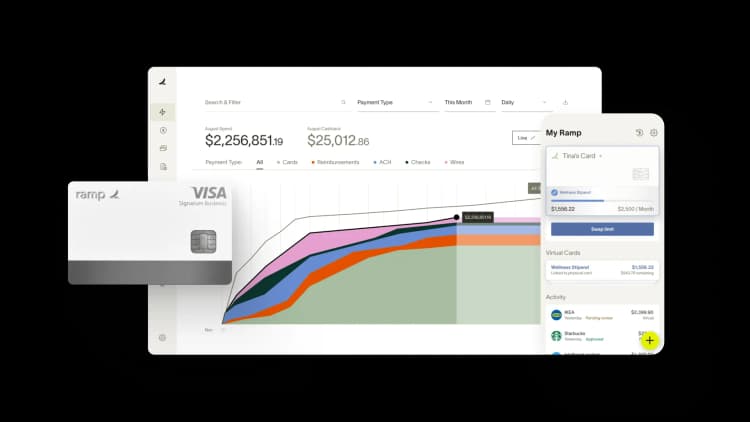
Rippling, Expensify, and Ramp all help businesses manage company spending, but they’re built for different workflows and priorities.
Some teams prioritize expense reimbursements and receipt tracking, while others want tighter controls, corporate cards, or broader finance automation. This guide compares how each platform handles spend management, pricing, accounting integrations, and company cards so you can decide which solution fits your team best.
How Rippling, Expensify, and Ramp compare at a glance
The table below highlights key differences across pricing, cards, expense management, and accounting integrations.
| Feature | Rippling | Expensify | Ramp |
|---|---|---|---|
| Best for | Companies consolidating HR, IT, and spend management in one platform | Companies focused on standalone expense reporting and receipt scanning | Companies prioritizing finance-first spend management with cards, expense, and AP |
| Pricing | Custom quote (each module priced separately) | Collect $5/member/month; Control $9–$36/member/month (rate depends on annual commitment + Card use) | Free tier; Plus $15/user/month + platform fee |
| Cashback | Yes, on purchases | 1% (Collect, with Card); up to 2% (Control, with Card) | Yes, on purchases |
| Corporate cards | Yes | Yes (US-only) | Yes |
| Expense management | Yes | Yes | Yes |
| Accounts payable | Yes | Yes | Yes |
| Accounting integrations | Yes | Yes | Yes |
| Free tier | No | Yes (individual) | Yes |
The sections below walk through how each platform handles these areas in detail.
Spend management
The three platforms take different approaches to spend management, from how they handle budget controls and policy enforcement to what spending insights they surface.
Rippling
Rippling Spend connects to Rippling's HR and IT modules, so you can see payroll and expense data in one place. If you already use Rippling for workforce management, adding Spend gives you a unified view of total employee costs across departments.
The platform offers approval workflows and budget tracking. Adding Spend to Rippling increases your per-employee cost, since each product is priced separately.
Expensify
Expensify's core workflow centers on expense tracking and reimbursement rather than proactive spend controls. You can set approval rules and spending limits, but real-time policy enforcement and savings insights aren't central features of the platform.
The platform suits teams whose primary goal is processing reimbursements efficiently.
Ramp
Ramp takes a finance-first approach to spend management. You can set card-level controls that block out-of-policy purchases before they happen, not just flag them afterward.
The platform uses AI to identify duplicate subscriptions, flag unusual spending patterns, and surface savings opportunities. Real-time visibility into spending helps finance teams catch issues early, before they become surprises at month-end.
Expense management and approvals
How employees submit expenses and how managers approve them affects both compliance and the time your team spends on administrative work.
Rippling
Rippling handles expense submissions through its unified platform. Employees upload receipts, and managers receive approval requests within the same system they use for time-off requests and other HR tasks.
The approval workflow integrates with org charts pulled from HR data, which can simplify routing. If someone's manager changes in the HR system, expense approvals update automatically.
Expensify
Expensify centers its expense process on receipt scanning. Employees can forward email receipts or snap photos, and the platform extracts transaction details automatically using SmartScan technology.
SmartScan reads receipts and populates expense fields like date, amount, and merchant. Approval workflows route expenses to the right managers based on rules you configure. The process is straightforward, though it still relies on employees remembering to submit receipts.
Ramp
Ramp automates much of the expense management process. When employees use Ramp cards, transactions appear automatically with merchant details already populated.
The platform prompts cardholders to submit receipts via text or the mobile app, then matches receipts to transactions using AI. You can configure multi-level approval workflows that enforce policies before expenses hit your books. The result is less chasing and fewer surprises.
Corporate cards
Corporate card programs differ in how employees access company funds, how cashback is structured, and how much real-time control finance teams have over spending.
Rippling
Rippling offers the Rippling Card with 1.75% unlimited cashback. You can issue virtual and physical cards, set spending limits, and tie card access to employee status in the HR system.
When someone leaves the company, their card access can be revoked automatically as part of offboarding. This direct connection between HR and card access is what teams often cite when choosing to add Rippling Spend.
Expensify
The Expensify Card is available only in the US and earns 1% cashback on the Collect plan or up to 2% on Control plans. Cards integrate directly with expense reporting, so transactions flow into the system without manual entry.
You can configure spending limits and approval requirements per card. The US-only limitation matters if you have international employees or contractors.
Ramp
Ramp offers unlimited corporate cards with no personal guarantee required. Ramp offers cashback on purchases.
You can create virtual cards instantly for specific vendors, projects, or subscriptions. Each card can have its own spending limit and expiration date. Card controls enforce policies at the point of purchase, blocking transactions that fall outside approved categories or amounts before the charge goes through.
Pricing and tiers
Pricing structures differ across all three platforms, and the total cost depends on which features you use and how many employees you have.
Rippling
Rippling uses custom pricing — you request a quote based on which modules you need. Each HR, IT, and finance product is priced separately, so adding Spend to an existing Rippling setup increases your per-employee cost.
The platform doesn't offer a free tier for spend management.
Expensify
Expensify's pricing structure has several tiers worth understanding. The Collect plan costs $5 per unique member per month with no annual contract; the Expensify Card is optional and earns 1% cashback on US spend. The Control plan comes in three variations: $9 per active member per month with an annual subscription and at least 50% of US spend routed through the Expensify Card; $18 per active member per month with an annual subscription but no card requirement; or $36 per active member per month on a pay-per-use basis with no commitment.
The Collect plan applies to workspaces created on or after April 1, 2025. Pricing can get complicated depending on your commitment level and card usage.
Ramp
Ramp offers a free tier that includes corporate cards, expense management, and bill pay. You can get started without any upfront cost.
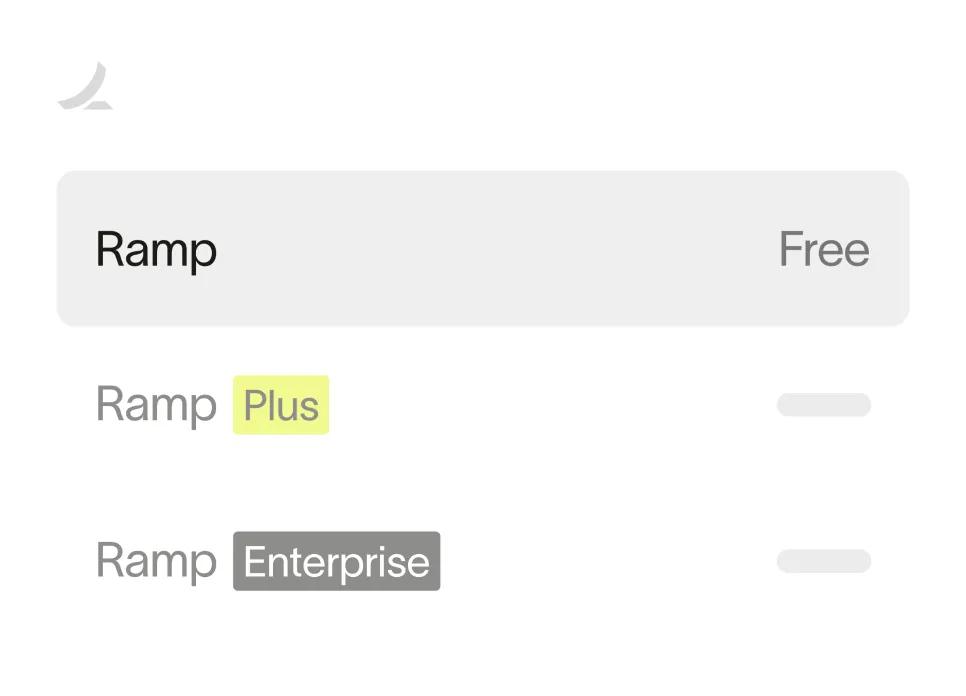
Ramp Plus starts at $15 per user per month plus a platform fee and adds features like advanced accounting automation, custom roles, and dedicated support. Enterprise pricing is available for larger organizations with complex requirements.
Ready to take control of your finances?
Learn about Ramp’s pricing plans and start saving today.
Accounting integrations
How well your spend management platform connects to your accounting software determines how much manual work your finance team handles at month-end.
Rippling
Rippling integrates with NetSuite, QuickBooks, Sage Intacct, and Xero. Expense data syncs to your general ledger, and you can map expense categories to your chart of accounts.
The integration works alongside Rippling's payroll sync if you use both modules. Having payroll and expenses flow to the same accounting system can simplify reporting.
Expensify
Expensify connects to QuickBooks, NetSuite, Xero, and Sage Intacct. The platform can automatically export approved expenses to your accounting system.
You configure category mappings and coding rules within Expensify. The setup process is relatively straightforward for standard accounting workflows.
Ramp
Ramp offers deep integrations with QuickBooks, Xero, NetSuite, and Sage Intacct through its accounting automation features.
The platform auto-categorizes transactions based on merchant data and your historical coding patterns. You can set up custom fields, sync in real-time, and close your books faster with less manual data entry. Over time, the AI learns your preferences and handles more of the categorization automatically.
Rippling vs. Expensify vs. Ramp: Full comparison
| Feature | Rippling | Expensify | Ramp |
|---|---|---|---|
| Corporate cards | Yes | Yes (US-only) | Yes |
| Expense management | Yes | Yes | Yes |
| Accounts payable | Yes | Yes | Yes |
| Receipt scanning | Yes | Yes | Yes |
| Real-time spend controls | Limited | Limited | Yes |
| Savings insights | No | No | Yes |
| Free tier | No | Yes (individual) | Yes |
| Cashback | 1.75% | 1–2% | Yes, on purchases |
Which platform fits your team?
Rippling makes sense if you already use or plan to use Rippling for HR and IT and want all workforce systems under one roof. The unified data model simplifies reporting across payroll, benefits, and expenses. However, you'll pay separately for each module, and the costs add up.
Expensify works well for teams that primarily want robust receipt scanning and straightforward expense reimbursement. If your employees frequently submit out-of-pocket expenses and you want a simple submission process, Expensify handles that workflow effectively. Just watch the pricing tiers carefully, as costs vary based on your plan choice and card usage.
Ramp fits finance teams that want to reduce spending, not just track it. The combination of real-time controls, AI-powered insights, and automated workflows helps you catch issues before they become problems. With a free tier that includes cards, expenses, and bill pay, you can start without a significant upfront investment.
See how Ramp simplifies finance operations
Snapdocs, a real estate technology company, consolidated from a multi-tool stack including Expensify onto Ramp and reduced reconciliation from 5–6 hours monthly to under 30 minutes, a 91% improvement. The finance team now spends less time chasing receipts and more time on work that actually moves the business forward.
With built-in cards, expense management, bill pay, and accounting automation, Ramp helps finance teams spend less time on manual processes.
Try an interactive demo to see how Ramp can work for your team.


“I assumed I would have to choose between speed and control. What I found is that you can have both. A well-designed system takes friction out, for the finance function and for everyone else.”
Justin Webster
CFO, Denver Broncos

“A well-run district should not have to choose between getting work done at the school site and keeping control of the dollars behind it. We're not hiring more people to do more jobs, so we have to be smarter about the process. With Ramp, the purchase, the receipt, and the record stay together from the start. ”
Nick Brizeno
Director of Purchasing, San Marcos Unified School District

“In senior living, scale only works if the communities still feel personal. We needed the back office to carry more of the complexity, not the people serving residents. Ramp helped us build that infrastructure, so the experience in the community could stay human.”
Ryan Cole
CFO, Agemark Senior Living

“AI is moving faster than the finance context around it. Prices change, models change, and the value is not always obvious from an invoice. We needed enough detail to know which bets deserved more investment — and which ones did not.”
Greg Cooley
Controller, AngelList

“Invoices, cards, tokens. The categories change but the principle doesn't: know where the money is going, remove the work around it, and make sure the spend is worth it.”
Maciej Mylik. Finance
ElevenLabs

“We weren’t trying to retrofit an old finance system. We had a blank canvas, and Ramp gave us the foundation to build a global finance function of the future.”
Justin Dourado
Director of Finance, Othership

“There's just no surprises anymore. No more waiting two months to find out how a job did. We know how it's doing as it's happening.”
Erich Kuss
Financial Systems Manager, Infinity Home Services

“More token spend isn’t proof that AI is working. Less isn’t proof that it isn’t. What matters is whether we’re buying the right level of intelligence for the work. Ramp lets us make that judgment in the same place we manage every other type of spend.”
Cody Nutt
Senior Director of Business Systems, Daxko
