USCIS electronic payment mandate: What immigration law firms need to know

- What the USCIS electronic payment mandate requires
- Who qualifies for an exemption
- How the mandate changes your firm's intake process
- What your firm should do now
- Managing USCIS filing fees across client matters
- Forms G-1450 and G-1650: A quick reference
- How immigration law firms use Ramp for USCIS filing fees
Effective Oct 28, 2025, USCIS is no longer accepting paper checks or money orders for paper-filed immigration applications. If your firm sends a check with mailed filings, USCIS will return the entire application unprocessed.
The shift affects every form your firm files by mail — I-129 petitions, I-485 adjustments, I-130 family petitions, and more. Here's what changed, what your firm needs to do, and how to handle client filing fees without creating data security or accounting problems.
What the USCIS electronic payment mandate requires
The mandate stems from Executive Order 14247, signed Mar 25, 2025, which required federal agencies to move all fee collections to electronic channels.
For paper-filed applications, USCIS now accepts two payment methods only:
- Credit or debit card via Form G-1450, Authorization for Credit Card Transactions. You submit one G-1450 per form transaction. USCIS accepts Visa, Mastercard, American Express, and Discover — but not cards issued by foreign banks.
- Automated Clearing House (ACH) debit via Form G-1650, Authorization for ACH Transactions. This pulls directly from a U.S. bank account and must accompany the paper filing.
For forms filed online through myUSCIS or Pay.gov, electronic payment was already the standard. The mandate closes the gap for paper filings.
What no longer works: Personal checks, business checks, money orders, and cashier's checks—USCIS rejects them unless the applicant qualifies for a formal exemption.
Who qualifies for an exemption
USCIS created Form G-1651, Exemption for Paper Fee Payment, for applicants who cannot access electronic payment. Valid grounds include:
- No access to banking or electronic payment systems
- Electronic payment would cause undue hardship
- A national security or law enforcement carve-out applies
For most immigration law firms, exemptions won't apply to the bulk of your filings. The G-1651 path is narrow and requires documentation. Plan for electronic payment as your default.
How the mandate changes your firm's intake process
The practical impact isn't just swapping a check for a card. It changes how your firm collects, stores, and tracks client payment data — and it creates new exposure if you handle that data carelessly.
Collecting client card information. If clients provide their personal credit or debit card for the G-1450, your firm is temporarily holding sensitive financial data. Your intake policy should define exactly where that information is stored, who can access it, and when it's deleted after the filing ships.
Firm cards paid out of trust. Some firms advance filing fees on behalf of clients and recover them as hard costs. If you're using a firm card for this, you need clean matter-level tracking. A charge that gets coded to the wrong client matter — or doesn't get coded at all — creates a billing reconciliation problem at close.
ACH from operating vs. trust accounts. If your firm uses G-1650 to pay directly from a bank account, confirm you're drawing from the correct account. Pulling filing fees from an Interest on Lawyers’ Trust Account (IOLTA) when the matter hasn't been billed creates a commingling risk under American Bar Association (ABA) Model Rule 1.15.
What your firm should do now
The mandate is already in effect. If your firm files any paper applications, here are the immediate steps:
- Update your intake process. Remove checks and money orders from your standard filing checklist. Add G-1450 or G-1650 to the default packet for every paper filing.
- Define how you'll handle client card data. If clients are providing personal card information for G-1450, your firm needs a clear policy on how that data is collected, where it's stored, and when it's deleted.
- Audit how filing fees are tracked. If you're using a shared firm card, identify which matters had fees paid in the last billing cycle and confirm they're correctly coded. This is your baseline — fix the process before the volume compounds.
- Consider matter-specific virtual cards. If your firm handles more than a handful of active filings at any time, a shared card creates a reconciliation burden. Virtual cards per matter eliminate the problem at the source.
Managing USCIS filing fees across client matters
Immigration firms filing high volumes of petitions face the same problem in a new form: keeping every filing fee attributed to the right client matter.
Before the mandate, checks were often written per matter and matched to case files manually. That system had friction, but it had a clear paper trail. The move to card payments removes the paper but doesn't automatically create better attribution—it just changes where the reconciliation problem shows up.
The risk: A shared firm card used across multiple filings in a single billing cycle produces a single statement line per vendor. If your firm pays three I-129 fees in one week, you get one or three card charges that need to be manually split back to three separate client matters. That's your office manager's problem at month-end.
What good looks like: A spend management platform that lets you issue a unique virtual card per client matter — with a spend limit matching the exact filing fee — eliminates the attribution step entirely. The charge is coded to the right matter at the point of payment, not reconstructed afterward. When that matter closes, the card closes.
The same approach applies to USCIS Immigrant Fee payments (the $235 fee paid directly at my.uscis.gov), processing fees for rush filings, and other case-specific disbursements.
Forms G-1450 and G-1650: A quick reference
| Form | Payment method | When to use |
|---|---|---|
| G-1450 | Credit or debit card | Paper filings where you're paying by card. One form per transaction. |
| G-1650 | ACH debit from U.S. bank account | Paper filings where you're paying by bank account. Include routing and account number. |
| G-1651 | Exemption request | Only when client genuinely cannot access electronic payment. |
Both G-1450 and G-1650 must be signed and submitted with the paper filing. USCIS will not process the application if the form is missing or incomplete.
There's no additional fee for paying by credit or debit card. USCIS has set a daily transaction limit of $24,999.99 per credit card per day, which is relevant for firms consolidating multiple filings in a single submission.
How immigration law firms use Ramp for USCIS filing fees
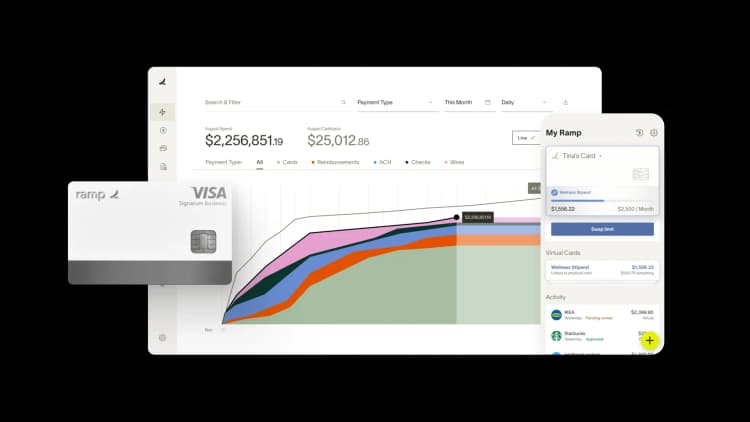
Ramp lets immigration firms issue a virtual card per client matter with a spending limit tied to the exact filing fee. When the attorney submits the G-1450 with the I-129, the charge hits the matter-specific card — already coded, already capped, already attributed.
There's no manual reconciliation step at month-end. The filing fee shows up as a hard cost on the right client ledger, ready to bill back or write off based on your engagement terms.
For firms managing dozens of active petitions at any time, the arithmetic matters: every hour your office manager spends sorting card charges across matters is an hour not spent on case administration or client communication.
Ramp also handles approvals. If your firm requires controller sign-off on disbursements above a threshold — a common policy for high-volume I-140 or EB-5 filings — you can route that approval automatically before the card is charged, rather than reviewing after the fact.
If you're managing USCIS filing fees across a portfolio of active matters, explore how Ramp handles matter-level spend for law firms.
The information provided in this article does not constitute accounting, legal or financial advice and is for general informational purposes only. Please contact an accountant, attorney, or financial advisor to obtain advice with respect to your business.

FAQs
Yes — it applies to all paper-filed benefit requests submitted to USCIS. Forms filed online through myUSCIS already used electronic payment. The mandate closes the gap for paper filings, including I-129, I-130, I-485, and I-140 petitions.
Only if the client qualifies for a formal exemption under Form G-1651. The exemption process requires documentation and USCIS approval. It's not a workaround for administrative convenience — it's intended for applicants who genuinely lack access to electronic payment systems.
No. USCIS does not charge a processing fee for credit or debit card payments submitted with Form G-1450.
Yes — USCIS accepts Visa, Mastercard, American Express, and Discover, which includes virtual cards issued on those networks. A virtual card issued per client matter and capped at the exact filing fee amount satisfies the G-1450 requirement and gives your firm automatic matter-level attribution.


“I assumed I would have to choose between speed and control. What I found is that you can have both. A well-designed system takes friction out, for the finance function and for everyone else.”
Justin Webster
CFO, Denver Broncos

“A well-run district should not have to choose between getting work done at the school site and keeping control of the dollars behind it. We're not hiring more people to do more jobs, so we have to be smarter about the process. With Ramp, the purchase, the receipt, and the record stay together from the start. ”
Nick Brizeno
Director of Purchasing, San Marcos Unified School District

“In senior living, scale only works if the communities still feel personal. We needed the back office to carry more of the complexity, not the people serving residents. Ramp helped us build that infrastructure, so the experience in the community could stay human.”
Ryan Cole
CFO, Agemark Senior Living

“AI is moving faster than the finance context around it. Prices change, models change, and the value is not always obvious from an invoice. We needed enough detail to know which bets deserved more investment — and which ones did not.”
Greg Cooley
Controller, AngelList

“Invoices, cards, tokens. The categories change but the principle doesn't: know where the money is going, remove the work around it, and make sure the spend is worth it.”
Maciej Mylik. Finance
ElevenLabs

“We weren’t trying to retrofit an old finance system. We had a blank canvas, and Ramp gave us the foundation to build a global finance function of the future.”
Justin Dourado
Director of Finance, Othership

“There's just no surprises anymore. No more waiting two months to find out how a job did. We know how it's doing as it's happening.”
Erich Kuss
Financial Systems Manager, Infinity Home Services

“More token spend isn’t proof that AI is working. Less isn’t proof that it isn’t. What matters is whether we’re buying the right level of intelligence for the work. Ramp lets us make that judgment in the same place we manage every other type of spend.”
Cody Nutt
Senior Director of Business Systems, Daxko
