
- What is ERP automation?
- What are the benefits of ERP automation?
- What does ERP automation cover?
- Where does ERP automation pay off fastest?
- Where does ERP automation break down?
- How to start ERP automation: A 5-step plan
- Automate spend on top of your ERP with Ramp
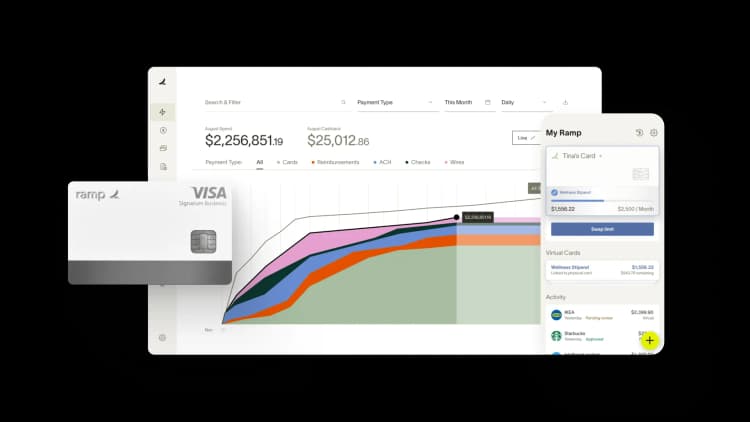
ERP automation uses AI, machine learning, and workflow logic to handle the repetitive tasks inside your ERP that finance, procurement, and operations teams currently do by hand. The biggest wins show up in accounts payable, purchase order matching, journal entry coding, inventory replenishment, and month-end close: processes where the volume is high and the rules are mostly knowable.
The most common reason ERP automation projects fail is that teams try to automate broken processes. Fixing the process first, then adding the automation layer, is what determines whether the project delivers measurable time savings. This article covers what ERP automation includes, where it pays off fastest, where it breaks down, and how modern spend and AP platforms sit on top of your existing ERP.
What is ERP automation?
In practice, ERP automation means the system reads, codes, routes, and posts transactions on its own instead of someone keying invoice line items into NetSuite or routing approvals over email.
Finance teams have been writing approval rules and scheduled scripts inside their ERPs for years. What's changed is that AI can now read an unstructured PDF invoice, match it to a purchase order, decide which GL account it belongs in, and post it to the ledger with little human intervention. That moves automation from simple rule-based logic into work that previously required judgment.
Your ERP is the system of record where your financial data lives; ERP automation is the software layer that does the work flowing into and out of that system. That layer can be built into the ERP natively (SAP, Microsoft, and Oracle now ship AI agents and workflow automation inside their platforms), or it can be a specialized tool that connects to the ERP.
For high-volume spend work like AP and expenses, a dedicated platform is often a better fit than the native modules because those modules are designed for the ledger, not for processing hundreds of transactions a day. But, many finance teams run both.
What are the benefits of ERP automation?
When automation is working well across AP, expenses, and close, the improvements lead to:
- Less manual labor: Coding, routing, and posting run automatically instead of requiring hands-on work for every transaction
- Fewer data entry errors: AI-driven capture is more consistent than manual keying, especially at high volume
- Faster close: Real-time coding and reconciliation compress your close from weeks to days
- Stronger compliance: Automated audit trails capture every approval, change, and posting with timestamps and user IDs
- Lower fraud exposure: AI fraud detection identifies vendor banking changes and suspicious patterns before payment goes out
- Better cash visibility: Real-time sync replaces weekly or monthly batch reconciliation, so your cash position reflects current data rather than data from the last batch run
What does ERP automation cover?
ERP automation touches every process where data moves into, through, or out of your ERP.
Workflow and approvals
You set the rules (amount, department, vendor, GL code) and automation routes every PO, invoice, and journal entry to the right approver. Approvals route automatically without manual follow-up.
Data sync across modules and systems
The automation layer pulls employee data from your HRIS into payroll, pushes closed deals from your CRM into revenue recognition, and syncs inventory counts from your warehouse system into procurement. Without it, the data moves through CSV exports and manual reconciliation.
Transaction coding and posting
The system assigns GL codes, departments, classes, locations, and custom fields to every transaction. This is where AI has had the most impact over the past two years. A well-trained model can now handle most coding decisions on the first pass that previously required an accountant to review.
Reporting and close
Financial statements, audit trails, variance reports, and compliance logs generate on a schedule. The system also handles reconciliations, accruals, and intercompany eliminations automatically.
Inventory and procurement triggers
The system triggers vendor POs when stock drops below threshold and runs three-way matching between PO, invoice, and receipt. It also handles vendor onboarding, including tax form collection and verification.
Where does ERP automation pay off fastest?
High-volume, rule-based processes give you the fastest return because the time savings are immediate and measurable. AP, expense management, procurement, and month-end close are the top candidates.
Accounts payable
AP is the highest-volume manual process on most finance teams. Each invoice needs data entry, coding, approval, payment, and posting to the ERP. AI-powered AP automation reads the invoice, captures line items, matches it against a purchase order, codes it based on your historical patterns, and routes it for approval with a recommended decision.
The output of good AP automation is a fully coded, approved transaction that posts to your ERP without anyone re-keying it. The quality of that output depends on the tool's ability to read your chart of accounts, handle multi-line invoices where different lines map to different GL codes, and flag anomalies like vendor banking changes before payment goes out.
Expense management
Expense management is a natural next target because the work is repetitive, rule-based, and high-volume. Every card transaction needs a receipt, a memo, a category, a policy check, and an approver. Doing all of that manually means your team spends time on low-value work for every small transaction.
With automation, the card swipe triggers receipt capture, AI suggests a category from the merchant data, the policy engine approves or flags it, and the transaction posts to the ERP without an expense report. The goal is to get to a model where your team only reviews exceptions rather than every transaction.
Procurement and intake
Procurement automation gives you control over the gap between a purchase request and an approved invoice. The system generates intake forms and POs, routes approvals across finance, IT, legal, and security, and runs three-way matching against item receipts.
Most companies have no automated control over what gets purchased before the invoice arrives. Procurement automation moves the control earlier in the process, which is the only way to reduce spend rather than just record it after the fact.
Month-end close
Month-end close is where automation has the most visible impact on the finance team's time. If you automate coding, reconciliation, and reporting upstream, close compresses from weeks to days. A faster close also means earlier visibility into financial performance and faster reforecasting.
Where does ERP automation break down?
Most ERP automation projects underdeliver because of bad data, broken processes, or opaque AI.
Bad data going in
Automation amplifies whatever data goes into it. If your vendor master is full of duplicates and your GL is inconsistent, automating the coding work means you'll mis-code at scale. Clean the underlying data before the AI layer can do anything useful.
Automating broken processes
A common mistake is adding an AI layer on top of an approval workflow that stalls for weeks because the approvers aren't clearly defined or don't know they're in the chain. The automation makes the routing faster but doesn't fix the bottleneck, which is the process design itself. Map the process first, fix the broken parts, then automate what's left.
Treating AI as a black box
Some automation tools make decisions without explaining them, which makes them impossible to audit. Look for systems that provide citations, show their reasoning, and let humans confirm money-moving actions.
How to start ERP automation: A 5-step plan
You don't need to automate everything at once. Start with one high-impact process and expand from there.
- Pick one process with high volume and clear rules: AP is usually the right starting point because the work is repetitive, the rules are mostly knowable, and the time savings are immediate. Expense management is second.
- Audit your data before you automate: Clean your vendor master, consolidate your GL, and reconcile your department and class structures across systems. If your data is inconsistent, fix it before adding automation.
- Map the process end to end: Write down every step from request to posting. Identify which steps require human judgment and which are rule-based. Only the rule-based steps are automation candidates.
- Choose tools that connect to your ERP, not replace it: A specialized AP, expense, or procurement platform that syncs bidirectionally with your ERP is usually a better fit for high-volume work. Your ERP stays the system of record, and the specialized tool handles the daily transaction processing.
- Pilot, measure, expand: Run the new automated process alongside the old one for a month. Track cycle time, error rate, and time saved. Once the metrics hold, expand to the next process.
The automation only saves time if its output lands in your ERP already coded and approved. That makes the quality of the ERP integration the most important factor when choosing a spend automation platform.
Automate spend on top of your ERP with Ramp
Ramp handles cards, expenses, AP, procurement, travel, and treasury in one platform, with AI agents coding each transaction, enforcing policy, and routing approvals. It then connects directly to your ERP to post the finished work to your ledger.
AI agents across the spend lifecycle
Ramp runs specialized AI agents for each stage of the process:
- Auto-coding agent: Applies your organization's historical coding logic to new invoices, including multi-line bills where different lines map to different GL codes
- Fraud prevention agent: Flags suspicious vendor banking changes before money moves
- Approval agent: Summarizes the vendor relationship, contract terms, and pricing history so reviewers have the context they need to approve quickly
- Card payment agent: Finds card-eligible invoices and fills payment details into vendor portals
- Policy agent: Reviews expenses automatically and flags the ones that need human judgment, so your team reviews exceptions rather than every transaction
ERP integration
Ramp connects directly to 40+ ERPs, including NetSuite, Sage Intacct, QuickBooks, Xero, Microsoft Dynamics 365 Business Central, Acumatica, Oracle Fusion Cloud, and Workday, through prebuilt integrations rather than a generic export.
- Coded to your ledger: Ramp reads your chart of accounts, vendors, and custom dimensions from the ERP, so every transaction posts to the right GL account, department, class, and location
- Real-time sync, no re-keying: Approved transactions post to the ERP as they happen. Your chart of accounts and vendor records stay aligned without manual exports or journal entries
- Built for complex finance: Multi-entity, multi-currency, custom fields, and custom dimensions are supported, so the integration continues to work as you add entities and currencies
With Ramp, AP, expenses, and month-end close run with minimal manual intervention, and your ERP stays current without anyone entering data twice.


“I assumed I would have to choose between speed and control. What I found is that you can have both. A well-designed system takes friction out, for the finance function and for everyone else.”
Justin Webster
CFO, Denver Broncos

“A well-run district should not have to choose between getting work done at the school site and keeping control of the dollars behind it. We're not hiring more people to do more jobs, so we have to be smarter about the process. With Ramp, the purchase, the receipt, and the record stay together from the start. ”
Nick Brizeno
Director of Purchasing, San Marcos Unified School District

“In senior living, scale only works if the communities still feel personal. We needed the back office to carry more of the complexity, not the people serving residents. Ramp helped us build that infrastructure, so the experience in the community could stay human.”
Ryan Cole
CFO, Agemark Senior Living

“AI is moving faster than the finance context around it. Prices change, models change, and the value is not always obvious from an invoice. We needed enough detail to know which bets deserved more investment — and which ones did not.”
Greg Cooley
Controller, AngelList

“Invoices, cards, tokens. The categories change but the principle doesn't: know where the money is going, remove the work around it, and make sure the spend is worth it.”
Maciej Mylik. Finance
ElevenLabs

“We weren’t trying to retrofit an old finance system. We had a blank canvas, and Ramp gave us the foundation to build a global finance function of the future.”
Justin Dourado
Director of Finance, Othership

“There's just no surprises anymore. No more waiting two months to find out how a job did. We know how it's doing as it's happening.”
Erich Kuss
Financial Systems Manager, Infinity Home Services

“More token spend isn’t proof that AI is working. Less isn’t proof that it isn’t. What matters is whether we’re buying the right level of intelligence for the work. Ramp lets us make that judgment in the same place we manage every other type of spend.”
Cody Nutt
Senior Director of Business Systems, Daxko
