E-commerce reporting guide: Metrics, reports, and tools

- What is e-commerce reporting?
- Why e-commerce reporting matters for your business
- Essential e-commerce reporting metrics to track
- Types of e-commerce reports you need
- Common e-commerce reporting challenges
- How to create effective e-commerce reports
- Top e-commerce reporting tools
- Best practices for e-commerce reporting
- See the full picture of e-commerce profitability with Ramp
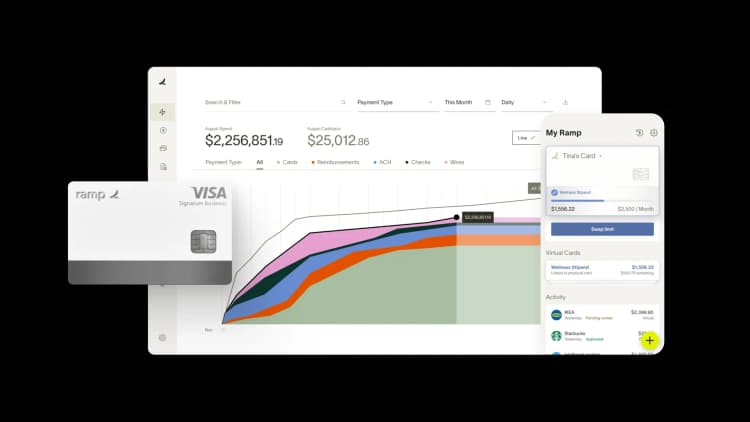
E-commerce reporting pulls together data from your storefront, ad platforms, payment processors, and accounting system so you can answer the questions that actually move the business forward: which products are profitable, which channels are bleeding cash, and where your next opportunity is hiding.
Without it, you're flying with half your instruments covered—moving, but with no clear read on speed, burn rate, or what's ahead.
What is e-commerce reporting?
E-commerce reporting is the process of consolidating performance data, including conversion rates, average order value (AOV), customer lifetime value (CLV), and more, into structured reports you can use to track results and spot growth opportunities.
It unifies information from your website, marketing channels, payment systems, inventory tools, and accounting software so you're working from one source of truth. Instead of toggling between dashboards, you get a single view that supports data-driven decisions across sales, marketing, finance, and operations.
Why e-commerce reporting matters for your business
Good reporting replaces guesswork with evidence. Consistent, well-structured reporting delivers several benefits:
- Uncover weaknesses: Find where you're losing sales or overspending on ads, fulfillment, or low-margin SKUs
- Identify growth opportunities: See which products, channels, or customer segments deserve more investment
- Make faster decisions: Replace gut instinct with real-time data your team can act on
- Improve financial accuracy: Reconcile sales data with actual cash flow so your books reflect reality
When your data tells a clear story, every team member can make smarter decisions. Your business grows with intention, not by accident.
Essential e-commerce reporting metrics to track
Metrics are the individual data points that feed your reports. The trick is choosing the ones tied to your specific business goals. Tracking everything creates noise and slows decision-making.
Sales and revenue metrics
These show how much money is coming in and where it's coming from.
- Gross revenue: Total sales before any deductions
- Net revenue: Gross revenue minus returns, refunds, and discounts
- Average order value: Total revenue divided by number of orders. AOV tells you how much the typical customer spends in a single transaction.
- Sales by product or category: Reveals your top sellers and underperformers
Financial performance metrics
Revenue tells you what's coming in. Financial performance metrics tell you what you actually keep.
- Cost of goods sold (COGS): Direct costs to produce or acquire the products you sold
- Gross margin: Revenue minus COGS, expressed as a percentage of revenue
- Net profit margin: What's left after all expenses, including overhead, marketing, and fees, as a percentage of revenue
Marketing performance metrics
These metrics show whether your marketing spend is actually working.
- Customer acquisition cost (CAC): Total marketing and sales spend divided by new customers acquired in that period
- Return on ad spend (ROAS): Revenue generated per dollar of ad spend
- Conversion rate: Percentage of visitors who complete a purchase
Customer behavior metrics
These metrics tell you how customers interact with your brand over time.
- Customer lifetime value: The total revenue you expect from a single customer over the entire relationship
- Retention rate: Percentage of customers who return to buy again
- First-time vs. returning buyer ratio: Helps you understand whether you're building a loyal base or constantly chasing new buyers
Inventory and operations metrics
Operational metrics directly affect cash flow because inventory ties up working capital.
- Inventory turnover: How many times you sell and replace inventory in a given period
- Stockout rate: How often you run out of stock on in-demand items
- Fulfillment time: Time from order placement to delivery
Slow turnover and frequent stockouts both drain cash. One ties up capital in unsold goods, the other costs you sales you could have made.
Types of e-commerce reports you need
Reports take individual metrics and combine them to answer specific business questions. Most e-commerce reports fall into four broad categories: sales and revenue, acquisition and attribution, customer behavior, and operations.
Sales reports
Sales reports track revenue over time, sales by product, and the impact of discount codes. They answer questions like: Are sales trending up week over week? Which SKUs are driving growth? Did that promo code actually move the needle, or did it just discount sales you'd have made anyway?
Financial reports
Financial reports include profit and loss summaries, expense breakdowns, and cash flow statements. They connect directly to your accounting system and translate operational activity into the numbers your CFO, board, and tax preparer need.
Sales tax and compliance reports
If you sell across state or country lines, you need reports that track economic nexus thresholds and tax collected by jurisdiction. This category gets overlooked until it becomes a problem, often in the form of a back-tax bill from a state you didn't realize you owed.
Marketing reports
Marketing reports focus on attribution: which traffic sources, campaigns, and creatives drive sales. They tie ad spend back to revenue so you can shift budget toward what's working and cut what isn't.
Customer reports
Customer reports include cohort analyses, customer lifetime value projections, and retention curves. They reveal patterns in how different groups of customers behave over time, helping you forecast revenue and tailor retention efforts.
Inventory reports
Inventory reports cover stock levels, reorder points, and dead stock. Every unit sitting in a warehouse represents cash you can't deploy elsewhere, so spotting slow movers early protects your working capital.
Conversion and funnel reports
Funnel reports show where shoppers drop off, on product pages, in the cart, or at checkout. Cart abandonment rate and checkout completion rate point you to the highest-leverage fixes on your site.
Multichannel sales reports
If you sell on Amazon, Shopify, TikTok Shop, and wholesale, you need a consolidated view across all of them. Multichannel reports prevent the trap of optimizing one channel while losing money on another.
Common e-commerce reporting challenges
Several reporting issues can trip up your e-commerce finance team. The bigger your operation grows, the more sources your data lives in, and the harder it gets to see the full picture in one place.
Data scattered across multiple platforms
Sales live in Shopify, ad data lives in Meta and Google, inventory lives in a separate system, and expenses live in your accounting software. Without a way to bring it all together, you're stuck with partial answers and conflicting numbers.
Time-consuming manual reporting processes
Exporting CSVs, pasting them into spreadsheets, building pivot tables, and reconciling totals can swallow days every month. That's time your team isn't spending on analysis or decisions.
Difficulty connecting sales to true profitability
Top-line revenue looks great until you account for ad spend, shipping, payment processing fees, returns, and COGS. You may not realize a bestselling product is actually unprofitable until you run a profitability analysis.
Inconsistent data and reconciliation errors
Numbers rarely match perfectly across platforms. Duplicate entries, timing differences between when a sale is recorded and when cash settles, and currency conversion all introduce discrepancies that take hours to untangle.
How to create effective e-commerce reports
Building reports that actually get used follows a repeatable process. You don't need the fanciest tools to get value from your data. You need a clear, consistent approach to turning numbers into decisions.
1. Define your reporting goals and audience
Start by asking who will read the report and what decisions it should inform. A CFO needs cash flow and margin data, while a marketing manager needs CAC and ROAS by campaign. Same business, very different reports.
2. Select the right metrics for your business stage
Early on, focus on acquisition and conversion to prove your model works. As you scale, shift toward retention, CLV, and margin expansion. Skip vanity metrics like page views and follower counts, which rarely drive decisions.
3. Consolidate data from multiple sources
Pull data from your e-commerce platform, ad accounts, payment processor, and accounting software into one location. This might be a data warehouse, a BI tool, or a dedicated reporting platform. The point is to stop chasing numbers across five tabs.
4. Choose clear visualizations for your data
The right chart makes patterns obvious. The wrong one buries them. Make sure you choose the chart that fits your data:
- Line chart: Trends over time
- Bar chart: Category comparisons
- Pie chart: Part-to-whole proportions
- Table: Detailed breakdowns
5. Automate report generation and distribution
Schedule reports to land in inboxes or Slack channels on a regular cadence. Set up automated alerts for anomalies such as a CAC spike, a margin drop, or a stockout so you hear about problems before they grow.
Top e-commerce reporting tools
The right tool depends on the gap you're trying to close. Tools fall into a few main categories.
Analytics and data platforms
Tools such as Google Analytics 4, Databox, and Looker Studio focus on monitoring and visualization. You may want to start here because the setup is relatively low-lift and the visual outputs are easy to share with stakeholders.
These tools are strong for tracking site behavior, building KPI dashboards, and surfacing trends, but they typically need data piped in from other sources. For teams that need deeper financial reporting capabilities, dedicated BI platforms offer more flexibility.
Data integration and consolidation tools
Platforms such as Supermetrics, Funnel.io, and Fivetran pull data from dozens of sources, such as ad platforms, e-commerce platforms, and CRMs, into one destination. Think of them as the connective tissue between your raw data and the reports your team actually reads. You need these when your team is spending more time gathering data than analyzing it.
Financial reporting and accounting software
Tools in this category connect sales activity to your books so you can see true profitability. Syncing expense data with revenue data is what turns a sales report into a margin report. Platforms like Ramp make that connection automatic by feeding categorized expense data straight into your accounting system so your margin reports reflect what you actually spent.
All-in-one e-commerce platform analytics
Shopify Analytics, BigCommerce Analytics, and Amazon Seller Central reporting give you native dashboards inside the platform you sell on. They're convenient and free, but they only see their own data. If you're a multichannel seller, you may need something on top to get the full picture.
Best practices for e-commerce reporting
Once your reports are running, these habits keep them useful. Good reporting habits compound over time. The longer your team works with clean, consistent data, the faster it gets at spotting what matters.
Focus on profitability, not just revenue
Revenue growth means nothing if margins are shrinking. Pair every sales report with expense and margin data so you can spot the difference between healthy growth and growth that's quietly losing money.
Build real-time dashboards for key metrics
Waiting for month-end close to catch a problem is too late. Set up live dashboards for the metrics that need immediate attention, including ad spend, conversion rate, and stock levels, so you can react in days, not weeks.
Align reports with specific business objectives
Every report should answer a specific question tied to a specific decision. If a report has been running for months and nobody acts on it, kill it.
Integrate financial data with operational data
Connect your expense management, accounts payable, and sales data so you can see the full picture in one place. Without that integration, you're guessing at profitability.
Establish regular review cadences
Match review frequency to the metric: daily for operational metrics such as inventory and fulfillment, weekly for marketing performance, and monthly for financial reviews. Putting these on the calendar creates accountability and prevents drift.
See the full picture of e-commerce profitability with Ramp
Most e-commerce reporting tools show you revenue. Far fewer show you what you actually keep after every cost is accounted for, and that's where Ramp fits in.
Ramp categorizes every expense automatically, gives you real-time visibility into spend across cards, bills, and reimbursements, and syncs cleanly with QuickBooks, NetSuite, Xero, and Sage Intacct. That means the expense side of your profitability equation is always current, so when you compare it to your sales data, you're seeing true margin, not last month's estimate.
For e-commerce finance teams juggling ad spend, inventory purchases, software subscriptions, and 3PL fees across dozens of vendors, Ramp removes the manual work that gets in the way of clean reporting.
Explore a free Ramp demo to see how it fits in with your reporting stack.

FAQs
The 80/20 rule suggests that roughly 80% of your revenue comes from 20% of your products or customers. Use this principle to prioritize which metrics, products, and segments deserve the most attention in your reports.
Review operational metrics like inventory and fulfillment daily, marketing performance weekly, and financial reports monthly. Adjust frequency based on sales volume and the complexity of your business.
Analytics is the process of exploring and investigating data to discover insights. Reporting is the structured output, the dashboards and documents that present that data to stakeholders in a usable format.
Subtract all costs, including COGS, shipping, payment processing fees, returns, refunds, and marketing spend, from revenue. Many sellers overestimate profit by only looking at gross revenue minus product cost, missing the fees and operational costs that quietly eat into margins.


“I assumed I would have to choose between speed and control. What I found is that you can have both. A well-designed system takes friction out, for the finance function and for everyone else.”
Justin Webster
CFO, Denver Broncos

“A well-run district should not have to choose between getting work done at the school site and keeping control of the dollars behind it. We're not hiring more people to do more jobs, so we have to be smarter about the process. With Ramp, the purchase, the receipt, and the record stay together from the start. ”
Nick Brizeno
Director of Purchasing, San Marcos Unified School District

“In senior living, scale only works if the communities still feel personal. We needed the back office to carry more of the complexity, not the people serving residents. Ramp helped us build that infrastructure, so the experience in the community could stay human.”
Ryan Cole
CFO, Agemark Senior Living

“AI is moving faster than the finance context around it. Prices change, models change, and the value is not always obvious from an invoice. We needed enough detail to know which bets deserved more investment — and which ones did not.”
Greg Cooley
Controller, AngelList

“Invoices, cards, tokens. The categories change but the principle doesn't: know where the money is going, remove the work around it, and make sure the spend is worth it.”
Maciej Mylik. Finance
ElevenLabs

“We weren’t trying to retrofit an old finance system. We had a blank canvas, and Ramp gave us the foundation to build a global finance function of the future.”
Justin Dourado
Director of Finance, Othership

“There's just no surprises anymore. No more waiting two months to find out how a job did. We know how it's doing as it's happening.”
Erich Kuss
Financial Systems Manager, Infinity Home Services

“More token spend isn’t proof that AI is working. Less isn’t proof that it isn’t. What matters is whether we’re buying the right level of intelligence for the work. Ramp lets us make that judgment in the same place we manage every other type of spend.”
Cody Nutt
Senior Director of Business Systems, Daxko
