How to enforce receipt compliance

- How to create a receipt policy
- How to enforce receipt compliance automatically with Ramp
- IRS receipt requirements and the $75 rule
- Replace petty cash with controlled corporate cards
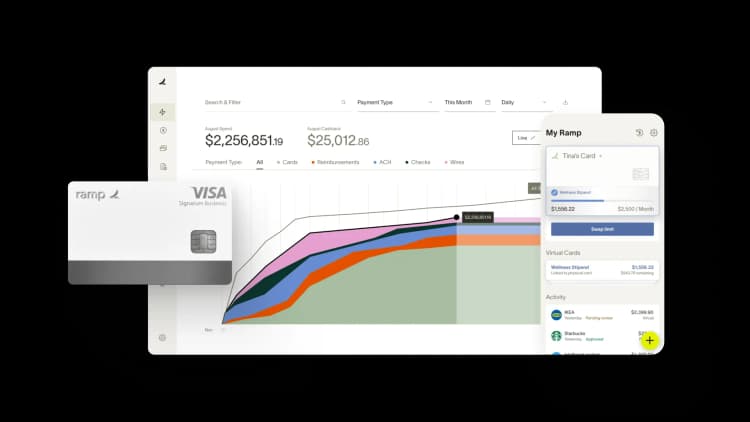
Receipt compliance is the practice of ensuring every employee submits a valid receipt for each business expense according to your company's policy. It covers documentation standards, submission deadlines, and verification processes—everything that connects a transaction on your books to proof that it actually happened.
A strong process for receipt collection is essential for keeping books accurate and audits straightforward. Without one, your finance team wastes hours chasing employees, and month-end close gets delayed. With the right process in place, you can:
- Ensure expenses are supported by valid documentation
- Reduce time spent chasing employees at month-end
- Maintain clean records for audits and tax filings
- Automate enforcement so your finance team can focus on analysis instead of reminders
How to create a receipt policy
A clear, written receipt policy is the foundation of enforcement. Without documented rules, you can't hold employees accountable for missing documentation.
Define which expenses require receipts
Most companies require itemized receipts for these categories:
- Meals and entertainment
- Air travel and hotel stays
- Rental cars and ground transportation
- Office supplies and equipment
- Client gifts and business subscriptions
Many teams also set a dollar threshold—for example, requiring receipts only for expenses above $25 or $50. Your threshold can be stricter than IRS receipt requirements, and often should be.
Set receipt submission deadlines
Pick a clear timeframe and stick to it. Common approaches include requiring receipts within 5 business days of purchase or before monthly close, whichever comes first.
Timely submission matters because stale transactions are harder to categorize, easier to forget, and more likely to hold up your close. The shorter the window, the fewer receipts you'll end up chasing.
Establish consequences for noncompliance
Employees need to know what happens when they don't submit receipts. A typical escalation path looks like this:
- Automated reminder sent to the employee
- Follow-up reminder with manager copied
- Reimbursement denied or card suspended until receipts are submitted
The key is consistency. If consequences only apply sometimes, employees learn they can skip documentation.
How to enforce receipt compliance automatically with Ramp
Below are answers to the most common questions your finance team faces around receipt compliance.
How to handle lost or unreadable receipts in compliance reporting?
If a receipt is lost or unreadable, employees can provide transaction details (vendor, date, amount, purpose), which managers then review. For higher-value expenses, vendor reissues are required. Ramp flags these cases automatically, preserves the exception record, and maintains full audit visibility.
How do missing receipt affidavits work?
A missing receipt affidavit is a structured statement employees submit when a receipt cannot be provided. On Ramp, affidavits replace free-form notes, require approval, sync into your ERP, and are stored as part of the permanent record.
What happens if an employee uploads the wrong receipt?
Receipts marked as incorrect trigger a notification for employees to re-upload the correct file. Ramp stores both versions with timestamps for audit purposes, while only the corrected receipt is synced to the ERP.
How to send automated reminders when receipts are overdue?
Ramp automatically sends reminders by email, in-app, or Slack, and provides employees with a direct link to upload. If still unresolved, the task escalates to managers for follow-up.
How are receipts handled when a charge is refunded?
Receipts always remain tied to the original charge, even when partial or full refunds occur. Ramp links refunds back to the charge automatically and keeps both visible in dashboards and synced ERPs.
What are the receipt requirements for recurring subscriptions and one-time charges?
For subscriptions, the initial contract or invoice often serves as the primary document, while one-time charges require individual receipts. Ramp supports both approaches with flexible receipt policies.
Can admins bulk-reassign missing receipt tasks to managers?
Yes. Admins can bulk-reassign receipt tasks so that managers, not finance teams, are responsible for follow-up. Managers see overdue items grouped by employee in Ramp, making resolution faster.
What happens to expense reports if receipts are missing at month-end?
Transactions without receipts remain flagged and incomplete. Ramp continues to send reminders, escalates to managers, and preserves a full audit history, even if receipts are uploaded later.
IRS receipt requirements and the $75 rule
The IRS has specific rules about what counts as valid expense documentation, and they don't always require a receipt. Understanding these rules helps you build a policy that's both compliant and practical.
What the IRS requires for expense documentation
For any business expense to qualify as a tax deduction, you need documentation that includes:
- Date: When the expense occurred
- Amount: Total cost including taxes and tips
- Vendor: Name and location of the business
- Business purpose: Why the expense was necessary
Without these details, the deduction may not hold up in an audit, even if the expense was legitimate.
When receipts are required vs. optional
The IRS doesn't require receipts for travel, transportation, or entertainment expenses under $75, with one notable exception: lodging always requires a receipt regardless of amount. Your company policy can (and often should) set a lower threshold than the IRS minimum.
| Expense type | IRS receipt requirement |
|---|---|
| Travel expenses under $75 | Not required (except lodging) |
| Lodging (any amount) | Always required |
| Meals and entertainment under $75 | Not required |
| All expenses $75 and over | Required |
How long to retain receipts
The IRS generally requires you to keep records for 3 years from the date you file your return. However, if you underreport income by more than 25%, that window extends to 6 years. The safest approach is to store digital copies for at least 7 years and let your document retention policy handle the rest.
Replace petty cash with controlled corporate cards
Petty cash works for small purchases, but it comes with limitations. Cash is harder to track, receipts get lost, and reconciliation takes manual effort every month.
Many businesses now replace petty cash funds with corporate cards that include built-in spending controls and automated receipt tracking. This gives employees a convenient way to pay for small expenses without introducing the risks that come with managing physical cash.
Ramp’s corporate cards provide the same flexibility as petty cash while adding stronger oversight and automation. Instead of maintaining a cash box and manual log, finance teams can:
- Set spending limits and merchant restrictions to control how funds are used
- Automatically collect and attach receipts to transactions
- Track expenses in real time without maintaining a manual petty cash log
- Create clear audit trails without monthly reconciliation work
For example, instead of giving a team member $200 from a petty cash fund for office supplies, you can issue a Ramp card with a $200 limit and restrict it to approved vendors or categories. Every purchase is automatically recorded, categorized, and tied to the cardholder.
This approach eliminates most of the administrative work associated with petty cash while improving visibility and policy enforcement.
Try a demo to see why more than 70,000 businesses choose Ramp’s expense management automation to save time and money.
FAQs
A valid receipt must include the transaction date, total amount, vendor name, and an itemized list of goods or services purchased. For business expense purposes, you should also document the business purpose of the purchase.
Yes. The IRS accepts digital copies of receipts as long as they're legible and include all required information. A photo of a paper receipt or a forwarded email receipt both work.
You can use alternative documentation such as bank statements or credit card records to support the expense. Many companies also require employees to complete a lost receipt affidavit that details the vendor, date, amount, and business purpose of the transaction.
Yes. If your company policy clearly states that receipts are required for expense claims, you can deny reimbursement for any submission that doesn't include proper documentation.


“I assumed I would have to choose between speed and control. What I found is that you can have both. A well-designed system takes friction out, for the finance function and for everyone else.”
Justin Webster
CFO, Denver Broncos

“A well-run district should not have to choose between getting work done at the school site and keeping control of the dollars behind it. We're not hiring more people to do more jobs, so we have to be smarter about the process. With Ramp, the purchase, the receipt, and the record stay together from the start. ”
Nick Brizeno
Director of Purchasing, San Marcos Unified School District

“In senior living, scale only works if the communities still feel personal. We needed the back office to carry more of the complexity, not the people serving residents. Ramp helped us build that infrastructure, so the experience in the community could stay human.”
Ryan Cole
CFO, Agemark Senior Living

“AI is moving faster than the finance context around it. Prices change, models change, and the value is not always obvious from an invoice. We needed enough detail to know which bets deserved more investment — and which ones did not.”
Greg Cooley
Controller, AngelList

“Invoices, cards, tokens. The categories change but the principle doesn't: know where the money is going, remove the work around it, and make sure the spend is worth it.”
Maciej Mylik. Finance
ElevenLabs

“We weren’t trying to retrofit an old finance system. We had a blank canvas, and Ramp gave us the foundation to build a global finance function of the future.”
Justin Dourado
Director of Finance, Othership

“There's just no surprises anymore. No more waiting two months to find out how a job did. We know how it's doing as it's happening.”
Erich Kuss
Financial Systems Manager, Infinity Home Services

“More token spend isn’t proof that AI is working. Less isn’t proof that it isn’t. What matters is whether we’re buying the right level of intelligence for the work. Ramp lets us make that judgment in the same place we manage every other type of spend.”
Cody Nutt
Senior Director of Business Systems, Daxko
