
- What is Sage 100 ERP software?
- Does Sage 100 have built-in AP automation?
- Why businesses add AP automation software to Sage 100
- Key features to look for in Sage 100 AP automation software
- Top AP automation tools that integrate with Sage 100
- How to set up AP automation with Sage 100
- Benefits of AP automation for Sage 100 users
- Case study: How Ramp can reduce AP processing times by 80%+
- Maximize your Sage 100 software with Ramp Bill Pay
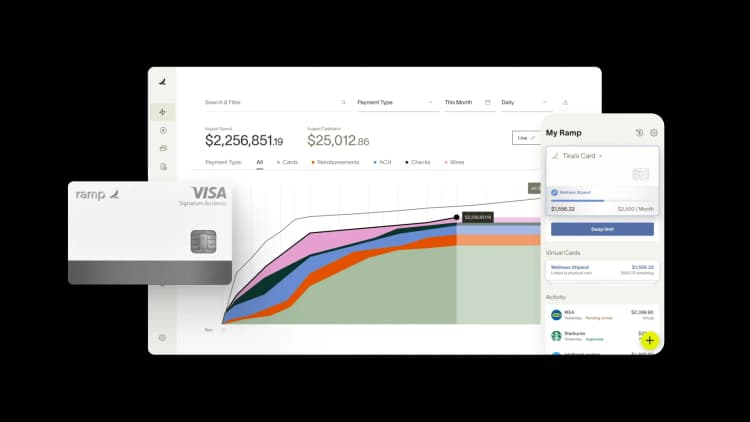
Sage 100 doesn't include true AP automation. It covers basic invoice entry, vendor records, and check printing, but lacks OCR capture, automated approvals, and real-time sync.
If you're keying in invoices, chasing approvals over email, and printing checks one batch at a time, you're feeling those limits firsthand. AP automation software fills those gaps by capturing invoice data, routing approvals automatically, and syncing everything back to Sage 100 in real time.
What is Sage 100 ERP software?
Sage 100 is a mid-market enterprise resource planning (ERP) system designed for accounting, inventory management, and operations. It's especially popular with manufacturing, distribution, and service businesses that have outgrown small-business tools like QuickBooks but don't need the complexity of enterprise platforms like SAP or Oracle.
Because Sage 100 serves growing companies with increasing invoice volumes, the gaps in its native AP capabilities become painful fast. That's why so many Sage 100 users layer on a dedicated AP automation tool.
Does Sage 100 have built-in AP automation?
Sage 100 includes basic AP functionality, but it doesn't offer true automation. You can enter invoices, cut checks, and run reports, but the day-to-day work still relies heavily on manual effort.
Native AP features in Sage 100
Sage 100 handles natively:
- Invoice entry: Manual data entry for vendor invoices
- Payment processing: Check printing and basic ACH capabilities
- Vendor management: Storage of vendor records and payment terms
- Basic reporting: Standard AP aging and payment history reports
Where Sage 100 falls short for AP
Several gaps push most Sage 100 users to look for third-party AP tools:
- No OCR or invoice capture: You have to key in every invoice by hand
- No automated approvals: Routing invoices for review requires email chains or manual workarounds
- Batch-oriented workflows: Real-time processing isn't available, so invoices move in scheduled batches
- Limited visibility: Tracking the status of any given invoice across your organization is difficult
Sage 100 covers the basics, but true AP automation requires a third-party solution to eliminate manual work and gain real-time visibility.
Why businesses add AP automation software to Sage 100
You might add AP automation to Sage 100 to address operational pain points (manual data entry, approval delays, and limited visibility) that hold your team back. The goal isn't just to save time. It's to give your team better data, fewer errors, lower processing costs, and a process that scales as you grow.
- Reduce manual data entry: Free your team from re-keying invoice data line by line
- Speed up approvals: Route invoices automatically based on rules you set, not email reminders
- Gain real-time visibility: See invoice status without chasing down paperwork or asking around
- Support remote teams: Give your AP staff access to workflows from anywhere
- Strengthen audit trails: Keep complete, time-stamped records to make audits and compliance reviews easier
- Cut costs per invoice: Automation reduces the labor and error-correction costs tied to manual processing
Adding AP automation to Sage 100 turns a manual, error-prone process into a scalable system your finance team can rely on.
Key features to look for in Sage 100 AP automation software
Not every AP tool is built the same, and the differences matter when you're integrating with Sage 100. Focus on a handful of capabilities as you evaluate vendors.
Automated invoice capture and data extraction
OCR and AI-powered data capture pull invoice details, including vendor, invoice number, amount, line items, and GL codes, directly from a PDF, email, or scanned document. The best tools learn from corrections over time, so accuracy improves the more you use them. That means no more manual keying for the vast majority of invoices.
Intelligent 3-way PO matching
Three-way matching compares the invoice against the purchase order and the receipt of goods. Automation flags any discrepancies in quantity, price, or terms before the invoice ever hits an approver's queue. You catch overbilling and errors up front instead of after payment goes out the door.
Customizable approval workflows
Look for rule-based routing that handles approvals by amount, department, vendor, or GL code. The right tool lets your finance team configure these rules without involving IT or writing custom code. As your business changes, you can update workflows in minutes.
Real-time sync with Sage 100
Bidirectional sync means data flows between your AP tool and Sage 100 without manual imports or exports. Vendors, invoices, payments, and GL coding all stay in lockstep. You avoid the data hygiene issues that come from juggling spreadsheet uploads.
Centralized vendor management and payments
A strong AP platform handles vendor onboarding, W-9 collection, and payment method preferences in one place. It should also support multiple payment types, such as ACH, check, virtual card, and wire transfers, and let you run consolidated payments across vendors and entities. That reduces the operational lift of managing payments piecemeal.
Top AP automation tools that integrate with Sage 100
Several AP automation platforms integrate with Sage 100, each with a different strength.
| Solution | Best for | Key strength |
|---|---|---|
| Ramp | Mid-market companies wanting all-in-one financial operations | Combines AP automation with corporate cards, expense management, and accounting automation |
| Stampli | Teams prioritizing invoice collaboration | Communication tools built around each invoice |
| Tipalti | Companies with complex global payments | Multi-currency and international payment capabilities |
| Yooz | Organizations seeking quick implementation | Cloud-native with pre-built ERP connectors |
| Quadient AP | Businesses focused on invoice processing | Strong OCR and data capture features |
Ramp
Ramp Bill Pay is an advanced accounts payable automation software designed to simplify invoice processing, enhance payment workflows, and provide real-time financial insights. Through Ramp's standard Universal CSV or custom API build, you can use Ramp to complement your Sage ERP to layer on advanced AP features:
- Automated invoice processing: Ramp's AI-powered OCR technology captures and codes even the most complex invoices and line items with precision
- Simplified approval workflows: Create intelligent approval flows with multi-layer routing rules that automate reviews and trigger alerts only for key updates or changes
- Integrated payment management: Manage all domestic and international vendor payments via check, card, ACH, or wire on one payment management platform while maintaining full visibility into payment statuses
- Optimized routine tasks: Simplify recurring bills, batch payments, and vendor onboarding with automation. Use bulk editing to save time and minimize repetitive work.
By using Ramp alongside Sage 100, you can achieve a simplified AP process that keeps you hands-off on manual tasks and hands-on for business growth.
Stampli
Stampli centers its product on invoice-level collaboration. Every invoice has a built-in communication thread so approvers, AP staff, and vendors can resolve questions without leaving the platform. Its AI assistant, Billy the Bot, handles coding suggestions and routing recommendations.
Tipalti
Tipalti is designed for companies that pay suppliers internationally or at high volume. It supports multi-currency payments, tax form collection, and supplier onboarding across 196 countries. If global mass payments are central to your business, Tipalti is built for that scale.
Yooz
Yooz is a cloud-native AP automation platform known for fast deployment. It ships with pre-built connectors for Sage 100 and other major ERPs, so you can get up and running without long IT projects. The interface is straightforward, which helps with adoption across non-technical teams.
Quadient AP
Quadient AP focuses on invoice capture accuracy and workflow automation. Its OCR engine is strong, and it handles complex coding and approval scenarios well. It's a good fit if invoice processing is your primary bottleneck.
How to set up AP automation with Sage 100
Setting up AP automation isn't complicated, but a thoughtful rollout pays off. The time you invest up front in planning and configuration will save your team from costly rework down the road.
1. Evaluate your current AP workflow
Start by auditing what you do today. Document your monthly invoice volume, average approval chains, common bottlenecks (like specific approvers who hold things up), and any integration requirements with other systems. This baseline helps you compare vendors objectively and measure improvement later.
2. Select an AP automation solution
Compare vendors based on the depth of their Sage 100 integration, the features your team actually needs, and total cost of ownership, including per-user fees, transaction costs, and implementation charges. Ask for a demo using your own invoice samples. Reference checks with similar-sized Sage 100 customers are worth the time.
3. Configure the integration with Sage 100
Most modern AP automation tools offer pre-built connectors that don't require custom development. You'll authenticate the connection, set sync frequency, and define which data fields flow between systems. Plan for a working session with your vendor's implementation team to confirm the configuration matches your accounting structure.
4. Map your chart of accounts and vendors
Make sure GL accounts, cost centers, departments, and vendor records sync correctly between Sage 100 and your AP platform. Clean up duplicate vendors and outdated GL codes before you go live because it's much harder to fix after data starts flowing. A clean mapping is the foundation of accurate automation.
5. Test the workflow and go live
Run a few weeks of parallel processing where invoices flow through both your old process and the new automation. Validate that data syncs correctly, approvals route as expected, and payments post accurately in Sage 100. Once you're confident, sunset the old process and move fully to the new workflow.
Benefits of AP automation for Sage 100 users
Once your AP automation is live, the results show up quickly. When you automate AP, you'll reclaim hours each week that were previously lost to manual tasks and follow-up.
Faster invoice processing times
Automation cuts the invoice-to-payment cycle from weeks to days. Invoices get captured the moment they arrive, route to approvers based on your rules, and post to Sage 100 without manual handoffs. Teams that used to spend a full week on month-end AP often close in a day or two.
Fewer errors and duplicate payments
Automated matching catches mismatches between invoices, POs, and receipts before payment goes out. Built-in duplicate detection flags invoices that match prior submissions, preventing the costly double-pay mistakes that creep in during busy months. The downstream effect is fewer vendor disputes and cleaner books.
Better visibility into AP status
Real-time dashboards show exactly where every invoice stands: captured, awaiting approval, approved, scheduled for payment, or paid. You stop fielding "What's the status of my invoice?" emails from vendors and internal stakeholders. Your CFO gets a current view of liabilities and cash needs at any time.
Remote-friendly AP operations
Cloud-based AP automation lets your team process invoices and approve payments from anywhere with an internet connection. Approvers can review and sign off from a phone, which keeps invoices moving when people travel or work from home. Your AP process no longer depends on anyone being in the office.
Case study: How Ramp can reduce AP processing times by 80%+
Ramp has numerous success stories with top ERPs and accounting platforms that show what you can expect. More specifically, we've had great success with integrating Ramp with Sage ERP software, such as Sage Intacct.
Ramp and Sage Intacct: REVA Air Ambulance's experience
REVA Air Ambulance faced significant inefficiencies in its AP workflows. The finance team relied on outdated, manual processes for receipt uploads and month-end expense reporting, leading to delays in reimbursements and AP reconciliation.
Integrating Ramp with Sage Intacct transformed REVA's AP operations. Ramp's automation tools simplified workflows and enabled real-time transaction syncing, while Sage Intacct provided centralized, real-time financial visibility.
"We were able to mold Ramp to our company to set it up as needed within departments. But the biggest selling feature to us was the automatic, real-time integration with Sage," said Seth Miller, Controller at REVA Air Ambulance.
The impact was immediate:
- 80%+ reduction in AP process time: Invoice processing time dropped from 15–20 minutes to under 3 minutes per invoice
- 6 weeks saved on reimbursements: Same-day reimbursements became possible through automated receipt uploads and transaction matching
- 2 weeks faster month-end close: Month-end reconciliations were completed by the 4th or 5th of the month thanks to frequent reconciliations
Combining Ramp with your ERP or accounting system saves time and reduces manual effort.
Maximize your Sage 100 software with Ramp Bill Pay
Sage 100, when paired with Ramp, adds another layer of efficient accounts payable management by addressing common challenges like manual data entry, approval delays, and missed payments.
Ramp is able to provide AP capabilities with advanced automation and real-time insights, making it easier for you to manage your accounts payable with precision and control.
Get started with Ramp Bill Pay.

FAQs
Pricing varies by vendor and invoice volume. Most solutions charge per user, per invoice processed, or a flat monthly fee, and some bundle payment processing costs separately. Request quotes from two or three vendors based on your actual invoice volume and user count to get an apples-to-apples comparison.
Yes, Sage continues to actively support and update Sage 100. The company releases new versions, security updates, and maintains integrations with third-party applications like AP automation platforms. You can confidently invest in Sage 100-compatible tools without worrying about the underlying ERP being phased out.
Most leading AP automation tools support multi-entity setups. You can manage invoices, approvals, and payments across multiple companies from a single platform while keeping each entity's books separate in Sage 100. If you operate multiple legal entities, confirm that the vendor supports your specific structure during the evaluation process.
Implementation timelines range from a few days to several weeks. The variables are your invoice volume, approval complexity, the cleanliness of your vendor and GL data, and how much customization you need. Simple deployments with pre-built connectors and standard workflows can go live in under a week, while multi-entity setups with custom rules take longer.


“I assumed I would have to choose between speed and control. What I found is that you can have both. A well-designed system takes friction out, for the finance function and for everyone else.”
Justin Webster
CFO, Denver Broncos

“A well-run district should not have to choose between getting work done at the school site and keeping control of the dollars behind it. We're not hiring more people to do more jobs, so we have to be smarter about the process. With Ramp, the purchase, the receipt, and the record stay together from the start. ”
Nick Brizeno
Director of Purchasing, San Marcos Unified School District

“In senior living, scale only works if the communities still feel personal. We needed the back office to carry more of the complexity, not the people serving residents. Ramp helped us build that infrastructure, so the experience in the community could stay human.”
Ryan Cole
CFO, Agemark Senior Living

“AI is moving faster than the finance context around it. Prices change, models change, and the value is not always obvious from an invoice. We needed enough detail to know which bets deserved more investment — and which ones did not.”
Greg Cooley
Controller, AngelList

“Invoices, cards, tokens. The categories change but the principle doesn't: know where the money is going, remove the work around it, and make sure the spend is worth it.”
Maciej Mylik. Finance
ElevenLabs

“We weren’t trying to retrofit an old finance system. We had a blank canvas, and Ramp gave us the foundation to build a global finance function of the future.”
Justin Dourado
Director of Finance, Othership

“There's just no surprises anymore. No more waiting two months to find out how a job did. We know how it's doing as it's happening.”
Erich Kuss
Financial Systems Manager, Infinity Home Services

“More token spend isn’t proof that AI is working. Less isn’t proof that it isn’t. What matters is whether we’re buying the right level of intelligence for the work. Ramp lets us make that judgment in the same place we manage every other type of spend.”
Cody Nutt
Senior Director of Business Systems, Daxko
