The 9 best NetSuite integrations by category

- Why NetSuite integrations matter
- How NetSuite integrations work
- The 9 best NetSuite integrations by category
- How to choose the right NetSuite integration
- Best practices for implementing NetSuite integrations
- Why connect Ramp to NetSuite?
- How Ramp streamlined accounting for Clearbit
- Your NetSuite integration, done right
NetSuite is a powerful ERP on its own, but it rarely works in isolation. Most teams need it to connect with the other tools they already use for sales, finance, HR, and operations. Integrations help keep data in sync, cut down on duplicate work, and make sure your processes stay smooth as the business grows.
Why NetSuite integrations matter
NetSuite helps manage key parts of your business, but most teams still rely on other tools to run sales, HR, finance, and operations. Without the right integrations in place, data gets siloed, teams duplicate work, and reporting becomes unreliable.
Integrating NetSuite with your broader tech stack keeps everything connected. It reduces manual entry, ensures consistency across systems, and gives your team the visibility it needs to move faster and make better decisions.
NetSuite integrations enable you to:
- Eliminate manual data entry and reduce human error
- Ensure data consistency across all business systems
- Accelerate business processes through automation
- Improve decision-making with real-time visibility
- Scale operations without proportional increases in administrative overhead
- Enhance customer experience through unified data management
How NetSuite integrations work
A NetSuite integration connects the ERP with your other business systems (CRM, e-commerce, HR, and finance) so data syncs automatically, with no manual entry. You have four practical ways to build one: native SuiteApps, NetSuite Connector, an iPaaS platform, or a developer API.
- Native SuiteApps and SuiteCloud: Applications built on NetSuite's own platform and installed directly into your account
- NetSuite Connector: Oracle's prebuilt mapping tool for commerce and logistics data
- iPaaS platforms: A NetSuite integration platform, such as Celigo or Dell Boomi, that brokers data between many apps at once
- SuiteTalk, RESTlets, and CSV import: Developer paths for custom endpoints and bulk loads
Native SuiteApps and SuiteCloud
SuiteApps run inside NetSuite on the SuiteCloud platform, so they inherit its data model, permissions, and security controls. Developers build them with SuiteScript, NetSuite's native scripting framework, which means there's no middleware sitting between the app and your records. Best for functionality that should live natively in the ERP.
NetSuite Connector
NetSuite Connector is Oracle's prebuilt tool for mapping data between NetSuite and e-commerce, marketplace, POS, and threePL systems. You configure field mappings instead of writing code, so standard order, inventory, and fulfillment flows work without a developer. Best for common commerce and logistics data flows.
iPaaS platforms
An iPaaS (integration platform as a service) sits between NetSuite and your other apps, with prebuilt connectors, field mapping, and error handling included. Celigo and Dell Boomi are two widely used NetSuite iPaaS options, and both let you reuse flow templates across systems. Best for connecting many systems at scale, when you'd rather manage one integration layer than a dozen point-to-point links.
SuiteTalk, RESTlets, and CSV import
When nothing prebuilt fits your process, NetSuite's developer tools cover the gap. SuiteTalk provides REST and SOAP web services for programmatic access, RESTlets expose lightweight custom endpoints using JSON payloads, and CSV import handles bulk one-off loads. Best for developer-built connections tailored to your own logic.
Every method above runs either a one-way sync, where data moves in a single direction, or a two-way sync, where both systems update each other. Two-way syncs need conflict rules so the same record isn't overwritten twice. For a full breakdown of the ERP itself, read our guide to what NetSuite ERP is and how it works.
The 9 best NetSuite integrations by category
From finance and procurement to sales and HR, here are the best NetSuite integrations you can use to make the biggest impact on your business:
- Best corporate card and spend management integration: Ramp
- Best CRM integration: Salesforce
- Best e-commerce integration: Shopify
- Best marketing and CRM integration: HubSpot
- Best human capital management integration: Workday
- Best customer service integration: Zendesk
- Best tax compliance integration: Avalara
- Best WordPress integration: WooCommerce
- Best storefront integration: BigCommerce
1. Ramp for corporate cards and spend management
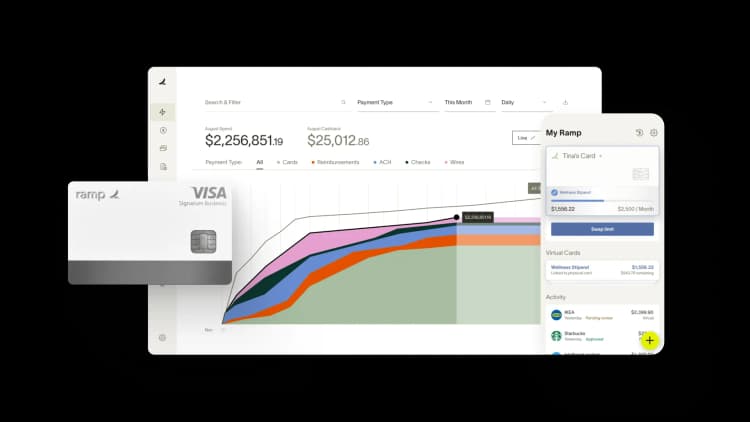
Ramp brings automation and built-in controls to corporate spending, and it connects directly to NetSuite ERP. This finance automation platform provides corporate cards with real-time expense tracking and policy enforcement capabilities that transform how businesses manage operational expenses.
Ramp's Accounting Agent auto-codes every NetSuite ERP field the moment a transaction posts: GL, department, class, location, and custom fields. It then reconciles Ramp data against NetSuite, which is how teams close their books 3x faster. Every AI decision includes a confidence level, a rationale, and an override, so your audit trail stays complete.
The NetSuite-Ramp integration eliminates manual expense reporting by automatically importing transaction data with appropriate general ledger coding and departmental allocations. Ramp auto-codes expenses and applies business rules to ensure policy compliance, while the NetSuite integration maintains complete audit trails for accounting and compliance purposes.
Real-time spending visibility allows finance teams to monitor budgets and cash flow more effectively, while automated approval workflows span both systems to cut manual work in expense management. This integration is particularly valuable for growing businesses that need to scale their finance operations without increasing administrative overhead.
Best for: Finance and accounting teams that want swipe-to-ERP coding without building rules.
2. Salesforce for CRM
Salesforce stands as a leading CRM platform, and its integration with NetSuite creates a powerful customer management ecosystem. This integration synchronizes customer data between both systems, providing sales teams with complete visibility into customer interactions while giving finance and operations teams access to crucial relationship context.
The NetSuite-Salesforce integration enables automated order-to-cash workflows, where opportunities in Salesforce automatically generate quotes and orders in NetSuite. Sales representatives can access real-time inventory levels, pricing information, and order status directly within Salesforce, while NetSuite users can view customer communication history and sales pipeline data.
Best for: Sales-led teams syncing order-to-cash
3. Shopify for e-commerce
Shopify powers businesses worldwide, making it a highly valuable NetSuite integration for companies selling through online channels. The NetSuite-Shopify integration creates a direct link between your online storefront and back-office operations, automatically synchronizing sales orders, inventory, fulfillment, and more.
When customers place orders on Shopify, this NetSuite integration transfers order details to NetSuite for fulfillment processing, eliminating manual order entry and reducing processing time. Inventory levels update in real-time across both platforms, preventing overselling and ensuring accurate stock availability on your website. Product information, pricing changes, and promotional data sync bidirectionally, allowing you to manage your catalog from either system.
Best for: E-commerce sellers syncing orders and inventory
4. HubSpot for marketing and CRM
HubSpot's integrated marketing, sales, and service platform connects with NetSuite to create a comprehensive customer lifecycle management solution. This NetSuite integration bridges the gap between marketing activities and financial outcomes, providing clear visibility into how marketing investments translate into revenue and customer lifetime value.
The HubSpot NetSuite integration synchronizes leads and records between both platforms, ensuring marketing and sales teams work with consistent customer data. This connected approach allows businesses to track the complete customer journey from initial marketing touchpoint through purchase and ongoing service interactions.
Best for: Marketing teams tying campaigns to revenue
5. Workday for human capital management
Workday's comprehensive HCM platform integrates with NetSuite to create unified employee and financial data management. This NetSuite integration connects workforce planning, payroll processing, and HR analytics with financial reporting and operational planning capabilities.
Employee data synchronization ensures consistent information across HR and financial systems, while automated payroll integration eliminates manual data entry and improves accuracy. The NetSuite integration supports complex scenarios like multi-entity payroll processing, project-based time tracking, and sophisticated cost allocation requirements. Financial planning benefits from integrated workforce data, enabling better labor cost analysis and resource planning.
Best for: Teams unifying HR, payroll, and finance data
6. Zendesk for customer service
Zendesk's customer service platform integrates with NetSuite to create comprehensive customer support operations that leverage complete customer context. This NetSuite integration connects support interactions with customer financial history, order information, and product data, enabling more effective and personalized customer service.
Support agents gain access to customer purchase history, current order status, and account information directly within Zendesk, allowing them to resolve issues more quickly and effectively. Customer communication history from Zendesk enriches NetSuite customer records, providing complete interaction visibility for sales and account management teams.
Best for: Support teams that need order and billing context
7. Avalara for tax compliance
Avalara's automated tax compliance platform integrates with NetSuite to handle complex tax calculations and compliance requirements across multiple jurisdictions. This NetSuite integration is essential for businesses operating across state lines or internationally, where tax compliance becomes increasingly complex.
The NetSuite-Avalara integration automatically calculates sales tax, VAT, and other transaction-based taxes in real-time during the sales process, ensuring accurate tax collection and compliance. Tax calculations consider product taxability, customer location, shipping destinations, and applicable exemptions, while maintaining complete audit trails for compliance purposes.
Best for: Multi-jurisdiction sales tax and VAT
8. WooCommerce for WordPress stores
WooCommerce powers WordPress-based online stores, making it a crucial NetSuite integration for businesses built on the WordPress ecosystem. The NetSuite-WooCommerce integration brings enterprise-grade functionality to WordPress-based e-commerce operations, handling everything from simple product sales to complex subscription and membership models.
This NetSuite integration automatically processes orders from WooCommerce into NetSuite's fulfillment workflow, while maintaining accurate inventory synchronization across all sales channels. Customer data flows directly between platforms, creating unified profiles that support personalized marketing and customer service efforts.
Best for: WordPress and WooCommerce stores
9. BigCommerce for enterprise storefronts
BigCommerce Enterprise serves high-growth businesses with sophisticated e-commerce requirements, offering advanced features like multi-storefront management, complex product catalog capabilities, and enterprise-grade performance. The NetSuite integration brings these e-commerce capabilities together with comprehensive back-office operations.
The integration maintains accurate financial data flow into NetSuite while supporting BigCommerce's advanced marketing and merchandising features, creating a complete enterprise e-commerce solution.
Best for: Enterprise multi-storefront e-commerce
How to choose the right NetSuite integration
The best place to start when vetting a NetSuite integration is knowing where your team feels the most friction. Look for tools that reduce manual work, clean up data sync issues, or improve visibility into day-to-day operations.
Start with high-impact, low-complexity integrations that solve clear problems. These quick wins help you build momentum before layering in more complex systems:
| Criterion | Prebuilt or native | Custom build | Ipaas |
|---|---|---|---|
| Setup time | Days | Weeks to months | Days to weeks |
| Upfront cost | Usually in your subscription | Development hours | Platform fee per connection |
| Flexibility | Fixed field mappings | Fully tailored | Configurable templates |
| Ongoing owner | The vendor | Your developers | Your ops or IT team |
| Best fit | Standard, high-volume flows | Unique business logic | Many systems at once |
Business impact and process fit
Rank candidates by the size of the problem they remove, not the length of their feature list. An integration that kills a recurring manual process (expense coding, order entry, tax calculation) pays back faster than one that adds reporting polish. Map each tool's data flows against how your team actually works before you sign.
Data volume and sync frequency
Match the sync model to your transaction volume. A few hundred orders a day can run on a nightly batch, while inventory counts and card transactions usually need continuous sync to stay accurate. Confirm the API call limits and record caps on both sides before you commit.
Technical complexity and total cost of ownership
Total cost includes implementation, maintenance, and the internal hours nobody budgets for, not just the sticker price of the tool. Prebuilt and native connections are often included in a platform subscription, while custom builds carry development and ongoing maintenance costs on top of that. Weigh that gap against the developer time and upkeep a custom build needs before you commit.
Vendor support and scalability
Vendor support quality shows up the day a sync breaks, not during the demo. Ask about support SLAs, published integration roadmaps, and how current customers handle error triage. Then check that the connection scales with more entities, currencies, and subsidiaries as you grow.
Best practices for implementing NetSuite integrations
Follow these steps to set your integration up for long-term success, from goal-setting through ongoing maintenance. Getting the fundamentals right before you go live saves your team from costly rework down the road:
- Set clear, measurable goals: Tie objectives to business outcomes before any technical work starts, and name the metric you expect to move, like days-to-close
- Establish data governance up front: Define which system owns each record, what your data quality standards are, and how sync conflicts get resolved
- Prepare NetSuite first: Confirm your chart of accounts, subsidiaries, classes, and segments so an integration like Ramp enforces coding at the line level from day one
- Start with high-impact, low-complexity connections: Layer in the harder systems once the first ones run clean for a full month
- Test in a sandbox: Validate two-way syncs, field mappings, and error handling with real records before you go live
- Monitor for sync failures and reconcile regularly: Assign one owner for ongoing maintenance so failed records don't sit unnoticed
- Prefer native or well-supported connectors: These cut middleware upkeep, and experienced NetSuite partners are worth bringing in for complex builds
Why connect Ramp to NetSuite?
Ramp's Built-for-NetSuite integration connects your corporate cards, reimbursements, bill payments, and purchase orders directly to NetSuite in real time. NetSuite remains as your system of record while Ramp brings in automation that eliminates manual uploads, reconciliations, and data entry.
We've put together a list of Ramp and NetSuite common questions to help you get started. But here's what you can expect once your systems are connected.
Sync Ramp and NetSuite in real time
Card transactions, bills, reimbursements, and purchase orders are instantly synced from Ramp into NetSuite without the need for CSVs or manual reconciliation. Whether updates happen in Ramp or NetSuite, your data stays accurate and up to date in both places.
Manage multi-entity and global finance structures
Ramp mirrors your NetSuite subsidiary setup, supporting multi-entity workflows, multi-currency transactions, and intercompany clearing. This reduces the need for intercompany transactions between entities and helps keep your books clean. Teams can manage local approvals and coding rules while still maintaining accurate, consolidated reporting.
Accruals that post and reverse automatically
Ramp posts an accrual journal entry for any transaction that isn't ready to sync by month-end, then reverses it on the first day of the following month. Every transaction lands in the right period without the need to hold books open to catch stragglers.
Reconciliation that surfaces mismatches instantly
Ramp automatically flags and surfaces any discrepancies between Ramp and NetSuite, so you tie out quickly and confidently every month without the need for manual spreadsheet work.
Code transactions using your NetSuite chart of accounts
Ramp pulls in every account, department, class, location, and custom segment from NetSuite. These are enforced at the line level in Ramp, so transactions are coded accurately before they ever hit your books.
Ramp's Accounting Agent auto-codes 3.5x more transactions than rules-only tools, with 98% accuracy on transactions flagged ready to sync. Every AI decision includes confidence, rationale, and an override, so your audit trail holds up under review.
Automate purchase order matching and invoice workflows
Ramp supports 3-way match by referencing PO and invoice data from NetSuite and tracking receipt status within Ramp. This gives finance teams visibility into the full procurement process without managing separate systems or duplicating data, while keeping NetSuite as the source of truth.
Recognize amortized expenses through Ramp AP automation
Ramp lets you apply amortization templates from NetSuite directly within its AP workflow. This helps you recognize large expenses over time, keeping your books compliant and your reporting accurate.
Automate accounting tasks and approvals across tools
Ramp rules can automatically code expenses, trigger multi-level approvals, and collect receipts across your stack:
- Gmail: capture receipts sent by email
- Lyft: auto-import ride receipts
- Amazon Business: sync itemized order data
Every transaction posts back to NetSuite with linked documentation for easier audits.
Rely on a secure, enterprise-ready integration
Ramp is SOC 2 compliant and certified Built-for-NetSuite, so your IT and audit teams can trust its performance, security, and data quality across every transaction.
How Ramp streamlined accounting for Clearbit
Clearbit's accounting team struggled with a 10-day month-end close, hampered by manual processes in NetSuite. And while their legacy corporate card provider offered an integration, it was ineffective at best, creating additional work and slowing operations.
When Clearbit adopted Ramp, its native integration with NetSuite helped automate transaction coding and reduced manual effort. Within 2 weeks, the system was fully operational, allowing the team to transition away from time-consuming reconciliations to more strategic, high-value work.
The impact of integrating Ramp with NetSuite included:
- Faster time to close: Clearbit shortened its month-end close by over 60%, from 10 days to just three to four
- Automated coding: 100% of transactions are now automatically coded, ensuring accuracy
- Tighter headcount: The streamlined process allowed Clearbit to maintain a lean accounting team while focusing on strategic tasks
- Improved spend insights: Ramp's integration provided clear visibility into spend data, enabling more effective expense management and comprehensive financial reporting
- Cost savings: Clearbit saved well over $50,000 in product savings and $6,100 in insights by using Ramp
"Ramp is literally plug-and-play with NetSuite. It saves us time and money, allowing us to focus on what matters most," said Kay Coolican, Accounting Manager at Clearbit.
Clearbit's experience highlights how Ramp and NetSuite complement each other to simplify accounting workflows and improve your ERP implementation. Together, they offer businesses a practical, effective solution for boosting efficiency and getting deeper insights from their financial metrics.
Your NetSuite integration, done right
Moving to NetSuite and integrating your spend management platform at the same time can feel intimidating, but the right setup eliminates months of manual work. Ramp's direct NetSuite integration handles syncing, approvals, and reconciliation automatically—without requiring technical maintenance or daily exports.
If you're preparing for migration, start by confirming your chart of accounts and scheduling a Ramp onboarding session. The rest is handled by the platform.
Close faster, sync smarter. Connect Ramp to NetSuite today.

FAQs
A NetSuite integration connects the ERP to another system so records like orders, transactions, and employee data sync automatically instead of being entered by hand. You can build it with a native SuiteApp, NetSuite Connector, an iPaaS platform, or NetSuite's own APIs.
The strongest options by category are Ramp for corporate cards and spend management, Salesforce for CRM, Shopify and BigCommerce for e-commerce, HubSpot for marketing, Workday for HCM, Zendesk for support, Avalara for tax, and WooCommerce for WordPress stores.
Prebuilt and native connections are often included in the other platform's subscription, so your only cost is setup time. Custom or self-built connections carry development and maintenance costs that scale with the complexity of your data flows.
Salesforce and HubSpot are the two most widely used CRM integrations for NetSuite, and both sync customer records, opportunities, and order data in each direction. Support ticket data from platforms like Zendesk can also enrich NetSuite customer records.


“I assumed I would have to choose between speed and control. What I found is that you can have both. A well-designed system takes friction out, for the finance function and for everyone else.”
Justin Webster
CFO, Denver Broncos

“A well-run district should not have to choose between getting work done at the school site and keeping control of the dollars behind it. We're not hiring more people to do more jobs, so we have to be smarter about the process. With Ramp, the purchase, the receipt, and the record stay together from the start. ”
Nick Brizeno
Director of Purchasing, San Marcos Unified School District

“In senior living, scale only works if the communities still feel personal. We needed the back office to carry more of the complexity, not the people serving residents. Ramp helped us build that infrastructure, so the experience in the community could stay human.”
Ryan Cole
CFO, Agemark Senior Living

“AI is moving faster than the finance context around it. Prices change, models change, and the value is not always obvious from an invoice. We needed enough detail to know which bets deserved more investment — and which ones did not.”
Greg Cooley
Controller, AngelList

“Invoices, cards, tokens. The categories change but the principle doesn't: know where the money is going, remove the work around it, and make sure the spend is worth it.”
Maciej Mylik. Finance
ElevenLabs

“We weren’t trying to retrofit an old finance system. We had a blank canvas, and Ramp gave us the foundation to build a global finance function of the future.”
Justin Dourado
Director of Finance, Othership

“There's just no surprises anymore. No more waiting two months to find out how a job did. We know how it's doing as it's happening.”
Erich Kuss
Financial Systems Manager, Infinity Home Services

“More token spend isn’t proof that AI is working. Less isn’t proof that it isn’t. What matters is whether we’re buying the right level of intelligence for the work. Ramp lets us make that judgment in the same place we manage every other type of spend.”
Cody Nutt
Senior Director of Business Systems, Daxko
