7 accounts payable automation case studies that prove ROI

- Why AP automation delivers proven results
- 7 accounts payable automation case studies and success stories
- Accounts payable automation results at a glance
- REVA Air Ambulance: How Ramp cut REVA's AP processing time by over 80%
- The Second City: How Ramp helped to process invoices 2x faster
- Bubble: How Ramp helped Bubble simplify vendor payments and save thousands
- Hospital Association of Oregon: How Ramp cut AP processing time from 10 hours to minutes
- Crossings Community Church: How Ramp helped process bills 2x faster
- Snapdocs: How Ramp helped Snapdocs cut reconciliation time from 5–6 hours to under 30 minutes
- MakeStickers: How Ramp cut MakeStickers's manual AP work by 8–10 hours per week
- What successful AP automation stories have in common
- Key takeaways from real AP automation case studies
- How to build a business case for accounts payable automation
- Capabilities that drive AP automation success
- How Ramp Bill Pay automates your accounts payable from start to finish
- What makes Ramp Bill Pay worth it?
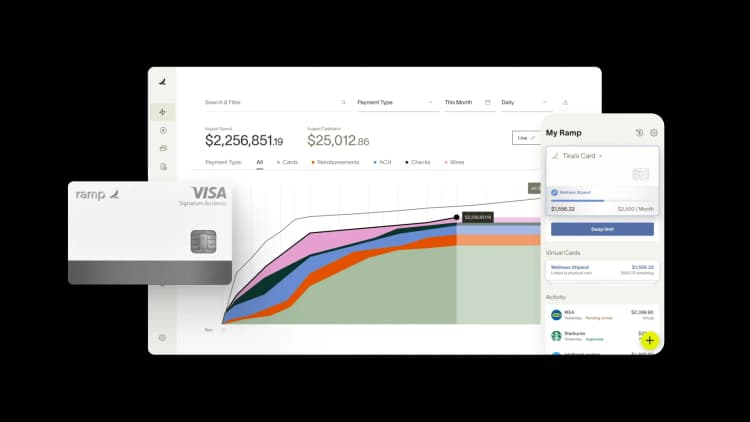
AP automation consistently reduces invoice processing time, lowers costs, and accelerates month-end close. The seven accounts payable automation case studies below document results ranging from an 80% drop in processing time to $40K in annual savings and month-end close cut by two weeks.
Why AP automation delivers proven results
When implemented well, AP automation cuts processing time, reduces costs, and scales with your business. The evidence is consistent across industries and company sizes.
Across these case studies, teams consistently cut invoice processing time by roughly 75–90% and accelerated month-end close by days or weeks. Those results track with industry benchmarks: manual invoice processing averages about $12.88 per invoice, and best-in-class automation saves more than $10 of that, bringing the cost to under $3. Every ap automation case study below ties those gains to a specific, named finance team rather than a vendor projection.
Faster invoice processing and time savings
Automation removes the manual steps that slow down every invoice.
- Invoice capture: Automated OCR extracts vendor names, amounts, and line items without manual data entry
- Approval routing: Bills move instantly to the right approver based on rules you set
- Payment execution: Scheduled payments run on time without someone initiating each one
Instead of keying in data, chasing approvals over email, and scheduling payments by hand, the entire cycle runs with minimal intervention. Ramp Bill Pay processes invoices 2.4x faster than legacy software at 99% OCR accuracy, so the same capture-to-payment cycle runs with far less manual work.
Lower costs through error reduction
Manual AP processes invite duplicate payments, missed early-pay discounts, and late fees. Automation catches discrepancies before payment goes out, so you're not spending time and money fixing preventable mistakes.
Scalable workflows for growing businesses
As invoice volume grows, manual AP doesn't scale—it just means more hours and more hires. Automation lets you handle higher volumes without adding headcount, which is one of the most consistent themes across successful AP automation case studies.
7 accounts payable automation case studies and success stories
Managing vendor payments, invoice approvals, and reconciliation manually drains time and introduces errors. The companies below faced these exact challenges until they automated their AP processes with Ramp Bill Pay.
They achieved faster processing, improved accuracy, and greater efficiency, all while saving hours of work and thousands of dollars.
Accounts payable automation results at a glance
More than 1 million bills are processed and paid on Ramp Bill Pay every month, and the seven stories below show what that scale looks like for individual finance teams.
| Company | Industry / size | Headline result with Ramp |
|---|---|---|
| REVA Air Ambulance | Transportation, mid-size | 80%+ less AP processing time; close 2 weeks faster |
| The Second City | Consumer services, enterprise | 2x faster invoice processing; $40K/year saved |
| Bubble | Software, mid-size | Thousands saved via cashback on AP spend |
| Hospital Association of Oregon | Healthcare nonprofit, SMB | AP processing cut from 10 hours to minutes |
| Crossings Community Church | Nonprofit, SMB | 2x faster bill processing; eliminated manual checks |
| Snapdocs | Financial services, mid-size | Reconciliation cut from 5–6 hours to under 30 minutes |
| MakeStickers | Consumer services, SMB | 8–10 hours of manual AP work saved per week |
REVA Air Ambulance: How Ramp cut REVA's AP processing time by over 80%
REVA's AP team spent 15–20 minutes per invoice, delayed approvals manually, and closed its books nearly three weeks late every month.
Company overview
| Company | Size and industry | Description | Pain point |
|---|---|---|---|
| REVA Air Ambulance | Mid-size; transportation | A global provider of air medical transportation services | Manual AP processes created long invoice processing times, slow approvals, and delays in month-end close |
Challenges
The AP team at REVA Air Ambulance faced excessive manual work that slowed invoice processing, delayed approvals, and made month-end reconciliation inefficient. Each invoice required data entry and manual routing, consuming significant time and increasing the risk of late payments. These inefficiencies made it difficult for finance to manage cash flow effectively.
- Invoice processing took 15–20 minutes per invoice, leading to a backlog and wasted hours each month
- Manual approval routing caused payment delays, increasing the risk of late fees and vendor relationship issues
- Month-end close was delayed by nearly 3 weeks due to slow AP reconciliation and lack of real-time visibility
Solution
REVA adopted Ramp Bill Pay to eliminate manual data entry, speed up invoice approvals, and integrate AP data directly into Sage Intacct. Using automation, finance could now process invoices more quickly and track payments in real time.
- AI-powered invoice processing extracted key details and categorized expenses automatically, reducing manual work
- Automated approval workflows routed invoices to the right stakeholders instantly, eliminating follow-ups
- Sage Intacct integration synced AP transactions in real time, allowing finance to reconcile vendor payments without waiting for month-end statements
Results
With Ramp Bill Pay, REVA significantly reduced AP processing time and improved overall efficiency. Finance could now process invoices in minutes instead of hours, ensuring faster approvals and more predictable cash flow management.
- 80%+ reduction in AP processing time: Invoice processing time dropped from 15–20 minutes per invoice to under 3 minutes
- Month-end close accelerated by 2 weeks: Real-time reconciliation allowed books to close by the 4th or 5th of the month instead of nearly 3 weeks later
- Improved vendor payment efficiency: Automated workflows ensured faster approvals and reduced payment delays
"There's never been an issue with payment. It's 100% perfection. With Ramp, we reconcile every couple of days. By the 4th or 5th of the month, Ramp is reconciled and closed."—Seth Miller, Controller, REVA
By automating AP with Ramp Bill Pay, REVA's finance team gained greater control over vendor payments, reduced manual workload, and improved financial visibility, allowing them to operate more efficiently and strategically.
The Second City: How Ramp helped to process invoices 2x faster
The Second City's AP tool failed to scan invoices correctly, forcing the finance team to manually fix errors instead of saving time.
Company overview
| Company | Size and industry | Description | Pain point |
|---|---|---|---|
| The Second City | Enterprise; consumer services | A world-renowned comedy theater and training center with multiple locations | The previous AP tool failed to scan invoices accurately, required manual coding, and slowed vendor payments, leading to inefficiencies in processing and reconciliation |
Challenges
The Second City had an AP process that was inefficient due to unreliable invoice scanning and manual coding requirements. The previous AP automation tool, built on NetSuite, failed to correctly scan vendor invoices, misreading line items and requiring finance to manually fix errors. Instead of saving time, the tool added more work and slowed payment approvals.
Without accurate invoice coding and automated approval workflows, vendor payments were frequently delayed, increasing the risk of late fees and straining vendor relationships. Additionally, the finance team spent excessive time manually reconciling AP transactions, making it difficult to close the books efficiently.
- Invoice scanning was unreliable, requiring extensive manual corrections and slowing down AP processing
- Vendor payments were delayed due to a lack of accurate invoice coding and automated approval workflows
- The previous AP tool was expensive ($40K per year) and ineffective, adding cost without delivering functional automation
Solution
The Second City adopted Ramp Bill Pay to automate invoice processing, vendor payments, and AP reconciliation, eliminating manual bottlenecks. With Ramp's AI-powered invoice scanning, invoices were correctly scanned, categorized, and coded automatically, removing the need for manual data entry.
The finance team also benefited from automated approval workflows, ensuring that invoices were routed to the right stakeholders instantly. This prevented approval delays and improved vendor payment timelines. By integrating with NetSuite, Ramp Bill Pay eliminated redundant manual reconciliation steps, allowing the finance team to track payments in real time.
- AI-powered invoice processing extracted key details and categorized expenses automatically, eliminating manual work
- Automated approval workflows improved invoice routing and ensured faster vendor payments
- NetSuite integration synced AP transactions in real time, improving reconciliation and financial oversight
Results
With Ramp Bill Pay, The Second City eliminated inefficiencies, cut invoice processing time in half, and the finance team no longer had to manually fix invoice errors.
- 2x faster invoice processing: Ramp's automation reduced AP processing time by half, allowing finance to focus on strategic initiatives
- $40K annual savings: Eliminating the previous AP tool reduced costs while improving functionality
- Improved vendor payment efficiency: With accurate invoice scanning and automated approvals, payments were processed faster and with fewer errors
"Switching to Ramp for Bill Pay saved us not only time but also a significant amount of money. Our previous AP automation tool cost us around $40,000 per year, and it wasn't even working properly. Ramp is far more functional, and we're getting the benefits at a fraction of the cost."—Frank Byers, Controller, The Second City
By automating AP with Ramp Bill Pay, The Second City's finance team eliminated manual workload, improved vendor payment accuracy, and gained full financial visibility, allowing them to operate more efficiently and strategically.
Bubble: How Ramp helped Bubble simplify vendor payments and save thousands
Bubble's manual AP process had no automation and no cashback, leaving money and hours on the table.
Company overview
| Company | Size and industry | Description | Pain point |
|---|---|---|---|
| Bubble | Mid-size; software and technology | A no-code web development platform that empowers users to build web applications without coding expertise | Manual AP processes lacked automation, leading to inefficiencies in bill payments and missed opportunities for cost savings |
Challenges
Bubble's finance team lacked an automated AP process, making vendor payments inefficient and time-consuming. The company relied on manual bill processing, requiring extra effort to ensure accuracy and reconcile expenses properly. Additionally, Bubble was missing out on financial benefits, such as cashback rewards on AP spend, that could help offset business expenses.
- Manual bill payments required excessive time, making it difficult to scale financial operations efficiently
- Lack of cashback rewards on AP spend meant missed opportunities for cost savings
- Reconciliation was time-consuming, requiring extra steps to track invoices and match payments
Solution
Bubble adopted Ramp Bill Pay to automate invoice processing, vendor payments, and reconciliation, eliminating manual inefficiencies. By integrating directly with QuickBooks, Ramp ensured that bill payments were automatically synced and categorized, reducing accounting workload.
Additionally, Bubble used Ramp's cashback program to earn rewards on every bill paid through Ramp, creating cost-saving opportunities without extra effort.
- Automated AP processing eliminated the need for manual invoice entry and vendor payments
- QuickBooks integration enabled automatic syncing and categorization of transactions, improving reconciliation
- Cashback on large expenses provided additional cost savings for the company
Results
With Ramp Bill Pay, Bubble transformed its AP workflow, saving time and unlocking new financial benefits. Every bill is now processed through Ramp, improving efficiency and creating cost-saving opportunities that compound over time.
- Thousands of dollars saved through Ramp Bill Pay: Cashback on large AP expenses contributed to meaningful financial savings
- Time savings across finance operations: Automated reconciliation reduced the workload, allowing finance teams to focus on higher-value tasks
- More efficient vendor payment processing: Every bill was processed through Ramp, ensuring accuracy and reducing manual work
"Before Ramp, I don't think we were able to get any type of rewards from other vendors. Having Ramp as our partner to help us negotiate expenses has been very valuable."—Yiwen Ding, Controller, Bubble
By adopting Ramp Bill Pay, Bubble gained a more scalable and cost-effective AP process, allowing the finance team to focus on financial strategy instead of manual bill payments.
Hospital Association of Oregon: How Ramp cut AP processing time from 10 hours to minutes
The Hospital Association of Oregon spent over 10 hours per AP batch printing and mailing checks, entering data twice, and chasing approvals by email.
Company overview
| Company | Size and industry | Description | Pain point |
|---|---|---|---|
| Hospital Association of Oregon | SMB; healthcare and biotech | A nonprofit organization supporting hospitals across Oregon through advocacy and resource development | A manual AP process required excessive time for invoice approvals, data entry, and check processing, leading to inefficiencies and delays in vendor payments |
Challenges
The Hospital Association of Oregon had an accounts payable process that was mostly manual, leading to inefficiencies across invoice approvals, data entry, and vendor payments. AP teams sent invoices as email attachments, which frequently led to missing approvals or lost documentation. Payment processing was equally slow. Checks had to be manually printed, stamped, and mailed, requiring multiple hours each week.
Without a direct tie between payment vouchers and the accounting system, finance teams had to enter data twice, further increasing the risk of errors and slowing down AP workflows.
- Invoice approvals were inefficient, requiring email back-and-forth and manual verification
- Check processing required 10+ hours per AP batch, adding unnecessary workload to finance teams
- Data entry was duplicated, increasing the risk of errors and delaying reconciliation
Solution
The Hospital Association of Oregon adopted Ramp Bill Pay to automate invoice approvals, vendor payments, and data reconciliation, eliminating manual inefficiencies. Ramp's system digitized invoice approvals, allowing their AP department to review and approve payments instantly.
Instead of manually printing and mailing checks, the finance team now processes vendor payments directly through Ramp, significantly reducing time spent on check runs. Ramp's data entry automation also ensures that invoices and payment vouchers are correctly linked, eliminating the need for duplicate data entry.
- Automated invoice approvals allowed department heads to approve payments instantly, eliminating email back-and-forth
- Digital vendor payments replaced manual check processing, reducing time spent on payment runs
- Accounting integration eliminated duplicate data entry, reducing errors and improving reconciliation
Results
With Ramp Bill Pay, the Hospital Association of Oregon transformed its AP process, reducing manual workloads and improving vendor payments. Invoice approvals became more efficient, checks were eliminated, and finance teams gained back hours previously spent on data entry and payment processing.
- AP processing time reduced from 10 hours to minutes: Automated invoice approvals and digital payments eliminated manual check runs
- Faster vendor payments: Ramp improved payment processing, ensuring invoices were paid as soon as approvals were completed
- Improved audit readiness: The finance team could now access all invoice and payment data digitally, eliminating the need to manually search through paper records
"Our previous bill pay process probably took a good 10 hours per AP batch. Now it just takes a couple of minutes between getting an invoice entered, approved, and processed."—Jason Hershey, VP of Finance and Accounting, Hospital Association of Oregon
By automating AP with Ramp Bill Pay, the Hospital Association of Oregon eliminated bottlenecks, improved financial oversight, and freed up finance teams to focus on strategic initiatives instead of manual processes.
Crossings Community Church: How Ramp helped process bills 2x faster
Crossings Community Church cut hundreds of physical checks each week while battling outdated budget reports and slow invoice approvals.
Company overview
| Company | Size and industry | Description | Pain point |
|---|---|---|---|
| Crossings Community Church | SMB; nonprofit | A nonprofit organization serving its community through religious services and outreach programs | Manual check payments and limited visibility into AP transactions slowed vendor payments and created inefficiencies in procurement workflows |
Challenges
Crossings Community Church had AP and procurement processes that were highly manual and time-consuming. The finance team had to cut hundreds of checks each week, as their previous system, Concur, did not support automated check payments. This resulted in significant time spent on processing, printing, and mailing physical checks.
Additionally, limited visibility into invoice approvals, vendor documentation, and purchase order workflows made it difficult to track spending and manage procurement efficiently. The manual nature of reporting also meant that budget reports were frequently outdated and inaccurate.
- Manual check payments consumed excessive time, requiring hours each week to process vendor payments
- Slow invoice approvals delayed vendor payments, leading to inefficiencies in procurement workflows
- Outdated reporting processes created budgeting inaccuracies, making AP forecasting more difficult
Solution
Crossings Community Church adopted Ramp Bill Pay to fully automate its check payments, invoice approvals, and AP workflows. Ramp's system eliminated the need for manual check processing, allowing the finance team to issue vendor payments digitally with just a few clicks.
By automating invoice approvals and purchase order workflows, the finance team gained greater control over procurement while reducing delays in vendor payments. Ramp also provided real-time visibility into spending, ensuring more accurate budget forecasting and financial planning.
- Automated check payments replaced manual check-cutting, reducing payment processing time
- Improved invoice approvals ensured faster vendor payments and better procurement efficiency
- Real-time financial insights enabled more accurate budget reporting and forecasting
Results
With Ramp Bill Pay, Crossings Community Church transformed its AP and procurement workflows, eliminating manual inefficiencies and significantly improving financial oversight.
- 2x faster bill processing time: Automated invoice approvals and check payments eliminated delays in vendor payments
- More accurate financial reporting: Real-time budget insights improved cash flow forecasting and procurement planning
- Significant time savings for finance teams: Automating AP processes allowed the finance team to focus on higher-value projects
"Thanks to Ramp, I can review questions about specific invoices, and it'll probably take me a matter of hours as opposed to weeks."—Mandy Mobley, Finance Invoice and Expense Coordinator, Crossings Community Church
By automating AP with Ramp Bill Pay, Crossings Community Church eliminated check payment inefficiencies, improved vendor relationships, and freed up finance teams to focus on strategic financial planning instead of administrative tasks.
Read more about Ramp’s procurement case studies.
Snapdocs: How Ramp helped Snapdocs cut reconciliation time from 5–6 hours to under 30 minutes
Snapdocs stitched together three disconnected platforms—Brex, Expensify, and BILL—spending hours each month reconciling the gaps.
Company overview
| Company | Size and industry | Description | Pain point |
|---|---|---|---|
| Snapdocs | Mid-size; banking and financial services | A digital mortgage closing platform that streamlines real estate transactions | Fragmented AP processes across multiple systems led to inefficiencies, manual reconciliation, and delays in vendor payments |
Challenges
The finance team at Snapdocs relied on three separate platforms—Brex for corporate cards, Expensify for reimbursements, and BILL for vendor payments. These tools didn't integrate well, requiring manual intervention for approvals, data syncing, and reconciliation.
The lack of an automated AP workflow meant that finance teams spent excessive time reviewing and approving invoices, leading to payment delays. Additionally, month-end close required hours of manual reconciliation, creating stress and inefficiencies in the accounting process.
- Manual reconciliation took 5–6 hours per month, slowing down financial reporting
- Disjointed approval processes created bottlenecks, leading to delays in vendor payments
- Switching between multiple platforms required additional manual work, increasing administrative strain
Solution
Snapdocs adopted Ramp Bill Pay to automate vendor payments, invoice approvals, and reconciliation, eliminating the need for multiple platforms. With Ramp's QuickBooks integration, all AP transactions synced automatically, ensuring a faster and more accurate reconciliation process.
Additionally, Ramp's OCR and auto-population features improved invoice accuracy, reducing the need for manual data entry. Instead of manually tracking expenses across different systems, finance teams could now approve and process invoices directly in Ramp.
- Automated invoice approvals eliminated approval bottlenecks, ensuring timely vendor payments
- AI-powered OCR and auto-population improved invoice accuracy and reduced manual data entry
- QuickBooks integration cut reconciliation time and ensured real-time financial tracking
Results
With Ramp Bill Pay, Snapdocs improved its AP workflows, reduced manual workloads, and accelerated financial reporting.
- Reconciliation time cut from 5–6 hours to under 30 minutes: Automated syncing and approvals reduced manual work
- Faster vendor payments: Ramp processed approvals and paid bills without delays
- More accurate invoice processing: AI-driven OCR reduced errors, improving AP efficiency
"The auto-population that happens with Ramp has been pretty phenomenal. I feel very confident that when I upload a bill into Ramp, it's going to line up with what the bill says."—Fahem Islam, Accounting Associate, Snapdocs
By automating AP with Ramp Bill Pay, Snapdocs eliminated inefficiencies, improved financial accuracy, and freed up finance teams to focus on strategic initiatives instead of manual reconciliation.
MakeStickers: How Ramp cut MakeStickers's manual AP work by 8–10 hours per week
MakeStickers manually entered bills, initiated payments, and updated records across multiple banking partners, burning 8–10 hours every week.
Company overview
| Company | Size and industry | Description | Pain point |
|---|---|---|---|
| MakeStickers | SMB; consumer services | A custom sticker printing company offering high-quality, fast-turnaround orders | Manual AP processes and fragmented financial systems created inefficiencies in vendor payments and reconciliation |
Challenges
The finance team at MakeStickers managed vendor payments through multiple banking partners, requiring them to manually enter bills into their accounting system, initiate payments separately, and then update records manually. This multi-step process consumed hours each week and created a high risk of errors.
The lack of automation in bill approvals and reconciliation meant finance teams had to track down transactions manually, slowing down financial operations. Additionally, MakeStickers's traditional banking partners offered no financial incentives on reserve cash, leading to missed earning opportunities.
- AP processing took 8–10 hours per week, requiring multiple manual steps to enter, approve, and reconcile payments
- Manual bill approvals led to inefficiencies, forcing finance teams to track transactions across multiple platforms
- No financial benefits from traditional banking partners, leading to missed opportunities for optimizing cash reserves
"We spent 8–10 hours per week just tracking things down. The approval process through our bank's website was painful."—Mike Rizzo, Accounting Manager, MakeStickers
Solution
MakeStickers adopted Ramp Bill Pay to fully automate invoice approvals, vendor payments, and reconciliation, eliminating manual inefficiencies. With Ramp's system, bills could be approved and paid from a single platform, significantly reducing the time spent on processing payments.
By consolidating its corporate cards, expense management, and bill payments into Ramp, MakeStickers improved financial operations and gained better visibility into vendor transactions. Additionally, integrating Ramp Treasury allowed MakeStickers to better manage cash flow, ensuring vendor payments were made efficiently while maximizing earnings on cash reserves.
- Automated AP workflows eliminated the need for manual bill approvals and payments
- Centralized bill payments consolidated AP transactions into 1 platform, reducing reconciliation time
- Financial integration ensured vendor payments were efficiently processed while maximizing cash flow
Results
With Ramp Bill Pay, MakeStickers eliminated time-consuming manual processes, improved vendor payment efficiency, and optimized financial management.
- 8–10 hours per week saved: Automated approvals and payments eliminated the need for manual tracking
- More efficient vendor payments: Ramp improved bill pay, ensuring invoices were processed without delays
- Improved financial oversight: Consolidating AP workflows provided better visibility into cash flow and vendor transactions
"It also gives me peace of mind knowing that the internal controls within Ramp have my back, and our bills are getting paid."—Mike Rizzo, Accounting Manager, MakeStickers
By automating AP with Ramp Bill Pay, MakeStickers cut down on administrative workload, ensured more efficient vendor payments, and gained greater control over financial operations.
What successful AP automation stories have in common
These seven case studies span different industries, company sizes, and pain points, but the implementations that worked share a few clear patterns.
Defined pain points before implementation
Every company on this list knew exactly what was broken before they started evaluating solutions. That clarity made it easier to choose the right tool and measure results.
- Slow invoice approvals causing late payments and vendor friction
- Duplicate data entry increasing error rates and wasting hours
- Fragmented systems forcing manual reconciliation across platforms
End-to-end workflow automation
Partial automation yields partial results. The companies that saw the biggest gains automated the full AP lifecycle—from invoice receipt and coding through approval routing, payment execution, and reconciliation. Automating just one step still leaves manual bottlenecks elsewhere.
Accounting system integrations
Direct integrations with ERP and accounting software such as NetSuite, QuickBooks, and Sage Intacct were critical in every case. Two-way ERP sync eliminates manual exports, reduces sync errors, and gives finance teams real-time visibility into payables without toggling between systems.
Key takeaways from real AP automation case studies
Across all seven stories, a few themes come up again and again:
- Time reclaimed: AP teams shifted from data entry and approval chasing to higher-value financial work
- Visibility gained: Real-time dashboards and automated syncing replaced spreadsheet tracking and end-of-month surprises
- Control improved: Configurable approval policies enforced spending rules consistently, without manual oversight
- Errors eliminated: Automated matching and OCR caught discrepancies before payment, reducing duplicate payments and late fees
These aren't theoretical benefits—they're what finance teams actually experienced after making the switch.
How to build a business case for accounts payable automation
Reading case studies is one thing. Getting budget approval is another. Here's how to build a compelling business case for AP automation at your company:
1. Calculate your current AP processing costs
Start by auditing your AP process to understand what it actually costs you today. Track labor hours spent on invoice entry, approval follow-ups, check runs, and reconciliation. Add in late payment penalties and any duplicate payment losses from the past year. Your cost-per-invoice is the baseline metric that makes the rest of the business case concrete.
2. Identify automation opportunities and savings
Map your manual touchpoints to the automation capabilities that replace them. This makes it easy for stakeholders to see where time and money are being lost.
| Manual task | Automation alternative |
|---|---|
| Data entry from paper invoices | OCR-powered invoice capture |
| Email approval chains | Automated routing with notifications |
| Manual payment reconciliation | Auto-matching to GL codes |
| Printing and mailing checks | Digital payment execution |
3. Project ROI and payback period
Compare your current AP costs against the subscription price plus implementation time. Most AP automation tools pay for themselves within months, not years, especially when you factor in time savings, error reduction, and early-pay discounts you can now capture.
4. Use proof points from automation success stories
Stakeholders respond to real-world evidence. Reference vendor case studies and customer testimonials when presenting your business case. Numbers like "80% reduction in processing time" or "$40K in annual savings" carry more weight than feature lists.
Capabilities that drive AP automation success
Before evaluating specific vendors, it helps to know which capabilities actually move the needle. These are the features that showed up consistently in the success stories above.
Automated invoice capture and OCR
optical character recognition (OCR) extracts vendor names, amounts, due dates, and line-item details from PDFs, emails, and scanned documents. Good OCR eliminates manual keying entirely. Poor OCR—like what The Second City experienced with their previous tool—creates more work than it saves.
Configurable approval workflows
Rules-based routing sends invoices to the right approver based on amount, vendor, department, or GL code. The best systems let you build multi-tier approval paths that match your org structure without requiring IT support to configure.
Direct integrations with accounting software
Two-way sync with your ERP or accounting system (NetSuite, QuickBooks, Xero, Sage Intacct) is non-negotiable. It eliminates manual exports, keeps your books accurate in real time, and creates a clean audit trail. Every company in these case studies cited integration as a key factor in their results.
Real-time visibility into payables
Dashboards and reporting that show pending invoices, approval bottlenecks, and cash flow forecasts replace the manual spreadsheet tracking that most AP teams rely on. Real-time visibility is what lets you close the books in days instead of weeks.
How Ramp Bill Pay automates your accounts payable from start to finish

Ramp Bill Pay is an autonomous accounts payable platform where four AI agents make your AP process touchless. They handle invoice coding, fraud detection, approval summaries, and card payments without any manual work. Ramp's OCR hits 99% accuracy and captures line-item details automatically, processing invoices 2.4x faster than legacy AP software.
You can use Ramp Bill Pay as a standalone AP solution, or connect it with corporate cards, expenses, and procurement for a unified finance platform. Either way, it adapts to how your business works. Up to 95% of businesses report better visibility into payables after switching to Ramp.
Core Ramp Bill Pay capabilities
AI and automation
- Four AI agents: Learn from your transaction history to code invoices, identify fraudulent patterns in real time, create detailed approval summaries, and pay bills directly
- Intelligent invoice capture: Reads and digitizes every field on an invoice with 99% accuracy
- Automated PO matching: Compares invoices to purchase orders using 2-way or 3-way matching, flagging discrepancies before you authorize payment
Workflows and approvals
- Custom approval workflows: Create multi-tier approval paths that route invoices based on department, amount, or vendor type
- Roles and permissions: Set up access controls that keep financial responsibilities properly separated
- Real-time invoice tracking: See where every bill stands from the moment it arrives until payment clears
Vendor management
- Vendor onboarding: Request and store W-9s, validate TINs, and organize 1099 information in one system
- Ramp Vendor Network: Pay pre-approved vendors more quickly by skipping redundant verification steps
- Vendor Portal: Give your vendors a self-service hub where they can update bank details, track payments, and reach your AP team directly
Tax and compliance
- Bulk W-9 collection: Send 1 request to vendors for W-9s and electronic signatures instead of following up individually
- AI-powered 1099 prep: Ramp reviews your bill pay activity and categorizes it into the right 1099-NEC and 1099-MISC boxes, calculating totals automatically
- One-click IRS filing: Submit 1099s to federal and eligible state tax authorities without switching platforms or creating new accounts
Payments
- Payment methods: Choose from ACH, virtual or physical cards, checks, and wire transfers
- International payments: Send money to vendors in more than 185 countries with global spend management support
- Batch payments: Pay dozens of vendors at once instead of processing them one by one
- Recurring bills: Schedule automatic payments for subscriptions and regular vendor invoices
Accounting and ERP
- Real-time ERP sync: Sync vendor data both ways with major ERPs such as NetSuite, QuickBooks, Xero, and Sage Intacct, keeping your books audit-ready
- GL coding: Ramp suggests the right general ledger codes based on your past activity
- Reconciliation: Match transactions automatically so you can close your books in less time
Platform integration
- Corporate cards: Create physical cards and virtual cards with spending limits you control
- Expense management: Scan receipts, reimburse employees, and enforce spending policies without juggling multiple tools
- Procurement: Review and approve purchase requests before your team commits to spending
See how it works in our interactive demo.
What makes Ramp Bill Pay worth it?
Ramp Bill Pay delivers touchless, automated AP at a speed legacy systems can't match. Over 2,100 verified G2 reviews give Ramp a 4.8-star rating, and users consistently rank it as one of the easiest AP platforms to use. Finance teams rely on Ramp to cut out busywork, prevent costly mistakes, and finish month-end close faster.
You don't have to use Ramp's other products to get value from Bill Pay—it's a complete AP solution on its own. But if you're looking to manage bill payments, card spending, employee expenses, and procurement in one system, Ramp makes that possible. Set it up the way your business needs it.
Ramp offers a plan with essential AP features, and Ramp Plus adds advanced capabilities for teams that need them.
Manual AP drains your time. Learn how Ramp Bill Pay doesn't.

FAQs
It's a documented account of how a specific company automated its AP process and the measurable results that followed. Each one names the team, the pain point it started with, and the time or cost it recovered.
Savings depend on invoice volume, but the case studies here range from 8–10 hours reclaimed per week to reconciliation cut from 5–6 hours to under 30 minutes. Several teams also closed their books days or weeks faster.
Automation lowers cost per invoice by removing manual data entry, check runs, and duplicate payments. In these stories, The Second City cut roughly $40K a year by replacing a tool that wasn't working properly.
Any invoice-heavy operation benefits, and the examples here span transportation, healthcare, financial services, software, and nonprofits. The common thread is high manual workload, not a specific sector.


“I assumed I would have to choose between speed and control. What I found is that you can have both. A well-designed system takes friction out, for the finance function and for everyone else.”
Justin Webster
CFO, Denver Broncos

“A well-run district should not have to choose between getting work done at the school site and keeping control of the dollars behind it. We're not hiring more people to do more jobs, so we have to be smarter about the process. With Ramp, the purchase, the receipt, and the record stay together from the start. ”
Nick Brizeno
Director of Purchasing, San Marcos Unified School District

“AI is moving faster than the finance context around it. Prices change, models change, and the value is not always obvious from an invoice. We needed enough detail to know which bets deserved more investment — and which ones did not.”
Greg Cooley
Controller, AngelList

“Invoices, cards, tokens. The categories change but the principle doesn't: know where the money is going, remove the work around it, and make sure the spend is worth it.”
Maciej Mylik. Finance
ElevenLabs

“We weren’t trying to retrofit an old finance system. We had a blank canvas, and Ramp gave us the foundation to build a global finance function of the future.”
Justin Dourado
Director of Finance, Othership

“There's just no surprises anymore. No more waiting two months to find out how a job did. We know how it's doing as it's happening.”
Erich Kuss
Financial Systems Manager, Infinity Home Services

“More token spend isn’t proof that AI is working. Less isn’t proof that it isn’t. What matters is whether we’re buying the right level of intelligence for the work. Ramp lets us make that judgment in the same place we manage every other type of spend.”
Cody Nutt
Senior Director of Business Systems, Daxko

“Most banks treat the back office as a cost to keep down. We treat ours as a return to compound, which is why we run it on Ramp. Now we put our clients on Ramp, too.”
Patrick Gaughen
President & COO, Hingham Institution for Savings
